1
CarShow Installation Guide – GM Series
LOCATING REMOTE COMPONENTS
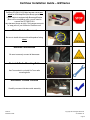
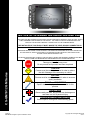
You will need to mount the GPS and Optional Satellite Radio Antennas on the exterior of the vehicle.
STEP
3
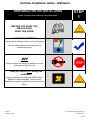
Use Caution around SRS Components
It is the installer’s responsibility to ensure that the safety
equipment in the vehicle is NOT adversely affected by
installation of this system. Ensure that the routing of the
harnesses do NOT obstruct airbags, SRS or other safety
devices.
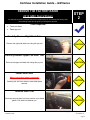
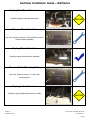
Mount the GPS and Sat Radio antenna
on the EXTERIOR of the Vehicle
Route the GPS harness away from other power harnesses
in the vehicle.
This will help to ensure optimum performance of the GPS
system.
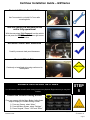
INSTALL THE CAR SHOW NAVIGATION SYSTEM
You will need to prepare the Navigation System for installation in the vehicle.
STEP
4
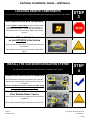
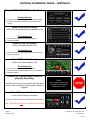
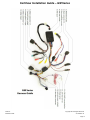
Connect the Power and GPS Harnesses
The GPS Harness must be properly seated into connector.
Also be sure steering wheel control connector is securely
connected.
Failure to follow this step may result in poor GPS signal
and steering wheel controls being inop.
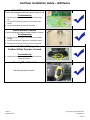
Connect Optional Harnesses such as
iPod, Satellite Radio, Camera
These harnesses must be fully engaged prior to the system
installation.
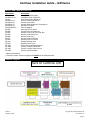
See the Main Harness Diagram below for more information
CarShow
Installation Guide
Copyright 2012 All Rights Reserved
CS-GM1210-12
Page 5