1
CHAPTER
12
Setting Alarms
There are 6 alarms you can set to remind you when to test
your glucose levels.
When alarms are activated:
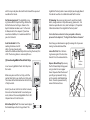
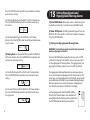
[1] If an alarm is set and the AgaMatrix Presto Meter is deactivated, the alarm will activate the meter. “AL1” thru “AL6” (depending which alarm is set) is displayed. The display backlight
flashes, and the meter will beep repeatedly for 15 seconds.
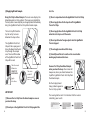
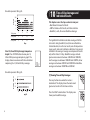
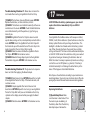
to AL6). If this is your first time setting an alarm, use AL1. Press
CENTER to select an alarm to set.
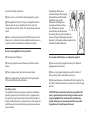
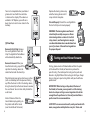
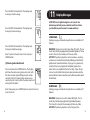
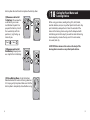
[3] Turning Alarms ON or OFF: Press the
RIGHT or LEFT arrow buttons to enable (ON) or
disable (OFF) the alarm. The default setting is
OFF. Confirm your selection by pressing CENTER
button. Your selections will be highlighted by a
blinking symbol.
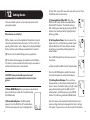
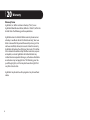
[4] Setting Alarm Times: You can now set the
alarm time. First, set the flashing numbers (hour)
with the RIGHT or LEFT arrow buttons. Accelerated change is possible by holding down the
arrow buttons.
[2] You can turn the alarm OFF by pressing any button.
[3] The alarms will not appear during Menu and Test Modes.
If an alarm is set to sound or flash while using these modes, it
will alarm after the meter is deactivated.
CAUTION: Follow your healthcare professional’s
recommendations on when and how often to test your
glucose.
38
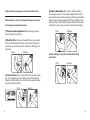
Press CENTER to confirm and to move on to set
the minute.
Set (minute) with the RIGHT or LEFT arrow buttons.
Press the CENTER button to confirm the alarm
time and to move on to set the alarm volume.
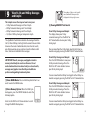
[1] Enter MENU Mode: When your meter is deactivated,
press and hold any button for 2 seconds to enter
the MENU mode.
[5] Setting Alarm Volumes: There are three
volume options. A silent alarm will only flash the
meter’s screen. The default setting is “high”. Select
your preferred setting with the RIGHT or LEFT
arrow buttons. Confirm by pressing the CENTER
button. This will bring you back to MENU Mode.
[2] Enter Alarm Option: The MEM symbol
appears. Press the RIGHT or LEFT arrow buttons
until the alarm you want to set is displayed (AL1
Note: The volume of an alarm will be affected by the meter’s
volume setting, which can be changed in the meter’s settings
(SET) option. If your meter is set to silent mode, then the alarm
39