1
OmniSwitch 6850 Series Chassis and Hardware Components
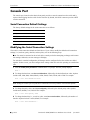
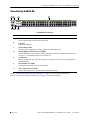
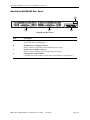
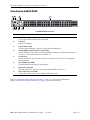
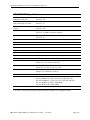
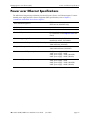
OmniSwitch 6850-P48L
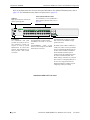
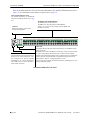
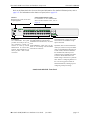
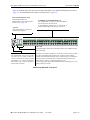
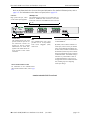
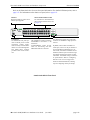
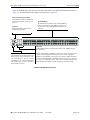
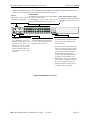
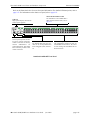
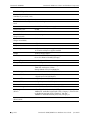
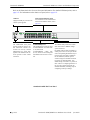
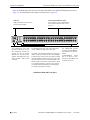
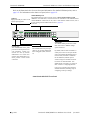
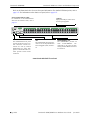
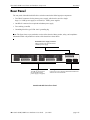
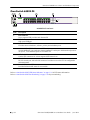
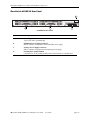
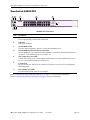
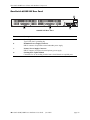
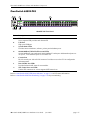
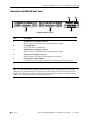
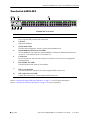
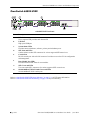
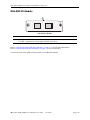
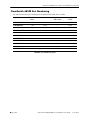
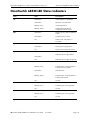
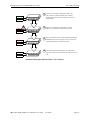
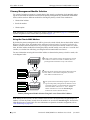
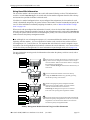
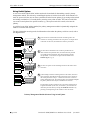
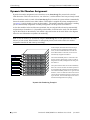
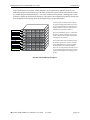
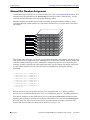
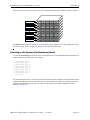
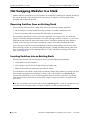
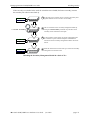
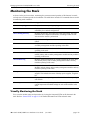
Refer to the illustration below for more front panel information. For detailed LED descriptions, refer to
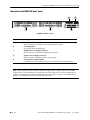
page 2-53. For information on the chassis rear panel, refer to page 2-55.
Status and Slot Indicator LEDs
For detailed information on
OS6850-P48L’s status and slot indicator LEDs, refer to page 2-53.
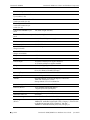
10/100Mbps and 10/100/1000 Mbps PoE
The OS6850-P48L provides 44 fixed 10/100BaseT
non-combo PoE (5–48) and 4 fixed
10/100/1000BaseT combo PoE (1–4). These are autosensing and auto-MDIX and use RJ-45 connectors.
USB Port
High speed USB port, which can be
used for quick upgrades.
OmniSwitch 6850-P48L
OK
PRI
PWR
BPS
1
2
3
4
1
2
3
4
5
6
7
8
9
10
11
12
13
14
15
16
17
18
19
20
21
22
23
24
25
26
27
28
29
30
31
32
33
34
35
36
37
38
39
40
41
42
43
44
45
46
47
48
USB
Console
CLASS 1 LASER PRODUCT
Combo SFP
The OS6850-P48L provides four combo SFP connectors for 1000Base-X highspeed connections.
Console Port
The OS6850-P48L front panel provides
one RJ-45 port for console connections.
Console connections are used by network
administrators for switch management.
This female RJ-45 connector provides a
DTE console connection.
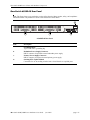
By default, when an SFP is installed in a combo port, it takes over the port number of the corresponding RJ-45 Ethernet port. In other words, if an SFP is
installed in the slot labeled 4, Ethernet port 4 would no longer be available and
cannot be used for 10/100/1000 traffic. This default setting is referred to as
“preferred fiber.” Refer to “Configuring Ethernet” in the
Network Configuration Guide for detailed information, including steps for configuring combo port settings.
OmniSwitch 6850-P48L Front Panel
OmniSwitch 6850/6850E Series Hardware Users Guide
June 2012
page 2-15