1
SP4900_uguide.book Page 150 Tuesday, December 9, 2014 12:30 PM
150 | Solving Problems
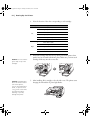
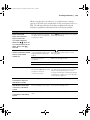
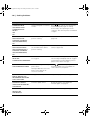
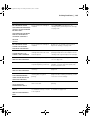
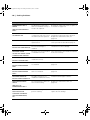
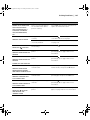
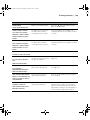
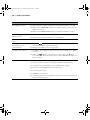
Message
Explanation
Response
SPECTROPROOFER ERROR
There is an error with the
optional SpectroProofer.
Refer to the SpectroProfer User’s Guide for
additional information.
The paper eject support is in
the wrong position.
Lower the paper eject support.
The paper eject support is in
the wrong position.
Raise the paper eject support.
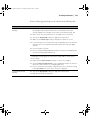
REFER TO THE MANUAL
AND CONNECT THE ILS20EP
TO SPECTROPROOFER
TURN THE POWER OFF,
AND THEN ON AGAIN
WRONG SUPPORT
POSITION
LOWER THE PAPER EJECT
SUPPORT
WRONG SUPPORT
POSITION
RAISE THE PAPER EJECT
SUPPORT
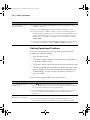
Improving Print Quality
You can often improve print quality by doing the following:
•
Run a nozzle check and cleaning cycle. See page 118 for instructions.
•
Align the print head. See page 123 for instructions.
•
When you send a print job, make sure your print options are set
correctly. For more information, see page 59 (Windows) or page 87
(Mac).
150