1
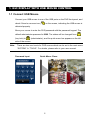
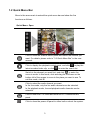
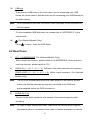
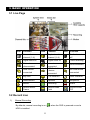
1. GUI DISPLAY WITH USB MOUSE CONTROL 1.1 Connect USB Mouse Connect your USB mouse to one of the USB ports on the DVR front panel, and check if there’s a mouse icon ( ) on the screen, indicating the USB mouse is detected properly. Move your mouse to enter the DVR password with the password keypad. The default administrator password is 0000. The status will be changed from (key lock) to (administrator), and the quick menu bar appears on the left side of the screen. Note: There are two user levels for DVR access which can be set in the main menu “SYSTEM” “TOOLS”. For details, please refer to your user manual. Password Input Quick Menu: Close 2