1
Longest Battery Life
Fastest Trigger Time
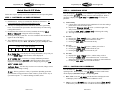
Image Storage on Compact Flash card
Images are stored on industry standard Compact Flash cards. Card sizes of 8
MB to 512 MB are readily available at most retailers that sells digital cameras.
Images are saved in standard JPG format and are compatible with personal
computers, printers, and some digital cameras. Select card sized based upon
how many images you wish to save.
CARD SIZE
8 MB
16 MB
32 MB
64 MB
128 MB
256 MB
512 MB
Longest Battery Life
Fastest Trigger Time
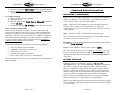
We recommend using your PC to view, print, email, and archive images. Using
2 Compact Flash cards you can 1) remove the 1st Compact Flash card from
Cuddeback, 2) insert your 2nd Compact Flash card into Cuddeback, and then 3)
take the 1st card home for image viewing on your PC. By using 2 Compact
Flash cards you can leave Cuddeback installed in the field, while you are able to
view and archive recorded images at home using you computer and printer.
APPROXIMATE NUMBER of IMAGES
25
50
100
200
400
800
1600
Note: Image size will vary greatly with image content. You may be able to save more
or less images than shown. Quantity and length of video clips will reduce the number
of images that can be saved.
Viewing Images
1.
2.
3.
4.
5.
6.
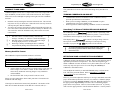
Use a portable TV or Camcorder. Attach a standard portable TV or
camcorder to Cuddeback’s Video Our Port for image viewing. Your TV or
camcorder must have a video in port.
Use a TV Viewer. The SanDisk Digital Photo Viewer can be used to view
images on your TV; a computer is not required (see www.sandisk.com).
Use a compatible camera. Some digital cameras that use Compact Flash
cards may be able to view images taken with the Cuddeback Digital
Camera. You should have your retailer test the camera before purchasing to
assure that the camera will read images taken with your Cuddeback Digital
Camera.
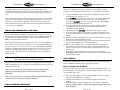
Use a PC. Using a Compact Flash card reader Cuddeback images can be
read by personal computers. You can then email, print, enhance, and
archive the images using common PC software. Compact Flash card readers
are available at most computer stores, or at www.sandisk.com.
Use a printer equipped with an image viewer. Many of the personal printers
by Epson, H-P, and others feature built in Compact Flash card readers.
These printers can be used to view and print images from your Cuddeback
Digital Camera.
Video clips can only be viewed using a PC with appropriate software.
Quick Time player is installed on many newer PCs. If not installed on your
PC, Quick Time player can be downloaded via the internet at no cost (see
www.quicktime.com).
Page 3 of 37
Page 4 of 37