1
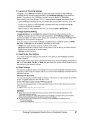
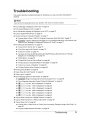
When Printing Becomes Faint or Colors Are Incorrect
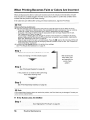
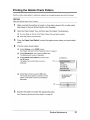
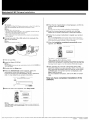
When printing becomes faint or colors are incorrect even if ink remains in the ink tanks, the print
head nozzles are probably clogged. Print the nozzle check pattern to confirm the condition of the
nozzles and then perform Print Head Cleaning.
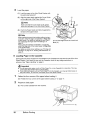
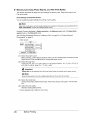
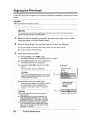
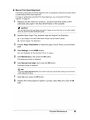
If the ruled lines are shifted after running print head maintenance, align the Print Head.
W
Note
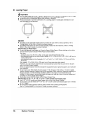
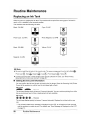
Before performing maintenance
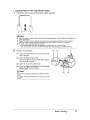
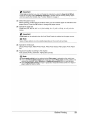
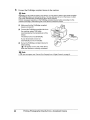
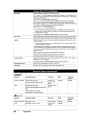
• Open the Scanning Unit (Printer Cover) and make sure that all lamps for the ink tanks are lit red.
- If anyone of the lamps is flashing slowly, the associated ink tank is running low. You can continue
printing for a while, but we recommend you to have a replacement ink tank available.
- If anyone of the lamps is flashing fast, the associated ink tank is empty. Replace the ink tank.
See "Replacing Ink Tanks" on page 52.
If an ink lamp is flashing fast even though ink remains in that ink tank, it is inserted in the wrong
position. Make sure that the ink tank of the correct color is inserted in each position, matching the
label. See "Replacing an Ink Tank" on page 50.
- If the ink lamp is not lit, the tank is not set properly. Press the ~ mark on the ink tank until the tank
clicks into place. Make sure that all packaging material is peeled off the ink tank. See "Prepare the
replacement tank." on page 53.
• Increase the Print Quality setting in the printer driver settings.
See "Print Results Not Satisfactory" on page 78.
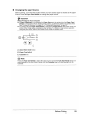
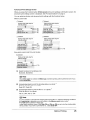
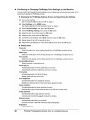
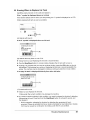
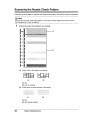
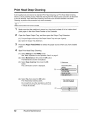
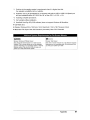
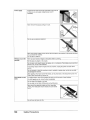
If lines are missing or if white streaks appear
After cleaning the
Print Head, print
and examine the
nozzle check
pattern.
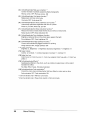
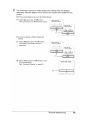
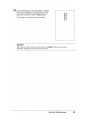
If the problem is not resolved after performing
Print Head Cleaning twice
W
Note
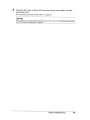
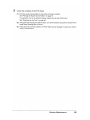
If Print Head Deep Cleaning does not resolve the problem, the Print Head may be damaged. Contact your
Canon service representative.
•
56
If the Ruled Lines Are Shifted
Routine Maintenance