1
2.8 Installing a PCI card
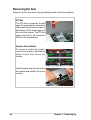
1. The PCI riser card and card
bracket assembly comes
pre-installed in the chassis.
Pull up the metal lever to
release and detach the
assembly from the chassis.
PCI Riser Card and
Card Bracket Assembly
Metal Lever
2. Install a PCI or PCI-X card into
a riser card slot, and secure
the card with a screw. Do the
same procedure if you are
installing another card into the
second slot on the opposite
side of the riser card.
NOTE: If you are installing an
extended PCI card, pull up the
plastic card holder before
installing the assembly back
into the chassis.
Extended Card Holder
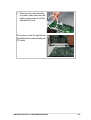
3. When the cards are installed,
replace the riser card assembly
into the chassis. Pull up the
metal lever and align the riser
card golden fingers with the
PCI slot. Firmly insert the riser
card into the slot.
32
Chapter 2: Hardware Setup