1
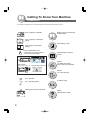
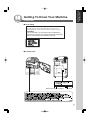
Getting To Know Your Machine
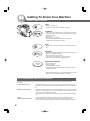
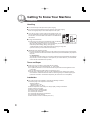
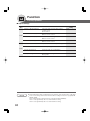
Useful Office Functions
Copy
• Copy up to Ledger size.
Capable of copying text/photos/halftone originals.
Fax/Email
• Plain Paper High-speed Super G3 compatible Fax with JBIG
compression when optional Fax Communication Board (DAFG600) is installed.
• Quick-Scan
• Quick Memory Transmission
• Email Function capability when optional Internet Fax/
E-Mail Module (DA-NF600) is installed.
Print
• Digital printer controller standard, printer resolution 300 or 600
dpi.
Scan/File
• Monochrome scanner capability when optional Network Scanner
Module (DA-NS600) is installed.
Scanning resolution up to 600 dpi.
• A document can be saved to, or retrieved from the
Network Server with this Digital Imaging System.
Application Software
• Document Manager
• Document Viewer
• Document Network Scanner*
• Utilities (Network Status Monitor, Phone Book Editor, Device
Configuration Editor)
∗ Document Network Scanner is only available when the optional
Network Scanner Module (DA-NS600) is installed.
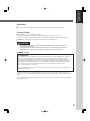
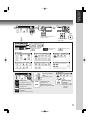
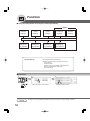
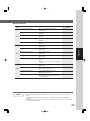
DP-3520/4520/6020 Operating Instructions
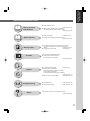
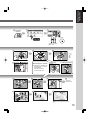
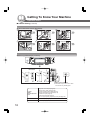
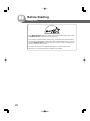
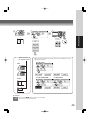
This copier includes operating instruction manuals, please use the correct manual when an operator intervention
is necessary.
2
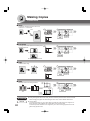
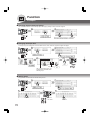
<Copy & Network Scan>
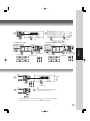
Use the information provided in this manual whenever a copier function requires
intervention. For example: how to make copies, add paper, replace the toner bottle,
etc.
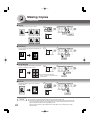
<Fax/Internet Fax (Email)>
Use the information provided in the DP-3510/4510/6010 Fax & Internet Fax Operating
Instructions and Supplement (For DP-3520/4520/6020) manual whenever a Fax/
Internet Fax function requires intervention.
For example: how to send/receive a Fax/Email, or when a trouble message appears,
etc.
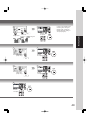
<Print &
Other Advanced Functions>
Use the information provided on the enclosed CD for an explanation of how to
use as a Network Printer, Network Scanner, Edit Directory Dialing Feature,
Device Settings, Network Status Monitor, and/or Document Management System.