1
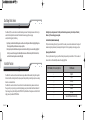
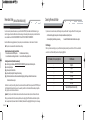
Dual Stage Shock Sensor Press Buttons (I+III) for 2 seconds to activate or deactivate the dual stage shock sensor. The dual stage shock sensor will activate in 30 seconds after the CompuStar alarm mode is armed. When the dual shock sensor is engaged, the remote-pager security alerts will be triggered by the following: Light impact to your vehicle will activate the first stage shock sensor and the car siren will chirp 4 times in addition to the parking lights flashing 4 times. The remote pager unit will beep and the hammer icon shows up a couple of times Heavy impact to your vehicle will activate the second stage shock sensor and the car siren will chirp for 30 to 60 seconds and the parking lights will flash for 30 to 60 seconds. The remote-pager will be notified audibly and a hammer icon will blink in the CompuGLO LCD. Press Button I for a 1/2 second to turn off the second stage shock sensor sirens and flashing lights. Flashing Battery icon during remote start. The battery icon flashes while engine running . Each of the 4 bars of the battery indicates 25% of the remaining engine running time. Continuation Mode:(Automatic transmission only) While your vehicle is running with your key, if you press button II for 2 seconds, you are now in the continuation mode. Your engine will continue running for the preset time even if you take your key from the ignition. This is for your quick stop at, for example, a grocery store. Diagnosing problems with Auto-Start If there is a problem in auto-starting your car, you will hear three chirps when you attempt to auto-start the car. Wait for 2 seconds and the cause for the error will be indicated by the number of times parking lights flash. Auto-Start Function Error Number (# of times parking lights flash) Press Button II for 2 seconds to auto-start an automatic transmission engine. Remember that a manual key in the ignition is required to drive the car. In addition, the anti-grind circuit (this maybe an optional feature provided by your installer) prevents you from re-cranking the starter on a remote-started vehicle. Press Button II for 2 seconds in order to turn off an auto-started car. For manual transmission vehicles, please use reservation mode. The engine will run 15 or 25 minutes (25 or 40 min for diesel) depending on preset options at the time of installation and then shut off. If your remote-pager has a problem starting the vehicle, NUSTART will try 2 additional times. If the engine does not start after the third attempt, please call your authorized NUSTART dealer. By Firstech, LLC 10 1 2 3 4 5 6 7 Error Reason Engine On Key On Door Open Trunk Open Brake On Hood Open Reservation Off (Manual Transmission Only) 11 By Firstech, LLC