1
Setting the Jumpers
Caution: Emulex LightPulse® HBAs contain electronic components that can be damaged by static
electricity through an electrostatic discharge (ESD) event. To prevent ESD damage, maintain
constant contact with any grounded metal surface. A grounding wrist strap is useful for this
purpose. Handle the card carefully at all times and preferably by the edges. Avoid touching
electronic components and keep the card in the original packaging until you are ready for
installation.
The device ID jumpers are used in custom applications. Do not change the jumper settings for a
standard Emulex installation.
The LPe12000 HBA has one six-post jumper block that controls the HBA's device ID. The LPe12002
HBA has two six-post jumper blocks that control the HBA's device ID for Ports 0 and 1. Select the ID by
installing a jumper between posts 1 and 2, or 3 and 4, or 5 and 6. If no jumper is installed, the default
device ID is 0x1AE5.
Table 1. Jumper Settings (Port 0 on the LPe12000 - Ports 0 and 1 on the LPe12002)
PCI Identifier
P0_JX (Port 0)
P1_JX (Port 1)
F100
1–2
1–2
F101
3–4
3–4
1AE5*
5–6
5–6
Note: * Without a jumper, the HBA reports a device ID of 0x1AE5. Most software drivers
require a PCI device ID of F100 to properly identify and control the HBA. Do not
attempt to operate the HBA with the PCI device ID set to 0x1AE5 unless
recommended by the driver installation instructions.
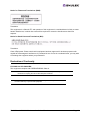
Figure 1: The LPe12000 and LPe12002 Jumper Settings
LPe12000 and LPe12002 Hardware Installation Manual
Page 2