1
Security Technical Overview
Protecting data
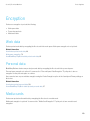
Users can also turn on media card encryption using the Media Card Encryption option in the Security and Privacy settings
on the device.
Related information
Protecting data on media cards, 50
Media card encryption, 74
Home screen message
If devices are lost, you can change the information that appears on the home screen to display contact information that can
be used to return the device.
When you use the BlackBerry Device Service to send the "Specify new device password and lock device" IT administration
command to a device, a message field appears. You can type the message that you want to appear on the home screen in
the message field.
To change the home screen message, the device must be running BlackBerry 10 OS. For more information, see the
BlackBerry Device Service Advanced Administration Guide.
BlackBerry Smart Card Reader
You can use the BlackBerry Smart Card Reader 2.0 with devices that run BlackBerry 10 OS version 10.1 to:
•
Permit users to authenticate with their smart cards and log in (this is called two-factor authentication)
•
Import the certificates that are required for S/MIME encryption
The reader communicates using Bluetooth technology version 1.1 and later and encrypts information on the smart card
using AES-256 encryption. The reader stores all encryption keys in RAM only and never writes the keys to flash memory.
To pair devices with the reader, users must install a smart card driver, the BlackBerry Smart Card Reader driver, and,
optionally, a smart card authenticator module on their devices.
Opening a secure connection to the BlackBerry Smart
Card Reader
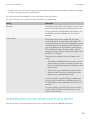
A user can open a secure connection between a BlackBerry 10 device and the BlackBerry Smart Card Reader in one of the
following ways:
•
104
Clicking Connect on the BlackBerry Smart Card Reader options screen on the device