1
WPS-100-DVR-4CH Installation and Users Manual
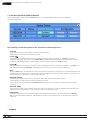
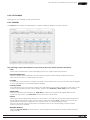
5.1 VIDEO ADJUSTMENT
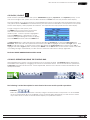
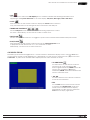
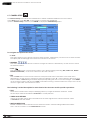
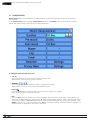
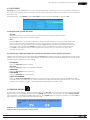
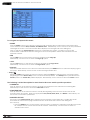
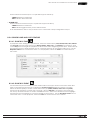
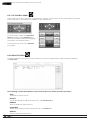
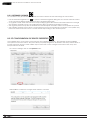
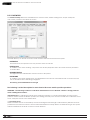
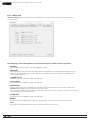
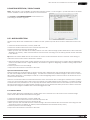
The Video Adjustment menu allows for the adjustment of Brightness, Contrast, Hue, and Saturation for each
video input.
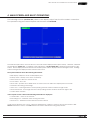
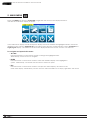
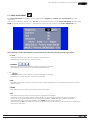
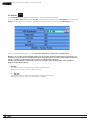
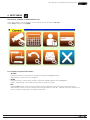
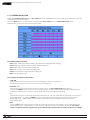
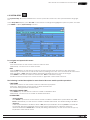
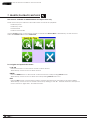
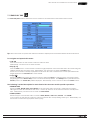
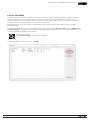
Once in the main Menu display, press ▲▼◄► on the remote control to select Video Adjustment and then press
ENTER to display the menu as shown. Alternatively, use the mouse to click on the Video Adjustment icon.
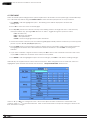
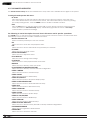
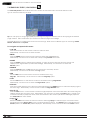
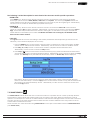
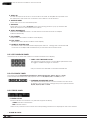
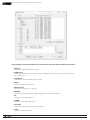
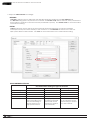
The following is a brief description for each item in the sub menu and its specific operations:
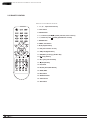
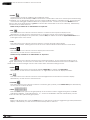
• ▲▼◄►
Press these buttons on the remote control to select an item.
Alternatively, use the mouse to select an item.
• NUMERIC
Press these buttons on the remote control to change the camera.
Alternatively, use the mouse to select the desired camera.
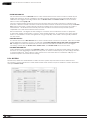
• +/ Press these buttons on the remote control to change the settings.
Alternatively, use the mouse to make these changes.
• SEQ
Press this button on the remote control to reset the video settings for the camera being viewed to factory default values.
• MODE
Press this button on the remote control to restore the values.
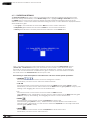
• ESC
Press the ESC button on the remote control to escape from this menu
and return to the main Menu display. Alternatively, use the mouse to exit the sub menu by clicking
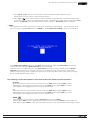
on the “X.” If the contents in this menu have been modified, a Save dialog box will be displayed
requesting the user to save the changes. Press ENTER on the remote control
to exit and save, ESC to exit without saving. Another method to escape is to use the mouse to “right-click,” and exit the sub menu.
© 2012 Wirepath Surveillance
17