1
Contents
Chapter 1: Getting started
Computer requirements
Installation packages and supporting files
Chapter 2: Customizing installation packages
Using SMART Install Manager
Using third-party tools
Chapter 3: Deploying the software
Using the command line interface
Using third-party imaging or remote management software
Activating the software after installation
Renewing keys
Chapter 4: Updating the software
Using a Windows Installer update installation package (MSI file)
Using a Windows Installer patch (MSP file)
Chapter 5: Removing the software
Using the user interface
Using the command line interface
Appendix A: Windows Installer properties and parameters
Properties
Parameters
Examples
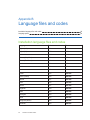
Appendix B: Language files and codes
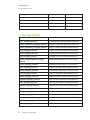
Installation language files and codes
Language packs
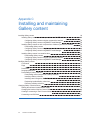
Appendix C: Installing and maintaining Gallery content
Installing Gallery content
Modifying Gallery content
Changing Gallery content locations
Appendix D: Removing previous versions of SMART Board software
Removing SMART Board software 9.x
Removing SMART Board software 8.x
Removing SMART Board software 7.x
i
smarttech.com/kb/170627
1
2
3
7
7
17
19
20
22
23
27
33
33
35
37
37
38
45
45
56
56
59
59
60
63
64
69
75
81
81
82
84