1
Start Here
Please read these instructions before using the printer.
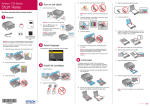
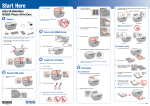
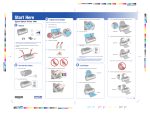
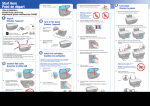
1 Unpack
3 Install ink cartridges
6
Press the
ink button to charge ink. Charging takes about 3 minutes.
4
Load paper against the right edge guide and behind the tab, with the
printable side face up.
Note: Don’t load paper before installing the ink cartridges.
1
Lift up the printer cover, then open the cartridge cover.
Caution: Don’t turn off the printer while the
8 1/2 × 11
or
8 × 10
power light is flashing or you’ll
waste ink.
4 Load paper
CD/DVD adapter
CD/DVD tray
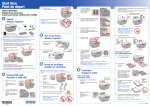
2 U npack the ink cartridges.
Caution: Do not open ink cartridge packages until you are ready to install the ink.
1
Open the paper support, then pull up the extension.
Cartridges are vacuum packed to maintain reliability.
If anything is missing, contact Epson® as described on the back of this sheet.
Remove all protective materials.
3
4×6
or
5×7
Remove only the yellow tape from each cartridge.
2
Open the front cover and pull out the tray extensions.
Note: Don’t load the paper sideways; always load it short edge first.
5
Slide the edge guide over.
Caution: Don’t remove any other seals from the cartridges.
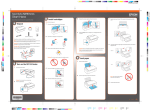
2 Turn on the printer
1
Connect the power cable.
4 Insert the cartridges in the holder for each color. Press the cartridges
down until they click.
3
Caution: Do not connect to your computer yet.
2
Press the
power button.
*411642200*
*411642200*
5
Close the ink cartridge cover and press it down until it clicks.
Then close the printer cover.
Slide the edge guide to the left.