1
Zen V_CLI.fm Page 3 Thursday, May 25, 2006 3:52 PM
Getting Started 3
Getting Started
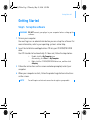
Step 1: Set up the software
WARNING DO NOT connect your player to your computer before setting up the
software.
1 Turn on your computer.
You must log in as an administrator before you can set up the software. For
more information, refer to your operating system’s online Help.
2 Insert the Installation and Applications CD into your CD-ROM/DVD-ROM
drive.
Your CD should start automatically. If it does not, follow the steps below:
i.
ii.
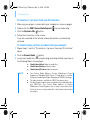
Double-click the My Computer icon.
Alternatively, click Start → My Computer.
Right-click the CD-ROM/DVD-ROM drive icon, and then click
Autoplay.
3 Follow the instructions on the screen and when prompted, restart your
computer.
4 When your computer restarts, follow the product registration instructions
on the screen.
NOTE
You will require an Internet connection to register your product.