1
•
•
•
•
•
•
•
•
•
19878 – Sales - Fixed issue with amount being sent to the VersaPay pinpad being different from the sale
total by one penny occasionally.
Fixed Group Scheduling issue when hovering over the monthly calendar didn't show all the scheduled
events for that day.
19962 – Sales - When selecting from the global Accounts button, and choosing one of the defaults (i.e.
*Debit,*Reservatn, etc.), the form to choose an existing invoice or create a new invoice was not being
displayed. This has been corrected.
20018 – Sales - When CHANGENUMVALS is performed on a Points value, the quantity is not validated. This
will fix problems with erroneous validation errors when the Points changed per validation is greater than
1.
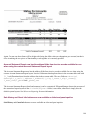
20025 – Sales - The Closeout Report now displays the correct credit card type when processing with
Versapay/Paymentech credit card processing. Previously, everything was listed as VISA when a closeout
was performed.
20081 – Sales - Sales will now allow recall of finalized sales which contain item or item tree restrictions,
and will respect item restrictions for non-finalized sales.
20096 – Sales - Refunds for FORCEFINALIZE items will correctly bring up the payment screen and
handle the refund correctly.
20134 – Sales - Items configured with a pricing schedule and a future Valid On date is refunded with the
current price, rather than the price on validation day.
20160 – Sales - Fixed an intermittent issue with PaymenTech ECR pinpad not being able to get approval on
certain items.
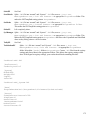
20167 – Sales - The Guest Activity now has a default Date Range filter of the past 365 days. This can be
modified by an .INI setting:
[Preferences]
GuestActivityDays=365
•
•
•
•
•
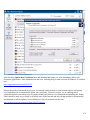
The Refresh button must be pressed to refresh the data after the date range has been modified on the dialog.
Also, the data is retrieved from the server only once rather than every time one of the filter buttons has been
pressed (i.e., the filtering happens locally).
20227 – Sales - The correct max_key is retrieved when encoding a pass from a RF Encode or Print Pass
from a pass lookup.
20299 / 20320 – Sales - Refunding an item with a Removed Pass Item modifier no longer crashes Sales.
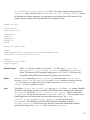
20343 – Sales - Two new settings have been added to the [photo] section of sales32c.INI. The first
is MaxImageSize. Images cannot be larger than MaxImageSize. The default value is 15000. If an
attempt is made to save an image greater than this, an error is displayed. The second new setting is
Quality, which is the quality of the JPEG image to be saved. Valid values are between 0-100. The
default value is 75. This setting may be changed from the Show Setup dialog.
20368 – Sales - Multiple changes were made to functionality involving date changes for Reservations and
Group Scheduling events. A warning now displays when a user tries to change the date of a Group
Scheduling item in the Sales window. Also, dates no longer change for finalized sales. Also, reservations
that are not Group Scheduling events no longer see dates change when the arrival date is changed for the
reservation.
20381 – Sales - The Refund All option now works correctly for multiple items on a sale.
155