1
Contents
CHAPTER
2
Preparing for Installation 2-1
Safety 2-1
Warnings and Cautions 2-1
General Precautions 2-4
Maintaining Safety with Electricity 2-5
Protecting Against Electrostatic Discharge 2-6
Preventing EMI 2-7
Preparing Your Site for Installation 2-7
Environmental 2-7
AC Power 2-9
Cabling 2-9
Precautions for Rack-Mounting 2-10
Required Tools and Equipment 2-11
CHAPTER
3
Installing and Configuring the Cisco Secure ACS Appliance 3-1
Quick Reference 3-2
Installing the Cisco Secure ACS Appliance 3-3
Accessing Internal Components 3-5
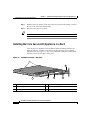
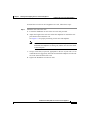
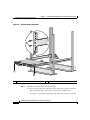
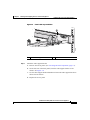
Installing the Cisco Secure ACS Appliance in a Rack 3-6
Connecting Cables 3-11
Connecting to Power Source 3-13
Powering On the Cisco Secure ACS Appliance 3-13
Initial Configuration 3-14
Establishing a Serial Console Connection 3-14
Configuring the Cisco Secure ACS Appliance 3-15
Verifying the Initial Configuration 3-20
Next Steps 3-21
Installation and Setup Guide for Cisco Secure ACS Appliance
iv
78-14573-02