1
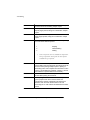
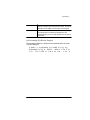
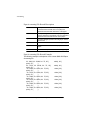
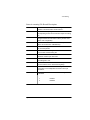
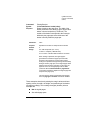
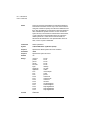
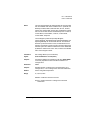
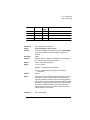
Sessions acceptable to an emulation, including 8-bit data, to be transferred to the printer without terminating documents or subjobs early and out of context. 1RWH7KHVHVVLRQPHFKDQLVPLVVXSSRUWHGRQO\IRURSWLRQDOQHWZRUN LQWHUIDFHVRQ406&URZQSULQWHUVDWWKLVWLPH,WLVQRWVXSSRUWHGIRUMREV VXEPLWWHGWKURXJKDQ\RWKHULQWHUIDFHs/RFDO7DONSDUDOOHORUVHULDO8VH RIWKH6HVVLRQFRPPDQGLQSULQWMREVVXEPLWWHGRYHUQRQQHWZRUN FRPPXQLFDWLRQFKDQQHOVPD\OHDGWRLQFRUUHFWRUHUURQHRXVRXWSXW Session Command Location The session command must Be placed at the beginning of the data stream of a document to delimit the session boundaries. Precede all of the data that belongs to an individual subjob. This will ensure that the command is not saved in the actual data stream that is passed to a language or emulation. Some host applications add DOC commands at the beginning of a document’s data stream before transmitting a job to the QMS Crown printer. If you do not ensure that such features are completely disabled, the processing of the %%Session command will be terminated, and unexpected results may be printed. Alternatively, if FTP is used to transmit a document to a QMS Crown printer supporting the %%Session command, the following ftp command must be entered prior to sending a file to the printer: cd no_doc_cmds The default mode of the FTP protocol for the QMS Crown printer adds network addressing information, in the form of DOC commands, to the start of a job and this data would also terminate the session. Manual Updates E-19