1
Radio
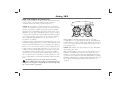
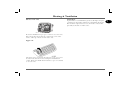
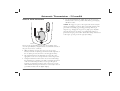
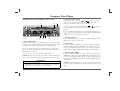
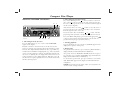
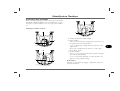
Fader: To adjust the balance between front and rear speakers:
1. Press the AUDIO control - (‘BASS’ shows in the display).
2. Press or until ‘FADER’ appears in the display.
3. Press
or
to adjust the front/rear balance.
• ‘FADER +9’ = maximum sound from FRONT
• ‘FADER 0’ = equal balance
• ‘FADER -9’ = maximum sound from REAR
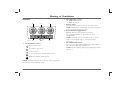
4. X-Bass control
Use the X-BASS feature to boost bass responses at low volume.
Separate levels can be set for each sound source (e.g. radio, tape or
CD).
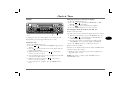
1. Press the X-Bass control.
2. Repeatedly press either the
or
controls (5) until the
required setting is displayed.
• ‘X BASSOFF = feature switched off.
• ‘X BASS 1 = minimum boost.
• ‘X BASS 2 = medium boost.
• ‘X BASS 3 = maximum boost.
3. Press the X-Bass control to store the required setting.
Muting the sound
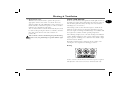
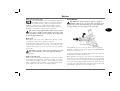
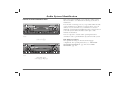
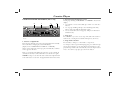
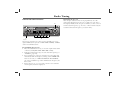
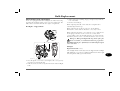
Briefly press the on/off button (1) (‘MUTE’ appears in the
display). The volume will instantly reduce to a preset level. The
preset volume level can be adjusted as follows:
1. Press the MENU button (6).
2. Press the
control until ‘MUTE LVL’ is displayed.
3. Press the
controls to adjust the volume.
4. Press the MENU button twice to store the setting.
Setting the power-on volume
The default volume (the volume level present when the audio unit
is switched on) can be adjusted, as follows:
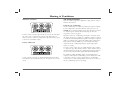
1. Press the MENU button (6).
2. Press
until ‘ON VOL’ is displayed.
3. Press or to reduce or increase the volume.
4. Press the MENU button twice to store the setting.
NOTE: If ‘LAST VOL’ is selected, the power-on volume will be the
same as the volume level that was set when the unit was last switched off,
provided this did not exceed volume level 38.
NOTE: After 8 seconds without further adjustment, all audio settings are
stored and the selection mode (including X-BASS) cancels automatically.
105
3