1
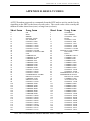
APPENDIX A. AT COMMANDS
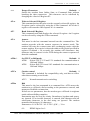
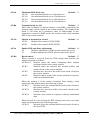
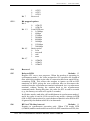
AT\An
Maximum MNP block size
AT\A0
Sets maximum block size to 64 characters
AT\A1
Sets maximum block size to 128 characters
AT\A2
Sets maximum block size to 192 characters
AT\A3
Sets maximum block size to 256 characters
Default : 2
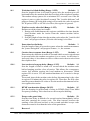
AT\Bn
Transmit break (n=1-9)
Default : 3
When this command is entered during a non-MNP connection, the
modem sends a break signal to the remote modem. The length of the
break is 100 times the n parameter value in milliseconds. If this
command is entered in MNP mode, the modem sends a link attention
PDU to the remote modem.
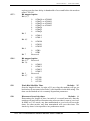
AT\Gn
Modem to modem flow control
AT\G0
Disables flow control (XON/XOFF)
AT\G1
Enables flow control (XON/XOFF)
AT\Jn
Enable DTE auto Rate Adjustment
Default : 0
\J0
Disables adjustment of DTE speed to match line speed
\J1
Enables adjustment of DTE speed to match line speed
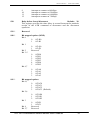
AT\Kn
Break control
Default : 5
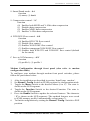
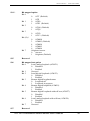
When a break is received from the DTE during data transfer, the
modem responds as follows:
AT\K0,2,4
Modem enters the online Command State without
sending a break to the remote modem
AT\K1
Modem clears the terminal and modem buffers and
sends a break to the remote modem
AT\K3
Modem does not clear the buffers but sends a break to
the remote modem
AT\K5
Modem sends a break to the remote modem in sequence
with any transmitted data
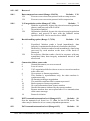
Default : 0
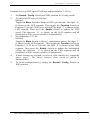
When the modem is in the online Command State during a data
connection, the modem takes the following actions:
AT\K0,1
Modem clears the terminal buffers and sends a break to
the remote modem
AT\K2,3
Modem does not clear buffers but sends a break to the
remote modem
AT\K4,5
Modem sends a break in sequence with any transmitted
data
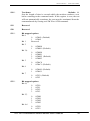
When a break is received from the DTE during a non-error correction
mode, the modem takes the following action:
AT\K0,1
Modem clears the terminal buffers and sends a break to
the local DTE
ACTIVE Professional External Modem User’s Manual
19