1
ATS2000/3000/4000/4500
Control Panel
Programming guide
Version 2.01 (SR_F), June 2004
Aritech is a GE Interlogix brand.
www.aritech.com
Copyright
(c) 2003 GE Interlogix B.V.. All rights reserved. GE Interlogix B.V. grants the right to reprint this manual for internal use only.
GE Interlogix B.V. reserves the right to change information without notice.
CONTENTS
Basic set up............................................................................................................................................12
Advanced set up.....................................................................................................................................13
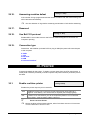
Accessing the installer programming menu ...........................................................................................15
Programming the menu options .............................................................................................................16
1.
Zone database ......................................................................................................................................17
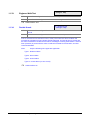
1.1. Zone number................................................................................................................................17
1.1.1. Zone name......................................................................................................................17
1.1.2. Zone type........................................................................................................................18
1.1.3. Reporting of zone ...........................................................................................................27
1.1.4. Report Alarm to Central Station 1...................................................................................27
1.1.5. Report Alarm to Central Station 2...................................................................................27
1.1.6. Report Alarm to Central Station 3...................................................................................27
1.1.7. Report Alarm to Central Station 4...................................................................................28
1.1.8. Enable Audio Listen-in for this zone ...............................................................................28
1.1.9. Enable engineer reset for alarms ...................................................................................28
1.1.10. Enable engineer reset for tamper alarms .....................................................................28
1.1.11. Disable inhibit of the zone ............................................................................................28
1.1.12. Enable Soak Test. ........................................................................................................29
1.1.13. Area / alarm group assignment ....................................................................................29
1.1.14 Test option .....................................................................................................................30
1.1.15. Zone Event flag.............................................................................................................31
1.1.16. Internal Siren Event Flag ..............................................................................................32
1.1.17. External Siren Event flag ..............................................................................................32
1.1.18. Keypad buzzer..............................................................................................................32
1.1.19. Make all events 24 hour ...............................................................................................32
1.1.20. Trigger event flag 2, armed alarm ................................................................................32
1.1.21. Trigger event flag 3, armed alarm ................................................................................33
1.1.22. Trigger event flag 4, armed alarm ................................................................................33
1.1.23. Trigger event flag 5, armed alarm ................................................................................33
1.1.24. Trigger event flag 6, disarmed alarm............................................................................33
1.1.25. Trigger event flag 7, disarmed alarm............................................................................33
1.1.26. Trigger event flag 8, 24 hr alarm ..................................................................................33
1.1.27. Trigger event flag 9, armed alarm ................................................................................34
1.1.28. Trigger event flag 10, armed alarm ..............................................................................34
1.1.29. Trigger event flag 11, armed alarm ..............................................................................34
1.1.30. Trigger zone event flag when active.............................................................................34
1.1.31. Trigger camera event flag in area DB ..........................................................................34
1.1.32. Print zone when active .................................................................................................34
1.1.33. Engineer Walk Test ......................................................................................................35
1.1.34. Double Knock ...............................................................................................................35
2.
Area database.......................................................................................................................................36
2.1. Select the area to program ..........................................................................................................36
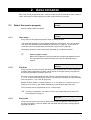
2.1.1. Area name ......................................................................................................................36
2.1.2. Exit time ..........................................................................................................................36
2.1.3. Entry time........................................................................................................................36
2.1.4. External siren event flag .................................................................................................37
2.1.5. Internal siren event flag ..................................................................................................37
2.1.6. Area disarmed event flag................................................................................................37
2.1.7. Area active event flag .....................................................................................................37
2.1.8. Inhibited event flag .........................................................................................................38
2.1.9. Armed Alarm event flag ..................................................................................................38
2.1.10. Disarmed alarm event flag............................................................................................38
2.1.11. Local alarm event flag ..................................................................................................38
2.1.12. Exit timer event flag ......................................................................................................38
2.1.13. Entry timer event flag....................................................................................................38
2.1.14. Warning timer event flag...............................................................................................38
2.1.15. Camera event flag ........................................................................................................39
ATS2000/3000/4000/4500 Programming manual
3
2.1.16.
2.1.17.
2.1.18.
2.1.19.
2.1.20.
2.1.21.
2.1.22.
2.1.23.
2.1.24.
2.1.25.
2.1.26.
2.1.27.
2.1.28.
2.1.29.
2.1.30.
2.1.32.
Pre-alarm timer event flag ............................................................................................39
Anti-mask event Flag....................................................................................................39
Latched reset event flag ...............................................................................................39
Alarm A event flag ........................................................................................................40
Alarm B event flag ........................................................................................................40
Out-of-hours timezone..................................................................................................40
Area disarmed time ......................................................................................................40
Report to Central Station 1 ...........................................................................................40
Report to Central Station 2 ...........................................................................................40
Report to Central Station 3 ...........................................................................................40
Report to Central Station 4 ...........................................................................................40
Enable audio listen in ...................................................................................................41
Enable exit fault reporting.............................................................................................41
A&B alarm reporting (ACPO only) ................................................................................41
Disable arming if all inputs inhibited .........................................................................41
Area Tamper event flag ................................................................................................41
3.
RAS database .......................................................................................................................................42
3.1. RAS to be polled ..........................................................................................................................42
3.2. Select RAS to program ................................................................................................................42
3.2.1. Area alarm group ............................................................................................................42
3.2.2. Menu alarm group ..........................................................................................................42
3.2.3. Door event flag ...............................................................................................................43
3.2.4. Output controller assigned..............................................................................................43
3.2.5. LCD arming station .........................................................................................................43
3.2.6. Toggle Area status .........................................................................................................44
3.2.7. ENTER key opens door only ..........................................................................................45
3.2.8. Door event flag on alarm codes (Alarm codes open door).............................................45
3.2.9. Display shunted zone on LCD ........................................................................................45
3.2.10. Arm/disarm using one key ............................................................................................46
3.2.11. Cards auto disarm ........................................................................................................46
3.2.12. Card always arms/disarms ...........................................................................................46
3.2.13. Reset from RAS without code ......................................................................................46
3.2.14. Alarm group restrictions to disarm only ........................................................................46
3.2.15. Enable entry/exit buzzers .............................................................................................47
3.2.16. Timed lockout ...............................................................................................................47
3.2.17 Cards Arm After 3 badges .............................................................................................47
3.2.18. Disable Status LED's ....................................................................................................47
3.2.19. ATS1151/56 RAS .........................................................................................................48
3.2.20. CARD & PIN (Disarm Only)..........................................................................................48
3.2.21. RAS Tamper (ACPO) Area...........................................................................................48
4.
DGP database .......................................................................................................................................49
4.1. DGPs to be polled ........................................................................................................................49
4.1.1. DGP type ........................................................................................................................49
4.1.2. DGP Tamper (ACPO) Area ............................................................................................50
5.
Alarm groups ........................................................................................................................................51
5.1. Alarm group number ....................................................................................................................52
5.1.1. Alarm group name ..........................................................................................................53
5.1.2. Areas assigned ...............................................................................................................53
5.1.3. User alarm group ............................................................................................................53
5.1.4. Alarm system control ......................................................................................................53
5.1.5. List of areas ....................................................................................................................54
5.1.6. Keypad duress................................................................................................................54
5.1.7. Reset system alarm ........................................................................................................54
5.1.8. Disable auto uninhibit .....................................................................................................54
5.1.9. Arm and reset only..........................................................................................................55
5.1.10. Disarm only...................................................................................................................55
5.1.11. Alarm reset only............................................................................................................55
5.1.12. Auto inhibit active zones...............................................................................................55
5.1.13. Forced arming when active zones................................................................................56
5.1.14. Prevent forced disarming..............................................................................................56
4
ATS2000/3000/4000/4500 Programming manual
5.1.15. Modem access..............................................................................................................56
5.1.16. Alarm group restriction 1 ..............................................................................................56
5.1.17. Alarm group restriction 2 ..............................................................................................57
5.1.18. Alarm group restriction 3 ..............................................................................................57
5.1.19. Alarm group restriction 4 ..............................................................................................57
5.1.20. Alarm group restriction 5 ..............................................................................................57
5.1.21. Alarm group restriction 6 ..............................................................................................57
5.1.22. Alarm group restriction 7 - Emergency.........................................................................57
5.1.23. Alarm group restriction 8 - Counter ..............................................................................58
5.1.24. No arming if alarm group restriction not timing.............................................................58
5.1.25. Change own PIN code..................................................................................................58
User menu options .......................................................................................................................59
5.1.27. Timezone ......................................................................................................................60
5.1.28. Alternate alarm group ...................................................................................................60
6.
Timers....................................................................................................................................................61
6.1. Alm/grp restriction 1 disarmed time .............................................................................................61
6.2. Alm/grp restriction 2 disarmed time .............................................................................................61
6.3. Alm/grp restriction 3 disarmed time .............................................................................................61
6.4. Alm/grp restriction 4 disarmed time .............................................................................................61
6.5. Alm/grp restriction 5 disarmed time .............................................................................................62
6.6. Alm/grp restriction 6 disarmed time .............................................................................................62
6.7. Alm/grp restriction 7 disarmed time .............................................................................................62
6.8. Alm/grp restriction 8 disarmed time .............................................................................................62
6.9. Disarm test time ...........................................................................................................................62
6.10. Arm test time ................................................................................................................................62
6.11. Warning time ................................................................................................................................63
6.12. Disarmed alarm delay time ..........................................................................................................63
6.13. Suspicion time..............................................................................................................................63
6.14. Service time available ..................................................................................................................63
6.15. Local alarm reminder time ...........................................................................................................63
6.16. Individual zone test time ..............................................................................................................64
6.17. Door(s) unlock time ......................................................................................................................64
6.18. Testing event flag time.................................................................................................................64
6.19. External siren set to. ....................................................................................................................64
6.20. Internal siren set to ......................................................................................................................64
6.21. Siren delay set to .........................................................................................................................64
6.22. Mains fail delay time ....................................................................................................................65
6.23. Delay reporting alarms for............................................................................................................65
6.24. A to B alarm delay (ACPO) ..........................................................................................................65
6.25. Screensaver timeout time (Scandinavian indicator) ....................................................................65
6.26. RAS CARD & PIN Timeout (Sec). ...............................................................................................65
6.27. Double Knock Interval (Min).........................................................................................................65
6.28. Double Knock Duration (Sec). .....................................................................................................66
7.
System options.....................................................................................................................................67
7.1. Areas selected for total disarm ....................................................................................................67
7.2. Film low level................................................................................................................................67
7.3. Film out level ................................................................................................................................67
7.4. Test mode ....................................................................................................................................68
7.5. No. of output controllers...............................................................................................................68
7.6. Zone event text ............................................................................................................................68
7.7. Alarm code prefix .........................................................................................................................69
7.8. LCD text rotation delay ................................................................................................................69
7.9. LCD text rotation speed ...............................................................................................................69
7.10. Dual zone enabled .......................................................................................................................69
7.11. Automatic uninhibit.......................................................................................................................70
7.12. Display zones...............................................................................................................................70
7.13. User name file ..............................................................................................................................70
7.14. System "Tamper" activates siren and strobe..............................................................................71
7.15. Latching system alarms ...............................................................................................................71
7.16. Siren testing .................................................................................................................................71
7.17. Disable "0 ENTER" for camera reset ...........................................................................................71
ATS2000/3000/4000/4500 Programming manual
5
7.18.
7.19.
7.20.
7.21.
7.22.
7.23.
7.24.
7.25.
7.26.
7.27.
7.28.
7.29.
7.30.
7.31.
7.32.
7.33.
7.34.
7.35.
7.37.
7.37.
7.38.
7.39.
7.40.
7.41.
7.42.
7.43.
7.44.
7.45.
7.46.
7.47.
7.48.
7.49.
7.50.
7.51.
7.52.
7.53.
7.54.
7.55.
7.56.
Disable auto insert of alarm group restriction ..........................................................................72
Reserved......................................................................................................................................72
Disable code from displaying .......................................................................................................72
Disable flashing area LED’s.........................................................................................................72
Two users before programming code .......................................................................................73
Display alarms instantly on LCD ..................................................................................................73
Sirens only after fail to report .......................................................................................................73
Financial institution options..........................................................................................................73
Display user flags.........................................................................................................................74
Delayed disarmed alarm lockout..................................................................................................74
Zone expansion fitted...................................................................................................................74
Inhibit zone includes tamper ........................................................................................................75
Report multiple alarms .................................................................................................................75
Report multiple restores...............................................................................................................75
Engineer reset on system alarms ................................................................................................75
Engineer reset on system tampers ..........................................................................................76
Arming without Battery.................................................................................................................76
Perform engineering reset ...........................................................................................................76
Engineer entry protect.................................................................................................................76
Send arming after exit..................................................................................................................76
User offset..................................................................................................................................76
End of line resistor code ..............................................................................................................77
Duress mode................................................................................................................................77
Siren Type....................................................................................................................................77
Inhibit alarm report on exit fault....................................................................................................78
Disable tamper report in disarm...................................................................................................78
Inhibit external siren and strobe for disarm tamper ....................................................................78
ATS system code .........................................................................................................................78
Soak Test days ............................................................................................................................78
ACPO 2002 ..................................................................................................................................78
EE confirm disable (ACPO 2002) ................................................................................................79
Engineer reset on B Alarm only ...................................................................................................79
NFA2P..........................................................................................................................................79
Installer dual code ........................................................................................................................79
Enable Buzzer on Mains/Line fault ..............................................................................................79
Enable "Call Central Station" display ...........................................................................................80
Scandinavian Options ..................................................................................................................80
Enable Log Limitations.................................................................................................................80
Indicate Inhibited Zones...............................................................................................................80
8.
Auto reset..............................................................................................................................................81
8.1. Auto reset time .............................................................................................................................81
8.1.1. Reset alarm group ..........................................................................................................81
9.
Communication options ......................................................................................................................82
9.1. PABX number ..............................................................................................................................82
9.2. MSN Number ...............................................................................................................................82
9.3. Dial tone detection .......................................................................................................................82
9.4. Select tone dialling .......................................................................................................................82
9.5. Enable PSTN line fault monitor....................................................................................................83
9.6. Monitor service tones...................................................................................................................83
9.7. Use 3 digit SIA extensions ...........................................................................................................83
9.8.
ISDN point to point (Yes/No)......................................................................................................83
9.9.
Enable ISDN line fault monitor (Yes/No) ...................................................................................83
9.10. 200 Baud Reverse Area armed/disarmed (open/close) ............................................................83
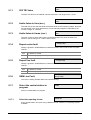
9.11. X25 TEI Value ............................................................................................................................84
9.12. Audio listen-in time (sec.).............................................................................................................84
9.13. Audio listen-in frame (sec.) ........................................................................................................84
9.14. Report mains fault ........................................................................................................................84
9.15. Report line fault ............................................................................................................................84
9.16. GSM Line Fault ............................................................................................................................84
9.17. Select the central station to program .........................................................................................84
9.17.1. Select the reporting format ...........................................................................................84
6
ATS2000/3000/4000/4500 Programming manual
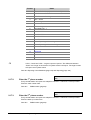
9.17.2. Enter the 1st phone number ..........................................................................................85
9.17.3. Enter the 2nd phone number .........................................................................................85
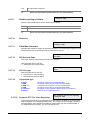
9.17.4. Enter the system account number................................................................................86
9.17.6. Use BELL modem tones for SIA...................................................................................86
9.17.7. Dual reporting ...............................................................................................................86
9.17.8. Allow audio listen-in......................................................................................................86
9.17.9. Disable reporting of inhibits ..........................................................................................87
9.17.10. Reserved ......................................................................................................................87
9.17.11. X-SIA Max Characters................................................................................................87
9.17.12. X25 Account Code........................................................................................................87
9.17.13. X25 Line type................................................................................................................87
9.17.14. Connection type............................................................................................................87
9.17.15. Suppress FTC For Voice Reporting .............................................................................87
9.17.16. Retry Counter ...............................................................................................................88
9.18. SIA area modifier .........................................................................................................................88
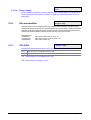
9.19. X25 D-Bit....................................................................................................................................88
10.
Program text .........................................................................................................................................89
10.1. Program text words ......................................................................................................................89
11.
Version number ....................................................................................................................................94
11.1. Select the device to get information on........................................................................................94
12.
LED test.................................................................................................................................................94
13.
Timezones.............................................................................................................................................95
13.1. Select timezone............................................................................................................................96
13.1.1. Program start time, hours. ............................................................................................96
13.1.2. Program start time, minutes. ........................................................................................96
13.1.3. Program end time, hours. .............................................................................................96
13.1.4. Program end time, minutes. .........................................................................................96
13.1.5. Days..............................................................................................................................96
14.
Reset to default ....................................................................................................................................97
14.1. Select default option ..................................................................................................................97
15.
Alarm group restrictions .....................................................................................................................98
Alarm group restriction options ..............................................................................................................98
15.1. Alarm group restriction number..................................................................................................100
15.1.1. Alarm group restriction name .....................................................................................100
15.1.2. Timed disarm areas....................................................................................................100
15.1.3. Areas to arm/reset ......................................................................................................100
15.1.4. 1st Alternate timed disarm area...................................................................................100
15.1.5. 1st alternate Areas to arm/reset ..................................................................................103
15.1.6. 2nd Alternate timed disarm area..................................................................................103
15.1.7. 2nd alternate Areas to arm/reset .................................................................................103
16.
Event to output ...................................................................................................................................104
16.1. Output number ...........................................................................................................................104
16.1.1. Event flag number ......................................................................................................104
16.1.2. Timezone to control output .........................................................................................105
16.1.3. Active or inactive during timezone..............................................................................105
16.1.4. Invert output................................................................................................................105
17.
Auto arm/disarm.................................................................................................................................106
17.1. Auto arm/disarm program ..........................................................................................................106
17.1.1. Timezone to arm/disarm.............................................................................................106
17.1.2. Alarm group to auto arm/disarm .................................................................................106
Using alarm group restrictions in conjunction with auto arm/disarm....................................................107
18.
Areas assigned to vaults ...................................................................................................................108
ATS2000/3000/4000/4500 Programming manual
7
19.
Area linking.........................................................................................................................................109
19.1. Linking areas............................................................................................................................109
20.
System codes .....................................................................................................................................110
20.1. System code 1 ...........................................................................................................................110
20.2. Card offset 1...............................................................................................................................110
20.3. System code 2 ...........................................................................................................................110
20.4. Card offset 2...............................................................................................................................111
21.
Zone shunts ........................................................................................................................................111
21.1. Shunt timer number....................................................................................................................111
21.1.1. Zone number to shunt ................................................................................................111
21.1.2. Output number to start shunt......................................................................................111
21.1.3. Shunt time...................................................................................................................112
21.1.4. Shunt warning time.....................................................................................................112
21.1.5. Shunt event flag..........................................................................................................112
21.1.6. Shunt warning event flag ............................................................................................112
21.1.7. Door open command starts shunt ..............................................................................112
21.1.8. Shunt zone when disarmed ........................................................................................113
21.1.9. Shunt zone when armed.............................................................................................113
21.1.10. Cancel door event flag................................................................................................113
21.1.11. Zone holds event flag for 2 seconds ..........................................................................113
21.1.12. Entry/exit shunting ......................................................................................................114
21.1.13. Log door open/close ...................................................................................................114
22.
Timezone to follow output.................................................................................................................115
22.1. Select timezone..........................................................................................................................115
22.1.1. Assign output to follow................................................................................................115
23.
Poll errors ...........................................................................................................................................116
23.1. Select device type ......................................................................................................................116
24.
Download to remote device ..............................................................................................................117
24.1. Select download option..............................................................................................................117
24.1.1. Display download status.............................................................................................117
24.1.2. Download all ...............................................................................................................117
25.
Display last card.................................................................................................................................118
26.
Reserved menu...................................................................................................................................118
27.
Reserved menu...................................................................................................................................118
28.
To Remote Devices ............................................................................................................................119
28.1. Select the device type................................................................................................................119
28.2. Select the device to program .....................................................................................................119
29.
Computer connection ........................................................................................................................120
29.1. Enable remote up/download ......................................................................................................120
29.2. Up/Download if any Area Armed................................................................................................120
29.3. Enable Remote Control..............................................................................................................121
29.4. Remote control if any area armed..............................................................................................121
29.5. Use modem Init. String ..............................................................................................................121
29.5.1. Enter 32 character init modem string .........................................................................122
29.6. Report alarms to computer ........................................................................................................122
29.7. Report access events to computer ............................................................................................122
29.8. Computer telephone number .....................................................................................................122
29.9. Up/Download callback telephone number .................................................................................122
29.10. Service telephone number .........................................................................................................123
29.11. Computer address......................................................................................................................123
29.12. Security password......................................................................................................................123
29.13. Security attempts .......................................................................................................................123
8
ATS2000/3000/4000/4500 Programming manual
29.14. Number of rings before answering.............................................................................................123
29.15. Number of calls before answering .............................................................................................123
29.16. Answering machine defeat.........................................................................................................124
29.17. Reserved....................................................................................................................................124
29.18. Use Bell 103 protocol.................................................................................................................124
29.19. Connection type .........................................................................................................................124
30.
Printer ..................................................................................................................................................124
30.1. Enable real-time printer..............................................................................................................124
30.2. Print alarm events ......................................................................................................................125
30.3. Print access control events ........................................................................................................125
30.4. Print data outside timezone .......................................................................................................125
30.5. Printer data during timezone (Print during TZ?) ........................................................................125
30.6. Printer options ............................................................................................................................126
31.
Battery testing ....................................................................................................................................127
31.1. Select battery test program........................................................................................................127
31.1.1. Battery test frequency.................................................................................................127
31.1.2. Start battery test .........................................................................................................127
31.1.3. Battery test period ......................................................................................................127
31.2. Select battery test ....................................................................................................................127
31.2.1. Manual battery test .....................................................................................................127
31.2.2. Battery test report .......................................................................................................128
31.2.3. Select DGP number for battery test ...........................................................................128
32.
Custom LCD message .......................................................................................................................129
33.
Program next service.........................................................................................................................129
33.1. Maintenance date.......................................................................................................................129
33.2. Maintenance message...............................................................................................................129
34.
Program system event flags .............................................................................................................130
34.1 Mains fail event flag ...................................................................................................................130
34.2. Low battery event flag................................................................................................................130
34.3 Fuse fail event flag .....................................................................................................................130
34.4 Tamper event Flag .....................................................................................................................130
34.5. Siren fail event flag.....................................................................................................................131
34.6. DGP inhibited event flag ............................................................................................................131
34.7. DGP offline event flag ................................................................................................................131
34.8. RAS offline event flag ................................................................................................................131
34.9. Duress event Flag ......................................................................................................................131
34.10. Film out event Flag.....................................................................................................................131
34.11. Report fail event flag ..................................................................................................................132
34.12. Test mode event flag .................................................................................................................132
34.13. All armed event flag ...................................................................................................................132
34.14. Keypad buzzer event flag ..........................................................................................................132
34.15. Not in use ...................................................................................................................................132
34.16. Not in use ...................................................................................................................................132
34.17. Dialler active system event flag .................................................................................................132
34.18. External siren test event flag......................................................................................................132
34.19. All armed pulse event flag..........................................................................................................133
34.21. Line fault.....................................................................................................................................133
34.22. Battery test active.......................................................................................................................133
34.23. Engineer walk test......................................................................................................................133
34.24. Engineer walk test reset.............................................................................................................133
35.
Program macro logic .........................................................................................................................134
35.1. Program number ........................................................................................................................134
35.1.1 Macro output function ..................................................................................................134
35.1.2 Time.............................................................................................................................135
35.1.3 Macro output triggers event flag or zone....................................................................135
35.1.4 Macro inputs ................................................................................................................135
35.1.5 Macro logic equation ...................................................................................................136
ATS2000/3000/4000/4500 Programming manual
9
36.
Reserved Menu...................................................................................................................................137
37.
Reserved Menu...................................................................................................................................137
38.
Reserved Menu...................................................................................................................................137
39.
Reserved Menu...................................................................................................................................137
40.
Reserved Menu...................................................................................................................................137
41.
Reserved Menu...................................................................................................................................137
42.
Reporting Class Database.................................................................................................................138
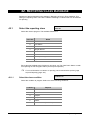
42.1 Select the reporting class...........................................................................................................138
42.1.1 Select the class condition ............................................................................................138
43.
Test Calls ............................................................................................................................................140
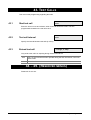
43.1 Start test call ..............................................................................................................................140
43.2 Test call interval .........................................................................................................................140
43.3 Extend test call...........................................................................................................................140
44. - 49.
(Reserved menus) ....................................................................................................................140
50.
Channel Mapping ...............................................................................................................................141
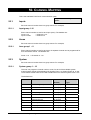
50.1. Inputs .........................................................................................................................................141
50.2. Areas..........................................................................................................................................141
50.3. System .......................................................................................................................................141
51.
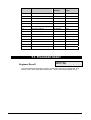
Engineer reset ....................................................................................................................................142
Engineer Reset?...................................................................................................................................142
52.
Voice reporting ...................................................................................................................................143
53.
DVMRe Alarm Input Map....................................................................................................................145
DVMRe Alarm Handling via the printer port...............................................................................145
53.1. DVMRe Alarm Input Map ...........................................................................................................145
High Level Interface (HLI) Control Flags ...................................................................................145
53.2. Enable DVMRe Interface ...........................................................................................................145
53.3. Enable Time Update ..................................................................................................................146
53.4. Enable Event Text Insertion.......................................................................................................146
53.5. Enable Alarm Feedback.............................................................................................................146
53.6. Enable History Search and Play ................................................................................................146
53.7. RAS Permission .........................................................................................................................147
54.
Engineer walk test..............................................................................................................................148
Event Flags....................................................................................................................................................151
Reporting.......................................................................................................................................................153
Troubleshooting ...........................................................................................................................................164
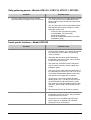
ATS control panel - Model ATS2000/3000/4000/4500 ........................................................................164
LCD arming stations - Models ATS1100, ATS1105.............................................................................165
4 LED arming station - Models ATS1150 and ATS1155......................................................................166
Data gathering panels - Models ATS1201, ATS1210, ATS1211, ATS1220........................................167
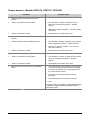
Serial printer interface - Model ATS1802 .............................................................................................168
Output devices - Models ATS1810, ATS1811, ATS1820 ....................................................................169
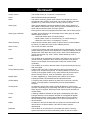
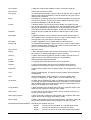
Glossary ........................................................................................................................................................170
Index 173
10
ATS2000/3000/4000/4500 Programming manual
Programming map........................................................................................................................................179
ATS2000/3000/4000/4500 Programming manual
11
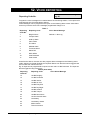
PROGRAMMING SEQUENCE
The ATS2000/3000/4000/4500 is a versatile control panel with many options to set up the
system with necessary requirements. When programming it is easy to lose track if one
does not use a good method. Using a good method also provides for an efficient way of
programming.
Basic set up
The basic set up involves all settings to put an ATS control panel with the most common
programming in operation.
1.
Draw the floor plan and label all zones, equipment, areas etc. Use programming
sheets to fill out all information.
2.
Default the control panel (see the quick installation & programming guide)
3.
Change the Master Engineer Code using user menu 14, Program Users.
4.
Set the correct time and date using user menu 15, Time and Date.
5.
Program specific words that are not in the library using menu 10, Program text.
6.
If any automatic procedure (like auto arm/disarm) is required or users only should
have access during certain periods, program timezones using menu 13, Timezones.
7.
Program the area options like Area Names and entry/exit times using menu 2, Area
database.
8.
Set up the required alarm groups using menu 5, Alarm groups.
9.
Program the RAS connected. First activate polling. Then program the necessary
detail for any specific RAS using menu 3, RAS database.
10. When DGP are connected, activate polling and set the DGP type using menu 4,
DGP database.
11. Program the necessary zone details like zone type, zone name and reporting options
using menu 1, Zone database.
12. Program the dialler details using menu 9, Communication options.
13. Set the required reporting options using menu 42, Reporting Class Database.
14. Program the test call details using menu 43, Test Calls.
15. Program users in user menu 14, Program Users.
16. Map any event to outputs as required using menu 16, Event to output.
12
ATS2000/3000/4000/4500 Programming manual
Advanced set up
The above steps are required to set up any basic system. Items that are not required can
be skipped. Additionally the following items can be programmed:
1. In most cases assigning more then one area to a zone is used to program common
areas. For special common area functions like being able to only disarm the common
area, area linking is required. Program area linking using menu 19, Area linking.
2.
When under certain conditions only restricted access should be available to users,
alarm group restrictions can be required. Program restrictions for alarm groups using
menu 15, Alarm group restrictions.
3.
In case timed disarm is necessary to only allow disarming for a certain amount of
time, the disarmed time has to be programmed using menu 6, Timers.
4.
For automatic arming/disarming program Auto arm/disarm in menu 17.
5.
Program additional system options using menu 7, System options.
6.
Program up/download facilities using menu 29, Computer connection.
7.
If an extensive battery testing is required use program menu 31, Battery testing.
8.
Program necessary system event flags using menu 34, Program system event flags.
9.
If a printer is connected, program the printer settings using menu 30, Printer.
10. When outputs are required to activate Timezones program menu 22, Timezone to
follow output.
11. Program the necessary macro logic in menu 35, Program macro logic.
12. Program the custom LCD text in menu 32, Custom LCD message.
13. When areas in alarm should be reset automatically, program menu 8, Auto reset.
14. Program vault areas using menu 18, Areas assigned to vaults.
15. Program remote devices like the ATS1170 (one door RAS) or ATS1250 (four
door/four lift DGP) using menu 28, To Remote Devices.
16. Program the required system codes for access control using menu 20, System
codes.
17. Program the necessary door and floor groups using user menu 20, Door and Floor
Groups.
18. When zones should be shunted on access using access control devices like the
AST1170, program menu 21, Zone shunts.
19. Set the next service date (if required) in menu 33, Program next service.
ATS2000/3000/4000/4500 Programming manual
13
If the programming of the system is done, the system has to be tested. Menus providing
support in testing are:
User menu’s
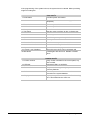
1. Panel status
Provides system information.
2. Active zones
Shows zones not in normal state (e.g. active or
tampered).
3. Zones in alarm
Shows any zone in alarm.
4. Inhibited zones
Shows any inhibited zone.
5. History
Lists all events that occured.
6. Test report
Use this menu to perform an arm or disarm test.
10. Inhibit zone
Inhibit any zone.
11. Uninhibit zone
Uninhibit any zone previously inhibited.
12. Test zone
Test any individual zone.
13. Start Auto Disarm test
Use this menu to perform an auto disarm test.
16. Inhibit/Uninhibit RAS/DGP
Inhibit or uninhibit any RAS or DGP.
22. Open door
Open a door for the programmed unlock time.
23. Unlock, Lock, Disable or
Enable Doors
Using this menu doors can be unlocked until
locked again with this menu. Disable or enable
doors.
Installer menu’s
14
11. Version number
Verify version numbers for the control panel, any
RAS or DGP.
12. LED test
Activate all LED’s on all RAS’s.
14. Reset to Default
If required, all settings or only a part can be reset
to factory defaults.
23. Poll errors
Use this option to view if communication errors
occured on the system databus.
25. Display card
Display the system code and CARD ID when using
the 1-door RAS’s like the ATS1170.
ATS2000/3000/4000/4500 Programming manual
20.
HOW TO PROGRAM THE OPTIONS
!
For information on which keys to use while programming,
please refer to these pages:
Accessing the installer programming menu
The ATS system is programmed from the Installer programming menu. Before accessing
the programming menu, you must first disarm the system.
How to disarm the system
1. Press 1122 (Manager PIN code) and then [OFF].
2. Press 0 and [ENTER].
How to access the installer programming menu
1. Start with this LCD display:
There Are No Alarms In This Area
Code:
2. Enter [MENU*] 1278 (Master
Engineer code) and press
[ENTER].
0- Exit, ENTER- Down, *- Up
0-Exit, Menu:
The following display appears:
3. Press 19 and [ENTER].
The following display appears:
4. Press [ENTER] to access the
Simple Menu (or press * to
access the Advanced Menu) The
following display appears:
Simple/Advanced Menu
*-Advanced
Installer Programming
0-Exit, Menu:
You can now select the menu option you want to program. See page 179 for the
programming map that lists all the menu options available in the Programming menu.
The chapter and section numbering in the manual follow the menu option
numbering. For example, Chapter 1 describes menu 1 “Zone database”.
ATS 2000/3000/4000/4500 Programming manual
15
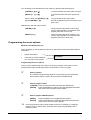
You can easily move between the menu options by pressing the following keys:
[ENTER] or [#] or [↓]
To scroll forwards one menu option at a time.
[MENU*] or [*] or [↑]
To scroll backwards one menu option at a
time.
Menu number and [ENTER] or [#]
To jump directly to the menu option.
[0] and [ENTER] or [#]
Exit the Programming menu and return to the
User menu.
Different keys with the same function:
[ENTER] or [#]
These keys have the same function. [#] is
used on LED keypads or 40 character LCD
keypad (ATS115x or ATS112x).
[MENU*] or [*]
These keys have the same meaning. [*] is
used on LED keypads or 40 character LCD
keypads (ATS115x or ATS112x).
Programming the menu options
What the LCD display tells you
The LCD display on the keypad has two lines of characters. Each line presents different
information.
•
System information
•
Instructions and the characters
you can enter on the keypad
1: Office 4 Door 20 Contact
Text Word:
Programming the menu options
Once you have selected the menu option you want to program, most options can be
programmed using a standard procedure, shown below in How to program.
How to program
The method of programming depends on the options to be programmed.
Some options require a value, others require a YES/NO setting.
How to program values
? [ENTER] Enter the new information and press the ENTER key.
[ENTER]
Press the ENTER key again to save the displayed information
and move to the next menu option display.
How to program YES/NO options
[MENU*]
Press the MENU* key to toggle between options.
[ENTER]
Press the ENTER key to save the displayed information and
move to the next menu option display.
Some programming options allow multiple values to be entered, eg. Assigning
areas to zones. In these cases, enter the value and press [ENTER] to add or
delete the option.
16
ATS2000/3000/4000/4500 Programming manual
Some programming menus need certain values to be entered, while others are
used to select YES/NO. Programming lines containing YES/NO options often also
allow the 0-key to be pressed. Use this key to skip a number of options. The
display will indicate if the 0-key can be used on the second line.
Programming menus like ‘Poll RAS’, ‘Poll DGP’ or ‘Entry time’ show the status of
the current values. To update the values, press [MENU*].
Where programming of an option does not follow this procedure, the (additional) keys
available are described in the How to program section of the option.
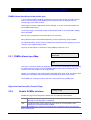
1. ZONE DATABASE
In this programming section all parameters are programmed regarding the zones. Each
zone is a physical input on the control panel, a DGP or a plug-in expander.
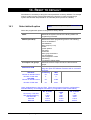
Zone Database
Zone:
1.1. Zone number
Select the appropriate zone number to program. Every zone has a number between 1
and 256, depending on the location in the system.
A list of zone numbers can be found with the control panel’s installation guide.
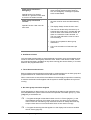
1.1.1.
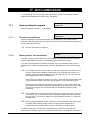
1: Office 4 Door 2 Contact
TextWord 1:
Zone name
Once the correct zone number is selected, the zone needs to be given a name. The
name identifies the zone to the end-user in case an alarm has occurred or on arming the
zone is still activated. Without a proper name, the end-user would not be able to check for
any problems that might arise in a particular zone.
A zone name can consist of 4 words from the library (called text words), each separated
by a 3 digit number between 1 and 255 (called a text variable). If a number is not
necessary, program the number as 0. This way the number will not be used and the text
words are combined using a space. Text variables can only be used in combination with
a text word. The complete name can have a maximum length of 36 characters.
Zone names are taken from the library. The library contains a maximum of 900 words.
Each word is identified as a number. This number has to be entered on programming the
zone name (See Table8 7: Word library on page 90). If a word does not exist, it can be
added in the programmable library, using menu 10. Program text (see page 89). The
programmable library can contain 100 words that have to be programmed before they
can be used.
Examples: Office 4 Door 1 Contact
Office 4 Door 2 Contact
Building 6 Area 4 Room 1 Door 6
Building 6 Area 4 Door Right
How to program zone names
[MENU*]
Move to the next word or variable.
? [ENTER]
Enter the new information and press the ENTER key.
ATS 2000/3000/4000/4500 Programming manual
17
0 [ENTER]
[ENTER]
Delete the word or variable. All words or variables are
deleted from this point onwards.
Press the ENTER key again to save the displayed
information and move to the next menu option display.
Using your own text words
If the library does not contain the correct text words, they can be
programmed in the menu Program text (page89. They have to be
programmed before they can be used.
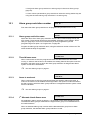
1.1.2.
1: Type 3; Entry Exit Alarm
Type
Zone type
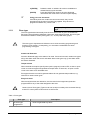
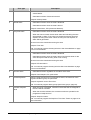
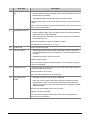
The zone type determines exactly how the zone will function in given circumstances.
Each zone type will behave differently. Most zone types require an area, but zone types
that affect the status of areas (zone types 6, 31, 34, 35) need alarm groups.
The zone type is important and influences much of the remaining programming and
functions of the system. Consequently, you must take considerable care when
programming zone types.
!
Armed and Disarmed
Armed or disarmed apply to the status of an area. If an area is armed, certain zone types
will go into alarm when the zone is activated. Other zone types only go into alarm when
the area is disarmed.
Tamper alarms
When the dual zone option (see System options, page 67) is set to YES, a short or open
circuit on most zone types will generate a tamper alarm. If set to NO, an open or short
circuit is the same as an activated zone.
Zone types that are not used to generate alarms do not generate tamper alarms, e.g.
technical or camera zone types.
Entry/exit times
Where entry/exit times are referred to, the time used is the longest entry/exit time
programmed for any of the areas assigned to the zone.
Camera Count Zone types (Types 23-26 and 36-39) must always be connected directly
to the ATS control panel zones and not to DGP zones.
!
Table 1. Zone types
Zone type
0.
18
No zone type
programmed
Description
•
Does not generate any alarm
ATS2000/3000/4000/4500 Programming manual
Zone type
1.
Disarmed alarm
Description
•
Generates an alarm when the area is disarmed and reports it to the
central station.
•
Generates no alarm If the area is armed.
Example: Hold-up button.
2.
Armed alarm
•
Generates no alarm when the area is disarmed.
•
Generates an alarm when the area is armed.
Example: Internal door, PIR (movement detector).
3.
Entry/Exit Alarm
•
Generates no alarm when the area is disarmed.
•
When the area is armed, the exit timer starts and activating the zone
will generate no alarm. If the zone is activated and the exit time has
expired, the entry timer starts. When the entry time has expired, an
alarm will be generated.
The zone has to be closed when arming the area.
Example: Front door.
Note: You need to program the entry/exit time. See Area database on page
36 for more information.
4.
Access zone
•
Generates no alarm when the area is disarmed.
•
Generates an alarm when the area is armed and the exit timer for the
zone has expired and the entry timer is not running.
The zone has to be closed when arming the area.
Example: PIR at entrance.
Note: You need to program the entry/exit time See Area database on page
36 for more information.
5.
24 Hour Alarm
•
Generates an alarm regardless of the status of the area.
Example: Panel tampers, fire, panic alarm
6.
Pulsed Keyswitch
When the zone switches from normal state to active, the functions of the
programmed alarm group are performed.
Example: Keyswitch next to Front door.
Note: You need to program alarm groups (see Alarm groups, page 51).
7.
Camera Suspicion
Zone
•
When this zone is activated, cameras in the areas that are assigned to
the zone will be activated.
•
When the zone de-activates, the cameras continue to operate for the
programmed suspicion time.
Example: Suspicion button.
Note: You need to program the Suspicion Time. See Timers on page 61 for
more information.
ATS 2000/3000/4000/4500 Programming manual
19
Zone type
8.
Dis. delay/Arm Gen.
Alm
Description
•
Generates an alarm when the area is disarmed but does not report it to
the central station until the delayed alarm timer has expired or a second
delayed alarm is activated.
•
Generates a general burglar alarm when the area is armed.
Example: Hold-up button on a counter where more than one hold-up button
is used.
Note: You need to program the Disarmed Alarm Delay Time. See Timers on
page 61 for more information.
9.
Reset Delayed Zones
•
Resets a delayed alarm type if the zone switches to normal state.
•
Resets a delayed alarm type if the delay timer is still running (therefore
a full alarm has not been activated).
•
Stops cameras from operating if the zone is activated, but the delayed
time continues to run.
Example: Reset button for quick cancellation of alarm.
Note: Delayed zone types are: 8, 11, 22, 40.
10.
Do NOT use
Do NOT use this zone type.
11.
Dis. Delay Alarm
•
Generates an alarm when the area is disarmed but does not report it
until the delayed alarm timer has expired or a second delayed alarm is
activated.
•
Generates no alarm if the area is armed.
Example: Hold-up button.
Note: You need to program the Delayed Alarm Time. See Timers on page
61 for more information.
12.
Restart Exit Timer
A pulsed keyswitch that resets the entry timers and restarts the exit timers
for all areas assigned to the zone.
Example: Keyswitch next to door.
Note: You need to program the correct area(s).
13.
Entry/Exit No Arm
Check
•
Generates no alarm when the area is disarmed.
•
When the area is armed, the exit timer starts and activating the zone
will generate no alarm. If the zone is activated and the exit time has
expired, the entry timer starts. When the exit time has expired, an alarm
will be generated.
The zone may be activated when arming the area.
Example: Contact on frontdoor.
Note: You need to program the Entry Exit Time. See Area database on
page 36 for more information.
20
ATS2000/3000/4000/4500 Programming manual
Zone type
14.
Description
Access No Arm Check •
•
Generates no alarm when the area is disarmed.
Generates an alarm when the area is armed and no entry/exit timer for
the area is active.
The zone may be activated when arming the area.
Example: PIR in hallway.
Note: You need to program the Entry Exit Time. See Area database on
page 36 for more information.
15.
Firedoor
•
Generates a local alarm when the area is disarmed.
Automatically activates an audible alert on arming stations assigned to
the same areas (regardless of the event flag programming). The only
event flag activated (as specified in the zone database) is the zone
event flag.
This local alarm can be reset by entering "[ENTER] [ENTER] 0
[ENTER]" or "USER CODE [OFF] AREA [ENTER]" on the arming
station to stop the audible alert and cancel the event.
If the zone remains activated, it generates a new local alarm after the
programmed local alarm reminder time.
•
Generates an alarm when the area is armed.
Example: Firedoors or emergency doors
Note: You need to program the local alarm reminder time. See Timers on
page 61 for more information.
16.
24Hr Local Mains Fail
It is not used in standard commercial versions of the ATS control panel. It
generates a local alarm, and activates an audible alert.
17.
Do NOT use
Do NOT use this zone type.
18.
Report Fail
Generates a local alarm. Activates an audible alert on arming stations
assigned to the same areas.
Activates FAULT LED on all arming stations and generates LCD fault
display message.
19.
Report Fail LED
Activates FAULT LED on all arming stations and generates LCD fault
display message.
20.
Zone to Event Flag
24Hr
When activated, opened or shorted, it only activates the zone event flag.
Firedoor With User
Code
•
21.
Example: Doorbell.
Generates a local alarm when the area is disarmed but does not report
it to the central station, no audible alert on arming stations.
This alarm can only be acknowledged by entering "USER CODE [OFF]
AREA [ENTER]" on the arming station.
•
Generates an alarm when the area is armed.
Example: Fire door or emergency door.
ATS 2000/3000/4000/4500 Programming manual
21
Zone type
22.
Dis. Delay Reset/Arm
Alm
Description
•
Generates an alarm when the area is disarmed but does not report to a
central station until the delayed alarm timer has expired or a second
delayed alarm is activated.
If the zone closes to normal state during the delayed time, it resets
automatically.
•
Generates an alarm when the area is armed.
•
Example: Hold-up button.
Note: You need to program the delayed alarm time. See Timers on page 61
for more information.
23.
Camera 1 Count
Used to increment the film counter for camera 1 by connecting a normally
open contact across the zone. The counter increments if the zone switches
from open to short.
Can only be used with zones on the ATS control panel.
24.
Camera 2 Count
Used to increment the film counter for camera 2 by connecting a normally
open contact across the zone. The counter increments if the zone switches
from open to short.
Can only be used with zones on the ATS control panel.
25.
Camera 3 Count
Used to increment the film counter for camera 3 by connecting a normally
open contact across the zone. The counter increments if the zone switches
from open to short.
Can only be used with zones on the ATS control panel.
26.
Camera 4 Count
Used to increment the film counter for camera 4 by connecting a normally
open contact across the zone. The counter increments if the zone switches
from open to short.
Can only be used with zones on the ATS control panel.
27.
Technical with Report
When the zone is activated, opened or shorted, it reports to the central
station. A restore is send when the zone de-activates
Example: Temperature alarm on freezer
28.
Armed Alarm with
Reset
•
Generates no alarm when the area is disarmed.
•
Generates an alarm when the area is armed. Resets automatically
when the zone closes to normal state.
Example: Latching glassbreak detector.
29.
24-Hour Alarm with
Reset
•
Generates an alarm regardless of the status of the area. Resets
automatically when the zone closes to normal state.
Example: Latching glassbreak detector or smoke detector.
30.
Firedoor with Reset
•
Generates a local alarm when the area is disarmed but does not report
it to the central station.
This alarm can only be acknowledged by entering "USER CODE [OFF]
AREA [ENTER]" on the arming station. If the zone closes to normal
state, the alarm is reset.
•
Generates an alarm when the area is armed.
Example: Firedoor or emergency door.
22
ATS2000/3000/4000/4500 Programming manual
Zone type
31.
Latching Keyswitch
Description
Used to arm or disarm areas. When the zone switches to:
Active, the areas arm.
Normal state, the areas disarm.
This zone type uses an alarm group to perform the arm/disarm functions.
Example: Latching keyswitch to arm or disarm areas.
Note: You need to program alarm groups (see Alarm groups, page 51).
32.
Armed Zone to Event
Flag
•
Does not perform any action when the area is disarmed.
•
Activates the zone event flag when the area is armed.
Example: Temperature alarm on freezer activates buzzers.
33.
24Hr Alarm & Inhibit
This zone type requires different wiring. The zone can have the following
states:
- Shorted
generates an alarm
- Normal
no alarm
- Active
inhibit (no alarms generated)
- Open
tamper alarm
Example: Designed for shopping centres where only one zone is available
for each shop. A keyswitch is used to inhibit the zone.
34.
Area Dis/AlmGrp
Restr. Arm
A latching keyswitch that has a special function:
•
Switching from normal state to active starts the warning time for the
alarm group restriction assigned to the alarm group. When the
warning time expires, the area arms.
•
Switching from active to normal state disarms the areas.
Example: A keyswitch in a large building with indication that the area is
going to arm.
Note: You need to program alarm groups (see Alarm groups, page 51),
alarm group restrictions (see Alarm group restrictions, page 98) and a
warning time (see Timers, page 61).
35.
Area AlmGrp Restr
Arm Only
A latching keyswitch that has a special function:
•
Switching from normal state to active starts the warning time for the
alarm group restriction assigned to the alarm group. When the
warning time expires, the area arms.
•
Switching from active to normal state does not perform any action.
Example: a keyswitch in a large building with indication that the area is
going to arm.
Note: You need to program alarm groups (see Alarm groups, page 51),
alarm group restrictions (see Alarm group restrictions, page 98) and a
warning time (see Timers, page 61).
36.
Camera 5 Count
Used to increment the film counter for camera 5 by connecting a normally
open contact across the zone. The counter increments if the zone switches
from open to short.
Can only be used for zones on the ATS control panel.
ATS 2000/3000/4000/4500 Programming manual
23
Zone type
37.
Camera 6 Count
Description
Used to increment the film counter for camera 6 by connecting a normally
open contact across the zone. The counter increments if the zone switches
from open to short.
Can only be used for zones on the ATS control panel.
38.
Camera 7 Count
Used to increment the film counter for camera 7 by connecting a normally
open contact across the zone. The counter increments if the zone switches
from open to short.
Can only be used for zones on the ATS control panel.
39.
Camera 8 Count
Used to increment the film counter for camera 8 by connecting a normally
open contact across the zone. The counter increments if the zone switches
from open to short.
Can only be used for zones on the ATS control panel.
40.
Dis. Susp. Delay/Arm
Alm
•
•
If the area is disarmed it has the following functions:
- Shorted
Activates cameras in the areas that are assigned to the
zone. When the zone switches back to normal, the cameras
continue to operate for the suspicion time.
- Normal
No alarm.
- Active
Generates an alarm but does not report to the central
station until the delayed alarm timer has expired or a
second delayed alarm is activated.
- Open
Tamper
Generates a general burglar alarm when the area is armed.
Note: You need to program the Delayed Alarm Time. See Timers on page
61 for more information.
41.
Entry/Exit Firedoor
•
Generates a local alarm when the area is disarmed.
Automatically activates an audible alert on arming stations assigned to
the same areas (regardless of the event flag programming). The only
event flag activated is the zone event flag.
This local alarm can be reset by entering "[ENTER] [ENTER] 0
[ENTER]" or "USER CODE [OFF] AREA [ENTER]" on the arming
station to stop the audible alert and cancel the event.
If the zone remains activated, it generates a new local alarm after the
programmed local alarm reminder time.
•
When the area is armed, the exit timer starts and activating the zone
will generate no alarm. If the zone is activated and the exit time has
expired, the entry timer starts. When the exit time has expired, an alarm
will be generated.
Example: A firedoor that is also used to enter the premises.
Note: You need to program the entry/exit timer (see Area database, page
36) and the local alarm reminder time (see Timers, page 61).
24
ATS2000/3000/4000/4500 Programming manual
Zone type
42.
Entry/Exit Firedoor w
Code
Description
•
Generates a local alarm when the area is disarmed but does not report
it to the central station.
This alarm can only be acknowledged by entering "USER CODE [OFF]
AREA [ENTER]" on the arming station.
•
When the area is armed, the exit timer starts and activating the zone
will generate no alarm. If the zone is activated and the exit time has
expired, the entry timer starts. When the exit time has expired, an alarm
will be generated.
Example: A firedoor that is also used to enter the premises.
Note: You need to program the entry/exit timer. See Area database on page
36 for more information.
43.
Disarm Zone to Event
Flag
•
Activates the zone event when the area is disarmed.
•
Does not perform any action when the area is armed.
Example: Opening a closet activates a buzzer.
44.
Firedoor with AlmGrp
Restr.
•
Generates a local alarm when the area is disarmed but does not report
it to the central station.
This alarm can only be acknowledged by entering "USER CODE [OFF]
AREA [ENTER]" on the arming station
•
Generates an alarm when the area is armed but the zone can be
disabled when two users with alarm group restrictions have entered
their user code (not necessarily in the same area).
Example: Fire door or emergency door.
Note: You need to program alarm groups (see Alarm groups, page 51) and
alarm group restrictions (see Alarm group restrictions, page 98).
45.
(Event Flag/Arm.Alm)
Restr.
•
Activates the zone event when the area is disarmed.
•
Generates an alarm when the area is armed, but the zone can be
disabled if two users with alarm group restrictions have entered their
user code (not necessarily in the same area).
Note: You need to program alarm groups (see Alarm groups, page 51) and
alarm group restrictions (see Alarm group restrictions, page 98).
46.
47.
Disarm Alm/Arm Gen.
Alm
•
Generates an alarm if the area is disarmed.
•
Generates a general burglar alarm if the area is armed.
Dis. Alm Susp/Arm
Gen. Alm
•
When disarmed generates an alarm and activates the cameras. When
the zone closes to normal state, the cameras continue to operate for the
suspicion time.
•
Generates a general alarm if the area is armed.
48.
Camera 1 Film Out
Generates an alarm when camera 1 is out of film
49.
Camera 2 Film Out
Generates an alarm when camera 2 is out of film.
50.
Camera 3 Film Out
Generates an alarm when camera 3 is out of film.
51.
Camera 4 Film Out
Generates an alarm when camera 4 is out of film.
52.
Camera 5 Film Out
Generates an alarm when camera 5 is out of film.
53.
Camera 6 Film Out
Generates an alarm when camera 6 is out of film.
ATS 2000/3000/4000/4500 Programming manual
25
Zone type
Description
54.
Camera 7 Film Out
Generates an alarm when camera 7 is out of film.
55.
Camera 8 Film Out
Generates an alarm when camera 8 is out of film.
56.
Firedoor if No TZ41
If Timezone 41 is invalid, the zone has the following function:
•
Generates a local alarm when the area is disarmed but does not report
it to the central station.
This alarm can only be acknowledged by entering "USER CODE [OFF]
AREA [ENTER]" on the arming station.
•
Generates an alarm when the area is armed.
If Timezone 41 is valid, the zone is disabled.
Example: Fire door or emergency door.
Note: You need to program the local alarm reminder time (see Timers, page
61) and to link timezone 41 to an output (see Event to output, page 104).
57.
Technical Report &
Screen
When the zone is activated or tampered, it reports to the central station and
puts the zone event text on the display. A restore is sent when the zone
switches to normal state.
Example: Temperature alarm on freezer
Note: You need to program the zone event text. See System options on
page 67.
58.
Technical Screen
When the zone is activated, opened or shorted, it puts the zone event text
on the display.
Example: Temperature alarm on freezer
Note: You need to program the zone event text. See System options on
page 67.
59.
24 Hour Alarm If No
Tz 41
If Timezone 41 is invalid, the zone has the following function:
•
Generates an alarm regardless of the status of the area.
If timezone 41 is valid, the zone is disabled.
Note: You need to program the local alarm reminder time (see Timers, page
61) and to link timezone 41 to an output (see Event to output, page 104).
60.
Exit Terminator
This zone type is used to terminate an exit time. If the zone switches from
active to normal, the exit time will be terminated and the area(s) are
completely armed.
61.
Do NOT use
Do NOT use this zone type.
62.
Do NOT use
Do NOT use this zone type.
63.
Do NOT use
Do NOT use this zone type.
64.
Do NOT use
Do NOT use this zone type.
65.
Engineering reset
switch
This zone type allows you to perform an engineer reset via an input.
Note: You need to program the correct area to perform the reset.
66.
26
Final door set
This zone type is used to shorten the exit timer when the sensor associated
with this input is activated, normally on an exit door. When activated, it
shortens the exit timer to 4 seconds.(If ~ is needed, set the Exit Time to 0)
ATS2000/3000/4000/4500 Programming manual
Zone type
Description
67.
Latched detector
This zone type has a 24 hour alarm that can be isolated and associated
with a latched detector event flag (Refer to page 39).It is normally used for
latched fire detectors.
68.
Antimask detector
•
Generates no alarm when the area is disarmed.
•
Gives a special indication for remote diagnostic purposes
Example: Antimask detector
Note: During remote diagnostics, this zone if armed will be indicated as an
antimask alarm.
69.
Alarm (ACPO) zone
•
Generates no alarm when the area is disarmed
•
Generates an alarm when the area is armed. It is inhibited during the
entry exit timed periods.
The zone must be closed when arming the area.
70.
1.1.3.
Keybox
This zone type is linked to the KeyBox timer. It acts as a 24-hour alarm.
When the KeyBox zone is active (KeyBox door/lid will not be opened during
exit or KeyBox timer), it reports an alarm to the ARC.
Reporting of zone
1: 17-130, Burglar Alarm
Report:
Select the alarm to be reported if the zone generates an alarm. The event is selected
from the class database and the sub-classes. The actual message that is transmitted
depends on the chosen protocol and the selected class and sub-class. The class holds
the basic reporting range (medical, fire, panic). The sub-class is used to provide
differentiation in the event being reported. E.g. The panic class holds Contact ID codes
120 – 122 or SIA events PA and HA. See Table 89. Overview of reported events per subclass on page 153
See Communication options (page 82),
Reporting Class Database (page 138) and Reporting on page 153.
1.1.4.
Report Alarm to Central Station 1
YES - Report To CS1
* - change, 0 - Skip
Use this option to select whether an alarm should be reported to Central Station 1.
1.1.5.
Report Alarm to Central Station 2
YES - Report To CS2
* - change, 0 - Skip
See Report Alarm to Central Station 1.
1.1.6.
Report Alarm to Central Station 3
YES - Report To CS3
* - change, 0 - Skip
See Report Alarm to Central Station 1.
ATS 2000/3000/4000/4500 Programming manual
27
1.1.7.
YES - Report To CS4
* - change, 0 - Skip
Report Alarm to Central Station 4
See Report Alarm to Central Station 1.
1.1.8.
Enable Audio Listen-in for this zone
NO – Enable Audio Listen In
* - change, 0 - Skip
When YES is selected, this zone allows for audio listen-in on alarm.
1.1.9.
YES
Audio Listen in enabled for this zone.
NO
No Audio Listen in.
NO – Engineer Reset on Alarm
* - change, 0 - Skip
Enable engineer reset for alarms
Select YES to enable engineer reset for alarm in this zone. The user can not arm the
area the zone belongs to, until an engineer reset has been performed.
YES
Engineer reset enabled for alarms in this zone.
NO
No engineer reset.
How to perform an engineer reset.
Whenever an engineer reset is required, the panel will display a 4-digit code. This
code is a reference to a special code that can be found in the TITAN software
package (menu control) or contact your local Aritech distributor.
NO – Engineer Reset on Tamper
* - change, 0 - Skip
1.1.10.
Enable engineer reset for tamper alarms
Select YES to enable engineer reset for alarm in this zone. The user can not arm the
area the zone belongs to, until an engineer reset has been performed.
YES
Engineer reset enabled for tamper alarms in this zone.
NO
No engineer reset.
How to perform an engineer reset
Whenever an engineer reset is required, the panel will display a 4-digit code. This
code is a reference to a special code that can be found in the TITAN software
package (menu control) or contact your local Aritech distributor.
1.1.11.
Disable inhibit of the zone
NO – Disable Inhibit
* - change, 0 - Skip
If users are allowed to inhibit the zone, select NO.
28
YES
No inhibit allowed.
NO
This zone can be inhibited.
ATS2000/3000/4000/4500 Programming manual
NO – Enable Soak Test
* - Change, 0 - Skip
1.1.12.
Enable Soak Test.
This new option enables the input into soak test mode. The soak period is started when a
zone input is set to ‘soak test’. The period of the soak test is set via the menu ‘Soak Test
days’ from 0 to 255 days. See 7.46 ‘Soak Test days’. If the ‘Soak Test days’ is set to 0
then the soak test period is infinite and must be disabled by the user. If an input is in soak
test mode, it does not:
1/ report to central station
2/ activate siren
3/ activate strobe
4/ activate any outputs
But the change of state is logged in the history file with the new events ‘soak alarm’ and
‘soak alarm restore’. If the zone input does not alarm during the soak test period, the
Enable Soak Test option in that zone input’s database will be reset when the soak test
period has elapsed. The soak period is extended by the ‘Soak Test days’ period again if
the zone input alarms during the soak test period. The default is set to NO.
1.1.13.
Area / alarm group assignment
For zones to perform correct actions when active, an area or an alarm group has to be
linked to the zone. Whether an area or alarm group has to be programmed depends on
the zone type (types 6, 31, 34 and 35 require an alarm group).
Area:
The zone needs an area to be able to send alarm information to an area and a central
station and to be able to reset when an alarm occurs. Assign the area to the zone that
has to alarm when the zone is activated and the area status (armed or disarmed) meets
the requirement for the zone type.
The function of the zone depends on the zone type selected during programming.
Common area:
Common areas have zones that should only go into alarm when all areas are armed. eg.
The frontdoor in a building provides an entry to 2 areas, thus the frontdoor needs to be a
common area.
There are two ways to create zones in a common area. The first way is to assign more
then one area to a zone. That way the zone can only go into alarm if all areas meet the
ondition (armed or disarmed). The zone is disarmed if one area is disarmed. In this
option, the longest entry and exit time is used.
The other way to create a common area is to use area linking (see Area linking, page
109). Here the common area is an additional area that automatically arms as soon as the
linked areas are armed. The common area can be disarmed separately and has its own
entry and exit times.
!
At least one area MUST be assigned to a zone. It is impossible to reset an alarm on a
zone that has no areas assigned.
ATS 2000/3000/4000/4500 Programming manual
29
Alarm group:
Alarm groups are assigned to zones that perform alarm control. It is only available for
zone types 6, 31, 34 and 35.
The function of the alarm group depends on the zone type selected during programming.
These zone types are used for key switches etc. to arm/disarm areas (i.e. causes the
zone to act like a user entering an alarm control code).
Before Alarm Groups can be assigned, they have to be programmed in Alarm
groups (page 51).
1.1.14
1: 2, Tested in Arm test & Disarmed
Test Type:
Test option
Use this record to select the automatic testing procedures of each zone. The zone testing
is done via the Disarm test and the Arm test. However, you can still manually test zones.
There are five test procedure options, each identified by a reference number. This
reference number is used to program a testing procedure. See Table 2 for a description
of each test type.
This record is invalid unless the test mode is correctly programmed in the System
options (see page 67).
During the arm test, the testing event flag (event flag 16) will be activated during
half the Testing event flag time (see Timers, page 61). Use this event flag to
activate devices to generate alarms, for example when using vault sensors. The
other half is used for the device to switch back to normal state.
Table 2: List of test type options
Reference
number
0
Test type name
No Testing
Required
Description
Program a zone with test type zero to exclude it from both the disarm
test and the arm test. It also does not appear in any test report. The
zone is not disabled during the disarm test.
Example: A duress button that is active during test mode, siren cover,
and panel tamper.
1
Test During
Disarm Test
Program a zone with test type 1 to include it in the disarm test. The zone
is disabled during any disarm test on areas assigned to it.
Example: Hold-up button
2
Tested In Arm
Test & Disarmed
Program a zone with test type 2 to include it in the arm test. If the zone
is activated during disarmed mode, it is considered tested and is not be
re-tested when the arm test is carried out.
Example: PIR’s, doors.
3
30
Test During Arm
Test
Program a zone with test type 3 to include in the arm test.
Example: Any device that needs to be automatically tested.
ATS2000/3000/4000/4500 Programming manual
Reference
number
4
5
Test type name
Description
Set E/Flag 13
During Disarm
Test:
Program a zone with test type 4 to event flag 13 during the disarm test.
Set Pre-Alarm
During Disarm
Test
Program a zone with test type 5 to activate the pre-alarm event flag
during the disarm test in the area(s) assigned to the zone.
This test type is used for testing devices activated by disarmed alarm
zone types (e.g.: Hold-up buttons). The device must already be
programmed to be activated by disarmed alarm event flag 13.
This test type is used to test devices that are activated during the
delayed hold-up time (e.g.: a discreetly placed LED that indicates to the
user that the hold-up button is active).
The pre-alarm event flag number is programmed in the Area database
on page 36.
6
1.1.15.
Frequently used
detector
Program a zone with test type 6 during a Remote Diagnostic session to
determine which zone has not been triggered during the last 6 hours
after the last arming.
Zone Event flag
No Zone Event Flag
Event Flag:
You can program event flags that are
activated by a zone. Up to 15 event flags can be assigned to an individual zone.
An event flag is activated when the zone is in alarm (except for the zone event flag).
The circumstances that cause a zone to generate an alarm depend on the zone type.
The event flags activated by an alarm depend on:
•
Which event flags have been assigned to the zone.
•
Whether the active time of the event flags corresponds with the alarm time. Event
flags can be active:
- 24 hours
- When disarmed only (when one or more of the areas assigned to the zone is
disarmed)
- When armed only (when all the areas assigned to the zone are armed)
•
Whether the option "Make All Events 24 Hour" has been set to YES. If so, the
active period is 24 hours for all event flags.
•
Zone types 0, 6, 7, 9, 10, 12, 16, 17, 18, 19, 23, 24, 25, 26, 27, 31, 34, 35, 36, 37,
38, 39, 48, 49, 50, 51,52, 53, 54 and 55 do not activate any of the event flags.
•
Zone types 7, 16, 18, 27, 48, 49, 50, 51,52, 53, 54 and 55 only activate the zone
event type.
For further information on event flags, see Event Flags on page 151.
How to program event flags
The zone event flag is programmed with a value between 17 and 255.
Event flag numbers 1 – 16 are pre-defined. Do not use these event flags
elsewhere in the system, even if they are not used for zones. See also
Event Flags on page 151.
ATS 2000/3000/4000/4500 Programming manual
31
1.1.16.
YES – Internal Siren, Program in DB
* - Change, 0 - Skip
Internal Siren Event Flag
Select if the Internal siren event flag should be activated. The Internal siren event flag is
assigned in the Area database.
YES
The Internal siren event flag specified in the area database is activated when
the zone generates an alarm, and all the areas assigned to the zone are
armed.
NO
The Internal siren event flag will not be triggered by an alarm in this zone.
For the Internal siren event flag to operate, you must also program the Internal
siren event flag number in the area database for each of the areas that activate
internal sirens and that are assigned to the zone. Refer to Area database (page
36). See also Zone Event flag (page 31).
1.1.17.
YES – External Siren, Program in DB
* - Change, 0 - Skip
External Siren Event flag
Select if the External siren event flag should be activated. The External siren event flag is
assigned in the Area database.
YES
The External siren event flag specified in the area database is activated when
the zone generates an alarm, and all the areas assigned to the zone are
armed.
NO
The External siren event flag will not be triggered by an alarm in this zone.
For the External siren event flag to operate, you must also program the External siren
event flag number in the area database for each of the areas that activate internal sirens
and that are assigned to the zone. Refer to Area database (page 36).
1.1.18.
NO – Keypad Buzzer
*- Change 0 - Skip
Keypad buzzer
The keypad buzzer can be activated during an
alarm.
YES
When the zone generates an alarm, the keypad buzzer is activated on the
keypads that control the areas assigned to the zone.
NO
An alarm on the zone will not trigger the buzzer.
See also Zone Event flag (page 31).
1.1.19.
Make all events 24 hour
NO – Make All Events 24 Hour
* Change 0 - Skip
Used to activate all event flags on alarm.
YES
All armed and disarmed alarm event flags are triggered when the zone
generates an alarm, regardless if the status of the area.
NO
The armed and disarmed alarm flags are triggered depending on the status of
the area(s) assigned to the zone
See also Zone Event flag (page 31).
1.1.20.
Trigger event flag 2, armed alarm
YES
32
YES –Event Flag 2, Armed Alarm
* - Change 0 - Skip
Event flag 2 is triggered when the zone generates an alarm and the area is
ATS2000/3000/4000/4500 Programming manual
armed.
NO
Event flag 2 will not be triggered.
See also Zone Event flag (page 31).
1.1.21.
Trigger event flag 3, armed alarm
NO - Event Flag 3, Armed Alarm
* - change 0 - Skip
See Trigger event flag 2, armed alarm.
1.1.22.
Trigger event flag 4, armed alarm
NO - Event Flag 4, Armed Alarm
* - change 0 - Skip
See Trigger event flag 2, armed alarm.
1.1.23.
Trigger event flag 5, armed alarm
NO - Event Flag 5, Armed Alarm
* - change 0 - Skip
See Trigger event flag 2, armed alarm.
1.1.24.
Trigger event flag 6, disarmed alarm
NO - Event Flag 6, Disarmed Alarm
* - change 0 - Skip
YES
Event flag 6 is triggered if the zone generates an alarm and any area assigned
to the zone is disarmed.
NO
Event flag 6 is not triggered.
See also Zone Event flag (page 31).
1.1.25.
Trigger event flag 7, disarmed alarm
NO - Event Flag 7, Disarmed Alarm
* - change 0 - Skip
See Trigger event flag 6, disarmed alarm.
1.1.26.
Trigger event flag 8, 24 hr alarm
NO - Event Flag 8, 24Hr Alarm
* - change 0 - Skip
YES
Event flag 8 is triggered if the zone generates an alarm, regardless of the
status of the area(s) assigned to the zone.
NO
Event flag will not be triggered.
See also Zone Event flag(page 31).
ATS 2000/3000/4000/4500 Programming manual
33
1.1.27.
NO - Event Flag 9, Armed Alarm
* - change 0 - Skip
Trigger event flag 9, armed alarm
See Trigger event flag 2, armed alarm.
1.1.28.
NO - Event Flag 10, Armed Alarm
* - change 0 - Skip
Trigger event flag 10, armed alarm
See Trigger event flag 2, armed alarm.
1.1.29.
NO - Event Flag 11, Armed Alarm
* - change, 0 - Skip
Trigger event flag 11, armed alarm
See Trigger event flag 2, armed alarm.
1.1.30.
Trigger zone event flag when active
NO – Trigger Zone Event Flag if Active
* - change, 0 - Skip
YES
The zone event flag is triggered when the zone is active, regardless of the
status of the area(s) assigned to the zone
NO
The zone event flag is only triggered when the zone generates an alarm.
See also Zone Event flag(page 31).
1.1.31.
Trigger camera event flag in area DB
NO – Camera Event, Program in Area DB
* - Change 0 - Skip
YES
The camera event flag programmed in the area database is activated
whenever the zone generates an alarm and the area is disarmed.
NO
Camera event flag will not be triggered.
If the camera event flag is to operate, you must also program the camera event
flag number in the area database for each of the areas that have cameras and that
are assigned to the zone. Refer to Area database (page 36).
To activate the camera event flag when the area is armed, set Make all events 24
hour to YES.
See also Zone Event flag(page 31).
1.1.32.
Print zone when active
NO – Print Zone When Active
* - Change 0 - Skip
YES
Activation of the zone has to be printed or sent to a computer
NO
Activation does not have to be printed or sent to a computer
How to program
See How to program, page 16, for information on which keys to use.
34
ATS2000/3000/4000/4500 Programming manual
1.1.33.
Engineer Walk Test
Yes – Engineer Walk Test
* - Change 0 - Skip
YES
Zone will be configured to be included in the engineer walk test
NO
Zone will not be configured to be included in the engineer walk test
Default will be YES
1.1.34.
Double Knock
No – Double Knock
* - Change 0 - Skip
YES
This zone will be configured for double knock activation in a certain time
interval
NO
Zone will not be configured for double knock functionality
If set to YES and a zone becomes active, at the point where the alarm condition will
normally be activated, two zone timers shall be triggered. An interval timer is preset with
the value contained in Double Knock Interval, and begins counting downwards. A second
timer (duration) is preset with the value contained in Double Knock Duration, and also
counts downwards.
Note:
Only the following zone types are applicable:
Type 1: disarmed alarm
Type 2: armed alarm
Type 4: access alarm
Type 14: access alarm (no arm check)
Default will be No.
.
ATS 2000/3000/4000/4500 Programming manual
35
2. AREA DATABASE
Each area can be programmed with a number of options, like the area name, entry- and exit
times, event flags etc. Before going any further, select the area to program.
2.1. Select the area to program
Area Database
Area No:
Enter the area number to program
2.1.1.
Area name
Area Name: 0260, Workshop
Text No:
Every area can be programmed with a name to identify the area.
The words are selected from a list already held by the ATS system. They can be either
from the list of standard words available (see the library on page 90), or from a list of
words that you have programmed yourself (see Program text on page 89).
The display shows the current area name, preceded by its reference number.
How to program a name
Names are programmed using the reference number that identifies a word.
Once the reference number is entered, the name is visible behind the
number.
2.1.2.
Exit time
Area 1 : > Exit-Time 60 Entry Time 30
Exit time:
Every area has it’s own exit timers. Exit timers allow users that arm an area, to leave the
premises without generating an alarm (using access or entry/exit zones). Only after the
exit timers have expired, an alarm can occur.
Each area can be programmed with one exit time. The exit times apply to zone types 3,
4, 13, 14, 41 and 42 (all entry/exit or access). The entry time however can only be started
with zone types 3, 13, 41 and 42 (entry/exit).
Behind the area number, a number and an ‘I’ or ‘O’ can show up, in case an entry (I) or
exit (O) time is running. The number indicates the seconds left to leave the area.
The exit timers can be programmed from 0 – 255 seconds.
If zones are assigned to more then one area, the longest exit time is used. See
Zone database on page 17.
2.1.3.
Entry time
Area 1 : > Exit-Time 60 Entry Time 30
Entry time:
Every area has its own entry timers. When entering the premises via a entry/exit zone,
the entry time starts. A user can disarm the area while the entry time is running without
generating an alarm.
36
ATS2000/3000/4000/4500 Programming manual
Each area can be programmed with one entry time. The entry times apply to zone types
3, 4, 13, 14, 41 and 42 (all entry/exit or access). The entry time however can only be
started with zone types 3, 13, 41 and 42 (entry/exit).
Behind the area number, a number and an ‘I’ or ‘O’ can show up, in case an entry (I) or
exit (O) time is running. The number indicates the seconds left to leave the area.
The entry timers can be programmed from 0 – 255 seconds.
If zones are assigned to more then one area, the longest entry and exit time is
used. See Zone database on page 17.
Area 1 External Siren Event Flag
Event Flag:
2.1.4.
External siren event flag
Areas are capable of triggering event flags. Different from event flags in the zone
database, these event flags are triggered by an area event, not from a particular zone
event.
The External siren event flag is triggered if any zone with the External Siren Event flag
set to YES generates an alarm. Each area can have it’s own external siren, using
different event flags for each area. See Event Flags.
Area 1 Internal Siren Event Flag
Event Flag:
2.1.5.
Internal siren event flag
Areas are capable of triggering event flags. Different from event flags in the zone
database, these event flags are triggered by an area event, not from a particular zone
event.
The Internal siren event flag is triggered if any zone with the Internal Siren Event flag set
to YES generates an alarm. Each area can have it’s own internal siren, using different
event flags for each area. See Event Flags.
The default value for this option is 13.
Event number 1 is now the default external siren event flag. Event number 13 was
the ‘Disarmed Alarm’ but is now the ‘internal siren event flag’, the description being
similar to event number 1.
2.1.6.
Area disarmed event flag
Area 1 Disarmed No Event Flag
Event Flag:
Active when the area is disarmed.
See also Internal/External Siren Event Flag (page 32).
2.1.7.
Area active event flag
Area 1 Active No Event Flag
Event Flag:
Used to indicate if any zone in the area is active, excluding zones that can be used to
change the status of an area, that are used for camera’s or that are of zone type Unused.
See also Internal/External Siren Event Flag (page 32).
ATS 2000/3000/4000/4500 Programming manual
37
2.1.8.
Area 1 Inhibited No Event Flag
Event Flag:
Inhibited event flag
A zone in this area has been inhibited.
See also Internal/External Siren Event Flag (page 32).
2.1.9.
Area 1 Armed Alarm No Event Flag
Event Flag:
Armed Alarm event flag
Activates on an alarm when the area is armed.
See also Internal/External Siren Event Flag (page 32).
2.1.10.
Area 1 Disarmed Alarm No Event Flag
Event Flag:
Disarmed alarm event flag
Activates on an alarm when the area is disarmed.
See also Internal/External Siren Event Flag (page 32).
2.1.11.
Local alarm event flag
Area 1 Local Alarm No Event Flag
Event Flag:
Activates on local alarms from firedoor and 24 hr local fail zone types in the area.
See also Internal/External Siren Event Flag (page 32).
Activates on zone types 15, 16, 18, 21, 30, 41, 42, 44 and 56. See Zone database Table
1- (page 18) for more information.
2.1.12.
Exit timer event flag
Area 1 Exit Timer No Event Flag
Event Flag:
Activates when the exit time for the area is running.
See also Internal/External Siren Event Flag (page 32).
2.1.13.
Entry timer event flag
Area 1 Entry Timer No Event Flag
Event Flag:
Activates when an entry time for the area is running.
See also Internal/External Siren Event Flag (page 32).
2.1.14.
Warning timer event flag
Area 1 Warning Time No Event Flag
Event Flag:
Activates to indicate that:
38
ATS2000/3000/4000/4500 Programming manual
•
An alarm group restriction timer is running and the area is about to be armed.
•
A testmode is in progress and the test is about to end.
See also Internal/External Siren Event Flag (page 32).
2.1.15.
Camera event flag
Area 1 Camera No Event Flag
Event Flag:
Activates when a zone with the camera event flag set to YES generates an alarm and the
area is disarmed. Used to control cameras. The Camera event flag can be reset by
pressing [ENTER] [ENTER] 0 [ENTER].
To activate the camera event flag when the area is disarmed, see Make all events
24 hour (page 32) and Trigger camera event flag (page 34).
See also Internal/External Siren Event Flag (page 32).
2.1.16.
Pre-alarm timer event flag
Area 1 Pre-Alarm Timer No Event Flag
Event Flag:
Indicates that a delayed disarmed alarm zone is active and the delay time is running.
Used to provide visual indication of a possible alarm.
See also Internal/External Siren Event Flag (page 32).
Area 1 Anti-mask No Event Flag
Event Flag:
2.1.17.
Anti-mask event Flag
This event flag forces the user to test the detectors before the area can be armed. If an
attempt to arm an area that has the anti-mask event flag set to a non-zero value and any
inputs associated with this area are active, the event flag is set for 5 minutes. The antimask event flag is active for the duration of the timer and is reset when either the timer
time elapses or the area is successfully armed.
It is used with PIR detectors with an anti-mask feature. An output is assigned to the antimask event flag which is wired to the detectors. When this output is activated, the
detectors must be triggered by a walk test in order for them to become normal after the
output is de-activated (after 5 minutes).
There are no Anti-Mask Event Flags set in the areas’ default settings.
2.1.18.
Latched reset event flag
Area 1 Latched Reset No Event Flag
Event Flag:
This event flag is triggered when 2 valid disarm codes are entered for an area within 5
minutes and the area is disarmed. The event flag is set for five seconds. For a further 4
seconds, the zone input type 67 (Latched Detector) associated with that area are
disabled (The zones are disabled for a total of 9 seconds). The zone input type 67 is a 24
hour alarm, conditional inhibit, conditional on the abovementioned 9 second (total) timer.
It is used to reset latching fire detectors.
ATS 2000/3000/4000/4500 Programming manual
39
Area 1 Alarm-A No Event Flag
Event Flag:
2.1.19.
Alarm A event flag
Used to generate an event linkable to a relay output to primarily support the Red Care
communications unit in the UK. This event flag follows the ‘A’ event generated by the AB
alarms as sent to the central station event out queue.
2.1.20.
Area 1 Alarm-B No Event Flag
Event Flag:
Alarm B event flag
Used to generate an event linkable to a relay output to primarily support the Red Care
communications unit in the UK. This event flag follows the ‘A’ event generated by the AB
alarms as sent to the central station event out queue.
2.1.21.
Out Of Hour Timezone: 0
Enter Tz:
Out-of-hours timezone
Used to generate a report if the area is disarmed while the area should be armed. The
message is reported depending on the type of transmission protocol.
2.1.22.
Area Disarmed Time: 0 Mins
Enter Mins:
Area disarmed time
When using alarm group restrictions, one of the options available is to disarm an area for
a disarmed period. If the Area Disarmed time is not ‘0’, then this time will be used. See
Alarm group restrictions on page 98.
If the Disarmed time for the Alarm group Restriction is set to 0, to specify that the
area will not re-arm, the "Area Disarmed Time" does apply for that area (see
Timers on page 61 for more information).
2.1.23.
2.1.24.
YES – Report To CS1
* - change, 0 - Skip
Report to Central Station 1
YES
Report opening/closing and Late to Close to Central Station 1.
NO
Do not report to Central Station 1.
Report to Central Station 2
YES – Report To CS2
* - change, 0 - Skip
See Report to Central Station 1.
2.1.25.
Report to Central Station 3
YES – Report To CS3
* - change, 0 - Skip
See Report to Central Station 1.
YES – Report To CS4
* - change, 0 - Skip
2.1.26.
Report to Central Station 4
See Report to Central Station 1.
40
ATS2000/3000/4000/4500 Programming manual
NO – Enable Audio Listen In
* - change, 0 - Skip
2.1.27.
Enable audio listen in
When audio listen in has to be enabled for this area on opening, closing or if accessed
after hours, use this option.
2.1.28.
YES
Audio Listen-in enabled for this area.
NO
Adio Listen in disabled.
NO – Enable Exit Faults
* - change, 0 - Skip
Enable exit fault reporting
Exit faults occur when an access zone or exit zone is still open at the moment the exit
time expires. On an exit fault a local alarm is generated and a special Exit Fault is
reported to the central station.
2.1.29.
YES
Enable exit fault reporting.
NO
No exit fault reporting.
NO – A&B Alarm Reporting (ACPO)
* - change, 0 - Skip
A&B alarm reporting (ACPO only)
Special facility for ACPO to be able to transmit verfied alarms.
When the first zone activates, an alarm will be transmitted to the central station. If a
second zone activates within the A to B time, a verified alarm will be transmitted.
Otherwise a normal alarm will be transmitted.
YES
Use verified A&B reporting.
NO
No A&B alarm reporting.
See A to B alarm delay (ACPO) (page 65).
2.1.30.
Disable arming if all inputs
inhibited
NO – Disable Arming If All Inhibited
* - change, 0 - Skip
When arming an area should not be possible if all zones within the area are inhibited, set
this menu to YES.
2.1.31.
YES
No arming available if all zones in the area are inhibited.
NO
Arming is available when all zones in the area are inhibited.
KeyBox timer (min)
KeyBox Time: 5 Mins
Enter Mins:
Extends the exit time. Immediately after the exit timer expires, the KeyBox timer starts for
a duration of XX minutes. Close the zone before this additional KeyBox timer expires. If it
is not closed, a full alarm will be triggered again even if the previous trigger was also an
alarm. During exit timer + KeyBox timer, openings and closings will not be registered and
will not cause an alarm.
2.1.32.
Area Tamper event flag
Tamper No. Event Flag
Event Flag:
This event flag becomes active whenever a tamper alarm is detected on an input
associated with the specific area, and is independent of arming state.
ATS 2000/3000/4000/4500 Programming manual
41
3. RAS DATABASE
Arming stations are devices used to provide system control, such as arming or disarming of
areas. Depending on the type of arming station, additional functions can be available, such
as LCD displays, menus to set time and date etc. The term RAS is an abbreviation for
Remote Arming Station.
3.1.
RAS to be polled
1, 2, 3: 4
Poll RAS:
Each arming station has to be polled, in order to be used. Add RAS’s for polling by
entering the dipswitch address it has been given. RAS’s that do not have to be polled can
be deleted by entering the dipswitch address again.
Display shows the RAS’s currently recorded. A RAS number followed by a “,” is online
and followed by a “:” is offline (can not be addressed by the system).
A RAS or DGP being online means it will generate RAS/DGP system alarms and
tamper alarms. When offline, system alarms and tampers will not occur.
3.2.
Select RAS to program
Arming Station Details
RAS No:
Once the RAS’s have been selected for polling and [ENTER] has been pressed, the
RAS’s can be programmed.
3.2.1.
Area alarm group
RAS: 2 Alm-Grp: 2-Master RAS or Door
Alm-Grp:
You need to define an alarm group to state which areas can be controlled from this RAS.
Only options which are both in the RAS’s alarm group and the users alarm group
can be performed on any RAS.
See menu 5, Alarm groups on page 51 for further information on how alarm groups
operate.
3.2.2.
Menu alarm group
RAS: 2 Alm-Grp: 2-Master RAS or Door
Menu Alm-Grp:
The menu alarm group determines which actions are allowed on a RAS. If no alarm
control is allowed, this can be achieved in the menu alarm group. The menu alarm group
can also have more areas than the area alarm group. The user can have no alarm control
over those areas, but can for example see the status of zones in these areas.
If the menu alarm group is programmed for alarm group1 - No Access, then the arming
station will use the area alarm group as menu alarm group.
42
ATS2000/3000/4000/4500 Programming manual
RAS: 2 Has No Door Event Flag
Event Flag:
3.2.3.
Door event flag
If a door has to be unlocked using the RAS, enter the event flag here. The event flag can
be assigned to an output and will be activated when a valid code is entered at the arming
station.
What is recognised as a valid code for unlocking the door depends on the setting in
ENTER key opens door only (page 45), and Alarm code prefix (page 69)
3.2.4.
Output controller assigned
RAS: 3 Can See Output Controller 1
Output Ctrl:
Keypads with card reader interfaces have an output OUT. To be able to control the
output, an output control group has to be assigned to the RAS. The first output on the
output controller is also the OUT output from the RAS. Whenever the first output is
activated, the OUT output is also activated.
The output control group entered here does not need to be physically available.
If two RAS’s have the same output control group and the user has both doors in his
doorgroup, both relays will be switched simultaneously.
3.2.5.
LCD arming station
YES – LCD Arming Station
* - Change 0 - Skip
YES
This arming station is a LCD arming station. This has to be set in order to be
able to operate LCD arming stations.
NO
This is not a LCD arming station.
See Table 3 on page 44 for further information on options available to arming stations.
ATS 2000/3000/4000/4500 Programming manual
43
Table 3: Programming the arming stations
Arming stations
Programmable function
ATS 1100
ATS 1105
ATS 1150
/ 1155
ATS1170
3.2.5 LCD arming station
Y
Y
N
N
3.2.6 Toggles area status
N
N
O*
O
0 ENTER key opens door only
O
O
O
N
3.2.8 Door event flags on alarm
codes
O
O
O
N
3.2.9 Display shunted zone on
LCD
O
O
N
N
3.2.10 Arm/disarm using one key
O#
O#
N
N
3.2.11 Cards auto disarm
N
O
N
O
3.2.12 Card always arms/disarms
N
O
N
O
3.2.13 Reset from RAS without
code
O
O
O
N
3.2.14 Alarm group restrictions to
disarm only
O
O
O
O
What the codes in Table 3 mean:
3.2.6.
Y
Must be set to YES
N
Must be set to NO
O
Optional
*
The "Toggles area status" option is NOT recommended
#
CAUTION! If a LCD arming station is used as master; and "Arm Using One Key" is
set to YES; the system must be programmed so that areas 9 to 16 can never be
armed
NO – Code ENTER Toggles Area Status
* - Change 0 - Skip
Toggle Area status
Toggle area status provides users with an option to have arm control on keypads
combined with readers.
YES
The [ON] and [OFF] keys have lost their function. For arm control one needs to
enter the user code followed by [ON], [OFF] or [ENTER]. If a list of areas
appears, pressing the area number and [ENTER] toggles the status of the
area. If no list is available, the status of the area(s) is toggled immediately.
NO
Normal alarm control.
Do not use this option if ENTER is set to YES.
Using this option is not recommended.
See Table 3 on page 44 for further information on options available to arming stations.
See Table 4 (below) for information on using card readers for alarm control.
44
ATS2000/3000/4000/4500 Programming manual
Table 4: Using card readers for alarm control:
Programming options
Function
Card OFF - Disarms
Card ON - Arms
Card – Disarms
Card – Arms
3.2.7.
Toggle
Area
Card auto
Card
always
Notes
NO
NO
NO
ATS1155, ATS1105 ONLY
YES
NO
YES
ENTER key opens door only
YES – ENTER Key Opens Door Only
* - Change 0 - Skip
YES
When using LCD arming stations, using the [ON] and [OFF] key for alarm
control results in a clearer user interface. It also provides an option to use the
[ENTER] key for opening a door with a keypad.
NO
The [ENTER] key unlocks the door, but also provides alarm control and resets
alarms.
See Table 3 on page 44 for further information on options available to arming stations.
Set this option to YES for the best user interface on LCD arming stations.
NO – Door Event Flag On Alarm Codes
* - Change 0 - Skip
3.2.8.
Door event flag on alarm codes (Alarm codes open door)
YES
If user codes with alarm control and door groups perform alarm control, the
door will unlock.
NO
User codes with alarm control will not unlock doors.
See Table 3 on page 44 for further information on options available to arming stations.
The user needs to have alarm control and a door group.
3.2.9.
Display shunted zone on LCD
NO – Display Shunting on LCD
* - Change 0 - Skip
YES
When a zone is shunted, the text ‘Zone shunted,’ will appear on the display.
NO
Nothing is shown when a zone is shunted.
See Table 3 on page 44 for further information on options available to arming stations.
ATS 2000/3000/4000/4500 Programming manual
45
NO – Arm/Disarm Using One Key
* - Change 0 - Skip
3.2.10.
Arm/disarm using one key
!
YES
Provides an option to arm or disarm areas by pressing the number of the area
without [enter], after having entered the user code.
NO
Normal alarm control.
This option is only available for areas 1-8.
See Table 3 on page 44 for further information on options available to arming stations.
3.2.11.
NO – Cards Auto Disarm
* - Change 0 - Skip
Cards auto disarm
YES
Allows cards to disarm areas without using the [OFF] key.
NO
Only the door is unlocked, except if Card always arms/disarms is set to YES or
the [ON]/[OFF] key is used.
See Table 3 on page 44 for further information on options available to arming stations.
3.2.12.
NO – Cards Always Arm/Disarm
* - Change 0 - Skip
Card always arms/disarms
YES
Allows cards to arm/disarm areas without using the [ON]/[OFF] keys. Also
Toggle has to be set to YES.
NO
Normal alarm control.
See Table 3 on page 44 for further information on options available to arming stations.
The card user's alarm group and the arming station's (reader's) alarm group must
both allow arm and/or disarm functions before a card can be used to arm/disarm.
3.2.13.
NO – Reset From RAS Without Code
* - Change 0 - Skip
Reset from RAS without code
YES
Allows users to reset alarms by pressing [ENTER][ENTER] (show alarms)
followed by 0 [ENTER]. The areas in alarm have to be assigned to the arming
stations alarm group.
NO
Reset only with user code.
See Table 3 on page 44 for further information on options available to arming stations.
NO – AlmGrp Restriction Disarm Only
* - Change 0 - Skip
3.2.14.
46
Alarm group restrictions to disarm only
YES
Users with alarm group restrictions can only disarm or delay automatic arming.
It cannot be used for alarm group restrictions with arm and reset.
NO
There is no restriction.
ATS2000/3000/4000/4500 Programming manual
See Table 3 on page 44 for further information on options available to arming stations.
YES – Entry/Exit Buzzers
* - Change 0 - Skip
3.2.15.
Enable entry/exit buzzers
!
YES
Enable buzzer for entry/exit timers.
NO
No entry/exit timers on buzzer.
YES - Disable Status LED's
* - Change 0 - Skip
Entry time must be >10 seconds.
NO – Timed Lockout
* - Change 0 - Skip
3.2.16.
Timed lockout
YES
On a code tamper, the RAS will lockout for 90 seconds.
NO
Only event reported. The RAS will be available.
A code tamper: 5 consecutive wrong codes.
NO – Cards Arm After 3 Badges
* - Change 0 - Skip
3.2.17
Cards Arm After 3 badges
This is an added option to arm an assigned area. When set to YES, 3 badges of a valid
card will arm the assigned area(s).
The 3 badges must occur within 10 seconds. If not, they will not be recognised for
arming.
The default is set to NO.
3.2.18.
Disable Status LED's
This option disables the optical indicators on the BUS device card readers. The option to
enable or disable the status LED's will have to be set by the user because not all non LCD BUS devices are card readers therefore this option will have to be set based on the
hardware connected.
If this option is set to YES, the panel, when polling / commanding the card reader RAS, it
will not set any of the LED bits in the packet. This will result in the LED's not being active.
Limitation: Certain card reader settings override the status of command packet
LED bits - i.e. LED's remain illuminated even though LED bits are disabled. In
order to use this feature, it may be necessary to alter card reader configurations.
Altering card reader configurations:
For the ATS1170 Smart Door Controller:
Menu 5 - Led 1 Options:
Led 1: Door Unlocked Only
For the ATS1190 Smart Card Reader:
Menu 1-Leds On-Line:
1-Blue Led: Door Open Only
ATS 2000/3000/4000/4500 Programming manual
47
Menu 3-Valid Card Flash:
Menu 4-Night Light:
3.2.19.
Flash Disabled
Night Light Disabled
ATS1151/56 RAS
NO – ATS1151/56 RAS
* - Change 0 - Skip
YES
Allows configuration of different actions if the RAS is an ATS1151/56.
NO
Only event reported. The RAS will be available.
The panel is not currently able to discriminate if an ATS1190/92 or ATS1151/56 type RAS
is in use by polling the device.
3.2.20.
CARD & PIN (Disarm Only)
NO – CARD & PIN (Disarm Only)
* - Change 0 - Skip
YES
Both card AND PIN are required to disarm the system.
NO
The system will disarm with CARDd OR PIN
The panel is not currently able to discriminate if an ATS1190/92 or ATS1151/56 type RAS
is in use by polling the device.
The default is set to NO.
A new timer option is added to Menu 6 to set the CARD & PIN Time Out.
RAS Tamper (ACPO) Area 1
Area:
3.2.21.
RAS Tamper (ACPO) Area
Allocates the RAS to an area for alarm and tamper.
The default is set to Area 1.
48
ATS2000/3000/4000/4500 Programming manual
4. DGP DATABASE
This menu enables or disables DGP’s (Data Gathering Panels). Also the type of DGP can be programmed.
4.1.
1, 2, 3: 4
Poll DGP:
DGPs to be polled
Each DGP has to be polled, in order to be able to exchange data with the ATS control
panel. Add DGP’s for polling by entering the dipswitch address it has been given. DGP’s
that do not have to be polled can be deleted by entering the dipswitch address again.
The display shows the DGP’s currently recorded. A DGP number followed by a “,” is
online (available) and followed by a “:” is offline (can not be addressed by the system).
A RAS or DGP being online means it will generate RAS/DGP system alarms and
tamper alarms. When offline, system alarms and tampers will not occur.
Once the DGP’s to be polled have been
programmed and [ENTER] has been
pressed, the DGP to be programmed has
to be entered before going further.
Set DGP Type
DGP No:
The 4-Door / 4-Lift DGP’s (ATS1250/ATS1260) must not be addressed higher than
Address 12.
Removing a DGP from the polling list clears all alarms for zones and system points for
that DGP address. If the next DGP address number is not polled, alarms on any of the 32
zones that belong to the DGP are cleared.
For further information on addresses and numbering, refer to Zones and Outputs
allocated to DGP’s (see the ATS2000/3000/4000/4500 installation guide).
4.1.1.
Standard
Type:
DGP type
The type of DGP being polled has to be programmed. The available DGP types are:
No
Type
ATS type
0
Standard
ATS1201, ATS1210, ATS1220
1
Four-Door DGP
ATS1250
2
Four-Lift DGP
ATS1260
3
Wireless DGP
(433MHz)
ATS1230
4
Point ID DGP
ATS1290
5
Advanced DGP
ATS1203, ATS1204
RAS Tamper (ACPO) Area 1
Area:
ATS 2000/3000/4000/4500 Programming manual
49
4.1.2.
DGP Tamper (ACPO) Area
Allocates the DGP to an area for tamper.
The default is set to Area 1.
50
ATS2000/3000/4000/4500 Programming manual
5. ALARM GROUPS
This program block is used to record information about alarm groups.
What is an alarm group:
An alarm group provides means to users, zones and arming stations to control the ATS
system regarding alarm functions (also called alarm control). Alarm groups have areas,
menu options, panel options and timezones.
Alarm groups are assigned to users, and to each piece of equipment on which the user
performs a function (arming stations, doors 17 to 64, and area control zone types 6, 31,
34 and 35). This provides enormous flexibility when determining a user’s access to, and
control of, the system.
!
You must be extremely careful when changing alarm groups.
Both the functions performed by users in that alarm group, and the functions available
at remote arming stations and door readers with that alarm group, are affected.
Important points when programming an alarm group:
A function that is provided to a user via their alarm group is only valid when:
•
Program settings in other sections of the same alarm group allow it.
e.g.: Restricting alarm system control to Reset Only would be invalid unless
the alarm group has been allowed alarm system control in the first place. If
the record Restriction Reset Only is set to YES, the record Alarm System
Control must be set to YES.
•
The user’s alarm group has the same program setting as the alarm group of the
RAS or door the user is using.
e.g.: If the record Prompt with List of Areas is set at YES in the user’s alarm
group, it must also be set at YES in the alarm group of the RAS or door. If it
is not, areas are not listed when arming/disarming.
•
The user’s alarm group includes the areas assigned to the alarm group of the RAS
or door the user is using.
e.g.: If a user’s alarm group has areas 1,2 and 3 and the alarm group of the
RAS or door has areas 2 and 3, the functions for areas 2 and 3 only are
valid.
•
The timezones assigned to both the user's alarm group and to the alarm group of
the RAS or door both have to be valid.
ATS 2000/3000/4000/4500 Programming manual
51
5.1.
Alarm Group **WARNING**
Alm-Grp:
Alarm group number
Every alarm group must be numbered. They are numbered from 1 to 138.
Alarm groups 1-10 are hard coded into the system. They can be viewed but can not be
changed as they contain master control settings and default settings.
Table 5: Default settings for alarm groups
Number
Name
User menu options
1
No access
All set to NO
2
Master RAS or door
All set to YES
3
Master code access
All set to YES
4
8 area master RAS (1-8)
All set to YES
5
8 area master RAS (9-16)
All set to YES
6
Master user
All set to YES except 19
7
Manager
All set to YES except 19
8
Master Engineer
All set to YES except 8-11, 14, 16-18
9
Master Service
All set to YES except 8-11, 14, 16-18
and timezone 25.
10
Spare alarm group
All set to NO
11
High level master
All set to YES except 19
12
Low level master
All set to YES except
1,5,9,10,11,14,15,16
13
All area user
All set to YES except 1,5,9,10,11
14-29
Area one to area sixteen
All set to YES except 1,5,9,10,11
Alarm groups 14 to 29 are for individual areas. The areas assigned to the alarm groups
are as follows:
Alarm group
Area
Alarm group
Area
Alarm group
Area
14
1
19
6
24
11
15
2
20
7
25
12
16
3
21
8
26
13
17
4
22
9
27
14
18
5
23
10
28
15
29
16
In a new system, alarm groups 11-29 are pre-programmed with some standard
settings. You can change them if necessary. Alarm groups 30-138 are
programmable to suit individual system requirements.
52
ATS2000/3000/4000/4500 Programming manual
5.1.1.
Alarm group name
Alm/Grp Name: 0297, Engineering
Text No:
Every alarm group can be programmed with a name to identify the alarm group.
The words are selected from a list already held by the ATS system. They can be either
from the list of standard words available (see the library on page 90), or from a list of
words that you have programmed yourself (see Program text on page 89).
The display shows the current alarm group name, preceded by its reference number).
5.1.2.
Areas assigned
1,2,3,5,7,8,9,
Area:
Assign the areas to be controlled by the alarm group. An alarm group can only control the
functions of areas that are assigned to it.
5.1.3.
User alarm group
NO-Can this GRP Be Assigned To Users
*-Change 0 - Skip:
Define if the alarm group can be assigned to users, or only to zones and RAS’s.
YES
This alarm group can be assigned to users. The group is displayed in the list of
alarm groups when creating a user in User menu 14 - User codes. This option
is not set for alternate user alarm groups.
NO
This alarm group is for a zone, door or RAS.
Press 0 to go to the user menu items available.
An alarm group is only displayed in User Codes when the user who is creating a
new user has at least the same options (includes check of alternate alarm group).
A user cannot create a code for another user who has higher security clearance.
5.1.4.
Alarm system control
YES – Alarm System Control
*-Change 0 - Skip:
This record lets you assign alarm system control functions to a user, door or RAS. Only
when alarm system control is enabled can users arm or disarm areas in the alarm group.
YES
Alarm system control is enabled. Users, doors or RAS’s can arm or disarm the
areas in the alarm group.
NO
No alarm system control available. Access control functions and any user
menu options specified are still valid.
Press 0 to go to the user menu items available.
You must set this record to YES if any of the alarm group restrictions in the Alarm
Group are set to YES.
ATS 2000/3000/4000/4500 Programming manual
53
NO – Prompt With List of Areas
*-Change 0 - Skip:
5.1.5.
List of areas
Select whether the areas assigned to a user are displayed during the arm/disarm
procedures.
YES
After the user has entered a PIN code and pressed [ON] or [OFF], the areas
assigned to the user are displayed. The user can then select from the
arm/disarm options (e.g., specific areas, all areas, etc.).
This feature is useful when a user can control several areas but usually only
arms/disarms specific areas.
NO
The areas assigned to the user are not displayed. Areas are immediately
armed/disarmed once the user has entered a PIN code and pressed [ON] or
[OFF].
Press 0 to go to the user menu items available.
5.1.6.
Keypad duress
NO - Can User Activate Keypad Duress
*-Change 0 - Skip:
Enables the use of the duress facility using a code.
YES
A code can be entered on a keypad to activate duress.
NO
Duress cannot be activated. A duress code is treated as an invalid code.
Refer to the Manager’s Guide for further information on duress.
Press 0 to go to the user menu items available.
5.1.7.
Reset system alarm
NO – Reset System Alarms
*-Change 0 - Skip:
This record allows the alarm group to reset latching system alarms. System alarms are
conditions, such as DGP tamper, siren fail, low battery, report fail, etc.
YES
A user with this alarm group can reset the latching system alarms.
NO
A user cannot reset latching system alarms.
Press 0 to go to the user menu items available.
If this record is set at YES, Alarm system control must also be set to YES and
Latching systems alarms has to be set to YES (see System options, page 67).
5.1.8.
Disable auto uninhibit
NO – Disable Auto-Uninhibit
*-Change 0 - Skip:
Determines that inhibited zones are uninhibited on disarming the area the zone belongs
to.
54
ATS2000/3000/4000/4500 Programming manual
YES
Disarming the area will not automatically uninhibit zones in the area. Used for
cleaners, etc.
NO
Disarming the area will automatically uninhibit zones.
Press 0 to go to the user menu items available.
Automatic uninhibit in System options (page 67) has to be set to YES.
5.1.9.
Arm and reset only
NO – Restricted To Arm & Reset
*-Change 0 - Skip:
Restricts alarm control to arm and alarm reset only.
YES
Only arm and reset are allowed.
NO
There are no alarm control restrictions.
Press 0 to go to the user menu items available..
Alarm system control has to be set to YES
5.1.10.
NO – Restricted To Disarm Only
*-Change 0 - Skip:
Disarm only
Restricts alarm control to disarm only.
YES
Only disarm is allowed.
NO
There are no alarm system control restrictions.
Press 0 to go to the user menu items available.
Alarm system control has to be set to YES.
5.1.11.
Alarm reset only
NO – Restricted To Reset Only
*-Change 0 - Skip:
Restricts alarm control to alarm reset only.
YES
Only reset alarm is allowed.
NO
There are no alarm system control restrictions.
Press 0 to go to the user menu items available.
Alarm system control has to be set to YES
5.1.12.
Auto inhibit active zones
NO – Auto Inhibit Active Zones
*-Change 0 - Skip:
Determines if active zones on arming have to be automatically inhibited.
ATS 2000/3000/4000/4500 Programming manual
55
YES
When the arming starts, all active zones are automatically inhibited and the
system is armed without causing an alarm.
NO
The system cannot be armed if there are active zones, unless Forced Arming is
set to YES (see next menu item).
Press 0 to go to the user menu items available.
Alarm system control has to be set to YES
5.1.13.
Forced arming when active zones
NO - Forced Arming When Zones Active
*-Change 0 - Skip:
Arm areas with active zones.
YES
The check for active zones is ignored and if there are active zones when the
arming procedure is started, the system still arms (the zones remain active
and, depending on the zone type, might cause an alarm).
NO
The system cannot be armed if there are active zones (unless Auto Inhibit (see
previous menu item) is set to YES).
Press 0 to go to the user menu items available.
5.1.14.
Prevent forced disarming
NO – Prevent Forced Disarming
*-Change 0 - Skip:
Prevents disarming when there are active zones. It is used when there are Disarmed
Alarm zone types such as type 1 and type 11 in the system.
YES
Area(s) cannot be disarmed if there are active zones of type I or II
NO
Area(s) can be disarmed even if there are active zones of type I or II
Press 0 to go to the user menu items available.
5.1.15.
Modem access
NO – Can User Access Via Modem
*-Change 0 - Skip:
Allows access to the ATS panel via a dial-up modem.
YES
Modem access with VT100 terminal (or terminal emulation software) is allowed
by a user with this alarm group. RAS 16 must have a suitable alarm group
assigned to specify the functions available (e.g. Alm Grp 2) and be
programmed as a LCD arming station (does not need to be polled). This option
does not apply to upload/download software.
NO
Modem access with VT100 terminal (or terminal emulation software) is not
allowed by a user with this alarm group.
Press 0 to go to the user menu items available.
5.1.16.
Alarm group restriction 1
NO –User Has Alm/Grp Restriction 1
*-Change 0 - Skip:
Alarm group restrictions give certain restrictions to alarm groups. Only 1 restriction is
available per alarm group. However, every alarm group can use the same restriction.
56
ATS2000/3000/4000/4500 Programming manual
Alarm group restrictions restrict alarm control to timed disarm or arm/reset.
YES
The alarm group restrictions are activated.
NO
The alarm group restrictions are not activated.
Press 0 to go to the user menu items available.
Only one restriction is allowed per alarm group.
See also Alarm group restrictions on page 98.
5.1.17.
Alarm group restriction 2
NO –User Has Alm/Grp Restriction 2
*-Change 0 - Skip:
See Alarm group restriction 1.
5.1.18.
Alarm group restriction 3
NO –User Has Alm/Grp Restriction 3
*-Change 0 - Skip:
See Alarm group restriction 1.
5.1.19.
Alarm group restriction 4
NO –User Has Alm/Grp Restriction 4
*-Change 0 - Skip:
See Alarm group restriction 1.
5.1.20.
Alarm group restriction 5
NO –User Has Alm/Grp Restriction 5
*-Change 0 - Skip:
See Alarm group restriction 1.
5.1.21.
Alarm group restriction 6
NO –User Has Alm/Grp Restriction 6
*-Change 0 - Skip:
See Alarm group restriction 1.
NO –User Has Alm/Grp Restr7 - Emergency
5.1.22.
Alarm group restriction 7 - Emergency
*-Change 0 - Skip:
Operates as alarm group restriction 1, but on a timed disarm it will report an Emergency
Alarm when the area arms again.
YES
The alarm group restrictions are activated.
NO
The alarm group restrictions are not activated.
Press 0 to go to the user menu items available.
See also Alarm group restrictions on page 98 and Alarm group restriction 1.
ATS 2000/3000/4000/4500 Programming manual
57
NO –User Has Alm/Grp Restr 8 - Counter
*-Change 0 - Skip:
5.1.23.
Alarm group restriction 8 - Counter
Operates as alarm group restriction 1, but on disarming it will increase a counter. When
the area is armed using this alarm group it will decrease the counter. When the counter
reaches 0, it will arm the areas in the alarm group.
YES
The alarm group restrictions are activated.
NO
The alarm group restrictions are not activated.
Press 0 to go to the user menu items available.
See also Alarm group restrictions on page 98 and Alarm group restriction 1.
No – No Arming If Restr. Not Timing
*-Change 0 - Skip:
5.1.24.
No arming if alarm group restriction not timing
Prevents the alarm group restriction timer to arm the areas if a user without restriction has
disarmed the areas.
YES
If an area has been disarmed and there is no alarm group restriction timer
running, an alarm group restriction timer cannot be started.
When an alarm group restriction timer expires, it arms the area. By setting this
option you prevent an area from being armed if a user without alarm group
restriction originally has disarmed it.
NO
Normal alarm group restrictions apply.
Press 0 to go to timezone.
5.1.25.
NO – Change own PIN only
*-Change 0 - Skip:
Change own PIN code
Allows the user (if he has access to Menu 14- program users) to change his own PIN
code. All other menus of Delete, Display and Create will be absent. The user cannot see
nor display even his own Alarm Group, Door Group, Floor Group or User name.
YES
The user can change his own PIN code
NO
The user can change the PIN codes of other users and can access the Menu
14 menus of Delete, Display and Create
If the “Change own PIN only” option is set to YES and if the System Option “DISABLE
PIN CODE FROM DISPLAYING “ is set to NO, then the display will show the following, if
1111 is the actual pin code.
PIN Code: 1111
Code:
The user enters his new PIN code
PIN Code: 1111
Code: 1234
Followed by entering:
PIN Code: 1234
Code:
58
ATS2000/3000/4000/4500 Programming manual
The user can change the code again, or press Enter to exit.
If the new “Change own PIN only” option is set to YES and if the System Option
“DISABLE PIN CODE FROM DISPLAYING “ is set to YES, then the display will show the
following:
PIN Codes Can Not Be Displayed
Code: 1234
The user can then enter his new PIN code and will be asked to confirm
Confirm PIN Code:
Code:
The user can change the code again, or press Enter to exit.
PIN Code: 1111:
Code: 1234
PIN Code: 1234:
Code:
The user can change the code again, or press Enter to exit.
5.1.26.
Allow Stop Voice reporting
The authorisation for the user to have the ability to stop voice reporting is selectable via
the RAS’s assigned alarm group upon disarming.
YES
User is allowed to stop the voice reporting (in most cases on areas assigned to
the RAS in use.)(Note: Only if the user has a valid alarm group).
NO
The user is not allowed to stop the voice reporting.
Press 0 to go to the user menu items available.
Yes - 1-Panel Status
*-Change 0 - Skip:
User menu options
Determines if the user menu item is available in this alarm group to users or RAS’s.
Each user menu is displayed and must be set to YES for it to be available to the alarm
group. The user menus available for selection are:
Table 6: User options available
User menu options
1.
Panel status
13.
Start Auto Disarm test
2.
Active Zones
14.
Program Users
ATS 2000/3000/4000/4500 Programming manual
59
User menu options
3.
Zones In Alarm
15.
Time & Date
4.
Inhibited Zones
16.
Inhibit/Uninhibit RAS/DGP
5.
History
17.
Enable/Disable Service Tech
6.
Test Report
18.
Reset Cameras
7.
Service Menu
19.
Installer Programming
8.
Film Counters
20.
Door and Floor Groups
9.
List Zone Names
21.
Holidays
10.
Inhibit Zone
22.
Open Door
11.
Uninhibit Zone
23.
Unlock, Lock, Disable and Enable
12.
Test zone
24.
Print History
See the Manager’s manual for further information on each option.
Press 0 to go to timezone.
5.1.27.
Timezone
Alm-Grp 14 Timezone 4
Timezone:
Determines the timezone that applies to this alarm group. The alarm group is only
available if the timezone is valid.
For information on operating timezones, see Timezones (page 95), and Timezone to
follow output (page 115).
5.1.28.
Alternate alarm group
Grp 14 Alt-Grp 12 - Night Shift
Alm-Grp:
You can program each alarm group to have an alternate alarm group. The alternate
alarm group is used whenever the original alarm group is disabled due to an invalid
timezone. The alternate alarm group can have other areas or menus as the original alarm
group.
Example:
During normal working hours, users can arm and disarm from a list. After hours, only
arm/alarm reset is allowed without presenting a list of areas.
The alternate alarm group can also be programmed with an alternate alarm group
and so on - up to three alarm groups (the original plus two alternates). If a function
is denied by the timezone of one alarm group, the next will be checked, etc.
When alternate alarm groups are active and these have alarm group restrictions,
the alternate alarm group restrictions apply. See also Alarm group restrictions on
page 98.
60
ATS2000/3000/4000/4500 Programming manual
6. TIMERS
Program all system wide timers in this section.
!
Timers are accurate on +/- 1 of the value entered. So a timer set for 20 seconds, will
end somewhere between 19 and 21 seconds. Consequently, avoid using values of 1
second or 1 minute.
If a timer is set to 0, that timer will not be used.
6.1.
Alm/grp restriction 1 disarmed
time
Alm/Grp Restr.1 Disarmed is (Min). 0
Time:
You need to program the individual times (from 0 to 255 minutes) for each alarm group
restriction 1 to 7 for the time it is disarmed. The alarm group restriction has to be
programmed for timed disarm and be assigned to an alarm group.
If set to 0 , the area(s) will not re-arm automatically. See Alarm group restrictions
on page 98 for more information.
The alarm group restriction time will be over-ridden by the Area disarmed time (if
programmed) in the Area database (page 36).
6.2.
Alm/grp restriction 2 disarmed
time
Alm/Grp Restr.2 Disarmed is (Min). 0
Time:
See Alm/grp restriction 1 disarmed time.
6.3.
Alm/grp restriction 3 disarmed
time
Alm/Grp Restr.3 Disarmed is (Min). 0
Time:
See Alm/grp restriction 1 disarmed time.
6.4.
Alm/grp restriction 4 disarmed
time
Alm/Grp Restr.4 Disarmed is (Min). 0
Time:
See Alm/grp restriction 1 disarmed time.
ATS 2000/3000/4000/4500 Programming manual
61
Alm/Grp Restr.5 Disarmed is (Min). 0
Time:
6.5.
Alm/grp restriction 5 disarmed
time
See Alm/grp restriction 1 disarmed time.
6.6.
Alm/grp restriction 6 disarmed
time
Alm/Grp Restr.6 Disarmed is (Min). 0
Time:
See Alm/grp restriction 1 disarmed time.
6.7.
Alm/grp restriction 7 disarmed
time
Alm/Grp Restr.7 Disarmed is (Min). 0
Time:
After the disarmed time has expired, not only the area(s) are armed, but also an
emergency alarm will be sent to the central station.
See Alm/grp restriction 1 disarmed time and Alarm group restrictions (page 98).
6.8.
Alm/grp restriction 8 disarmed
time
Alm/Grp Restr.8 ** NOT USED **
Time:
The disarmed time for alarm group restriction 8 does not have any significance, because
the system ignores any values entered here. Alarm group restriction 8, when used counts
every user disarming and arming again. The timer is internally set to 0.
See Alarm group restrictions (page 98).
6.9.
Disarm test time
Disarm Test Set To (Min) 15
Time:
Determines the test time available to perform the disarm test (0 – 255 minutes).
See System options (page67), and the Zone database (page 17) for more
information on testing zones).
6.10.
Arm test time
Arm Test Set To (Min) 15
Time:
Determines the test time available to perform the arm test (0 – 255 minutes).
62
ATS2000/3000/4000/4500 Programming manual
Warning Time Is Set To (Min) 15
Time:
6.11.
Warning time
When alarm group restrictions are used and areas are programmed for timed disarm, a
warning will sound (if a warning time is programmed) indicating the areas are about to
arm. The duration this warning will sound is programmed in this menu (0 – 255 minutes)
When a warning time is set, an audible alert is provided for the warning period preceding
the expiry. It MUST always be shorter than the shortest alarm group restriction time.
Always set the warning time to a time shorter than any Alarm group restriction
disarmed time.
See Alarm group restrictions (page 98) and Alm/grp restriction 1 disarmed time.
6.12.
Disarmed alarm delay time
Disarmed Alm Delay Time Set To (Sec). 60
Time:
Determines the delay time (0 - 255 seconds) before an alarm from a delayed disarmed
alarm is reported to the central station. The delay time is ignored if another delayed zone
type has already been activated.
The delay is available for zone types 8, 11, 22 and 40. See Zone databaseTable 1
(page 17) for more information.
6.13.
Suspicion time
Suspicion Time Is Set To (Sec). 15
Time:
The suspicion time is the length of time that a camera continues to operate after a
suspicion zone type has switched to normal state. The zone types that use this record are
7, 40, and 47.
The suspicion time is available for zone types 7, 40 and 47. See Zone database Table 1
(page 17) for more information.
6.14.
Service time available
Service Time Is Set To (Min). 30
Time:
User menu 17 can be used to give access to service technicians. The alarm group for the
technician needs timezone 25 to be assigned. When a user enables the service
technician, timezone 25 will be valid during the service time (0 – 255 min).
See Alarm groups (page 51), Timezones (page 95) and the Manager’s guide.
6.15.
Local alarm reminder time
Local Alarm Reminder Time (Min). 0
Time:
The time that can elapse between acknowledging a local alarm and a re-alarm occurring,
including the audible alert (if the cause of the local alarm is not fixed).
ATS 2000/3000/4000/4500 Programming manual
63
See Area database on page 36 and the Manager’s guide, local alarms, for further
information
6.16.
Individual Testmode Time (Min). 5
Time:
Individual zone test time
Enter the maximum time (0 – 255 minutes) to perform a test on an individual zone, using
user menu 12, Test zone.
See the Manager guide, user menu 12. Test zone for more information.
6.17.
Door(s) Unlock Time (Sec). 5
Time:
Door(s) unlock time
The time doors will unlock (using the door event flag) in order to allow doors to be
opened. This time value is common for all door event flags from RAS’s connected to the
ATS system, i.e. doors 1 to 16. Doors 17 – 64 are connected to ATS1250/1260
4-DoorDGP’s that are individually programmed in the DGP.
See also RAS database on page 42.
6.18.
Testing event flag time
Testing Event Flag Time (Sec). 15
Time:
Specify the time the testing event flag is triggered to activate devices in order to perform
an arm test. The event flag will only be triggered for half the programmed time. The
remaining time is used to allow the device to switch back to normal state.
The event flag used is preset to 16.
More on event flags in Event Flags on page 151.
6.19.
External siren set to.
External Siren Set to (Min)
Time:
This option specifies the amount of time (0 – 255 minutes) that the on-board external
siren drivers activate. The maximum time is 255 minutes.
See Zone database (page 17) and Area database (page 36) for more information
6.20.
Internal siren set to
Internal Siren Set to (Min)
Time:
This option specifies the amount of time (0 – 255 minutes) that the on-board internal siren
drivers activate. The maximum time is 255 minutes.
See Zone database (page 17) and Area database (page 36) for more information
6.21.
Siren delay set to
Siren Delay Set to (Min)
Time:
This option allows you to set the delay time ( 0- 255 minutes) before the sirens actually
activate after an alarm has occurred. This can be used for recording any sounds before
the siren activates.
The siren delay is set to 0.
64
ATS2000/3000/4000/4500 Programming manual
6.22.
Mains fail delay time
Mains Fail Delay Time (Min). 10
Time:
The delay time (0 – 255 minutes) before a Mains Fail is reported to the central station.
Enter a value of “0” for no delay.
See also Program system event flags (page 130) and Communication options
(page 82).
6.23.
Delay reporting alarms for
Delay Report Alarms for (Sec). 0
Time:
The delay time (0 - 255 seconds) before a burglar alarm (BA) or BA Class Tamper Alarm
(TA) is reported to the central station. Can be used to prevent alarm reporting for users
that have problems disarming their area in time. After a burglar alarm or input tamper
activation, there will be a delay of 20 seconds before the burglar alarm (BA) or BA Class
Tamper Alarm (TA) will be reported to the Central Station. All other (non-BA & non-TA)
Alarms are reported immediately, without delay.
6.24.
A to B alarm delay (ACPO)
A to B Alarm Delay (ACPO) for (Sec). 0
Time:
The delay time (0 – 255 seconds) that the system waits for a second alarm. If the second
alarm happens within the delay time, it will be reported as a verified alarm.
See also A&B alarm reporting (ACPO only) in Area database (page 36).
6.25.
Screensaver timeout time
(Scandinavian indicator)
Screensaver Timeout (Sec). 0
Time:
The screensaver timeout value will be in the range of 5 - 180 seconds with an accuracy of
1 second. The screensaver timer will be reset with the programmed period every time a
RAS key is pressed when the screensaver is not active. The system user can also
activate the screensaver manually by pressing the CLEAR key at the Enter Code prompt
6.26.
RAS CARD & PIN Timeout (Sec).
RAS Card & PIN Timeout (Sec).
Time:
Allows you to set the delay time (0-255 seconds) between badging the card and entering
the PIN code. (default is 8 seconds)
6.27.
Double Knock Interval (Min).
Double Knock Interval (Min).
Time:
If enabled for a particular zone, Double Knock Interval specifies the maximum permitted
time a zone may remain active. If the time for which a zone remains active exceeds the
ATS 2000/3000/4000/4500 Programming manual
65
permitted time, an alarm condition is registered. If this value is set to zero (‘0’), an alarm
is not generated by prolonged activation, but is determined by Double Knock Interval.
6.28.
Double Knock Duration (Sec).
Double Knock Duration (Sec).
Time:
If enabled for a particular zone, Double Knock Duration specifies the maximum permitted
time a zone may remain active. If the time for which a zone remains active exceeds the
permitted time, an alarm condition is registered. If this value is set to zero (‘0’), an alarm
is not generated by prolonged activation, but is determined by Double Knock Interval.
66
ATS2000/3000/4000/4500 Programming manual
7. SYSTEM OPTIONS
Program options common to the complete system.
7.1.
Areas selected for total disarm
16
Disarm Areas:
24-hour zone types (Disarmed Alarm or Firedoor) can be completely disarmed using this
menu. If the areas entered here are disarmed, 24-hour zone types are inhibited. For best
functionality, assign a common area to the 24-hour zone type (its own area and the area
programmed here). Disarm the programmed area to disable the zone(s).
For example:
Zone 6 is a vault sensor in a vault. It is programmed as zone type 5 (24 hour) and is
assigned to areas 1 and 16. Area 16 is programmed for total disarm.
When servicing the vault, area 16 will be disarmed. From that moment on until area 16 is
armed again, zone 6 will be disabled (except for tamper alarms). Now the following can
occur:
Area 1
Area 16
Zone 6 behaviour
Armed
Armed
normal operation (as programmed zone type)
Disarmed
Armed
normal operation (as programmed zone type)
Armed
Disarmed
Zone disabled (except for tamper)
Disarmed
Disarmed
Zone disabled (except for tamper)
When using this option, make sure the areas programmed for total disarm can only
be disarmed under correct conditions.
7.2.
Film low level
Film Low Is Set To 0800
Film Level:
The film level number programmed is the film frame count. When this frame count is
reached, a film low is reported to the central station. Used for still video or photocameras.
Relates to zone types 23-26 and 36-39 (camera count). See Zone database on
page 17.
7.3.
Film out level
Film Out Is Set To 1100
Film Level:
The film level number programmed is the film frame count. When this frame count is
reached, an out of film is reported to the central station. This option is related to the
camera count zone types 23-26 and 36-39.
ATS 2000/3000/4000/4500 Programming manual
67
Relates to zone types 23-26 and 36-39 (camera count). See Zone database on
page 17.
7.4.
1, Enable Auto Test
Option:
Test mode
The test mode determines if or when an arm or disarm tests has to be performed
(formerly called walktest).
There are four options available. An option is programmed using its reference number.
Option
0 No Test
Function
No automatic tests. A disarm test can be performed using
User menu 13, Start auto disarm test.
1 Enable Auto Test
The disarm or arm test starts automatically when the system
is disarmed or armed.
2 Manual Disarm
Test/Auto Arm Test
The arm test starts automatically when the system is armed.
The disarm test can only be done using User menu 13, Start
auto disarm test.
3 Auto Disarm Test
Only
The disarm test starts automatically when the system is
disarmed. No arm test is available.
For the "Auto disarm test" to operate, the area(s) containing the zones to test have
to be programmed as vaults. See Areas assigned to vaults (page 108).
This record does not affect manual testing of any individual zone (User menu 12).
See the Manager’s guide.
7.5.
No. of output controllers
Number Of Output Controllers: 2
How Many:
Enter the number of output controllers that are fitted to the main control panel (J14, see
installation guide). An output controller has 8 outputs available.
Valid values:
0
No output controller or a 4-way relay (ATS1810).
1 – 32
Indicates the number of output controllers (ATS1811). The 16-way open
collector card (ATS1820) takes up 2 controllers.
Do not enter values here for output controllers fitted to DGP’s.
7.6.
Zone event text
Zone Text: 0103, Gate
Text No:
When zone types 57 and 58 are active, this zone event text will be displayed on LCD
keypads. The text is taken from the text word library and is programmed as a reference
number. A free programmable text can be programmed using Program text (page 89).
68
ATS2000/3000/4000/4500 Programming manual
The zone event text only appears when the zones are active, for example “Freezer open”.
See also Zone database on page 17 and Program text on page 89.
7.7.
Alarm code prefix
No Alarm Code Prefix
No Digits:
The alarm code prefix enables user codes to be used for both access control and alarm
control. The prefix indicated the number of digits that have to be entered to have alarm
control. If those digits are not entered, only access control can be performed.
For example:
If the alarm code prefix is two digits and a users PIN code is 123456, then you would
enter 123456 for alarm control or 3456 for access control. A value between one to four
digits can be entered.
The minimum PIN code length entered has to be 4 digits. The total length of a
users PIN code is 4 + alarm code prefix.
7.8.
LCD text rotation delay
LCD Rotation Delay Is 0
Time:
The time before text on the LCD display starts rotating can be altered. The default value
0, which is equal to 8.
Any value from 9 – 15 increases the time before text rotation starts.
Any value from 1 – 7 decreases the time before text rotation starts.
This option can only be programmed for LCD arming stations, like ATS1100.
7.9.
LCD text rotation speed
Rotate Speed Is 0
Time:
Not only the time before text rotation starts can be altered, but also the speed with which
the text rotates. The faster the speed, the harder to read. But when the speed is too slow,
long texts might take too long to show. The default value 0, which is equal to 8.
Any value from 9 – 15 decreases the text rotation speed.
Any value from 1 – 7 increases the text rotation speed.
This option can only be programmed for LCD arming stations, like the ATS1100.
7.10.
Dual zone enabled
NO – Dual zone
*-Change 0 - Skip
Determines if dual zone is used. For dual zone to operate, every zone needs two
resistors of 4,7 kΩ. This enables the panel to detect whether a zone is in normal state, is
active or is tampered.
ATS 2000/3000/4000/4500 Programming manual
69
YES
Dual zone used: Normal = 4k7; Tamper = Open or Short; Active = 2k35 or 9k4.
NO
No dual zone; Normal = 4k7; Alarm = Open or Short or 2k35 or 9k4.
Press 0 to skip further options and leave system options.
End of line resistors have to be connected to the zone. See the installation guide.
7.11.
NO – Auto Uninhibit When Area Disarmed
*-Change 0 - Skip
Automatic uninhibit
Determine if zones are automatically uninhibited if the area is disarmed. However, this
option is only valid if the alarm group allows automatic uninhibit.
YES
Zones in normal state and inhibited are uninhibited when any of the areas
assigned to the zone are disarmed. This is done to ensure that inhibited zones
are not ignored or overlooked.
NO
Zones in normal state and inhibited are not uninhibited when any of the areas
assigned to the zone are disarmed.
Press 0 to skip further options and leave system options.
See also Alarm groups on page 51.
7.12.
Display zones
NO – Display One Zone at a Time
*-Change 0 - Skip
This record controls the way zone names and numbers are displayed on the LCD during
user functions.
YES
One zone at a time is displayed even though there may be more than one in
the list of zones to be displayed. The user must scroll through the zones. eg.
Active 2. Building 1 Workshop PIR.
NO
Zones are displayed as a list of numbers and it is necessary to select the zone
number to display the individual zone name. eg. Active 1, 2, 3.
Press 0 to skip further options and leave system options.
7.13.
User name file
YES – Username File
*-Change 0 - Skip
Determines if users have names with their PIN codes programmed. Only users 1 – 200
can have a name with their PIN code (if memory extension available).
YES
The appropriate prompts for programming a username, are displayed when
programming user codes.
NO
The appropriate prompts for programming a username, are not displayed when
programming user codes.
Press 0 to skip further options and leave system options.
70
ATS2000/3000/4000/4500 Programming manual
See also the manager guide regarding programming users.
7.14.
System "Tamper" activates siren
and strobe
NO – System Alarms Set Siren & Strobe
*-Change 0 - Skip
Indicate whether system tampers should activate siren and strobe.
YES
The dedicated tamper zones on the ATS control panel and the DGP’s activate
the siren and strobe when in alarm.
NO
The system alarms report and activate event flags (if programmed) only.
Press 0 to skip further options and leave system options.
7.15.
Latching system alarms
NO – Latching System Alarms
*-Change 0 - Skip
System alarms are RAS/DGP Offline, cabinet tamper, siren tamper, mains fail, fuse fail,
low battery, etc.
YES
System alarms latch and require a code to reset. If set to YES, ensure that
users who have the appropriate authority are assigned an alarm group that has
"Reset System Alarms" set to YES.
NO
System alarms automatically reset and report restoral when the alarm condition
is no longer present.
Press 0 to skip further options and leave system options.
Remember to program the users alarm group with “Reset system alarms” set to
YES. See Alarm groups on page 51.
7.16.
Siren testing
NO –Test Siren
*-Change 0 - Skip
Enable a siren test when the arm test is started.
YES
The sirens are tested for three seconds when the arm test is started.
NO
Sirens are not tested when the arm test is started.
Press 0 to skip further options and leave system options.
See Test mode in System options on page68.
7.17.
Disable "0 ENTER" for camera
reset
NO – Disable 0 ENTER For Camera Reset
*-Change 0 - Skip
Defines the procedure to stop cameras from operating. See the Manager’s guide for more
information.
ATS 2000/3000/4000/4500 Programming manual
71
YES
0 [ENTER] can not be used to stop cameras operating. The cameras continue
to operate until someone who is authorised to control cameras, resets them.
NO
0 [ENTER] stops the cameras operating (after pressing [ENTER] [ENTER] for
the "Quick alarm log".
Press 0 to skip further options and leave system options.
See also the manager guide regarding alarms, camera’s and alarm logs.
7.18.
NO – Disable Insert Of Alm/Grp Restr.
*-Change 0 - Skip
Disable auto insert of alarm
group restriction
Disables the option to treat areas as vaults. By disabling this option, the non-vault areas
will not be automatically armed.
YES
Disables the special procedure for automatically timing on non-vault areas
when arming vaults.
NO
Enables the special procedure for automatically timing on non-vault areas
when arming vaults, provided all the applicable values are programmed.
Press 0 to skip further options and leave system options.
See Areas assigned to vaults on page
108.
NO – Disable Area LEDs That Dont Report
*-Change 0 - Skip
7.19.
Reserved
7.20.
Disable code from displaying
NO – Disable Code From Displaying
*-Change 0 - Skip
Disable display of the PIN code when programming users
YES
PIN codes are not visible (except for master installer). The display shows “PIN
codes can not be viewed”.
NO
PIN codes are visible to.
Press 0 to skip further options and leave system options.
See also the manager guide regarding programming codes.
7.21.
NO – Disable Flashing Area LEDs
*-Change 0 - Skip
Disable flashing area LED’s
Indicate if area LED’s should flash when there is an alarm and/or tamper alarm in the
area.
YES
The area LED will not flash on alarm.
NO
The area LED will flash on alarm.
Press 0 to skip further options and leave system options.
72
ATS2000/3000/4000/4500 Programming manual
NO – Two Users before Programming Code
7.22.
Two users before programming
code
*-Change 0 - Skip
Determines that two users are required to enter their PIN code to enable programming of
users (user menu 14). When entering this option, a request for a second PIN code is
shown before access is granted.
User 50 (Master code) is not required to have a second code to authorise the option.
YES
Two users are required to enter their PIN code before access is granted to
program users.
NO
No validation is needed when entering user menu 14, Program users.
Press 0 to skip further options and leave system options.
See the Manager’s guide for more information on programming users.
7.23.
Display alarms instantly on LCD
NO – Display Alarm Instant On LCD
*-Change 0 - Skip
Indicate if alarms should be displayed immediately on LCD.
YES
Details of the first alarm are displayed instantly on the LCD arming station.
Details of other alarms can be viewed on the LCD arming station by pressing
the [ENTER] key twice.
NO
Details of all alarms can be viewed on the LCD arming station by pressing the
[ENTER] key twice.
Press 0 to skip further options and leave system options.
7.24.
Sirens only after fail to report
NO – Sirens Only After Report Fail (FTC)
*-Change 0 - Skip
When set to YES, Siren event flags are only activated on alarms if the ATS control panel
has failed to report to the central station. Fail To Report (FTC) is registered at the end of
the fourth dial attempt. The siren activates for the normal siren cut-off time programmed.
YES
Sirens will only activate on alarms when a FTC has occurred.
NO
Sirens will operate on alarms.
Press 0 to skip further options and leave system options.
See also Siren cut-off time in Timers (page 64) and Event Flags (page 133)
7.25.
Financial institution options
NO – Financial Options
*-Change 0 - Skip
Activates three special options (generally applicable to financial institution installations).
1. Film counters are enabled during the Disarm test mode.
2. Alarm group restriction 2 or Alarm group restriction 6 disable delayed Disarmed Alarm
zones.
ATS 2000/3000/4000/4500 Programming manual
73
3. Minimum PIN code length is set to 5 digits.
YES
Financial options enabled
NO
Normal operation.
Press 0 to skip further options and leave system options.
7.26.
NO – Display User Flags
*-Change 0 - Skip
Display user flags
Enable the special user flags to be displayed when programming users. The special user
flags are Two Card function, Guard, Visitor, Trace User, Card only, Privileged and
Extended Access.
YES
The special user flags are displayed in sequence after the "Floor group" display
when programming users.
NO
The special user flags are not displayed.
Press 0 to skip further options and leave system options.
See also the manager guide for more information on users and user flags.
7.27.
Delayed disarmed alarm lockout
NO – Delayed Disarmed Alm Lockout
*-Change 0 - Skip
This is only applicable to latching delayed disarmed alarms. If set to YES, an alarm can
only be cancelled if the zone is in normal state. Therefore a latching disarmed alarm is
LOCKED OUT until the alarm device is taken out of its latched state (reset).
YES
Delayed disarmed alarms are locked out until the alarm device is reset (and the
zone has switched to normal state).
NO
Normal operation. Delayed disarmed alarms are not locked out.
Press 0 to skip further options and leave system options.
7.28.
Zone expansion fitted
NO – Zone Expansion Fitted
*-Change 0 - Skip
Indicate if zone expanders (ATS1202) are fitted on the control panel (not for ATS1201
DGP).
YES
Zone expanders are fitted on the control panel.
NO
No zone expanders fitted.
Press 0 to skip further options and leave system options.
See the installation guide for information on fitting zone expanders on the control
panel.
74
ATS2000/3000/4000/4500 Programming manual
NO – Inhibit zone includes tamper
*-Change 0 - Skip
7.29.
Inhibit zone includes tamper
Zone tampers in default programming will be inhibited when a zone is inhibited.
YES
When a zone is inhibited, also the tamper is inhibited. No tamper alarm will
occur anymore.
NO
An inhibited zone will only have inhibited alarms. Tamper alarms will still occur.
Press 0 to skip further options and leave system options.
7.30.
Report multiple alarms
NO – Report Multiple Alarms In Zone
*-Change 0 - Skip
The system is able to report multiple alarms that occured in a zone (depending on the
reporting format).
YES
Report multiple alarms as a seperate alarm for each alarm that occurs.
NO
Only report the first alarm. Every next alarm that occurs will not be reported.
Press 0 to skip further options and leave system options.
NO – Report Each Restord Multiple Alarm
7.31.
Report multiple restores
*-Change 0 - Skip
The system is able to generate a restore for each alarm being reported, even for multiple
alarms in a zone.
YES
Report a restore for every alarm that occured.
NO
Report only one restore for every zone that generated an alarm.
Press 0 to skip further options and leave system options.
7.32.
Engineer reset on system alarms
NO – Engineer Reset for System Alarms
*-Change 0 - Skip
If an engineer reset is required on system alarms, set this option to YES. A user can not
arm any area until an engineer reset has been performed.
YES
After a system alarm, an engineer reset is required.
NO
No engineer reset required.
Press 0 to skip further options and leave system options.
How to perform an engineer reset
Whenever an engineer reset is required, the panel will display a 4-digit code. This
code is a reference to a special code that can be found in the TITAN software
package (menu control) or contact your local Aritech distributor.
ATS 2000/3000/4000/4500 Programming manual
75
NO – Engineer Reset for System Tamper
*-Change 0 - Skip
7.33.
Engineer reset on system
tampers
If an engineer reset is required on system tamper alarms, set this option to YES. A user
can not arm any area until an engineer reset has been performed.
YES
Engineer reset required on system tampers.
NO
No engineer reset required.
Press 0 to skip further options and leave system options.
How to perform an engineer reset
Whenever an engineer reset is required, the panel will display a 4-digit code. This
code is a reference to a special code that can be found in the TITAN software
package (menu control) or contact your local Aritech distributor.
7.34.
NO – Arming Without Battery
*-Change 0 - Skip
Arming without Battery
Enables to arm the system without any battery.
7.35.
Perform engineering reset
NO – User can do Eng. Reset
*-Change 0 - Skip
Set this option to YES if an engineer reset is required. An engineer reset can then be
done by the installer or user entering the ‘ATS System Code’ computed from the number
displayed on the RAS.
This option by default does not allow users to perform an engineering reset, except
the Installer via Key-switch – Input type 65, TITAN or Installer Menu 19/51. (You
will not see the engineer reset code on the keypad)
7.37.
Engineer entry protect
NO – Engineer Entry Protect
*-Change 0 - Skip
This option protects against unauthorised entry by an installer. If set to YES, you can only
enter menu (19) (Installer programming) by opening the box tamper within 120 seconds.
‘Open box tamper’ will be displayed. During this 120 seconds or within the installer
menus, the box tamper alarm is disabled. When the installer menu is exited, the installer
has 120 seconds to close the box tamper . If not, the tamper alarm will be activated. The
default is set to NO.
7.37.
Send arming after exit
YES – Send Arming After Exit
*-Change 0 - Skip
If set to YES, when armed, an area will defer the reporting of arming to the central station
until the exit time has ended.
7.38.
User offset
User Offset Set to 0
Enter Offset
The offset is used to report user ID’s to management software. The offset is 0 – 65536 (+
or -). When a user ID is sent to the management package, this offset is added or
subtracted. The control panel itself uses the user ID without offset.
76
ATS2000/3000/4000/4500 Programming manual
7.39.
End of line resistor code
End Of Line Resistor Code 0
Code:
The End of line resistor code is used to set the correct value for the end of line resistor
used. By default this is set to 4k7.
Option
0
10 kOhm
Resistor value
1
4,7 kOhm
2
2 kOhm
Press 0 to skip further options and leave system options.
7.40.
Duress Mode 0
Mode:
Duress mode
Defines the way to activate duress. Two options are available.
0 - Increment last digit
1 - No Duress
Press 0 to skip further options and leave system options.
7.41.
Siren Type
Option
0
Siren Type
Speaker Tone (Standard AC Tone)
1
Volts on (Contant DC Voltage)
2
Speaker or Volts (Multiple Tone Selection)
If siren type “0” has been selected, then when the 16th Relay is activated, a saw tooth
signal is generated at the signal output. If siren type “1” has been selected, then when the
16th Relay is activated, a constant DC Voltage is set at the Siren Output. If siren type “2”
has been selected, then the 12th, 13th, 14th, 15th and 16th Relays are mapped to the Siren
Output. These Relays have priority 1 to 5 respectively. Hence Relay 12 will have a higher
priority over Relay 16 when both are active, thus generating a DC Voltage at the Siren
Output. The following happens when the following relays are activated:
12th Relay active = generates Constant DC Voltage at the Siren Output;
13th Relay active = generates a warble tone at the Siren Output;
14th Relay active = generates a Sawtooth Tone at the Siren Output;
15th Relay active = generates 2 tones at the Siren Output;
16th Relay active = generates an inverted sawtooth tone at the Siren Output.
ATS 2000/3000/4000/4500 Programming manual
77
YES – Inh. Alm. Rpt. On Exit Fault
*-Change 0 - Skip
7.42.
Inhibit alarm report on exit fault
This option inhibits reporting of alarms with a reporting code of 17-24(burglar alarm) when
the exit timer is running. If set to ‘YES’ during the exit time, alarms on inputs with
reporting codes of 24 (burglar alarm) will set a flag to disable further reporting. This is
known as an ‘exit fault’. When the area is in Disarm, this flag is reset. These inputs will
log as ‘exit fault’ & ‘exit fault restore’ while the flag is set or during the exit time. Burglar
alarms in exit time will only activate the internal siren.
7.43.
Disable tamper report in disarm
YES – Disable Tamper Report in Disarm
*-Change 0 - Skip
If set to YES, a zone input tamper/restore will not report to the central station if the
assigned area(s) are disarmed. Similarly, system tampers/restores will not report to the
central station if all areas are disarmed. If a tamper occurs when the area(s) are armed,
this will report and send the restores when the areas are disarmed.
7.44.
Inhibit external siren and strobe
for disarm tamper
YES – Inh. Ext. Siren & Strobe in Disarm
Tampers
*-Change 0 - Skip
If set to YES, zone input tampers will only activate the internal siren if the area(s) are
disarmed. System tampers operate similarly except that all areas are disarmed.
7.45.
ATS system code
ATS System Code
Code:
If the system code is 00000, the old algorithm is used to calculate the engineering reset
code. If not, the system code value and the engineering code value are used in a special
calculation to generate the reset code.
The default is set to 00000.
7.46.
Soak Test days
Days for Soak Test
Days:
This option sets the numbers of days for the soak test period. It can be set from 0 days to
255 days. Refer to 1.1.12 ‘Enable Soak Test’ (page 29) for more information.
The default is set to 7 days.
7.47.
ACPO 2002
No – ACPO 2002
* - Change 0 - Skip
When this option is set, all alarms triggered within the entry time, provided an entry/exit
zone is triggered first, will be dealt with as an ‘A’ Alarm. They will not be reported to the
CS before the entry time has elapsed. The first zone triggered after the entry time has
elapsed will be reported as an ‘A’ Alarm. Any zone triggered after that will be reported as
a ‘B’ Alarm.
78
ATS2000/3000/4000/4500 Programming manual
7.48.
EE confirm disable (ACPO 2002)
No – EE confirm disable (ACPO 2002)
* - Change 0 - Skip
When this option is set, all alarms triggered within the entry time, provided an entry/exit
zone is triggered first, will be dealt with as an “A” alarm. They will not be reported to the
CS before the entry time has elapsed. Any zone triggered after the entry time has
elapsed will be reported as an “A” alarm only.
AB alarm option must be set to Yes in the area database.
Option 19.7.47 ACPO 2002 must also be set to Yes.
No – Eng. Reset on B Alarm only
* - Change 0 - Skip
7.49.
Engineer reset on B Alarm only
When this option is set, you do not need an engineer reset when only an “A” alarm has
been triggered
AB alarm option must be set to Yes in the area database.
Engineer reset for alarm must be set to Yes in zone database and system option.
7.50.
YES – NFA2P
*-Change 0-Skip
NFA2P
Sets sets the panel to comply with the NFA2P requirement.
7.51.
Installer dual code
YES – Installer Dual Code
*-Change 0-Skip
If this option is YES, then a second user code must be entered before access to the
installer menu is granted. The second code must be a valid user code with no access to
the installer menu.
Enter Second Code
Code:
The second user must have Alarm System Control and not have access to menu 19. If
the second user does not meet these conditions, then the display will show:
You Are Not Authorised To Enter
Press ENTER
When ‘Enter’ is pressed, the display will return to the user menu.
7.52.
Enable Buzzer on Mains/Line fault
YES – Enable Buzzer on Mains/Line Fault
*-Change 0-Skip
YES
Keypad buzzer will be sounded when there is a mains/line fault.
NO
Only the LED will flash.
YES – Enable Call Central Station
*-Change 0-Skip
ATS 2000/3000/4000/4500 Programming manual
79
7.53.
Enable "Call Central Station" display
Informs the Central Station in the event of opening or closing faults. In case of a burglar
alarm or tamper activation and when the “delay reporting alarms” timer has expired, the
user will be informed after disarming by the text “Call Central Station” on the LCD if the
reporting to the Central Station was successful. This displayed message “Call Central
Station” shall only be displayed for 30 seconds, and is only displayed on RAS’s linked to
the AREA or AREAs that went into Alarm. The user can decide to call the Central Station
to inform the status i.e. on opening or closing faults.
Exceptions:
This text will not appear after reporting PANIC, HOLD-UP Alarms (HA) reports or
disarming by a Duress PIN-code. Also when a LINE FAULT is concurrently active, this
text will not appear.
7.54.
Scandinavian Options
YES – Scandinavian Indicators
*-Change 0-Skip
Allows the user to enable or disable the Scandinavian Indicators.
YES
Scandinavian Indicators option will be enabled.
NO
Scandinavian Indicators option will not be enabled.
YES – Enable Log Limitations
*-Change 0-Skip
7.55.
Enable Log Limitations
Limits the number of times an input can log and report a change of state event within the
same arm/disarm cycle. A limit of three (3) times has been set.
Input types excluded from log limitations are as follows:
6, 7, 9, 12, 16, 18, 19, 20, 23 to 27, 31, 32, 34 to 39, 57, 58, 65.
These types are generally associated with access control, or have a special function, and
are not associated with the normal alarm functionality.
YES – Indicate Inhibited Zones
*-Change 0-Skip
7.56.
Indicate Inhibited Zones
Alerts the system user at the RAS with an optical and audible indication that zones are
inhibited in an area that is being armed. The inhibited zones need to be listed and the
user prompted with the option whether to arm the system or not.
80
ATS2000/3000/4000/4500 Programming manual
8. AUTO RESET
Auto reset is a function to automatically reset alarms from an ATS control panel.
8.1.
Auto reset time
Auto Reset Time (Mins): 15
Time (Mins):
The display shows the existing reset time. This is the amount of time that elapses
between the alarm occurring and reset.
8.1.1.
Reset alarm group
Reset Alm-Grp: 35, Low priority Areas
Alm-Grp:
The control panel has to know which areas to auto reset. Using an alarm group does this.
See also Alarm groups on page 51.
ATS 2000/3000/4000/4500 Programming manual
81
9. COMMUNICATION OPTIONS
This menu is used to program all system-wide communication options.
9.1.
PABX number
*-Pause, Ph No:
PABX:
A PABX number hold a number that precedes any other number being dialled. Used only
if the dialler is connected via a PABX to the telephone network.
How to program a telephone number
Press one of these keypad buttons to:
? [ENTER]
Enter the telephone number.
[MENU*]
Insert a pause or “T” in the telephone number.
[MENU*][MENU*][ENTER] Clear the telephone number
[ENTER]
Save and display the number.
9.2.
MSN Number
*-Pause, Ph No:
MSN No:
For ISDN dialler, a MSN number can be programmed. This number is sent to the ISDN
network on dialling to a computer or central station.
See PABX number (above)
MSN may not contain characters P and T, but only digits between 0 and 9.
9.3.
Dial tone detection
This option allows you to select the type of dial tone detection: “disabled”, “CTR21”,
“Netherlands”, “UK” and “Other”.
If dial tone detection (DTD) is not disabled then:
1. at the beginning of dialling process, or
2. after dialling PABX number, or
3. When a ‘ * ’ (star) character is spotted in the dialled number,
the dial tone detection will take place.
9.4.
Select tone dialling
YES – DTMF Tone Dialling
*-Change 0 - Skip
Select tone or pulse dialling. For ISDN diallers, this option has no meaning.
82
YES
Use tone dialling.
NO
Use pulse dialling.
ATS2000/3000/4000/4500 Programming manual
NO – Enable Line Monitor
*-Change 0 - Skip
9.5.
Enable PSTN line fault monitor
A line monitor will detect if the line voltage on the telephone network is within limits. If not,
a telephone line failure will occur.
YES
Enable the line monitor.
NO
Line monitor is disabled.
Press 0 to skip further options and move to central stations.
9.6.
Monitor service tones
NO – Monitor Service Tones
*-Change 0 - Skip
Reserved for future use
9.7.
Use 3 digit SIA extensions
YES – 3 Digit SIA Extensions
*-Change 0 - Skip
Select if SIA reporting uses 2 or 3 digit zone, point or user numbers. When 2 digits are
used, numbers above 99 will be converted to 99.
YES
SIA reporting uses 3 digit numbers.
NO
SIA reporting uses 2 digit numbers.
Press 0 to skip further options and move to central stations.
9.8.
ISDN point to point (Yes/No)
NO – ISDN Point to Point
*-Change 0 - Skip
This option allows you to select the point to point mode of operation for the plug-in ISDN
dialler.
9.9.
Enable ISDN line fault monitor
(Yes/No)
NO – Enable ISDN Line Fault Monitor
*-Change 0 - Skip
If set to Yes, the line monitor will detect if the line condition on the telephone network is
within limits. If it is not, a telephone line fault condition will be activated.
9.10.
200 Baud Reverse Area
armed/disarmed (open/close)
NO– 200 Baud Reverse Area Open/Close
*-Change 0 - Skip
If set to NO, disarm events are reported as type ‘A’ and arm events are reported as type
‘R’ (Default)
If set to YES, disarm events are reported as type ‘R’ and arm events are reported as type
‘A’
ATS 2000/3000/4000/4500 Programming manual
83
9.11.
X25 TEI Value
X25 TEI Value
Value:
The X25 TEI value for the ISDN-D channel connection. The range is from 1 to 63.
Audio Listen In Time - 180
Time:
9.12.
Audio listen-in time (sec.)
The total time in secs that the panel will transmit audio to the monitoring station. Note that
the actual time of the audio transmission can be manually stopped or extended by the
receiver. Range 10 –255secs
9.13.
Audio listen-in frame (sec.)
Audio Listen In Frame Time - 30
Time:
The time in secs for each audio frame. During transmission the audio is broken into
frames or blocks. Range 10 – Audio Listen In Time.
9.14.
Report mains fault
YES – Report Mains fault?
*-Change 0-Skip
Setting is ignored if “Enable Buzzer on Mains/Line Fault” menu is set to YES in System
Options.
9.15.
YES
By default for Ireland.
NO
All other languages (countries) except Ireland.
Report line fault
YES – Report Line fault?
*-Change 0-Skip
Setting is ignored if “Enable Buzzer on Mains/Line Fault” menu is set to YES in System
Options.
9.16.
YES
By default for Ireland.
NO
All other languages (countries) except Ireland.
GSM Line Fault
YES – Enable GSM Line Fault Monitoring*Change 0-Skip:
This menu’s setting “Enable GSM Line Fault Monitoring”
9.17.
Select the central station to
program
Central Station 1..4
CS No:
Enter the central station to program.
9.17.1.
Select the reporting format
Disabled
Format No:
Every central station can report using a different format. There are 14 reporting formats
available:
84
ATS2000/3000/4000/4500 Programming manual
Format
Name
1
Tecom Dialler V1 (only used in Australia)
2
DTMF Contact ID – Small
3
DTMF Contact ID – Large
4
SIA – Small
5
6
SIA – Large
X-SIA - Small
7
X-SIA - Large
8
200 Baud FSK - 1
9
200 Baud FSK - 2
10
200 Baud FSK - 3
11
200 Baud FSK - 4
12
X25 ENAI
13
Voice Reporting - Acknowledge
14
Voice Reporting – No Acknowledge
15
Secure Stream
16
Reserved
17
Reserved
18
Securitel Serial
19
Securitel PIN
X-SIA – Small and X-SIA – Large are protocol options. The difference between
“Small” and “Large” is the amount of system events it will report. The large formats
will report most system events.
See also Reporting Class Database (page 138) and Reporting (page 153)
9.17.2.
Enter the 1st phone number
*-Pause, Ph No:
Ph1:
Every central station can report to 2 telephone numbers: 1 main and 1 back-up number.
Enter the main number here.
See also
9.17.3.
PABX number (page 82)
nd
Enter the 2
phone number
*-Pause, Ph No:
Ph2:
Every central station can report to 2 telephone numbers: 1 main and 1 back-up number.
Enter the back-up number here.
See also
PABX number (page 82)
ATS 2000/3000/4000/4500 Programming manual
85
System Account - 0000
Acc No:
9.17.4.
Enter the system account number
Account numbers identify alarm systems reporting to central stations. The system
account is used for system events, not linked to an area. Account numbers are 4 – 6
digits long.
Program 0000 if no system reporting should be made.
9.17.5.
Enter the area 1 account number
9.17.5.1.
Enter the area 1 account number
*-Next, Area 1 Account - 0000
Acc No:
Program the account code for area 1. Account codes can be 4 – 6 digits long. If no
reporting should be made for this area, program 0000 as account code.
[Menu*]
9.17.5.2.
Select the next area account code to program
Enter the area 2 – 16 account
numbers
*-Next, Area 2 Account - 0000
Acc No:
Program the account codes for areas 2 – 16. See Enter the area 1 account
number.
9.17.6.
Use BELL modem tones for SIA
Specify to use BELL or CCITT modem tones.
YES – BELL Modem
*-Change 0 - Skip
YES
Use BELL modem tones for SIA reporting.
NO
Use CCITT modem tones for SIA reporting.
Press 0 to skip further options and move to central stations.
9.17.7.
Dual reporting
NO – Dual Tel Line:Reporting
*-Change 0 - Skip
If an acknowledge should be received from both phone numbers, set this option to YES.
YES
Use dual reporting
NO
Use normal reporting
Press 0 to skip further options and move to central stations.
9.17.8.
Allow audio listen-in
NO – Listen In
*-Change 0 - Skip
Specify if Audio Listen-in is allowed with this central station
YES
86
Audio Listen in allowed
ATS2000/3000/4000/4500 Programming manual
NO
No audio listen in allowed
Press 0 to skip further options and move to central stations.
9.17.9.
Disable reporting of inhibits
NO – Disable Reporting Inhibits
*-Change 0 - Skip
Specify if this central station can be used to report inhibits.
YES
Reporting of inhibits is disabled.
NO
Inhibits will be reported.
Press 0 to skip further options and move to central stations.
9.17.10.
Reserved
XSIA Max. Characters
*-Change 0 - Skip
9.17.11.
X-SIA Max Characters
Specifies the maximum number of characters for XSIA. This option tells the panel to send
either MAX the first 16 or MAX the first 30 characters to the CS.
9.17.12.
X25 Account Code
Acc. Code:
X25 Account Code
This is the account code for X25 protocols. Max: 8 digits
Sets the polling time of the line.
0 - Permanent 15 minutes polling
9.17.13.
X25 Line type - 0
Value:
X25 Line type
Sets the polling time of the line.
0 - Permanent 15 minutes polling
1 - Permanent 90 seconds polling
9.17.14.
Connection type
0 PSTN
1 ISDN
2 ISDN - D
3 GSM
4 Universal
Interface
CS reports via the on board PSTN dialler
CS reports via the plug-on ATS7100 ISDN dialler
CS reports via the plug on ATS7110 ISDN dialler
CS reports via the plug on ATS7300 GSM dialler
CS reports via the ATS1801 and the plug on ATS1806 IP
interface (to OH Digital Receiver)
9.17.15. Suppress FTC For Voice Reporting
NO – Suppress FTC for voice reporting
*-Change 0 - Skip
Suppresses Report Fail (FTC) messages and Fault LED on the RAS for when the panel
fails to complete voice message delivery only. The “'VOICE i/f fail” message, caused by
hardware failure when the panel is unable to communicate with the ATS7200 board, is
not suppressed by this option. The FTC will still be LOG.
ATS 2000/3000/4000/4500 Programming manual
87
Retry Count: 14
Count:
9.17.16. Retry Counter
Enter the Maximum number of retries allowed on each Central Station. The Default is 14
retries. (Except for Italy where the default is 2 retries (on Central Stations set on Voice
Reporting)).
9.18.
NO – SIA Area modifier
*-Change 0 - Skip
SIA area modifier
Allows the user to send multiple areas O/C using the same account code (as in CID).
It allows identifying more than one area using only one account code. System events are
reported using the configured system account number (current behaviour) and an area
code 0 (see example below). All area events use area 1 account number.
Examples are:
Nri02/BA12
Nri11/ZR123
Nri00/RR316
9.19.
New event, Area 2, BA on zone 12.
New event, Area 11, ZR on input 123.
New event, power-up
YES – X25 D-Bit
* - Change 0 - Skip
X25 D-Bit
Specifies the X25 D-Bit option ON or OFF for a ISDN-D network configuration.
YES
D-Bit option for a ISDN-D network is ON.
NO
D-Bit option for a ISDN-D network is OFF.
Default setting for The Netherlands is ON.
Default setting for Belgium if OFF.
88
ATS2000/3000/4000/4500 Programming manual
10. PROGRAM TEXT
The ATS control panel uses a library of pre-programmed words that are used when
programming the names or texts into the system (e.g.: zone names, area names, etc.).
These words form part of the variable text that appears on the LCD display.
All the words in the library are identified by a reference number, which ranges from 001 to
899. See Table8 7: Word library (page 90) for the list of pre-programmed words available.
Not all words can be in the library. Therefore an additional 100 words can be programmed
freely. The menu Program text is used to add these new words to the ATS library. Words are
considered any combination of 16 characters. They can include numbers, spaces (making
two words for one reference number), or punctuation.
10.1.
Program text words
0900: ARITECH , (*) - Next
Text No:
When programming text, first select the reference number to use (900 – 999). If words
are already programmed, press [MENU*] to go through the list. Select the number to
program.
When the number is selected, the word
already programmed is shown and can be
changed. Press [ENTER] to move to the next
character.
0900: ARITECH , (*) - End
ARITECH
To change a character, select it by pressing the correct number button (see Figure 1). To
accept the character, press [ENTER]. The maximum length of text is 16 characters.
Once the text is correct, press [MENU*] to
accept the text. It will be shown to confirm.
Press [MENU*] again to accept the text.
0900: ARITECH , (*) - End
ARITECH SALES_
To delete a character, select a whitespace character (under [9], see Figure 1 (page 90).
How to access customised text
Press one of these keypad buttons to:
[MENU*]
Scroll through the list of programmable words 900 to 999.
[ENTER]
Return to the Programming menu.
? [ENTER]
Enter the reference number of the customised word you
want to change/add.
How to program or modify text
Press one of these keypad buttons to:
? [ENTER]
Enter each letter and press [ENTER] to move to the next
position.
[MENU*]
Save and display the word. All characters from the position
the cursor is at and onwards are deleted.
[MENU*]
Press [MENU*] again to exit the display and return to the
first word in the programmable list.
ATS 2000/3000/4000/4500 Programming manual
89
Figure 1: Keypad layout for entering text
Key
1
2
3
4
5
6
7
8
9
0
Key
0
Key
0
Key
0
Key
0
st
1
A
D
G
J
M
P
S
V
Y
0
8th
15th
“
22nd
/
29th
¤
Key press to get character
2
3rd
4 th
5 th
6th
B
C
1
a
b
E
F
2
d
e
H
I
3
j
k
K
L
4
j
k
N
O
5
m
n
Q
R
6
p
q
T
U
7
s
t
W
X
8
v
w
Z
sp
9
Y
Z
.
,
?
!
:
9th
10th 11th 12th 13th
+
#
*
(
)
16th 17th 18th 19th 20th
_
@
&
$
£
23rd 24th 25th 26th 27th
<
>
¿
¡
§
30th 31st
¢
¥
nd
7th
c
f
l
L
O
r
U
x
sp
;
14th
‘
21st
%
28th
=
(sp=white space or space)
Table8 7: Word library
A
001
002
003
264
417
004
404
418
272
005
006
362
520
419
295
420
514
007
Above
Access
Accountant
Accounts
Accounts Manager
Across
Admin
Administration
Air Conditioning
Alarm
All
All Area User Code
All ATMs
Amenities
Analog
Ancillary Staff
And
APC
008
332
333
334
335
336
337
338
339
340
341
342
343
344
345
346
347
410
Area
Area One
Area Two
Area Three
Area Four
Area Five
Area Six
Area Seven
Area Eight
Area Nine
Area Ten
Area Eleven
Area Twelve
Area Thirteen
Area Fourteen
Area Fifteen
Area Sixteen
Armoured Car
009
421
265
367
369
422
423
010
011
308
012
013
350
351
014
381
015
424
Arming
Art
Assistant
Assistant Manager
Assistant Manager Day
Assistant Principal
Assoc Administrator
At
ATM
Atrium
Audio
Auto
Auto Arm
Auto Disarm
Automatic
Auto Reset
Aux
AV Production
Back
Baker
Baker 1
Baker 2
Bar
Basement
Bathroom
Battery
020
021
022
023
024
025
026
027
Bay
Beam
Bedroom
Bell
Board
Boardroom
Body
Boiler
028
326
539
267
029
425
030
031
Bottom
Box
BRD
BRG
Building
Bulk Store
Business
Button
B
016
349
376
377
017
018
019
273
90
ATS2000/3000/4000/4500 Programming manual
C
032
033
034
293
035
036
037
038
039
408
040
041
042
043
426
431
Cabinet
Cage
Call
Calibration
Camera
Canteen
Car
Caroline
Cash
Cash Office
CCTV
Ceiling
Cellar
Central
Central Bulk Store
Centre
045
046
047
048
427
352
411
412
413
049
050
051
052
428
053
054
Charge
Chief
Cigarettes
City
Class Room
Cleaner
Cleaner Selling
Cleaner Front
Cleaner Admin
Clerk
Clip
Cold
Combination
Commerce
Commercial
Communication
055
056
429
057
430
058
059
299
358
060
325
432
061
522
269
062
Compactor
Computer
Computer Room
Conference
Conference Room
Contact
Control
Corridor
Count
Counter
Cover
Covered Area
Covering
Curtain
Custody
Customer
Dairy
Dark Room
Data
Delayed
Desk
Detector
Developmental
DGP
Dump
066
296
067
435
068
069
465
543
075
Dining
Digital
Dispatch
District Facility
Dock
Door
Doors
Door Keypad
Duress
503
275
070
071
072
436
074
073
Double
DOTL
Downstairs
Driveway
Drug
Dry Craft
DUALTEC
Duct
Early
East
Education
Electric
Electrical
Electronics
079
297
080
081
082
440
Emergency
Engineering
End
Enquiry
Entry
Entry/Display Area
083
441
298
084
085
086
Equipment
Equipment Store
Evaluation
Exit
Exterior
External
087
442
276
088
089
090
Factory
Factory Manager
Fail
Failure
Fashion
Fence
092
093
443
094
323
095
Film
Fire
Fitness Testing
Floor
FLR
Foil
278
096
097
098
379
538
091
File
277
Food
542
Forced Door
Foyer
Freezer
Front
Front Counter
Front Door Keypad
Bank 1
Front Door Keypad
Bank 2
Games
Gaming
Gas
Garden
Garage
Gate
General
General Circulation
General Staff
General Staff 1
General Staff 2
GLA
GLA/Stage
Glass
328
448
312
449
106
303
385
386
387
388
389
390
391
392
Goods
Graphics
Grd/Flr
Groundsman Store
Ground
Group
Group 11
Group 12
Group 13
Group 14
Group 15
Group 16
Group 17
Group 18
393
394
395
396
397
398
399
400
401
402
403
450
279
315
Group 19
Group 20
Group 21
Group 22
Group 23
Group 24
Group 25
Group 26
Group 27
Group 28
Group 29
Guard
Gun
GYM
Hall
Hallway
Hand
Hatch
109
364
527
110
Heat
High Level User Master
High SSO
Holdup
361
382
451
Holdup Bar
Holdup Button
Home Economics
D
274
433
304
063
266
064
434
065
330
E
437
076
438
077
078
439
F
G
099
283
100
101
102
103
104
445
530
519
532
446
447
105
H
107
444
108
327
ATS 2000/3000/4000/4500 Programming manual
91
I
111
280
281
In
Inertia
Inner
112
452
113
Input
Instrument Strore
Interior
114
524
Internal
Isolate
Janitor
115
Jewelry
365
Junction
Key
Keypad
Keyswitch Inhibited
116
348
Kick bar
Kiosk
117
384
Kitchen
Kamahira
Landing
Lay By
Learning
Left
Lending
Loss Prevention
Lounge
Low
121
122
123
124
125
363
132
Level
Library
Lift
Light
Liquor
Low Level User Master
Lower
126
127
128
129
130
528
133
Loading
Loans
Lobby
Lock
Long Range
Low SSO
Lunch
134
455
135
Machine
Machinery Strore
Magnetic
458
139
044
460
143
144
Metal Workshop
Microwave
Middle
136
456
457
285
318
137
138
Main
Main Admin Office
Main Entry
Mains
Makash
Manager
Manchester
140
459
329
523
141
316
142
Manual
Master
MASTER ADVISOR
ATS
Mat
Materials Store
Meat
Mechanic
Medical
Meeting
Mens
145
146
147
461
462
463
464
Money
Motion
Motor
Multipurpose Room
Music
Music Practice
MYCP & Interview
ND
Near
New
Next
Next To
151
370
354
152
153
Night
Night Manager
Noise Makers Isolated
North
North West
154
155
156
North East
Note
Number
Off
Office
Officer
160
161
466
On
Open
Orchestral
360
286
162
Out
Outer
Over
Panel
Panic
Park
Passage
Passive
Patrol
Patrol 2
Patrol 3
Penset
Performing Art Centre
Perimeter
Personnel
169
170
322
287
288
470
357
171
172
356
173
174
Phone
PIR
360 PIR
Pit
Plant
Playroom
PNEUMATIC
Point
Pool
POPUP
Port
Power
471
472
473
311
474
475
310
476
175
477
176
177
Pre-School
Preparation
Principal
Print
Printery
Production
Productivity
Professional Support
Protection
Public Waiting
Pull
Pump
186
187
479
188
Record
Reed Switch
Reference
Refrigeration
482
300
306
191
Resource Store
Retrofit
RF
Right
J
453
K
355
302
353
L
118
282
454
119
120
375
131
284
M
N
313
148
268
149
150
O
157
158
159
P
163
164
165
467
166
468
531
533
167
469
168
321
Q
478
Quiet Learning
R
178
179
180
181
92
Rack
Radio
Raid
Ramp
ATS2000/3000/4000/4500 Programming manual
317
182
183
184
RAS
Reader
Rear
Receiving
307
189
190
480
309
192
193
194
Riser
Road
Roller Door
Roof
518
294
481
Register
Remote
Representative
Reprographic
Production
Request To Exit
Research
Resource Centre
407
378
185
Receving Dock
Receiving Door
Reception
195
263
196
Room
RSB
Rumpus
Safe
Sales
Savings
School
Science
Screen
Secretary
Security
Seismic
Selling
Senior Staff
Senior Staff Second Tz
Senior Staff Third Tz
Sensor
Servery
Service
Service Bay
Service Manager
Services Room
Shop
Short Tom
Show
Side
Sign
Single
Siren
Shutter
Sliding
Small
Small Equip Store
490
212
213
214
215
216
217
491
414
415
416
492
493
494
218
219
544
314
220
495
525
526
380
521
409
496
497
534
536
221
Small Group
Smoke
Sound
South
South East
South West
Spare
Special
Special Access 1
Special Access 2
Special Access 3
Special Education Area
Sports Store
Spray
Sprinkler
SRT
SSO
ST
Staff
Staff & Amenities
Staff Areas 1 to 4
Staff Areas 5 to 8
Staff Door
Staff Window Bypass
Staff Entry
Staff Lounge
Staff Room
Staff Second Tz
Staff Third Tz
Stair
222
223
224
290
371
372
373
374
406
225
366
368
331
226
227
359
228
498
499
500
501
319
291
229
230
231
232
292
233
Stairway
Station
Stereo
Stop
Stock Hand
Stock Hand 1
Stock Hand 2
Stock Hand 3
Stock Room
Store
Store Manager
Store Manager Day
Store Room
Storage
Strobe
Strong room
Strike
Student Centre
Student Waiting
Studies
Studio
Substation
Sump
Supermarket
Supervisor
Surveillance
Switch
Switchboard
System
Tamper
Tape
Teacher
Teacher Work
Tea Room
Technical
Technician
Telecom
236
507
508
237
509
044
238
239
Teller
Temp GLA
Temp Typing
Temperature
Textile Store
The Challenger
Time
To
240
241
242
271
510
243
244
511
Toilet
Tool
Top
Trading
Trades
Transmitter
Trap
Typing GLA
Ultrasonic
Under
513
246
Unit
Upper
247
Upstairs
Valve
Vault
Vault RAS Bank 1
541
250
251
Vault RAS Bank 2
Vent
Ventilator
252
253
383
Video
Voltage
Volumetric
Wall
Warehouse
West
Wet Craft
257
258
259
516
Window
Wired Grid
Womens
Wood Workshop
517
260
Work Room
Workshop
S
197
305
270
483
484
198
199
324
207
200
529
535
537
201
485
202
405
486
487
203
204
205
206
208
488
209
210
211
289
489
T
234
235
504
505
502
301
506
320
U
245
512
V
248
249
540
W
254
255
256
515
Y
261
Z
Yard
262
ATS 2000/3000/4000/4500 Programming manual
Zone
93
11. VERSION NUMBER
Displays the version information for the control panel, the RAS’s and DGP’s.
11.1.
Version 1 - ATS CP 2 - RAS 3 - DGP
0 - Exit, Menu:
Select the device to get
information on
Each device shows different information.
Option
Device
Information
1 – ATS CP
Control panel
Copyright information
ATS Panel Type
Eprom version
Options available
Build date
Language
CPLD Version
Markets Supported
Press multiple[ENTER]s to view all
information
2 - RAS
Arming stations
Type of arming station and version
info
3 - DGP
DGP’s
Type of DGP and version info
19. 11. 1 – ATS Panel Type (It can identify a 2000, 3000,4000 or 4500 series
panel type.)
Markets Supported- up to 30 characters can be displayed here. Eg.
ABC_XY_AA_F_AN_AQ_E_D
When calling the Aritech helpdesk, this information might be asked to be able to
provide answers to questions.
12. LED TEST
This function is used to test all LED’s in the
system. This includes LED’s on arming
stations, card readers, etc.
LED Test is Off
Code:
You can turn all the LED’s on by entering a valid code, exit the Programming menu,
check the LED’s on all Arming Stations, then return to the menu to turn the LED’s off by
entering a valid code again.
How to program
Press one of these keypad buttons to:
94
ATS2000/3000/4000/4500 Programming manual
Code [ENTER] Enter a valid user code and press [ENTER] to turn on/off all
the LED’s in the system.
[ENTER] Return to the Programming menu.
Do not forget to turn off the LED’s again.
13. TIMEZONES
Timezones are used to create timeslots in which certain events can take place.
Timezones are for example used to automatically arm areas, disable users or to activate
outputs to open a door.
Timezones are assigned to alarm groups, door groups, floor groups, relays/outputs,
arm/disarm timers, and Out of Hours Access reporting to restrict/enable some ATS
operations during specific time periods.
There are two main types of timezone. However, both have the same function.
•
Timezones programmed for specific timeperiods - as detailed in this menu option
(numbers 0 to 24). Also called hard timezones.
•
Timezones programmed to be valid when a relay is active (numbers 26-41). See
Programming menu option 22, Timezone to follow output, page 115. Also called
soft timezones.
Timezone 0 (zero) is a 24-hour timezone (always valid) and is not programmable.
Timezone 25 is a special soft timezone that is valid as long as the "Service Tech" is
enabled, and can be used to control functions required during that period. For further
information see Service time available in Timers (page 63), and "Enable/Disable Service
Tech" in the Manager’s guide.
y Timezones are numbered 1 to 24.
Each timezone is made up of four sub-timezones, each containing a different start and
end time, the weekdays the sub-timezone is valid on and an option to make a
sub-timezone valid on holidays.
Where the start time for a timezone is on a different day to the end time, consecutive subtimezones have to be used.
A time of 24:00 or 00:00 is not recognised as an end time and can therefore be used to
extend a valid period to the next sub-timezone.
The timezone becomes valid beginning at the start time on any day listed in the same
sub-timezone.
The timezone becomes invalid (stops) at the end time on any day listed in the same subtimezone.
A timezone is invalid on any holiday that has been declared in the holiday date file (User
menu 21) unless HOL is included as a day in the sub timezone. If HOL is included, the
timezone is valid on any holiday (even if the day of the week that it falls on is not included
in the sub-zone).
ATS 2000/3000/4000/4500 Programming manual
95
13.1.
Timezones
Timezone No:
Select timezone
First select the timezone to program (1 – 24).
How to program timezones
Press one of these keypad buttons to:
[MENU*]
Skip this timezone.
? [ENTER]
Enter a new value.
[ENTER]
Save the time values displayed and move to the days
display.
If you only want to change one of the time values (e.g. change end time from 17:30
to 18:30), you must re-enter each time value.
13.1.1.
Program start time, hours.
Tz 1.1 Start–08:00 End–00:00
Start Hours:
First program the hour for starting time for the timezone, sub-timezone 1.
13.1.2.
Program start time, minutes.
Tz 1.1 Start – 08:00 End – 00:00
Start Mins:
Enter the minutes for the starting time for the timezone, sub-timezone 1.
13.1.3.
Program end time, hours.
Tz 1.1 Start–08:00 End–00:00
End Hours:
Program the hours for this sub-timezone to end the valid period.
13.1.4.
Program end time, minutes.
Tz 1.1 Start–08:00 End–00:00
End Mins:
Finally, program the minutes for this timezone to end the valid period.
13.1.5.
Days
Tz 1.1 Days: --,Mo,Tu,We,--,--,--,Hol
(1)Sun-(8)Hol:
Once you have entered the valid time period for the sub-timezone, the next display that
appears lets you enter the days of the week and holidays on which the timezone is valid.
For the days of the week, enter their numerical value, where Sunday is “1” and holiday is
“8”.
The next displays contain sub-timezones 1.2 – 1.4. These are programmed in the
same way as sub-timezone 1.
96
ATS2000/3000/4000/4500 Programming manual
14. RESET TO DEFAULT
Sometimes it is necessary to bring the control panel back to factory defaults. For example
when a system is going to be programmed for the first time or when programming a
system that has been de-powered for an extended period (more then 2 weeks).
14.1.
99-All, 98-STD, 97-Output/Groups, 95 Software IUM
Option:
Select default option
Select the programmed options to bring back to factory default.
99-All
Resets all the system records to the factory default. All
programming is erased.
98-STD (standard)
Resets some of the programming menus. The following
menus are defaulted:
Area database
Alarm groups (11-29)
Timers
System options
Auto reset
Timezones
Alarm group restrictions
Auto Arm/disarm
Areas assigned to vaults
Area linking
- Timezone to follow output
97-Outputs and groups
95-Software IUM
Standard:
Number of standard users
Number of IUM users
Soft IUM:
Number of standard users
Number of IUM users
Resets the event to output records, the door and floor
groups.
This new option upgraded the panel to Software IUM. By
using this option the different memories will be converted
as follows:
No memory
1MB
50
11000
0
0
50
50
11000
2232
Users’ Against Memory Size and Type (There are two types of memory configurations:
Standard Memory and Intelligent User Memory configuration. Refer to table below)
No. of PIN
No. of users
No. of cards
codes
No memory / Soft IUM
50
50
50
1Mb Standard Memory
11000
1000
11000
1Mb Soft IUM
2000
2000
2000
4Mb IUM
17,872
17,872
17,872
8Mb IUM
65,532
65,532
65,532
ATS 2000/3000/4000/4500 Programming manual
97
15. ALARM GROUP RESTRICTIONS
Alarm group restrictions provide means to define certain alarm control functions for
certain areas in alarm groups. Alarm control can be restricted to “Timed disarm” and
“Arm/Reset only”.
Two special restrictions are available:
•
Alarm group restriction Emergency
•
Alarm group restriction Counter
The combination of alarm group and alarm group restriction provides the available alarm
control to a user (or keyswitch). An alarm group is only restricted if a restriction is
programmed. The restriction is only applicable if the areas from the alarm group
restriction are also in the alarm group. Areas that are not in the alarm group restriction but
are available in the alarm group, do not have any restriction (except if programmed in the
Alarm groups).
Examples:
1. Cleaners are only allowed to arm/reset area 1, 2 and 3. They are not allowed to
disarm. Area 4 however, they can arm and disarm without restrictions.
An alarm group is programmed with areas 1 through 4 and alarm group restriction 1.
Alarm group restriction 1 has arm/reset only for areas 1, 2 and 3.
2. A security guard has permission to disarm areas 3, 4 and 5. After 15 minutes, the
areas should re-arm automatically.
An alarm group is programmed with areas 3, 4 and 5 and alarm group restriction 3.
Alarm group restriction 3 has areas 3, 4 and 5 for timed disarm. In Timers, the
disarmed time is programmed for 15 minutes.
Alarm group restriction options
1. Timed disarm of areas
The Timed Disarm option applies to areas assigned to an alarm group and programmed
as Timed disarm areas in the Alarm group restriction menu.
Alarm group restrictions 1 to 6:
When disarming the programmed
areas and a timer starts running.
98
•
The areas arm again when the timer has
expired unless other timers are still running.
•
Users can arm the area by re-entering their
code, provided the display does not show
Ending. If other timers are running and the
code is re-entered, the individual alarm
group restriction is cleared but the area is
not armed.
•
Users can extend the timer by re-entering
their code when the display shows Ending
for their alarm group restriction.
•
A buzzer sounds as a warning when the
timer is running out and the area is about to
arm.
ATS2000/3000/4000/4500 Programming manual
Alarm group restriction 7 –
Emergency:
•
As alarm group restriction 1 – 6, except that
when the timer expires and the areas rearm, an “Emergency” message is reported
to the central station.
•
When the users enter their code to re-arm,
the user count for each area decreases by
one.
•
The display always shows the user count.
•
The area can be armed by the users by reentering their code to arm, provided the user
count for each of the areas to be armed, is
down to 1 before the code is entered. i.e.
The next code reduces the count to 0 and
arm the area(s).
•
Timers do not operate for alarm group
restriction 8.
•
Can count a maximum of 255 users per
area.
Special function for Security
Guards on a guard tour who need
to check in at certain intervals.
Alarm group restriction 8 Counter:
Special Function: User count for
each area
2. Arm/Reset of areas
Only arm/reset functions apply to areas assigned to an alarm group and programmed as
Areas to arm/reset in Alarm group restriction menu. When a user enters a code, it arms
the programmed areas, regardless of any timers running (but cannot disarm), or it resets
alarms in the programmed areas.
3. Timed disarm and arm/reset
Both time disarm and arm/reset functions apply to areas assigned to an alarm group and
programmed both as Timed disarm areas and Areas to arm/reset.
When a user enters a code, all the timed disarm functions apply except when re-entering
a code the arm/reset function applies and the system is armed regardless of any timers
running.
4. No alarm group restriction assigned
Areas assigned to an alarm group, but not included in the alarm group restriction menu,
have standard alarm system control functions as specified in the alarm group. e.g. code
[ON]/[OFF] to arm/disarm etc.
1. Program the length of time that the timer runs for in Timers (page 61), or the
Area database (page 36). If the timer is set to zero, the alarm group restriction
does not time out. The alarm group restriction functions in exactly the same way
except a timer does not run and therefore does not arm areas on expiry.
2. Program the warning time that appears on the display and sounds an audible
alert in Timers (page 61).
ATS 2000/3000/4000/4500 Programming manual
99
3. Assign the alarm group restriction to alarm groups in the menu Alarm groups
(page 51).
4. Users cannot operate alarm group restrictions unless the arming station they are
using has the same alarm group restrictions in its alarm group.
15.1.
Alarm group restriction number
Alarm Group Restrictions
Restr. No:
First select the Alarm group restriction to be programmed (numbered from 1 to 8).
15.1.1.
Restriction Name: 0352, Cleaner
Text No:
Alarm group restriction name
Select the name of an alarm group restriction from the list of words already held by the
ATS system. These words can be from the standard word library (see Table8 7: Word
library on page 90) or from a list of words that you have programmed yourself
(Programming menu option 10, Program text, on page 89.
Program the alarm group restriction name, using the reference number of the word. The
name should be easily recognisable.
15.1.2.
1,2,3,6,7,
1, Timed Area:
Timed disarm areas
When a user enters a code, the programmed areas are disarmed and a timer starts
running. In order for the function to be enabled, the area(s) listed in this option must also
be listed in the alarm group to which the alarm group restriction is assigned and alarm
system control has to be enabled.
See also Alarm groups on page 51.
15.1.3.
1,2,3,4,5,
1, A/R Area:
Areas to arm/reset
When a user enters a code, the programmed areas are armed or alarms are reset. In
order for the function to be enabled, the area(s) listed in this option must also be listed in
the alarm group to which the alarm group restriction is assigned and alarm system control
has to be enabled.
See also Alarm groups on page 51.
15.1.4.
st
1 Alternate timed disarm area
9,10,
2, Timed Area:
As explained in Alarm groups on page 51, it is possible to have alternate alarm groups.
The alternate alarm group is used when the original alarm group is not available due to
an invalid timezone.
When an alternate alarm group is active and the alternate alarm group has an alarm
group restriction, the alternate alarm group restriction is used.
100
ATS2000/3000/4000/4500 Programming manual
For example:
Three alarm groups have been set up:
ALARM GROUP
Option
32
33
34
1, 2
1, 2
1
Alarm group restriction
4
4
4
Timezone
1
2
0
Alternate alarm group
33
34
1 ( = none)
Standard
1st alternate
2nd alternate
Timed disarm Area
-
2
1
Arm/Reset Area
2
-
-
Area
Alarm group restriction 4 is programmed:
Option
Alarm group 31 is assigned to user 1. Alarm group 32 is assigned to user 2.
Operation:
Timezone 1 is valid:
User 1 will have alarm group 31 with alarm group restriction 4, standard.
Has full control over area 1 and can arm and reset area 2. Timezone 1 does
not effect alarm group 32 (= user 2).
Timezone 1 is invalid but timezone 2 is valid.
User 1 will have the 1st alternate alarm group (32) and alarm group
restriction 4, also 1st alternate. Has full control over area 1. Has timed
disarm for area 2.
User 2 will have alarm group 32 and alarm group restriction 4, standard.
Has full control over area 1 and can arm and reset area 2.
Timezone 1 and 2 are invalid.
User 1 will have the 2nd alternate alarm group (33) and alarm group
restriction 4, also 2nd alternate. Has timed disarm for area 1 and no control
over area 2.
User 2 will have the 1st alternate alarm group (33) and alarm group
restriction 4, also 1st alternate. Has full control over area 1 and no control
over area 2.
ATS 2000/3000/4000/4500 Programming manual
101
USER 1
ALARM GROUP 31
Areas:
Alm/Grp restriction:
Timezone:
Alternate alm/grp:
1, 2
4
1
32
Use standard restriction
Timezone 1 invalid
ALARM GROUP
RESTRICTION 4
1, Timed Area:
1, A/R Area:
2
ALARM GROUP 32
Areas:
Alm/Grp restriction:
Timezone:
Alternate alm/grp:
1, 2
4
2
33
st
Use 1 alternate
restriction
2, Timed Area:
2, A/R Area:
2
3, Timed Area:
3, A/R Area:
1
Timezone 1 & 2 invalid
nd
Use 2 alternate
restriction
ALARM GROUP 33
Areas:
Alm/Grp restriction:
Timezone:
Alternate alm/grp:
1
4
0 (allways)
1 (none)
USER 2
ALARM GROUP 32
Areas:
Alm/Grp restriction:
Timezone:
Alternate alm/grp:
1, 2
4
1
33
Use standard restriction
Timezone 2 invalid
ALARM GROUP
RESTRICTION 4
1, Timed Area:
1, A/R Area:
2
ALARM GROUP 33
Areas:
Alm/Grp restriction:
Timezone:
Alternate alm/grp:
102
1, 2
4
0 (allways)
1 (none)
st
Use 1 alternate
restriction
2, Timed Area:
2, A/R Area:
2
3, Timed Area:
3, A/R Area:
1
ATS2000/3000/4000/4500 Programming manual
See also Alarm groups on page 51 and Timed disarm areas.
15.1.5.
st
1 alternate Areas to arm/reset
9,10,
2, A/R Area:
See Areas to arm/reset, 1st Alternate timed disarm area and Alarm groups (on
page 51).
15.1.6.
nd
2
Alternate timed disarm area
12,
3, Timed Area:
See 1st Alternate timed disarm area.
15.1.7.
nd
2
alternate Areas to arm/reset
12,
3, A/R Area:
See 1st alternate Areas to arm/reset.
ATS 2000/3000/4000/4500 Programming manual
103
16. EVENT TO OUTPUT
Programming section to link events to outputs. Outputs are available as relay cards
(ATS1810, ATS1811) or open collector outputs (ATS1820).
Before an event flag actually will activate an output, a number of conditions have to be
met:
•
The timezone has to be invalid (if programmed).
•
The output logic defines how the output behaves when the timezone is valid.
•
The output behaviour can be set to normal or inverted.
Only for a correct combination of conditions, the output will activate. See figure 2 for an
overview.
Figure 2. Basic functionality for outputs.
Invalid
Event flag
Output
normal/Inverted
Output logic
Valid
Physical
output
Timezone
16.1.
Output number
Event To Ouput
Output No:
This is the physical number of the output. Each output has a specific number that will
identify the output to the control panel. The output number is determined by the address
of the device the relay card is connected to.
See the ATS2000/3000/4000/4500 Installation guide for more information on
output numbers on devices.
16.1.1.
Event flag number
Output 3 Mapped To Event Flag 123
Event Flag:
An event flag or a timezone activates an output. Enter the event flag number here.
The output follows the event flags during a valid timezone. If event number 0 is
programmed, the output does not follow any event flag.
Defaults:
The only events activating an output by default are:
Output 2 (strobe O/P) is linked to Event Flag 2.
Output 16 (Panel Siren O/P) is linked to Event Flag 1.
104
ATS2000/3000/4000/4500 Programming manual
Output 15 (Internal Siren output) is linked to Event Flag 13.
Output 32, 48, 64, 80, 96, 112, 128, 144, 160, 176, 192, 208 224, 240 (DGP Siren
O/P's) are linked to Event Flag 1.
For more information on event flags, see Event Flags on page 151.
16.1.2.
Timezone to control output
Output 3 Timezone 12
Timezone No:
The timezone entered controls the times that an output is active or inactive. If a timezone
is programmed, it sets the output when the time is valid. The status of the event flag is
irrelevant when the timezone is valid. If the timezone is invalid, the output follows the
event flag. If no timezone is programmed the output follows only the event flag.
See also Timezones on page 95.
16.1.3.
Active or inactive during timezone
Output 3 Inactive During Timezone
*-Change
Determine the effect if the timezone is valid.
16.1.4.
Active
If set to Activate during timezone, the output activates when the
timezone is valid regardless of the status of the event flag and
provided the output is not inverted.
Inactive
If set to Inactive during timezone, the output does not activate
when the timezone is valid regardless of the status of the event
flag and provided the output is not inverted. If the timezone is
invalid, the output follows the event flag.
Output 3 is NON-Inverted
*-Change
Invert output
Inverted
If the output is inverted, the logic controlling the output is
reversed. e.g. If the previous logic determines that the output is
to be ON, this setting would change it to OFF.
NON-Inverted
The output follows the event flag. If the event flag is active, the
output is ON.
ATS 2000/3000/4000/4500 Programming manual
105
17. AUTO ARM/DISARM
To automatically arm and/or disarm areas, timezones are used. Areas being armed or
disarmed automatically do not require any user action.
17.1.
Auto Arm/Disarm
Program No:
Auto arm/disarm program
Enter the program number (1 –16 available).
17.1.1.
Timezone to arm/disarm
Pgm: 1 TimeZone 2
Timezone No:
Enter the timezone to be used for automatic arming/disarming. When the timezone
becomes valid (at the start time) the area disarms. When the specific timezone expires (at
the end time) the areas arm.
See also Timezones on page 95.
17.1.2.
Alarm group to auto arm/disarm
Pgm: 1 Alm-Grp: 14-Area One
Alm-Grp:
The alarm group is used to determine which areas are automatically armed or disarmed,
and if the specified areas are to be automatically armed, disarmed or both.
If an alarm group restriction is linked to the alarm group, the automatic arming can be
postponed by a preset time (alarm group restriction disarmed time, see Timers on page
61).
The settings in the alarm group determine the exact operation of this function. The
function follows all the guidelines of the alarm group regarding alarm control. For
example, if the alarm group setting for Arm and Reset only is set to YES, then the
areas assigned will only automatically arm.
If the alarm group setting for disarm only is set to YES, then the assigned areas will
only automatically disarm. See Alarm groups (page 51), for further information.
If the alarm group setting for any alarm group restriction is set to YES, then a user
can extend the time that the area(s) are disarmed for a specified period. See Using
alarm group restrictions in conjunction with auto arm/disarm below for further
information.
Each combination of a timezone and an alarm group is called a program. There are
16 programs, one for each possible area. A different program must be completed
for each area, or set of areas, where you require different functions. e.g. disarm at
different times.
When programming alarm groups, a timezone can be assigned to the alarm group
to specify when the alarm group is valid. The alarm group assigned to an
arm/disarm timer program does not require a timezone in the alarm group.
If both the alarm group and the auto arm/disarm have a timezone, check that the
timezone in the alarm group does not conflict with the timezone for automatic arm/disarm.
106
ATS2000/3000/4000/4500 Programming manual
Using alarm group restrictions in conjunction with auto
arm/disarm
Users can postpone the time that the area(s) will arm by entering their code (or
presenting their card) during the "Warning Time”. Link an alarm group restriction to the
alarm group for the area(s) to postpone by setting Timed disarm areas.
Program the following items to achieve this function:
•
An alarm group restriction must be programmed with the area(s) required to timed
disarm (the area(s) must also be included in any alarm groups that the alarm group
restriction is assigned to - see below)
•
The same Alarm group restriction (as programmed above) must be set to YES in:
- The alarm group used in the arm/disarm timer program.
- The alarm group assigned to the arming station(s) or door reader(s) at which the
user is required to perform the function.
- The alarm group assigned to the user(s) who will perform the function.
•
The required times must be programmed in Timers (page 61):
- Alm/grp restriction 1 disarmed time. The time the automatic arming will be
postponed.
- Warning time. The time that the warning sounds (on the keypad buzzer) before
the area(s) automatically arm. The code/card must be presented during the
warning period to postpone the automatic arming.
•
If a separate warning beeper needs to be activated from an output, link the output to
the Warning timer event flag that is programmed in the Area database for the
area(s) specified in the alarm group restriction.
•
Ensure that the alarm group restrictions are also assigned to the alarm group for the
user's and arming stations.
For further information, see:
Alarm groups (page 51)
Timers (page 61)
Alarm group restrictions (page 98)
User menu 14, Program users.
ATS 2000/3000/4000/4500 Programming manual
107
18. AREAS ASSIGNED TO VAULTS
Vault areas are areas that will automatically arm other areas after a preset time once they
are armed. A user that has the vault areas in his alarm group arms the vault areas. The
time starts only if all vault areas are armed. The user does not need to have alarm control
over the areas that are automatically armed.
By using a special programming procedure, an
alarm group restriction timer starts when all
the vault areas are armed. When the timer
expires, a non-vault area linked to the vault
areas will automatically arm.
2, 3, 4,
Area:
For example: A building has three office areas (areas 3, 4 and 5), a common foyer (area
1) and a common canteen (area 2). Assigning the office areas as vaults allows the foyer
and the canteen to be armed at a set time after the last office is armed.
Other programming to be done:
108
•
Areas (3, 4 and 5) must be assigned to vaults on this option.
•
Set Disable auto insert of alarm group restriction to NO in System Options (page 67).
•
The areas to be timed on (1 and 2) must be linked to the areas designated as vaults
in Area linking (page 109) (areas 1 and 2 linked to areas 3, 4 and 5).
•
The linked areas not assigned as vaults (area 1 & 2) must be included in a alarm
group restriction to Timed disarm areas in Alarm group restrictions (page 100).
•
The delay time required for the areas to on arms is programmed in Timers (page 61)
as alarm group restriction disarmed time. Use the same alarm group restriction as
above.
•
The alarm group restriction is then inserted into the necessary alarm groups
(Assigned to users/RAS’s) to enable the function to be used. The alarm group must
include the area(s) assigned to the alarm group restriction if the restrictions are to
operate.
ATS2000/3000/4000/4500 Programming manual
19. AREA LINKING
In an object with multiple areas, the entrance to the object in most cases is shared by all
areas. This shared area should only be armed when the last area is armed. The shared
area is a common area.
The simplest way to have a common entrance is by assigned multiple areas to a zone.
This zone will only generate an alarm if all assigned areas are armed. The longest exit
and entry time will be used.
The other way to create common areas is by using a dedicated area. By linking the other
areas to this area, the area will arm automatically when the last (linked) area is armed. As
soon as the first area disarms, the common area will also disarm.
Using linked areas, the common area can also be disarmed on its own. It has a separate
entry and exit time. Reporting is selectable. It can have separate event flags.
For example:
Area 1 is a foyer.
Area 1 is linked to areas 2, 3, 4.
When any of areas 2, 3 or 4 is disarmed, area 1 will be disarmed.
When all of areas 2, 3 and 4 are armed, area 1 will be armed.
Linked areas also have alarm control over the common area (if programmed in the alarm
group).
For example:
Area 1 is linked to areas 2, 3, 4.
A user with area 3 can therefore reset an alarm in area 1.
19.1.
Linking areas
Area Linking
Common area:
Linking areas is done by first selecting the common area (see display
Next select the areas to be linked to the
common area (see display ). Remove
linked areas by entering these again.
ATS 2000/3000/4000/4500 Programming manual
).
Area 1: 2, 3, 4
Area to Link:
109
20. SYSTEM CODES
The ATS control panels support up to two different system codes (sometimes also
referred to as "Site codes" or "Facility codes") for use with ATS1170 one-Door RAS. Each
system code also provides an option to offset the card ID for easier programming. The
system code is a unique code provided by Aritech.
The ATS1250/1260 4-Door/4-Lift DGP does not require this setting to be
programmed in the control panel. Using the menu To Remote it is programmed in
the DGP. Also see the programming guide of the ATS 1250/1260.
20.1.
System Code 1: 004346
SysCode:
System code 1
Enter the first system code here. The system code is provided by Aritech and is unique to
the reader device and card range
The system code normally has 6 digits. If less then 6 digits are provided, add leading
zeros.
20.2.
Card Offset 1: + 0
*-Chg, No:
Card offset 1
Specify the number to be added or subtracted from the actual card ID number, for cards
in System Code A. The ATS control panel will calculate the user number from:
User Number = CARD ID + (or -) card offset
The calculated user number is used for programming the user and when reporting events
to the central station or the computer.
For example:
The card offset is programmed as -5000. The actual physical card ID number is 5001.
The card will be programmed as User 1, and will report as User 1.
How to program
Press one of these keypad buttons to:
[MENU*]
Change the offset to + (add) or – (subtract).
? [ENTER]
Enter the card offset required.
[ENTER]
Save the displayed setting and move to the next display.
20.3.
System code 2
System Code 2: 005678
SysCode:
Specify the second system code, if required. See System Code 1 for further information.
110
ATS2000/3000/4000/4500 Programming manual
Card Offset 2: + 0
*-Chg, No:
20.4.
Card offset 2
Specify the card offset for cards in system code B. See Card Offset 1 for further
information.
21. ZONE SHUNTS
A shunt procedure inhibits a zone from generating an alarm during a certain time period
when active. A zone shunt starts on an output being activated, on most occasions a door
unlocking. During the shunt time the zone is inhibited. If the zone is still active after the
shunt times has expired, the zone will generate an alarm, depending on the zone type
and the status of the area.
A shunt timer (16 available) that can be programmed individually controls each zone
shunt. Before the shunt timer expires, a warning can be given.
21.1.
Shunt timer number
Shunt Timers
Shunt No:
Specify the shunt timer to program (16 shunt timers available).
Where a keypad is used to start the timer, the shunt timer number must be the
same as the arming station number (1 to 16, set by dipswitches in the arming
station).
21.1.1.
Zone number to shunt
Shunt 1: Shunts Zone 200
Zone No:
Determine the zone that is to be shunted. The zone CAN ONLY be assigned to one shunt
timer.
The display shows the current zone number that relates to this shunt timer.
21.1.2.
Output number to start shunt
Shunt 1: Shunts Zone by Output 2
Output No:
Select the output to start the shunt timer. The display shows the assigned output.
The output condition controls whether or not the zone remains shunted. If the output is
active, the zone is always shunted. When the output de-activates, the shunt timer
continues to run for the programmed shunt time.
The total shunt time is the time the output activates + the shunt time.
ATS 2000/3000/4000/4500 Programming manual
111
Shunt 1: Time Is Set For (Sec) 30
Shunt Time:
21.1.3.
Shunt time
Program the amount of time that the zone will be shunted. If the time expires and the
zone remains active, an alarm condition occurs, depending on the zone type and the
status of the area.
If the value entered is less than 128, the time is in seconds. i.e. 1 to 127 seconds.
To set the time in minutes the value entered is 128 plus the time required in minutes.
e.g. For 30 minutes enter 158. (128 + 30 = 158)
The value 128 is invalid and cannot be used. For accurate timing of 1 or 2 minute
periods, set the time in seconds. i.e. 60 or 120 seconds.
Do not use a time of 0 seconds, unless for doors and Cancel door event flag is set
to YES. The zone could otherwise be shunted indefinitely.
21.1.4.
Shunt Warning Is 0
Warn Time:
Shunt warning time
Program the time the shunt warning event flag will be activated before the shunt timer
expires. If the shunt time is programmed in seconds, the warning time is also in seconds.
If the shunt time is in minutes, then the warning time is also in minutes.
21.1.5.
Shunt Event Flag is 4
Event Flag:
Shunt event flag
The event flag assigned is activated when the shunt timer is running.
21.1.6.
Shunt Warning Event Flag is 12
Event Flag:
Shunt warning event flag
The event flag assigned is activated when the shunt warning time is active.
21.1.7.
NO – Door Open Command Start Shunt
*-Change 0 - Skip
Door open command starts shunt
Determine when the shunt timer is activated.
YES
A keypad or shunt output is required to start the shunt timer. If a keypad is
used, the user must have a valid door group assigned.
NO
The condition of the zone, normal to active, triggers the timer.
Press 0 to end programming this shunt timer and to select a new shunt
timer.
If this option is set to YES and the keypad or shunt relay starts the shunt timer, the
timer resets if the zone does not switch to normal state within:
3 seconds if the shunt time is programmed for 1 to 127 secs.
3 minutes if the shunt timer is programmed for 1 to 127 mins.
If this option is set to YES, "Entry/Exit Shunting" must be set to NO.
112
ATS2000/3000/4000/4500 Programming manual
NO – Shunt Zone When Disarmed
*-Change 0 - Skip
21.1.8.
Shunt zone when disarmed
Specify if the zone will be shunted when one or more of the areas assigned to the
shunted zone are disarmed.
Press 0 to end programming this shunt timer and to select a new shunt
timer.
!
21.1.9.
Set either Shunt zone when disarmed or Shunt zone when armed to YES. Otherwise
the shunt procedure will not operate.
Shunt zone when armed
NO – Shunt Zone When Armed
*-Change 0 - Skip
It records whether the door shunt procedure operates when all the areas assigned to the
shunted zone are secure.
Press 0 to end programming this shunt timer and to select a new shunt
timer.
!
21.1.10.
Set either Shunt zone when disarmed or Shunt zone when armed to YES. Otherwise
the shunt procedure will not operate.
Cancel door event flag
NO – Cancel Door Event Flag
*-Change 0 - Skip
Define that closing the zone cancels the shunt time.
YES
As soon as the shunted zone switches to normal state, the door unlock event
and the shunt timer are cancelled.
NO
The door unlock event and the shunt timer are not cancelled if the zone
switches to normal state.
Press 0 to end programming this shunt timer and to select a new shunt
timer.
21.1.11.
Zone holds event flag for 2 seconds
NO – Zone Holds Event Flag for 2 Sec.
*-Change 0 - Skip
Delay cancelling of the door event flag. It is used for doors with magnetic locks and drop
bolts.
YES
In order to allow time for a door to be properly closed, there is a 2-second delay
after the zone switches to normal and before it cancels the door event and
shunt timer.
NO
There is no delay.
Press 0 to end programming this shunt timer and to select a new shunt
timer.
ATS 2000/3000/4000/4500 Programming manual
113
NO – Entry/Exit Shunting
*-Change 0 - Skip
21.1.12.
Entry/exit shunting
Allows the shunted zone to be treated as an entry/exit zone.
YES
A code must be entered to start the shunting or before the shunt timer expires,
otherwise an alarm is generated.
NO
The shunted zone is not treated an entry/exit zone.
Press 0 to end programming this shunt timer and to select a new shunt
timer.
If this option is set to YES, the “Door open command" must be set to NO.
21.1.13.
Log door open/close
NO – Log Door Open/Close
*-Change 0 - Skip
Allow for the zone to be logged on printer as door open/close when it switches between
normal and active.
YES
Every time the zone changes status, it is logged to the printer.
NO
No reporting to the printer.
Press 0 to end programming this shunt timer and to select a new shunt
timer.
If Print zone when is set to YES in the Zone database (page 17) for the zone
assigned to the shunt timer, a door open message is sent twice.
114
ATS2000/3000/4000/4500 Programming manual
22. TIMEZONE TO FOLLOW OUTPUT
Select a timezone to follow an output. When the output is active, the timezone is valid.
Use this option to invalidate alarm groups if certain conditions are not met.
For example:
Prohibit the use of a keypad, unless a keyswitch on a zone is active.
Allow an area to be disarmed only if another area is disarmed before.
The timezones that follow outputs are also referred to as soft timezones. Hard timezones
are valid between a start and end-time.
22.1.
Select timezone
Output To Timezone
Tz (26-41)
Select the timezone to follow the output (timezone 26 – 41 available).
22.1.1.
Assign output to follow
Tz 27 To Follow Output 3
Output No:
Assign the output the timezone has to follow.
When programming door groups, timezones 26 to 41 can only be used with doors
1 to 16.
Doors 17 to 64 are only available on 4-Door DGPs that only recognise timezones 0
to 24.
Timezones 26 to 41 can never be used in door or floor groups.
If the output is inverted, timezone 26 – 41 are valid if the output is not active (the
event flag is not triggered).
ATS 2000/3000/4000/4500 Programming manual
115
23. POLL ERRORS
Use this menu to get an indication on how many errors have been detected in
communications between the ATS control panel and devices connected to it.
23.1.
1-RAS, 2-DGP, 3-Clear All Counters
0-Exit, Menu:
Select device type
Select the type of devices to view the number of poll errors on. Optionally the error
counters can be reset. The available options are:
1 - RAS
View poll errors for remote arming stations
2 - DGP
View poll errors for DGP’s or the dialler
3 - Reset
Reset all poll error counters.
After selecting the device type, a list of all devices is shown. Select a particular device by
entering its device number. The device numbers are as follows:
RAS 1-16
Arming stations 1 to 16
DGP 0
Panel communications to central station
DGP 1-15
Data gathering panels 1 to 15
RAS 1, Poll Error Count Is 0
How to read poll errors for
0-Exit, RAS No:
devices
Press one of these keypad
buttons to:
? [ENTER]
Select the device to view the poll errors.
[ENTER]
Leave the list and return to the device type selection.
Set the error count for all units to zero when the system is error free after
installation. If you do not do this, errors that occurred during installation could
distort any error count. The maximum error count that can be recorded is 255.
116
ATS2000/3000/4000/4500 Programming manual
24. DOWNLOAD TO REMOTE DEVICE
Download data to remote devices like the ATS1250/1260. The data to download concerns
access control functions for the 4-Door/4-Lift DGP’s.
While the 4-Door/4Lift DGP’s are programmed to be polled and are online, any programming
done regarding these DGP’s will be automatically downloaded.
However, if a 4-Door/4-Lift DGP is added to the system at a later date or has had to be
defaulted or replaced, any relevant user, door/floor group, timezone and holiday data can be
downloaded using this Programming menu.
All of these settings are stored in databases in the control panel and the DGP. This way, the
4-Door/4-Lift DGP can operate stand-alone in case of problems communicating to the
control panel.
24.1.
Select download option
1-Display Status 2-Download
Option:
Two menus are available. The first menu displays the download status. The second
menu is used to select the item to download.
24.1.1.
Display download status
Add Door Group 0012 - 0128
Que = 0005
Indicate the status of the download. The display shows:
•
The database items being downloaded.
•
The total number of records to be downloaded for the option in progress.
•
The number of records already downloaded.
•
The number of records in the queue.
The example shown above is the display after the Door groups are selected and the
download is started. The 12th record is being downloaded from 128 available. There are
5 left to download.
24.1.2.
1-Abort 2-Users 3-Grps 4-Tz 5-Hol
Option:
Download all
Select the database to be downloaded.
1.
Abort
Aborts any download in progress. Erases the current database
being downloaded to the 4-Door/4-Lift DGP.
2.
Users
All users
3.
Grps
All door groups and floor groups
4.
Tz
Timezones 0 to 24
5.
Hol
Holidays
ATS 2000/3000/4000/4500 Programming manual
117
25. DISPLAY LAST CARD
Show the system code and I.D number of the last card read by a reader connected to the
ATS System Databus (for doors 1 to 16 only, not for doors 17 – 64 on 4-Door/4-Lift DGP).
In this example the display shows the system
code as “SC=0023” and the cars ID as
“User=987654”.
Last Card RAS SC=23 User=987654
Press ENTER
How to program
[ENTER]
Return to the Programming menu.
The card must have a valid format that the system is programmed to recognise.
If the correct system code is not entered in option 20, only the system number is
displayed and not the card ID.
If the correct system code is programmed in option 20, the system code and card
ID are displayed.
26. RESERVED MENU
Reserved. Do not use.
27. RESERVED MENU
Reserved. Do not use.
118
ATS2000/3000/4000/4500 Programming manual
28. TO REMOTE DEVICES
Use this option to access the programming menus for 1-Door RAS’s (e.g. ATS1270) or 4Door/4-Lift DGP’s (e.g. ATS1250/1260). These remote devices have additional menu’s
that can be accessed via the control panel using this menu.
The remote device has to be:
28.1.
•
Connected to the ATS System Databus
•
Addressed as a RAS or DGP with on-board DIP switches
•
Programmed to be polled in the menu RAS database (page 42, RAS’s only) or DGP
database (page 49, DGP’s only)
•
Programmed with the correct type (DGP’s only) in menu DGP database (page 49).
Select the device type
Remote Device: 1-DGP 2-RAS
Device:
To establish a connection to the remote device, select the device type first. The type is
either a RAS (e.g. ATS1270, 1-Door RAS) or a DGP (e.g. ATS1250/1260, 4-Door/4-Lift
DGP).
28.2.
Select the device to program
Select the device number to program. The number is the same number as set using the
DIP switches on the device.
For further information on programming the remote device, see the programming
guide for the device.
ATS 2000/3000/4000/4500 Programming manual
119
29. COMPUTER CONNECTION
Holds programming concerning connection to a computer running software package to
program or control the ATS system (e.g. ATS8100).
See also the “Service menu” in the manager’s guide.
When connecting the panel directly via the J18 (on-board RS232 port) or connecting the
panel via the ATS1801 computer/printer interface, it is not necessary to set menus 29.1
to 29.4.
When connecting the panel as a remote connection: via the on-board PSTN dialler or the
ISDN interface (ATS7100) (300 baud) or via a stand-alone ISDN or PSTN modem
connected to the ATS1801 computer / printer interface (4800 baud), at least Menu 29.1
needs to be set to ON.
Every Advisor MASTER control panel has address ‘0’ as the default. When
operating in multi panel configurations with 2 or more panels (only applicable with
TITAN Security System Software) you have to set the corresponding panel
address in Menu 19.29.11: Computer Address.
To ensure optimum security, it is advisable to select the following options for menus 29.1
to 29.4:
29.1.
Menu 29.1.
YES
Menu 29.2.
NO
Menu 29.3.
NO
Menu 29.4.
NO
YES –Enable Remote Up/Download
*-Change 0 - Skip
Enable remote up/download
Specify if connecting to a remote computer is possible.
YES
A remote connection (up/download) is possible.
NO
Remote Up/Download is not possible.
Set this option to YES to use menus 29.2 to 29.5.
Press 0 to go directly to Menu 29.8
Before commissioning a system, the Advisor MASTER Control panel must be
provided with a Security Password in Menu 19.29.12.
No –Up/Download if any Area Armed
*-Change 0 - Skip
29.2.
Up/Download if any Area Armed
Option 29.1 must set to YES to use this option.
120
ATS2000/3000/4000/4500 Programming manual
Specifies if connecting via dialler to a remote computer is possible if any area is armed.
If set to NO and a remote connection is established, the panel will be disconnected when
the user arms the system.
YES
A remote connection is possible if an area is armed.
NO
A remote connection is not possible if any area is armed.
Press 0 to go directly to Menu 29.8
29.3.
Enable Remote Control
No –Enable Remote Control
*-Change 0 - Skip
Menus 29.1 must be set to YES to use this option.
Specifies if arming areas, controlling outputs and door control is allowed from a remote
computer via dialler.
YES
Remote arming of areas, controlling outputs and door control is allowed, when
disarmed.
NO
Remote arming of areas, controlling outputs and door control is not allowed,
when disarmed.
Press 0 to go directly to Menu 29.8
This option will only disable remote control function and not status requests, and
will only operate if 29.1 is set to YES, and also depends on option 29.2 and the
status of the Areas.
29.4.
Remote control if any area armed
No –Remote Control if any Area Armed
*-Change 0 - Skip
Menu 29.1 and 29.2 must be set to YES to use this option..
Specifies if disarming and arming areas, controlling outputs and door control is allowed
from a remote computer via dialler.
YES
Remote disarming and arming of areas, controlling outputs and door control is
allowed.
NO
Remote disarming and arming of areas, controlling outputs and door control is
not allowed.
Press 0 to go directly to Menu 29.8
29.5.
Use modem Init. String
Yes Use Modem Inti. String
Change 0 - Skip
Menu 29.1 must be set to YES to use this option.
Refer to options (29.1, 29.2, 29.3, 29.4) only for incoming calls or call-backs,
Events sent via modem depend on options 29.6, 29.7 and the computer phone
number.
ATS 2000/3000/4000/4500 Programming manual
121
YES
Up/Download uses a compatible modem connected to the ATS1801.
NO
Up/Download uses the built-in modem.
End Enter 32 Char. Init modem string
29.5.1.
Enter 32 character init modem string
If Menu 29.5 is set to YES, enter the modem initialization string (You can enter up to 32
characters.) This modem initialization string is sent to a compatible modem on the
ATS1801 (serial printer/computer interface board). The 32 character entry allows for the
following characters: @&/=%+-,;
Press OFF or “*” twice to move onto Menu 29.6
29.6.
No –Report Alarm Events to Computer
*-Change 0 - Skip
Report alarms to computer
If alarms have to be reported to a computer.
YES
Alarms will be reported using the computer telephone number.
NO
No alarms will be reported to the computer.
Press 0 to go directly to Computer telephone number.
29.7.
No –Report Access Events to Computer
*-Change 0 - Skip
Report access events to
computer
If access control events have to be reported to a computer.
YES
Access control events will be reported using the computer telephone number.
NO
No access control events will be reported to the computer.
Press 0 to go directly to Computer telephone number..
29.8.
*-Pause, Ph No:
Cmp:
Computer telephone number
Holds the telephone number to be dialled by a modem connected to the ATS1801
printer/computer interface to set up a remote up/download connection.
29.9.
Up/Download callback telephone
number
*-Pause, Ph No:
Cbk:
Holds the telephone number to be called back to set up a remote up/download
connection. Only used for up/download when dialling into the ATS system.
122
ATS2000/3000/4000/4500 Programming manual
*-Pause, Ph No:
Srv:
29.10.
Service telephone number
Holds the telephone number to be dialled to set up a connection to a computer. The
service telephone number will be dialled if an user activates the option “Dial management
software”.
29.11.
Computer address
Computer Address: 0000
Address:
Holds the address to identify the panel to a up/download software package.
If not used, program “0”.
29.12.
Security password
Security Password 0000000000
Pass:
The ATS control panel requires a security password before granting access to the panel
using the upload/download PC software (e.g. ATS8100). A connection can be made
using a telephone line (dial-up) or using RS232, if the interface is available (ATS1801).
Security passwords are always 10 digits. The default password is 0000000000.
The ATS8100 up/download software can always connect to an ATS control panel with the
default password. However, it updates the password to the password programmed in the
up/download software for the ATS control panel currently opened.
29.13.
Security attempts
Connection Attempts 255, Failed 0
Attempts:
Enter the number of attempts that can be made to set up a connection to a computer.
The number of attempt only increases if a connection to a modem is established, but no
correct security password has been received. The display also shows the number of
failed attempts.
29.14.
Number of rings before
answering
Number Of Rings: 0
Rings:
Enter the number of rings before answering an incoming call. If set to 0, incoming calls
will not be answered at all.
29.15.
Number of calls before
answering
Number Of Calls Before Answer: 0
Calls:
Enter the number of calls before answering an incoming call. If set to 0, incoming calls
will not be answered at all. Each incoming call will have to exceed the number of rings,
set in Number of rings before answering.
ATS 2000/3000/4000/4500 Programming manual
123
29.16.
NO – Answering Machine Defeat
*-Change 0 - Skip
Answering machine defeat
If the number of rings programmed and the number of calls is met, the next incoming call
will be answered immediately.
See also Number of rings before answering and Number of calls before answering
29.17.
29.18.
Reserved
NO – BELL Modem
*-Change 0 - Skip
Use Bell 103 protocol
Enables BELL 103 modem tones for the PSTN or ISDN analogue line connection for
Computer reporting.
29.19.
Connection type
Determines which dialler (on board PSTN or plug in ISDN) the panel will connect/report
to the computer.
0 PSTN
1 ISDN
2 Not Used
3 GSM
4 Universal Interface”
30. PRINTER
Program the details for the printer. To obtain a printer output from the ATS control panel, a
serial printer interface (ATS1802) or serial computer and printer interface (ATS1801) has to
be fitted.
30.1.
NO – Enable Real Time Printer
*-Change 0-Skip
Enable real-time printer
Enables the printer output to print in real-time.
YES
Enable the printer port on the ATS control panel to print each event as it
happens. "Print History" can still be used, if required (see manager guide).
NO
A printer is not connected or you do not require the printer to run in real time.
"Print History" must be used to obtain a print-out.
Press 0 to leave Printer.
Before anything will be printed real-time, either Print alarm events or Print access
control events has to be set to YES.
124
ATS2000/3000/4000/4500 Programming manual
NO –Print Alarm Events
*-Change 0 - Skip
30.2.
Print alarm events
Prints all alarm events.
YES
All alarm events are printed.
NO
Alarm events are not printed.
Press 0 to leave Printer.
Before anything will be printed real-time, either
access control events has to be set to YES.
30.3.
Print access control events
Print alarm events or
Print
NO –Print Access Control Events
*-Change 0 - Skip
This function prints all access control events.
YES
All access control events are printed.
NO
Access control events are not printed.
Press 0 to leave Printer.
Before anything will be printed real-time, either print alarm events or print access
control events has to be set to YES.
30.4.
Print data outside timezone
NO –Print Data Outside Timezone
*-Change 0 - Skip
Enables the printer to only operate outside the timezone, and not during it.
YES
The printer is only active if the timezone specified is invalid.
NO
The printer is only active if the timezone specified is valid.
Press 0 to leave Printer.
Any event that takes place when no data is dumped to the printer will be lost for the
printer. Use “Print history” in the user menu to print these events.
Enable real-time printer has to be set to YES to be able to print events.
30.5.
Printer data during timezone
(Print during TZ?)
NO – Print During Timezone 0
Tz No:
The printer is only active during the timezone specified unless print data outside timezone
(above) is set to YES. The default timezone is Tz 0 (always valid).
ATS 2000/3000/4000/4500 Programming manual
125
Epson Printer 9600, 7, e, 1
Option:
30.6.
Printer options
You can program the printer interface for an Epson (compatible) dot matrix or HPII
(compatible) laser printer with optional communication settings.
126
Option
Name
Baud
Word
Parity
Stop
1
Epson Printer
9600
7 bit
Even
1
2
Laser HPII
9600
8 bit
None
1
3
Laser HPII
19200
8 bit
None
1
4
Epson Printer
9600
7 bit
Odd
1
5
Epson Printer
9600
7 bit
None
1
6
Epson Printer
9600
8 bit
None
1
7
Epson Printer
9600
8 bit
Odd
1
8
Epson Printer
9600
8 bit
Even
1
ATS2000/3000/4000/4500 Programming manual
31. BATTERY TESTING
The battery test records the details of the automatic battery test procedure and enables
manual battery test to be started. A battery disconnect check is also automatically
performed. If a battery is disconnected for more then 10 minutes, a warning will be given.
During the battery test, the control panel and/or DGP’s, and all auxiliary driven devices, are
powered from the battery. Devices are tested one at a time, making sure that not all devices
switch to battery test at once.
31.1.
Select battery test program
Battery Testing: 1-Program, 2-Test
Option:
Select 1 to program the battery test options or 2 to perform a manual battery test.
31.1.1.
Battery test frequency
Batt Test Frequency - Disabled
*-Change, 0-Skip
Specify how often the automatic battery test should be performed.
Use [MENU*] to select one of the available options:
•
•
•
•
Disabled
Every Working Day
Every Monday
First Monday of Mth
Press 0 to move to Start battery test.
31.1.2.
Start battery test
Start Battery Test 00:00
Hours:
Program the time of day, in hours and minutes, when the battery test will start.
31.1.3.
Battery test period
Run Battery Test For 000
Minutes:
Program the period, in minutes, that the automatic battery test will run. If a battery test on
any device fails, that device immediately restores AC power.
31.2.
31.2.1.
Select battery test
Manual battery test
No DGP Battery Testing In Progress
Press ENTER
This allows the ATS panel and DGP batteries to be tested manually. This test does not
affect the automatic battery testing. If a DGP is tested, the DGP number will be displayed.
ATS 2000/3000/4000/4500 Programming manual
127
How to program
[ENTER]
Move to the next manual battery test display.
All DGP Battery Tested OK
Press ENTER
31.2.2.
Battery test report
Displays the results of previous manual battery testing.
[ENTER]
31.2.3.
How to program
Move to the next manual battery test display.
Select DGP number for battery test
Manual Battery Test For DGP # 1-16
DGP:
Specify the DGP number of the unit to be tested.
DGP1-15
ATS control panel
=
=
DGP1-15
DGP16
Only 1 unit at a time can be selected.
128
ATS2000/3000/4000/4500 Programming manual
32. CUSTOM LCD MESSAGE
This records 32 characters of customised text that is displayed on the top line of LCD
arming station(s) in place of the normal display. Text is considered any configuration of
up to 32 characters. They can include numbers, spaces or punctuation.
Use the text option on the keypad to enter a
Aritech, (*) - End
text of up to 32 characters. Keys 1 to 9 have
Aritech
alphabetical characters printed above them.
To enter a letter, press the key the number of times relative to the position of the letter.
Both upper and lower case letters are available as well as numerical values and spaces.
See Figure 1: Keypad layout for entering text on page 90.
When the [MENU*] key is used, only letters preceding the cursor are saved. If you
want to save an existing word, you must enter it again or, using the [ENTER] key,
move the cursor to the end of the word.
Time and Date can be displayed in the RAS LCD display if there are no alarms active. By
entering a point (.) as the first character in Custom Message, the time and date will be
displayed in the following format: (HH:MM DAY/MONTH/YEAR)
For example: 8:45 02/10/2001
33. PROGRAM NEXT SERVICE
Program the date on which the next routine service call is due and the message is to be
displayed. The user will be prompted with a programmable text on the LCD arming
station(s) to call the installer.
33.1.
Maintenance date
Service Required at 0/0/0
Enter Day:
Enter the next date on which the user will get a text displayed to signal that service is
due.
33.2.
Maintenance message
Routine Service Due, (*) - End
Routine Service Due
Program a text (32 character maximum) that will be displayed on the LCD arming
station(s) on the date specified as the service date.
How to program
See Custom LCD message on page 129.
ATS 2000/3000/4000/4500 Programming manual
129
34. PROGRAM SYSTEM EVENT FLAGS
Event flags are set when specified events occur in the system, such as a mains failure, a
zone generating an alarm or an entry time running.
The system event flags are triggered on system wide events, like mains failures or DGP’s
going offline.
For more information regarding event flags, see Event Flags on page 151.
34.1
Mains fail event flag
Mains Fail No Event Flag
Event Flag:
This event flag is activated when a Mains Failure is detected on the ATS control panel or
a DGP.
Do not use a preset event flag number (1 – 16). Program 0 to disable an event flag.
34.2.
Low battery event flag
Low Battery No Event Flag
Event Flag:
This event flag is activated when a Low Battery is detected on the ATS control panel or a
DGP.
See also Mains fail event flag.
34.3
Fuse fail event flag
Fuse Fail Event Flag
Event Flag:
This event flag is activated when a Fuse Fail is detected on the ATS control panel or a
DGP.
See also Mains fail event flag.
34.4
Tamper event Flag
Tamper No Event Flag
Event Flag:
This event flag is activated when a Panel Tamper is detected on the ATS control panel or
a DGP. (includes RAS tampers)
See also Mains fail event flag.
130
ATS2000/3000/4000/4500 Programming manual
34.5.
Siren fail event flag
Siren Fail No Event Flag
Event Flag:
This event flag is activated when a Siren Fail condition is detected on the ATS panel or a
DGP.
See also Mains fail event flag.
34.6.
DGP inhibited event flag
DGP Inhibited No Event Flag
Event Flag:
This event flag is activated when a DGP has been inhibited via User menu 16,
Inhibit/Uninhibit RAS/DGP.
See also Mains fail event flag.
34.7.
DGP offline event flag
DGP Offline No Event Flag
Event Flag:
This event flag is activated when a DGP that is programmed to be polled, does not reply
to polling.
See also Mains fail event flag.
34.8.
RAS offline event flag
RAS Offline No Event Flag
Event Flag:
This event flag is activated when a Remote Arming Station, which has been programmed
to be polled, does not reply to polling.
See also Mains fail event flag.
34.9.
Duress event Flag
Duress No Event Flag
Event Flag:
This event flag is activated when a Duress Alarm occurs.
See also Mains fail event flag.
34.10.
Film out event Flag
Film Out No Event Flag
Event Flag:
This event flag is activated when the film count for a camera exceeds the programmed
Film Out level.
See also Mains fail event flag.
See Film out level in System options (page 67).
ATS 2000/3000/4000/4500 Programming manual
131
34.11.
Report Fail (FTC)
No Event
No Event
Flag Flag
Event Flag:
Report fail event flag
This event flag is activated when the ATS control panel fails to report to the central
station (also referred to as FTC).
See also Mains fail event flag.
34.12.
Testmode No Event Flag
Event Flag:
Test mode event flag
This event flag is activated when the ATS panel is in test mode.
See also Mains fail event flag.
34.13.
All Armed No Event Flag
Event Flag:
All armed event flag
This event flag is activated when all areas to report opening/closing are armed, there are
no alarm conditions, and no entry/exit timers are running.
See also Mains fail event flag.
34.14.
Keypad Buzzer No Event Flag
Event Flag:
Keypad buzzer event flag
When this event flag is activated, the keypad buzzers are activated. The event flag also
has to be assigned to the event(s) that you want the keypad buzzer to sound on.
See also Mains fail event flag.
34.15.
Not in use
34.16.
Not in use
34.17.
Dialler active system event flag
Dialer Active No Event Flag
Event Flag:
This flag is active whenever a Dialler connection between the panel and CS is active.
34.18.
Ext Siren Test No Event Flag
Event Flag:
External siren test event flag
This flag is active whenever a siren test is active.
132
ATS2000/3000/4000/4500 Programming manual
34.19.
All armed pulse event flag
All Armed No Event Flag
Event Flag:
If NFA2P option is YES,an event flag / output shall be provided with or without event
recorder that will be active for 20 seconds, after fully armed condition is true.
34.20.
Computer connection active
Computer Connection No Event Flag
Event Flag:
The flag is active whenever a computer connection between the panel and management
software (Titan) is active. The flag is not to be activated until after the connection has
been established.
34.21.
Line fault
Line Fault No Event Flag
Event Flag:
This event flag is active whenever a line fault condition is active.
34.22.
Battery test active
Battery test active No Event Flag
Event Flag:
This event flag determines the endurance of the system backup battery.
34.23.
Engineer walk test
Engineer walk test No Event Flag
Event Flag:
This event flag is active whenever an Engineer walk test is active.
34.24.
Engineer walk test reset
Engineer walk test reset No Event Flag
Event Flag:
This event flag is active for 5 seconds after each walk test (failed, or completed).
ATS 2000/3000/4000/4500 Programming manual
133
35. PROGRAM MACRO LOGIC
Macro logic provides a powerful tool for activating zones or event flags under specific
conditions. These conditions are macro inputs being triggered, logic equations combining the
macro inputs and output conditions.
Up to four macro inputs can be included in the logic equation. A macro input is an event flag
or an output. Each macro input in the logic equation can be programmed as an AND or an
OR function and can be programmed to invert the logic.
Programming options are provided so that the macro result will trigger a macro output as a
pulse, time, on delay, off delay or latch when activated.
Figure 3. Overview of macro logic
Event flag/output 1
Event flag/output 2
Macro logic
equation
“1 AND 2 OR 3”
Macro output
timing
£ >> ¥
Event flag/output 3
Event flag
or Zone
Event flag/output 4
!
CAUTION!
It is very important to plan the Macro Logic carefully on paper, noting all details, and
the origin of every zone and/or event flags, before attempting to program.
See also Event Flags (page 151) and Event to output (page 104).
35.1.
Program number
Macro Logic Number
Macro No:
Enter the number of the Macro logic program. There are 24 programs available.
35.1.1
Macro output function
M 1 Disabled
*-Change, 0-Exit
The result of a macro, the macro output, will trigger an event flag or a zone. The macro
output can have some timing functions.
Option
134
Function
Disabled
This macro logic program is disabled.
Non Timed
Follows the result of the logic equation only. If an event flag or output
for this macro changes, the logic equation will be calculated again.
ATS2000/3000/4000/4500 Programming manual
Option
Function
On Pulse
Activates for the programmed time or the active period of the logic
result, whichever is the shortest.
On Timed
Activates for the programmed time regardless of the macro output
changing.
On Delay
Activates after the programmed time period unless the result of the
logic equation is no longer valid.
Off Delay
Follows the result of the logic equation, but remains active for the time
programmed after the result of the logic equation is no longer active
Latched
Activates on any of the first three macro inputs in the logic equation
and is only reset by the fourth macro input. Any programmed AND /
OR function is not used)
How to program
Press one of these keypad buttons to:
[MENU*]
Display a new output function.
0
Leave the Program macro logic menu
[ENTER]
Save the displayed function and move to the next display.
35.1.2
M1 Times for 0 Seconds
Time:
Time
The time period (2 – 255 seconds) that is used when any of the timed macro output
functions is selected (pulse, on timed, on delay or off delay). Use any value of 2 or higher.
35.1.3
Macro output triggers event flag or
zone
M 1 Activates Event Flag 0
*-Change, No:
Specify if the macro output should trigger an event flag or a zone and which event flag or
zone.
The macro output is triggered as a result of the logic equation on the macro inputs. The
output will behave as programmed in the Macro output function.
How to program
Press one of these keypad buttons to:
? [ENTER]
Enter and display new event flag or zone number. Enter the
same number twice to invert the macro output. It will now
trigger the event flag or output if the result of the equation is
not true. An inverted macro output is recognised by the
exclamation mark (!) preceding the number.
[MENU*]
Select “Event Flag” or “Zone”.
[ENTER]
Save the displayed details and move to the next display.
35.1.4
Macro inputs
M 1 = E0 Or E0 Or E0 Or E0
*-Chg, Input 1:
Program up to four macro inputs (event flag or output numbers) and whether each of
those inputs performs an AND or an OR function in the logic equation.
ATS 2000/3000/4000/4500 Programming manual
135
When all conditions of the logic equation are met, the macro output is active and the
event flag or zone programmed in the previous step is activated (depending on any timing
function programmed on the macro output).
How to program
Press one of these keypad buttons to:
? [ENTER]
Enter and display new event flag or output number. Enter
the same number twice to invert the macro input. Before calculating the
result of the macro logic equation, the input is inverted. An inverted input is
recognised by the exclamation mark (!) preceding the “E” or “R”.
[MENU*]
Select “Event Flag” (E) or “Output” (R).
[ENTER]
Save the displayed details and return to the original macro
logic display.
35.1.5
Macro logic equation
M 1 = E0 Or E0 Or E0 Or E0
*-Chg, Logic 1:
Specify the logical operators that create the macro logic equation. Two operators are
available: AND and OR.
Operator
OR
AND
Description
Result is true if one of the inputs was active.
Result is true only if both inputs are active.
How to program
Press one of these keypad buttons to:
[MENU*]
Select “OR” or “AND”.
[ENTER]
Save the displayed details and return to the original macro
logic display.
Any unused macro inputs MUST be left as an OR.
NAND and NOR functions can be made using the invert operator on the macro
output or the macro inputs. NAND = INVERT (Macro Input 1) OR INVERT (Macro
Input 2). NOR = INVERT (Macro Input 1) AND INVERT (Macro Input 2).
136
ATS2000/3000/4000/4500 Programming manual
36. RESERVED MENU
Reserved. Do not use.
37. RESERVED MENU
Reserved. Do not use.
38. RESERVED MENU
Reserved. Do not use.
39. RESERVED MENU
Reserved. Do not use.
40. RESERVED MENU
Reserved. Do not use.
41. RESERVED MENU
Reserved. Do not use.
ATS 2000/3000/4000/4500 Programming manual
137
42. REPORTING CLASS DATABASE
Reporting of alarms depends on the settings in Reporting of zone in Zone database. This
setting is a reporting class. There are 8 classes containing 6 conditions that can be selected
for reporting.
42.1
Class Number
Class No:
Select the reporting class
Select the class to program. The available classes are:
Class nbr
Name
1
Medical
2
Fire alarms
3
Panic alarms
4
Burglar alarms
5
General alarms
6
24 Hr alarm
7
Fire supervisory
8
System alarms
Each class has multiple types of alarms it can report. e.g The class Panic Alarms contain
SIA reporting for both PA (panic alarm) and HA (hold-up alarm).
For more information on classes or reporting, see Communication options (page
82) and Reporting (page 153).
42.1.1
Class 1: Medical - 1. Alarm
Condition No:
Select the class condition
Select the condition to program. Select one of the following conditions:
Condition
138
Reports
1
Alarms
2
Alarm Restore
3
Tamper
4
Tamper Restore
5
Inhibit
6
Inhibit Restore (= uninhibit)
ATS2000/3000/4000/4500 Programming manual
42.1.1.1. Report to Central Station 1
YES - Report Alarm to CS1
* - Change, 0 - Skip
Use this option to select whether this condition should be reported to Central Station 1.
42.1.1.2. Report to Central Station 2
YES - Report to CS2
* - Change, 0 - Skip
See Report to Central Station 1.
42.1.1.3. Report to Central Station 3
YES - Report to CS3
* - Change, 0 - Skip
See Report to Central Station 1.
42.1.1.4. Report to Central Station 4
YES - Report to CS4
* - Change, 0 - Skip
See Report to Central Station 1.
42.1.1.5. Enable Audio Listen-in for this condition
NO – Enable Audio Listen In
* - Change, 0 - Skip
Specify if audio listen in is allowed for this condition.
ATS 2000/3000/4000/4500 Programming manual
139
43. TEST CALLS
This menu holds programming regarding test calls.
43.1
Start First Test Call at: 00:00
Hours:
Start test call
Enter the time in hours and minutes, when a test call should be made. The time
programmed is based on the real time clock.
43.2
Test Call Interval 00 Hours
Hours:
Test call interval
Specify the interval between test calls (in hours).
43.3
Extend test call
NO – Extend Test Call
* - Change, 0 - Skip
Only send a test call if no reporting during the test call interval.
YES
Only if no event at all has been reported during the test call interval, a test call
will be made.
NO
Test calls will be made after each test call interval.
44. - 49. (RESERVED MENUS)
Reserved. Do not use.
140
ATS2000/3000/4000/4500 Programming manual
50. CHANNEL MAPPING
This is the 200 Baud FSK French communication option
1 – Inputs 2 – Areas 3 - System
50.1.
Option:
Inputs
Each sub menu is broken down into group menus. For example,
50.1.1.
Input group 1-16
Enter channel number 00- 99 for each input (zone). The defaults are:
Inputs 1-72
-> Channels 1-72.
Inputs 73-256
-> Channel 73.
50.2.
Areas
Each sub menu is broken down into group menus. For example,
50.2.1.
Area group 1 – 8
Enter channel number 00- 99 for each area. A separate channel can be programmed for
auto arm/disarm events. The defaults are:
Areas 1-16 -> Channels 74 - 89
50.3.
System
Each sub menu is broken down into group menus. For example,
50.3.1.
System group 1 – 10
The user can program a channel number, 00-99, for each of the available system
events.System events will be displayed as System Event 1 to System Event 40. A user
cross reference table will then be used to determine which event is System Event 1 etc.
The defaults are:
Event Name
Channel
Channel
(Default)
Type
1
RAS Code_Attempts
00-99 (90)
A
2
Courier In
00-99 (Dis)
A
3
Guard Down
00-99 (Dis)
A
4
Time Changed
00-99 (Dis)
A
5
Auto Test Call
00-99 (Dis)
A
6
Service In/Out
00-99 (Dis)
A,R
7
Request Service
00-99 (Dis)
A
8
Summary RAS Offline
00-99 (91)
A,R
9
Summary DGP Offline
00-99 (91)
A,R
10
DGP Reset
00-99 (Dis)
A
ATS 2000/3000/4000/4500 Programming manual
141
Event Name
Channel
Channel
(Default)
Type
11
Summary DGP Mains Fail
00-99 (92)
A,R
12
Summary DGP Low Batt
00-99 (93)
A,R
13
Summary DGP Tamper
00-99 (94)
A,R
14
Summary DGP Siren Tamper
00-99 (95)
A,R
15
Summary Duress Code
00-99 (96)
A,R
16
Summary Remote Log-In
00-99 (97)
A,R
17
Summary Filmout
00-99 (Dis)
A,R
18
Summary Program Mode Ent.
00-99 (98)
A,R
19
Disarm After Alarm
00-99 (Dis)
A
20
Input Isolated
00-99 (99)
A,R
21
Input Fault
00-99 (99)
A,R
22
Manual Test
00-99 (Dis)
A
-
-
40
Not Used
51. ENGINEER RESET
Engineer reset?
Engineer Reset?
* Reset 0 - Skip
This option allows the engineer to perform a reset without having to calculate the ‘ATS
System Code’. When the installer presses the ‘*’ button, the RAS will display ‘Done’.
142
ATS2000/3000/4000/4500 Programming manual
52. VOICE REPORTING
BA Burglar Alarm – Voice Message 0
Msg. No.
Reporting Code No.
Program the voice messages to be transmitted to the monitoring station, if voice protocol is
programmed. See Communications Options.
Voice Messages can be programmed to report on the following alarm events. More than 1
event may have the same voice message programmed. Range 0-14
Table 1
Reporting
Code No.
Reporting Code
Voice Alarm Message
1
Burglar Alarm
Default 0 = No msg
2
Tamper Alarm
3
Hold-up Alarm
4
Panic Alarm
5
Fire Alarm
6
Medical Alarm
7
Technical Alarm
8
Mains Fail
9
DGP Offline
10
Area Disarmed
11
Area Armed
As well as the above, the user can also program alarm messages to the following event
codes, allowing for greater flexibility as required. Macros can then be used to trigger these
event codes from various sources.
Eg. An input can be programmed to report to event code 131 BA Perimeter. The input can
then be triggered using macros etc.
Table 2 (User table)
Reporting
Reporting Code
Voice Alarm Message
Code No.
12
130 BA Burglary
13
131 BA Perimeter
14
132 BA Interior
15
133 BA 24 Hour
16
134 BA Entry/Exit
17
135 BA Day/Night
18
136 BA Outdoor
19
137 BA Tamper
20
138 BA Near Alarm
21
140 UA General Alarm
22
Low battery
23
Low battery restore
24
Mains restore
25
Technical restore
ATS 2000/3000/4000/4500 Programming manual
143
Note that event code 130 BA Burglary in the user table and code 1 – Burglar Alarm BAA in
table 1 are the same event codes (130). If 130,BA in the user table is programmed with an
alarm message, then this will have priority over event code 1 - BA Burglar alarm in table 1.
Voice message no.
This is the voice message number (values range from 0 to 14) stored in the Voice Module
(ATS 7200) and assigned to specified event numbers. Value '0' means “No message
assigned”
Voice message description (optional)
This option allows the installer to add comments about a specified message.
144
ATS2000/3000/4000/4500 Programming manual
53. DVMRE ALARM INPUT MAP
DVMRe Alarm Handling via the printer port
In a conventional alarm-handling configuration the alarm devices are connected via the
alarm PCB on the back of the DVMRe unit. Each alarm input corresponds with the
camera input of the same function.
Alarm input to camera assignments can be changed on 10 and 16-channel models via
the DVMRe programming.
On an input trigger, the internal buzzer will be activated and an on-screen alarm display
will be activated.
Macros can be programmed to achieve full CCTV scenarios.
Many different options are possible depending on the programming of the DVMRe.
An additional feature, which can be combined with external an alarm triggering, is a text
insertion to the triggered alarm frame.
The ATS printer interface connection to the DVMRe provides all in one.
53.1. DVMRe Alarm Input Map
DVMRe Alarm Input Map
Alarm Input:
“*”- Next, DVMRe Alarm Input 1 No relay
Relay:
This menu controls the setting to trigger an alarm input from the DVMRe by programming
an output of the ATS panel. In total 16 DVMRe Alarm inputs can be linked to an ATS
output. All 255 ATS outputs can be programmed.
Setting or un-setting an ATS output triggers a DVMRe alarm input. ATS outputs are used
rather than event flags because outputs can be activated via time zones as well.
The DVMRe can be programmed to execute a macro linked to a DVMRe input.
High Level Interface (HLI) Control Flags
53.2.
Enable DVMRe Interface
YES – Enable DVMRe Interface
* - Change 0 - Skip
Enables the High Level Integration between the ATS panel and the DVMRe.
YES
The ATS panel and DVMRe connection can be established and the next
following control flags will be considered.
NO
Overrides all other control flags and there will be no communication at all
between the ATS panel and the DVMRe.
Note: If the DVMRe HLI is used, the ATS panel will no longer be able to communicate
with a serial printer.
ATS 2000/3000/4000/4500 Programming manual
145
53.3.
YES - Enable Time Update
* - Change 0 - Skip
Enable Time Update
This feature will ensure that the time and date of the DVMR are synchronised
approximately every 60 seconds with the ATS panel. When performing video history
searches the time and date will be based upon the occurrence of ATS panel events.
53.4.
YES
The ATS panel time and date will be synchronised to the DVMRe.
NO
No time and date synchronisation will take place.
YES - Enable Text Insertion
* - Change 0 - Skip
Enable Event Text Insertion
This option automatically inserts event text from the ATS panel (printer output) into
camera 1 text box of the DVMRe. This text will be associated with the footage recorded to
all cameras with that time stamp.
53.5.
YES
The ATS panel will insert the event text to the DVMRe text box.
NO
No event text insertion will take place.
YES - Enable Alarm Feedback
* - Change 0 - Skip
Enable Alarm Feedback
The DVMR has the facility to issue user programmable strings on the occurrence of user
definable alarm conditions and motion detection. The strings will be sent out via the HLI
and received by the ATS panel. Based upon the content of the received strings after
processing, the ATS panel can manipulate zone inputs allowing alarm reporting and
control of various types to be performed.
YES
NO
53.6.
The DVMRe will send out the user programmable strings on the occurrence of
pre-defined alarm condition.
No alarm condition strings will be send out.
Enable History Search and Play
YES - Enable History Search And Play
* - Change 0 - Skip
The ATS panel will have a new menu set added which will be used to emulate a subset of
the DVMR front panel controls. This feature will allow an ATS panel operator to view and
search recorded footage via the RAS. This feature will be used when the DVMR front
panels controls are not accessible and the panels RAS is located next to a spot monitor.
In addition to this, a Search And Play feature will also be supported. This will allow a user
to enter the history menu on the panel RAS and advance the DVMR playback to the
footage recorded at the point of the event occurring. Once the Search And Play
command has been issued to the DVMR, the RAS can display the DVMR RAS controls
so the user can control the payback if the option is selected.
YES
146
Enables the associated RAS (see RAS Permission Flags) to search for and/or
play a particular footage.
ATS2000/3000/4000/4500 Programming manual
NO
53.7.
No search or play is allowed via the RAS.
RAS Permission
No RAS Assigned
RAS Permitted:
2,
RAS Permitted:
DVMRe 1-Play, 2-Search, 3-Camera, 4View
Menu:
The RAS permission menu enables the Installer to select, which RAS’s are connected to the
panel, have permission to issue Search and Play. It also controls commands to the DVMRe
while in the Quick or User Histories.
Up to 16 RAS's can be selected in this menu option to have Search and Play and command
control of the DVMRe.
ATS 2000/3000/4000/4500 Programming manual
147
54. ENGINEER WALK TEST
54 – Engineer walk test
Introduction
0 – Exit, Menu
The engineer walk test allows testing of all zones that
are configured for an engineering walk test in selected
area/s. These areas will be tested by a technician/engineer. This test is independent to the
zone’s configured test type and is only run manually from a new installer menu item.
Zones will be configured to be included in the engineer walk test (See 19.1.33, Engineer
walk test) The default will be “YES” (include in engineer walk test).
A technician/engineer starts the engineer walk test from menu 54. The area/s DO NOT need
to be armed/disarmed, before a new test is started. The test can be initiated whenever
needed.
Procedure
When starting the engineer walk test the user will be prompted to select area/s to test by the
display shown below. Initially no areas are selected and the top line of the display would be
blank.
The user selects an area by entering the area number followed by the Enter key. Areas
selected are displayed as shown on the display below. Areas will be masked so that only
areas that are available for the test are those that both the user and RAS have access to. If
a user enters an area that is not available the RAS buzzer will sound a warning (several
short beeps) and the area will not be displayed in the selected list.
The user may select all available areas by pressing the “0” key followed by the Enter key.
Pressing Clear will cause the test to be aborted and the user will return to the installer menu.
If aborted at this stage, no event (test started, failed, etc) will be logged and no test event
flag will be set.
1, 2
0 – All, Area
Press Enter (without an area number) to start the test.
When the walk test starts, a new walk test event flag will be activated to allow detectors to
be configured to automatically go into walk test and the display shown below indicates all
zones to be tested. If the number of zones to test exceeds the number that the display can
show, then “,.” is displayed at the end of the list. If so, the user can see all zones to test by
viewing name of each zone individually as is described below.
Each zone that transitions from sealed to unsealed and then back to sealed will be marked
as tested. While the test is running, the displayed list of untested zones updates
automatically without user action so that zones disappear from the displayed list as they are
tested.
Untested On 1, 2, 4
0”-Cancel, Zone
While the test is running, the user may enter the number of an untested zone followed by
the Enter key to display that zone’s name as shown below. Here the user may press NEXT
(down arrow) to scroll through the names untested zones, or press Enter to return to the
numeric list of untested zones shown above.
Untested On 1. PIR In Office
NEXT or ENTER
The test is cancelled if either the “0” or Clear or key is pressed. There is also a maximum
time limit on the test, Disarm Test time in installer menu 19,6. The test fails if this timer
expires. In either case, the ‘Test not completed’ display shown below will be displayed. A
message is sent to the central station to indicate test failed, see events logged table below.
148
ATS2000/3000/4000/4500 Programming manual
Note: The warning timer functions as normal during this test. That is, a warning will
sound (if warning time programmed) in the normal fashion.
Test not completed
Press ENTER
Otherwise, once all zones have been tested successfully a message ‘Test Complete’ is
displayed, and a message is sent to the central station (see events logged table below).
Test completed
Press ENTER
If the Clear key is pressed while the test is running, ‘Please wait’ display shown below is
displayed while the aux output is pulsed (described further below). When the aux output
pulsing is completed, the walk test will be exited automatically to the install menu.
Test not completed
Please wait
At the end of the walk test, the walk test event flag will be deactivated.
The test will cause the following events to be logged. These events are sent as messages to
the central monitoring station:
Event logged
ACCESS_TEST_STARTED
WALK_TEST_ZONE_TESTED
WALK_TEST_ZONE_NOT_TESTED
ACCESS_TEST_FAILED
ACCESS_TEST_COMPLETED
When logged
When test started
When a zone is tested and Titan is connected to
the panel. (computer connection active event flag
set), Event message includes number of zone
tested.
This event is not sent to central stations.
When a zone Fails the test and Titan is connected
to the panel. (computer connection active event
flag set) Event message includes number of zone
tested.
This event is not sent to central stations.
If user cancels the test or on test timeout (failed)
Test completed successfully
If Titan is connected to the panel, (computer connection active event flag set), the
“WALK_TEST_ZONE_TESTED” , “WALK_TEST_ZONE_NOT_TESTED”,
“ACCESS_TEST_FAILED” or “ACCESS_TEST_COMPLETED” will be logged in
the panel and send to Titan history.
If Titan is NOT connected to the panel (computer connection active event flag NOT
set), the “WALK_TEST_ZONE_TESTED” and
WALK_TEST_ZONE_NOT_TESTED” will be Ignored and not logged.Only the
ACCESS_TEST_FAILED or ACCESS_TEST_COMPLETED will be logged in the
panel.
This is to prevent the panel memory from being filled with events when Titan is not
connected
After each walk test (failed, or completed) a new “Engineer Walk Test Reset” system event
flag will be activated for 5 seconds. Users may use this event flag to switch the aux output
(output 251) to reset any latched detectors in alarm.
ATS 2000/3000/4000/4500 Programming manual
149
If the user presses the Enter key to exit the test menu while the aux output is deactivated, a
closing message will be displayed as shown below. The test will then automatically exit from
the engineer walk test when the aux output is restored.
Test closing
Please wait
See also 19.34 .
Engineer Walk Test Event Flag
Engineer Walk Test Reset Event Flag
150
ATS2000/3000/4000/4500 Programming manual
EVENT FLAGS
What are event flags?
Event flags are memory locations in a microprocessor system that register the occurrence
of certain events. Those events can be pre-defined or can be programmed. In other
words: when certain events take place, event flags are triggered.
Why does the ATS system use event flags?
The ATS system uses event flags to provide the most flexible solution for activating
outputs and manipulating macros. Using event flags gives both options using the same
event flag. It is far more flexible then using fixed output types, because fixed output types
are hard to combine. Using event flags it is possible to use the same event flag for more
then 1 event, resulting in combined events.
What events can trigger event flags?
There is a multitude of events. They range from a zone being activated to a 230 V mains
failure. From users opening doors to entry/exit timers running. In total event flags can be
programmed in:
•
Zone database as “Zone event flag”. Zones can also be linked to pre-defined event
flags for siren events, armed or disarmed alarm flags and more. Event flags are
triggered when certain events occur regarding this particular zone.
•
Area database. Here are event flags triggered for entry or exit timers, sirens being
activated, alarms occurring etc. Event flag are triggered when certain events in an
area occur, regardless off the zone.
•
RAS database. When using door commands, a door can be opened.
•
Zone Shunt. When a zone is shunted due to opening of a door.
•
Summary event flags contain system events like 230 V mains failures or low battery.
•
Macro Logic uses event flags or an output status to manipulate zones or event flags.
•
The 4-door DGP and 4-lift DGP can trigger event flags internally. See the
programming manual for the appropriate DGP.
Some events trigger event flags in different sections. When a zone goes into alarm:
•
the siren is activated (programmed in the area database and the zone database)
•
also an indicator above the door might be lit, because the zone event flag is also
triggered.
All this happens at the same time, activated by the same event: the zone causing an
alarm.
Which event flags are pre-defined?
There are 16 pre-defined event flags. These are:
ATS 2000/3000/4000/4500 Programming manual
151
Event
Name
Description
1
Internal/External
Siren
Default Internal/External siren event flag (assigned in area
database).
If set to YES in the zone database, activates when any
Internal/External siren activates in any area.
2
Armed Alarm
If set to YES on the zone database, activates when an alarm is
generated by the zone and all the areas assigned to the zone are
armed. It is used to activate the system strobe.
3
Armed Alarm
As event flag 2
4
Armed Alarm
As event flag 2
5
Armed Alarm
As event flag 2
6
Disarmed Alarm
If set to YES in the zone database, activates when an alarm is
generated by the zone and one or more of the areas assigned to
the zone are disarmed.
7
Disarmed Alarm
As event flag 6
8
24 Hour Alarm
If set to YES in the zone database, activates at any time an alarm
is generated by the zone.
9
Armed Alarm
As event flag 2
10
Armed Alarm
As event flag 2
11
Armed Alarm
As event flag 2
12
Armed Alarm
As event flag 2
13
Disarmed Alarm
As event flag 6
16
Testing
Activates during the arm test. A testing event is used to activate a
device that allows the testing of other devices that need to be
tested. For example activate a light to test a light detector.
The tester event flag activates for half the “Testing event flag”
programmed in Programming menu 6, Timers. The remaining
period of the arm test time is settling time to allow the tested
device to switch back to normal state.
i.e. Make sure that the arm test time is longer than the testing
event time.
More about event flags?
For the usage of event flags, see the sections concerning:
152
•
Menu 1, Zone database on page 17
•
Menu 2, Area database on page 36
•
Menu 3, RAS database on page 42
•
Menu 16, Event to output on page 104
•
Menu 21, Zone shunts on page 111
•
Menu 28, To Remote Devices (4-door DGP and 4-lift DGP) on page 119 and the
programming guide concerning the appropriate remote controller.
•
Menu 34, Program system event flags on page 130
•
Menu 35, Program macro logic on page 134
ATS2000/3000/4000/4500 Programming manual
REPORTING
Reporting in an ATS panel is divided in zone event reporting and system events. Zones
use reporting classes and sub-classes that can be programmed per zone. In Reporting
Class Database a selection can be made regarding the conditions to report per class.
Table 89 shows an overview of the reported event per sub-class and condition. The
column CID holds the reported Contact ID event. SIA holds the SIA event.
Table 89. Overview of reported events per sub-class
Type No
1
Class
Medical
2
5
Medical 100
Medical 101
3
4
Sub-class
Medical 102
Fire
Fire 110
Fire 111
ATS 2000/3000/4000/4500 Programming manual
Condition
CID
SIA
Alarm
E100
MA
Tamper
E383
TA
Inhibit
E570
MB
Alarm restore
R100
MR
Tamper Restore
R383
TR
Inhibit Restore
R570
MU
Alarm
E101
MA
Tamper
E383
TA
Inhibit
E570
MB
Alarm restore
R101
MR
Tamper Restore
R383
TR
Inhibit Restore
R570
MU
Alarm
E102
MA
Tamper
E383
TA
Inhibit
E570
MB
Alarm restore
R102
MR
Tamper Restore
R383
TR
Inhibit Restore
R570
MU
Alarm
E110
FA
Tamper
E383
TA
Inhibit
E570
FB
Alarm restore
R110
FR
Tamper Restore
R383
TR
Inhibit Restore
R570
FU
Alarm
E111
FA
Tamper
E383
TA
Inhibit
E570
FB
Alarm restore
R111
FR
Tamper Restore
R383
TR
Inhibit Restore
R570
FU
153
Type No
6
7
8
9
10
11
12
154
Class
Sub-class
Fire 112
Fire 113
Fire 114
Fire 115
Fire 116
Fire 117
Fire 118
Condition
CID
SIA
Alarm
E112
FA
Tamper
E383
TA
Inhibit
E570
FB
Alarm restore
R112
FR
Tamper Restore
R383
TR
Inhibit Restore
R570
FU
Alarm
E113
FA
Tamper
E383
TA
Inhibit
E570
FB
Alarm restore
R113
FR
Tamper Restore
R383
TR
Inhibit Restore
R570
FU
Alarm
E114
FA
Tamper
E383
TA
Inhibit
E570
FB
Alarm restore
R114
FR
Tamper Restore
R383
TR
Inhibit Restore
R570
FU
Alarm
E115
FA
Tamper
E383
TA
Inhibit
E570
FB
Alarm restore
R115
FR
Tamper Restore
R383
TR
Inhibit Restore
R570
FU
Alarm
E116
FA
Tamper
E383
TA
Inhibit
E570
FB
Alarm restore
R116
FR
Tamper Restore
R383
TR
Inhibit Restore
R570
FU
Alarm
E117
FA
Tamper
E383
TA
Inhibit
E570
FB
Alarm restore
R117
FR
Tamper Restore
R383
TR
Inhibit Restore
R570
FU
Alarm
E118
FA
Tamper
E383
TA
Inhibit
E570
FB
Alarm restore
R118
FR
Tamper Restore
R383
TR
Inhibit Restore
R570
FU
ATS2000/3000/4000/4500 Programming manual
Type No
13
Class
Panic
14
Panic 122
16
18
19
Panic 120
Panic 121
15
17
Sub-class
Panic 123
Burglar
Burglar 130
Burglar 131
Burglar 132
ATS 2000/3000/4000/4500 Programming manual
Condition
CID
SIA
Alarm
E120
PA
Tamper
E383
TA
Inhibit
E570
PB
Alarm restore
R120
PR
Tamper Restore
R383
TR
Inhibit Restore
R570
PU
Alarm
E121
HA
Tamper
E383
TA
Inhibit
E570
HB
Alarm restore
R121
HR
Tamper Restore
R383
TR
Inhibit Restore
R570
HU
Alarm
E122
PA
Tamper
E383
TA
Inhibit
E570
PB
Alarm restore
R122
PR
Tamper Restore
R383
TR
Inhibit Restore
R570
PU
Alarm
E123
PA
Tamper
E383
TA
Inhibit
E570
PB
Alarm restore
R123
PR
Tamper Restore
R383
TR
Inhibit Restore
R570
PU
Alarm
E130
BA
Tamper
E383
TA
Inhibit
E570
BB
Alarm restore
R130
BR
Tamper Restore
R383
TR
Inhibit Restore
R570
BU
Alarm
E131
BA
Tamper
E383
TA
Inhibit
E570
BB
Alarm restore
R131
BR
Tamper Restore
R383
TR
Inhibit Restore
R570
BU
Alarm
E132
BA
Tamper
E383
TA
Inhibit
E570
BB
Alarm restore
R132
BR
Tamper Restore
R383
TR
Inhibit Restore
R570
BU
155
Type No
Class
20
21
Burglar 134
22
Burglar 135
23
Burglar 136
24
Burglar 137
25
26
156
Sub-class
Burglar 133
Burglar 138
General alarms
General 140
Condition
CID
SIA
Alarm
E133
BA
Tamper
E383
TA
Inhibit
E570
BB
Alarm restore
R133
BR
Tamper Restore
R383
TR
Inhibit Restore
R570
BU
Alarm
E134
BA
Tamper
E383
TA
Inhibit
E570
BB
Alarm restore
R134
BR
Tamper Restore
R383
TR
Inhibit Restore
R570
BU
Alarm
E135
BA
Tamper
E383
TA
Inhibit
E570
BB
Alarm restore
R135
BR
Tamper Restore
R383
TR
Inhibit Restore
R570
BU
Alarm
E136
BA
Tamper
E383
TA
Inhibit
E570
BB
Alarm restore
R136
BR
Tamper Restore
R383
TR
Inhibit Restore
R570
BU
Alarm
E137
BA
Tamper
E383
TA
Inhibit
E570
BB
Alarm restore
R137
BR
Tamper Restore
R383
TR
Inhibit Restore
R570
BU
Alarm
E138
BA
Tamper
E383
TA
Inhibit
E570
BB
Alarm restore
R138
BR
Tamper Restore
R383
TR
Inhibit Restore
R570
BU
Alarm
E140
UA
Tamper
E383
TA
Inhibit
E570
UB
Alarm restore
R140
UR
Tamper Restore
R383
TR
Inhibit Restore
R570
UU
ATS2000/3000/4000/4500 Programming manual
Type No
Class
27
28
General 142
29
General 143
30
General 144
31
32
33
Sub-class
General 141
General 145
24 Hour alarms
24 Hour 150
24 Hour 151
ATS 2000/3000/4000/4500 Programming manual
Condition
CID
SIA
Alarm
E141
GA
Tamper
E383
TA
Inhibit
E570
GB
Alarm restore
R141
GR
Tamper Restore
R383
TR
Inhibit Restore
R570
GU
Alarm
E142
ZA
Tamper
E383
TA
Inhibit
E570
ZB
Alarm restore
R140
ZR
Tamper Restore
R383
TR
Inhibit Restore
R570
ZU
Alarm
E143
SA
Tamper
E383
TA
Inhibit
E570
SB
Alarm restore
R143
SR
Tamper Restore
R383
TR
Inhibit Restore
R570
SU
Alarm
E144
WA
Tamper
E383
TA
Inhibit
E570
WB
Alarm restore
R144
WR
Tamper Restore
R383
TR
Inhibit Restore
R570
WU
Alarm
E145
BA
Tamper
E383
TA
Inhibit
E570
BB
Alarm restore
R145
BR
Tamper Restore
R383
TR
Inhibit Restore
R570
BU
Alarm
E150
QA
Tamper
E383
TA
Inhibit
E570
QB
Alarm restore
R150
QR
Tamper Restore
R383
TR
Inhibit Restore
R570
QU
Alarm
E151
QA
Tamper
E383
TA
Inhibit
E570
QB
Alarm restore
R151
QR
Tamper Restore
R383
TR
Inhibit Restore
R570
QU
157
Type No
34
35
36
37
38
39
40
158
Class
Sub-class
24 Hour 152
24 Hour 153
24 Hour 154
24 Hour 155
24 Hour 156
24 Hour 157
24 Hour 158
Condition
CID
SIA
Alarm
E152
QA
Tamper
E383
TA
Inhibit
E570
QB
Alarm restore
R152
QR
Tamper Restore
R383
TR
Inhibit Restore
R570
QU
Alarm
E153
QA
Tamper
E383
TA
Inhibit
E570
QB
Alarm restore
R153
QR
Tamper Restore
R383
TR
Inhibit Alarm restore
R570
QU
Alarm
E154
QA
Tamper
E383
TA
Inhibit
E570
QB
Alarm restore
R150
QR
Tamper Restore
R383
TR
Inhibit Restore
R570
QU
Alarm
E155
QA
Tamper
E383
TA
Inhibit
E570
QB
Alarm restore
R155
QR
Tamper Restore
R383
TR
Inhibit Restore
R570
QU
Alarm
E156
QA
Tamper
E383
TA
Inhibit
E570
QB
Alarm restore
R156
QR
Tamper Restore
R383
TR
Inhibit Restore
R570
QU
Alarm
E157
QA
Tamper
E383
TA
Inhibit
E570
QB
Alarm restore
R157
QR
Tamper Restore
R383
TR
Inhibit Restore
R570
QU
Alarm
E158
QA
Tamper
E383
TA
Inhibit
E570
QB
Alarm restore
R158
QR
Tamper Restore
R383
TR
Inhibit Restore
R570
QU
ATS2000/3000/4000/4500 Programming manual
Type No
Class
41
42
43
44
45
46
47
Sub-class
24 Hour 159
24 Hour 161
Fire supervisory
Fire Supervisory 200
Fire Supervisory 201
Fire Supervisory 202
Fire Supervisory 203
Fire Supervisory 204
ATS 2000/3000/4000/4500 Programming manual
Condition
CID
SIA
Alarm
E159
QA
Tamper
E383
TA
Inhibit
E570
QB
Alarm restore
R159
QR
Tamper Restore
R383
TR
Inhibit Restore
R570
QU
Alarm
E161
QA
Tamper
E383
TA
Inhibit
E570
QB
Alarm restore
R161
QR
Tamper Restore
R383
TR
Inhibit Restore
R570
QU
Alarm
E200
FA
Tamper
E383
FT
Inhibit
E570
FB
Alarm restore
R200
FR
Tamper Restore
R383
FJ
Inhibit Restore
R570
FU
Alarm
E201
FA
Tamper
E383
FT
Inhibit
E570
FB
Alarm restore
R201
FR
Tamper Restore
R383
FJ
Inhibit Restore
R570
FU
Alarm
E202
FA
Tamper
E383
FT
Inhibit
E570
FB
Alarm restore
R202
FR
Tamper Restore
R383
FJ
Inhibit Restore
R570
FU
Alarm
E203
FA
Tamper
E383
FT
Inhibit
E570
FB
Alarm restore
R203
FR
Tamper Restore
R383
FJ
Inhibit Restore
R570
FU
Alarm
E204
FA
Tamper
E383
FT
Inhibit
E570
FB
Alarm restore
R204
FR
Tamper Restore
R383
FJ
Inhibit Restore
R570
FU
159
Type No
Class
48
Sub-class
Condition
Fire Supervisory 205
49
Fire Supervisory 206
CID
SIA
Alarm
E205
FA
Tamper
E383
FT
Inhibit
E570
FB
Alarm restore
R205
FR
Tamper Restore
R383
FJ
Inhibit Restore
R570
FU
Alarm
E206
FA
Tamper
E383
FT
Inhibit
E570
FB
Alarm restore
R206
FR
Tamper Restore
R383
FJ
Inhibit Restore
R570
FU
The list of system events depends on the selection of the protocol type being large or
small. The small protocols only report summarised events. The large format reports as
much as possible (see Table 109 and Table 11 10).
Table 109 and Table 11 10 show a list of events to be reported split up to Contact ID and
SIA. Contact ID reports most events separately. Contact ID not only reports the event and
the point or user, but also the area. SIA reporting does not. SIA also uses an offset to
events reported from DGP’s (+300) or RAS’s (+400).
Table 109. Overview of small reporting format.
Description
Contact ID
Event
160
Area
SIA
Pt/User
Event
Pt/User
Duress Code Entered (Any Code No)
E120
00
C 008
HA
C 401-464
Duress Code Restored
R120
00
C 008
HR
C 401-464
Area Armed
C402
01-16
U 001-999
CL
U 001-999
Area Disarmed
O402
01-16
U 001-999
OP
U 001-999
RAS Offline (Any RAS No)
E143
00
C 001
ET
000
RAS Online (Any RAS No)
R143
00
C 001
ER
000
DGP Offline (Any DGP No)
E143
00
C 002
ET
000
DGP Online (Any DGP No)
R143
00
C 002
ER
000
DGP Mains Failure (Any DGP No)
E301
00
C 004
AT
000
DGP Mains Restore (Any DGP No)
R301
00
C 004
AR
000
DGP Battery Low (Any DGP No)
E302
00
C 005
YT
000
DGP Battery Restore (Any DGP No)
R302
00
C 005
YR
000
DGP Fuse Failure
-
-
-
ET
000
DGP Fuse Restore
-
-
-
ER
000
DGP Siren Monitor Fail (Any DGP No)
E320
00
C 007
TA
000
DGP Siren Monitor Restore (Any DGP
No)
R320
00
C 007
TR
000
DGP Tamper (Any DGP No)
E145
00
C 006
TA
000
DGP Tamper Restore (Any DGP No)
R145
00
C 006
TR
000
DGP 16 CPU Restart
E305
00
C 003
-
-
RAS Tamper (Any RAS No)
-
-
-
TA
000
ATS2000/3000/4000/4500 Programming manual
Description
Contact ID
Event
Area
SIA
Pt/User
Event
Pt/User
RAS Tamper Restore (Any RAS No)
-
-
-
TR
000
Area Out of Timezone
E608
00
C 012
OK
000
Area Within Timezone
R608
00
C 012
-
-
Film Out
E150
00
C 011
-
-
Film Out Restore
R150
00
C 011
-
-
Emergency Alarm
E102
00
C 009
QA
000
Auto Test Call
E602
00
C 016
RP
000
Service Requested
E411
00
C 013
YX
000
Line Fault Monitor Fail
E351
00
C 014
YS
000
Line Fault Monitor Restored
R351
00
C 014
-
-
Direct Connect via J15 Port
E416
00
C 010
-
-
Program Mode Entered
E150
00
C 015
LB
000
Program Mode Exited
R150
00
C 015
LS
000
Table 11 10.Overview of large reporting format
Description
Contact ID
Event
Area
SIA
Pt/User
Event
Pt/User
Duress Code Entered
E120
00
C 001-064
HA
C 401-464
Duress Code Restored
R120
00
C 001-064
HR
C 401-464
Area Armed
C402
01-16
U 001-999
CL
U 001-999
Area Disarmed
O402
01-16
U 001-999
OP
U 001-999
RAS Offline
E143
00
C 001-064
ET
C 401-464
RAS Online
R143
00
C 001-064
ER
C 401-464
DGP Offline
E143
00
C 065-079
ET
C 301-316
DGP Online
R143
00
C 065-079
ER
C 301-316
DGP Mains Failure
E301
00
C 065-080
AT
C 301-316
DGP Mains Restore
R301
00
C 065-080
AR
C 301-316
DGP Battery Low
E302
00
C 065-080
YT
C 301-316
DGP Battery Restore
R302
00
C 065-080
YR
C 301-316
DGP Fuse Failure
E300
00
C 065-080
ET
C 317-332
DGP Fuse Restore
R300
00
C 065-080
ER
C 317-332
DGP Siren Monitor Fail
E320
00
C 065-080
TA
C 317-332
DGP Siren Monitor Restore
R320
00
C 065-080
TR
C 317-332
DGP Tamper
E145
00
C 065-080
TA
C 301-316
DGP Tamper Restore
R145
00
C 065-080
TR
C 301-316
DGP Battery Test Start
E608
00
C 065-080
-
-
DGP Battery Test Finish
R608
00
C 065-080
-
-
DGP Battery Test Fail
E309
00
C 065-080
YT
C 301-316
DGP Battery Test Restore
R309
00
C 065-080
YR
C 301-316
DGP CPU Restart
E305
00
C 065-080
RR
C 301-316
DGP Encryption Error
E303
00
C 065-080
-
-
DGP DIP Switch Changed
E304
00
C 065-080
-
-
ATS 2000/3000/4000/4500 Programming manual
161
Description
Contact ID
Event
162
Area
SIA
Pt/User
Event
Pt/User
DGP De-Polled
E330
00
C 065-080
ET
C 333-348
DGP Polled
R330
00
C 065-080
ER
C 333-348
DGP Isolated
E570
00
C 065-080
UB
C 301-316
DGP De-Isolated
R570
00
C 065-080
UU
C 301-316
RAS Tamper
E137
00
C 001-064
TA
C 401-464
RAS Tamper Restore
R137
00
C 001-064
TR
C 401-464
RAS Code Attempts
E145
00
C 001-064
JA
C 401-464
RAS CPU Restart
E305
00
C 001-064
RR
C 401-464
RAS Encryption Error
E303
00
C 001-064
-
-
RAS DIP Switch Changed
E304
00
C 001-064
-
-
RAS De-Polled
E330
00
C 001-064
-
-
RAS Polled
R330
00
C 001-064
-
-
RAS Isolated
E570
00
C 001-064
UB
C 401-464
RAS De-Isolated
R570
00
C 001-064
UU
C 401-464
Area Out of Timezone
E608
00
C 160-175
OK
000
Area Within Timezone
R608
00
C 160-175
-
-
Film Low
E150
00
129
-
-
Film Out
E150
00
130
-
-
Film Out Restore
R150
00
130
-
-
Restart Exit timer
E150
00
131
-
Emergency Alarm
E102
00
143
QA
000
Camera Pop Enabled
R570
00
133
-
-
Camera Pop Disabled
E570
00
133
-
-
Disarm Test Started
E150
00
134
-
-
Disarm Test Over
R150
00
134
-
-
Disarm Test Failed
E150
00
135
-
-
Disarm Test Completed
E150
00
136
-
-
Arm Test Started
E150
00
137
-
-
Arm Test Over
R150
00
137
-
-
Arm Test Failed
E150
00
138
WF
000
Arm Test Completed
E150
00
139
WP
000
Delay Button Active
E150
00
140
-
-
Line Down
E150
00
128
-
-
Line Up
E150
00
128
-
-
Network Down
E150
00
128
-
-
Auto Reset
E150
00
141
-
-
Time Changed
E150
00
142
JT
U 001-999
Auto Test Call
E602
00
000
RP
000
Ring-In Test Call
E602
00
144
-
-
Service In
E150
00
145
-
-
Service Out
R150
00
145
-
-
Service Requested
E411
00
000
YX
000
Line Fault Monitor Fail
E351
00
000
LT
001
ATS2000/3000/4000/4500 Programming manual
Description
Contact ID
Event
Area
SIA
Pt/User
Event
Pt/User
Line Fault Monitor Restored
R351
00
000
LR
001
Spare
E416
00
147
-
-
Management Software Connected
E416
00
147
RB
000
Direct Connect via J15 Port
E416
00
147
-
-
Remote/Direct Disconnection
R146
00
147
RS
000
Program Mode Entered
E150
00
146
LB
000
Program Mode Exited
R150
00
146
LS
000
Film Low Restored
R150
00
129
-
-
MonCo Commanded Panel
E422
00
000
RB
000
MonCo Commanded Panel Restore
R422
00
000
RS
000
ATS 2000/3000/4000/4500 Programming manual
163
TROUBLESHOOTING
ATS control panel - Model ATS2000/3000/4000/4500
Condition
•
•
•
•
•
•
164
Possible cause
The master LCD arming station (RAS address 1)
has all LED’s flashing and displays the “System
Fault” message.
•
The system databus line may be connected
incorrectly.
•
The address links on the RAS may be incorrectly
set.
The panel is not communicating with arming
stations and/or data gathering panels.
•
The system databus line may be connected
incorrectly.,
•
RAS and/or DGP numbers to be polled may not
be programmed, or may not match the
addresses set on the units.
•
Earth loop in cabling.
The arming stations and/or data gathering
panels appear to be going off-line and on-line
(indicated by RAS/DGP fail LED’s.
•
The system databus line may be connected
incorrectly.
•
The termination may be incorrect. TERM links
may not have been removed where necessary.
See Installation guide - Cabling
Zone goes into alarm while the area is disarmed.
•
The zone is wired incorrectly causing a tamper
condition (open circuit or short circuit) instead of
active condition. E.O.L. resistors may be
installed incorrectly.
•
See the wiring diagrams in the installation guide.
•
No alarm groups have been programmed with
the option “Can This Alarm Group be Assigned
to Users” set to YES.
•
If a code other than the Master User code (User
1) is being used to access “Program Users”, the
alarm group assigned to it may not allow the
function.
•
See Programming Guide, Programming option 5.
•
The telephone line connections may be wired
incorrectly. See wiring diagrams in the
installation guide.
•
The central station receiver does not support the
programmed protocol.
•
The account number in Programming menu 9,
may be programmed incorrectly.
•
Phone number 1 MUST be programmed.
•
No central station is programmed to report the
event. See Zone database and Area database.
Unable to assign alarm groups when
programming Users.
Panel is not reporting to central station
ATS2000/3000/4000/4500 Programming manual
LCD arming stations - Models ATS1100, ATS1105
Condition
•
•
All the LED’s on the arming station are flashing.
LED’s do not appear to be indicating the correct
condition.
Possible cause
•
The dipswitches may be incorrectly set (the
address set on the arming station may be
incorrect and therefore polling to the arming
station is not being acknowledged).
•
The system databus line may be connected
incorrectly.
•
The arming station is not being polled (it may not
have been included in arming stations to be
polled when programming arming stations).
•
The arming station type may have been defined
incorrectly:
•
LCD arming station must be set to YES.
•
The arming station appears to be going off-line
and on-line (indicated by the "RAS Fail"
message on the LCD).
•
The termination may be incorrect. See
Installation guide - Cabling.
•
An error is indicated when a code is entered on
the keypad (seven beeps).
•
An invalid PIN code may have been used.
•
The arming station may not have been
programmed with an alarm group.
•
The alarm group of the PIN may not permit
access at this arming station.
ATS 2000/3000/4000/4500 Programming manual
165
4 LED arming station - Models ATS1150 and ATS1155
Condition
•
All the LED’s on the arming station are flashing.
Possible cause
•
The dipswitches may be incorrectly set (the
address set on the arming station may be
incorrect and therefore polling to the arming
station is not being acknowledged).
•
The system databus line may be connected
incorrectly.
•
The arming station is not being polled (it may not
have been included in arming stations to be
polled when programming arming stations).
•
LED’s do not appear to be indicating the correct
condition.
•
The arming station type may have been defined
incorrectly as LCD arming station. This option
must be set to NO.
•
The arming station appears to be going off-line
and on-line (indicated by the "RAS Fail"
message on a LCD arming station).
•
The termination may be incorrect. See
Installation guide - Cabling.
•
The arming station appears to lockup when the
relay, which it controls via the OUT terminal,
activates.
•
The relay probably does not have a reverse
diode across it to protect against back emf.
•
An error is indicated when a code is entered on
the keypad (seven beeps).
•
An invalid PIN code may have been used.
•
The arming station may not have been
programmed with an alarm group.
•
The alarm group of the PIN may not permit
access at this arming station.
166
ATS2000/3000/4000/4500 Programming manual
Data gathering panels - Models ATS1201, ATS1210, ATS1211, ATS1220
Condition
•
•
The "Tx" LED on the data gathering panel is not
flashing.
"Tx" and "Rx" LED’s are not operating.
Possible cause
•
The dipswitches may be incorrectly set (the
address recorded on the DGP may be incorrect
and therefore polling to the DGP is not being
acknowledged).
•
The system databus cable may be connected
incorrectly.
•
The data gathering panel is not programmed to
be polled.
•
No power or low power.
•
The system databus cable may be connected
incorrectly or the power supply is faulty (mains or
battery).
•
The data gathering panel appears to be going
off-line and on-line (indicated by "DGP Fail" on a
LCD arming station).
•
The termination may be incorrect. See
Installation guide - Cabling.
•
Some or all DGP zones are permanently in
tamper (or permanently in alarm if "Dual zone
enabled" in System options is set to NO).
•
The zone numbers for the DGP have been
calculated incorrectly, and zone type numbers
have therefore been assigned to the wrong
zones in the zone database. See the installation
guide on “zones and outputs allocated to each
DGP”.
•
The End-Of-Line resistors are wrong or the
wrong resistor value is programmed in System
options (page 67).
•
There is a problem with wiring the zones. To
check the voltage or resistor values, see the
control panels installation guide.
•
The ATS1202 expansion module(s) (if fitted)
have the dipswitches incorrectly set.
Expansion module:
Dipswitch 1
Dipswitch 2
Dipswitch 3
Dipswitch 4
2nd
1st
ON
OFF
OFF
ON
OFF
OFF
not used
3rd
OFF
OFF
ON
•
Two or three ATS1202 expansion modules are
fitted to increase the DGP to 24 or 32 zones, but
the 17th to 32nd zones on the DGP do not seem
to function.
•
Dipswitch A on the DGP has not been set to ON.
•
Four-way relay module(s) (ATS1810) being used
with the DGP do not function, but some of the
LED’s on the module appear to be permanently
on.
•
Dipswitch B on the DGP is set to ON (dipswitch
B should only be ON if 8-way relay (ATS1811)
modules or 16 open collector modules
(ATS1820) are being used).
•
8-way relay modules (ATS1811) or 16-way open
collector modules (ATS1820) connected to the
DGP do not function.
•
Dipswitch B on the DGP has not been set to ON.
ATS 2000/3000/4000/4500 Programming manual
167
Data gathering panels - Models ATS1201, ATS1210, ATS1211, ATS1220
Condition
•
The siren output (with 8 Ohm siren speaker
connected) does not operate when it is meant to.
Possible cause
•
The address setting for this data gathering panel
is 15. The siren can not be addressed as the
highest output number is 255 where 256 would
be required.
•
The 16th (last) relay number associated with the
DGP address has not been mapped to a siren
event flag number. See:
-
Event to output (programming guide)
Area database, siren event flag
(programming guide)
Zones and outputs allocated to each DGP
(installation guide)
Serial printer interface - Model ATS1802
Condition
•
•
168
No printout
Print-out is garbled or misaligned etc.
Possible cause
•
The printer output or the selected events may
not have been enabled, or the timezone selected
for printing may not be valid in Programming
menu 30, Printer.
•
The Baud rate and parity options selected in
Programming menu 30, Printer, may not match
the options set in the printer.
•
The cable from ATS1802 Port B to the printer
may be wired incorrectly. Check it against the
installation guide.
•
The wrong type of cable may have been used or
the cable may have been run too far. Four or six
core RS232 shielded data cable must be used
and should not be longer than 15 metres.
•
The printer is not providing a Data Terminal
Ready signal (+8 to +11V DC) to the CTS input
on the ATS1802 Port B (check with the meter
and check the connection between printer serial
connector, pin 20 "DTR" and ATS1802 Port B,
"CTS").
•
The serial printer may not be set up correctly.
•
The Baud rate and parity options selected in
Programming menu 30, Printer, may not match
the options set in the printer.
•
The printer is not compatible with the Epson
printer codes for condensed and enhanced
printing (SI, DC2, S0 and DC4).
ATS2000/3000/4000/4500 Programming manual
Output devices - Models ATS1810, ATS1811, ATS1820
Condition
•
The 8-way relay card (ATS1811) will not
function:
•
- When connected to the ATS panel.
•
- When connected to a DGP.
•
16-way open collector card (ATS1820) will not
function:
•
- When connected to the Challenger Panel.
Possible cause
•
The "Number of Output Controllers" has not
been set in Programming option 7, System
options.
•
(Number of output controllers = 1 for each 8-way
relay card).
•
Dipswitch B has not been set to ON.
•
The "Number of Output controllers" has not been
set in Programming option 7, System options.
•
(Number of output controllers = 2 for each 16way open collector).
Dipswitch B has not been set to ON.
•
- When connected to a DGP.
•
•
4-way relay card(s)(ATS1810) will not function:
•
•
- When connected to the ATS panel.
•
The "Number of Output controllers" has not been
set to 0 in Programming option 7, System
options.
•
- When connected to a DGP.
•
Dipswitch B has not been set to OFF.
•
Relays will not function after being enabled as
above.
•
The relay has not been mapped to an event flag
or the relay/output number has been calculated
incorrectly and therefore is not programmed as
the correct output number.
•
The output is being held inactive during a
timezone.
•
The cable has been connected incorrectly.
•
See:
- Event to output – Numbering, Zones/ DGPs/ Relays
- Hardware installation guide(s) supplied with the
relay/output cards
Help
Help
ATS 2000/3000/4000/4500 Programming manual
169
GLOSSARY
Access control
The control of entry to, or exit from, a security area.
Active
See Normal/Active/Tamper/Inhibited
Alarm
The state of a security system when a device connected to a zone is
activated and the condition of the area is such that activation should be
signalled. E.g. a door lock is broken, causing a siren to sound.
Alarm group
Alarm groups define the options available to users, arming stations or
door reader to allow alarm control. Alarm groups are defined by a set of
areas, alarm control functions and menu options.
Zone types for area control (keyswitches) also make use of alarm groups.
Alarm group restriction
An alarm group restriction can be assigned to an alarm group to enable
different types of user to:
- Use timed disarm option for certain area(s)
- Restrict alarm control to “Arm/reset only” on certain area(s) or
- Utilise the “User Count” or “Emergency” function.
Alarm reporting
A procudure to transmit alarm events or other events to a central station
by means of a dialler and a set of rules called a protocol.
Alarm control
The control over alarm functions.
Area
A section of a premise which has specific security requirements. The ATS
system allows any premise to be divided into 16 areas of different security
requirements. Each area has its own zones. Each area is identified by a
number and a name. E.g. Area 1 Office, Area 2 Workshop, Area 3
Boardroom, etc.
Armed
The condition of an area where a change in the status of any zone (from
normal to active) causes an alarm. An area or premise is only armed
when it is unoccupied. Some zones (like vaults) can remain armed
continually.
Armed
The condition of an area or premise when it is armed (security turned on)
and unoccupied.
Arming stations (RAS)
A device that is the user’s control panel for security functions for an
area(s) or for access points (doors). The arming station can be an ATS
console (LCD keypad, reader) or any other device that can be used to
perform security function, such as arm/disarm, open doors, etc.
Burglar alarm
An alarm triggered by a security device like a PIR or door contact,
indicating someone has entered without authorised access.
Central station
A company that monitors whether an alarm has occurred in a security
system. A central station is located away from the premise/area it
monitors.
Control panel
An electronic device that is used to gather all data from zones on the
premises. Depending on programming and status of areas, it will generate
alarm signals. If required, alarms and other events can be reported to a
central station.
Cursor
A flashing underline character on the liquid crystal display (LCD) that
indicates where the next character entered on the keypad will appear.
DGP
Data Gathering Panel. A device that collects data from other security
devices within an area, and transfers it to the ATS control panel or 4door/4-lift DGP.
Dialler
An electronic device that allows the ATS system to transmit alarms and
other events to a centrasl station. Can also be used to perform
up/download.
Disarmed
The condition of an area when it is occupied and when the security
system has been set so that normal activity does not set off an alarm.
170
ATS2000/3000/4000/4500 Programming manual
Door contact
A magnetic contact used to detect if a door or window is opened.
Door control
The control over door functions.
Door group
An ATS feature that assigns a group of doors or lifts to a user, in order to
allow access to those doors/lifts. Access to each door in a group can be
restricted via a timezone.
DUAL
Dual detector. A security device used to detect intruders in a certain part
of an area or premise. The technique used is based on two techniques
like PIR and RADAR or PIR and Ultrasonic.
Duress
A situation where a user is being forced to breach the system security
(e.g. forced at gunpoint to open the door). The ATS duress facility allows a
signal to be activated (e.g. notification to a central station) by the user.
This is done by entering a duress digit in conjunction with a PIN code.
Engineer
Personel from an installer that is able to install and service the control
panel.
Event flags
A signal activated by a zone condition, area condition, system status or
fault condition, door command (on doors 1 to 16) or shunt condition. The
main purpose of an event flag is to activate an output.
Fire alarm
An alarm triggered by fire or smoke detectors indicating a fire.
Floor group
An ATS feature that assigns a group of floors to a user, in order to allow
selection of floors when accessing a lift reader. Access to each floor in a
group can be restricted via a timezone.
Floor control
See Door control.
History
A list of past alarm and access control events stored in memory that can
be viewed on an LCD arming station or sent to a printer.
Hold-up
A (silent) alarm that is triggered by a hold-up button. Normally it will not
trigger any siren, only send a message to a central station.
Inhibit
See Normal/Active/Tamper/Inhibited
Installer
A company that installs and services security equipment.
Keypad
A remote arming station with keys to input data (keypad). Used to
program the control panel, perform user functions, view alarms, etc.
Keyswitch
A device using a switch to arm or disarm areas. The switch needs a key to
switch.
LCD
(Liquid Crystal Display). The part of an arming station where messages
are displayed.
LED
(Light Emitting Diode). A light indicator on an arming station which
conveys a condition. E.g.; area in alarm, communication fault, etc.
Local alarm
An alarm that is signalled only within a premise and occurs when an area
is occupied. The circumstances that cause a local alarm can be checked
and rectified by personnel on site and it is therefore unnecessary for the
alarm to be reported to a central station.
Logic equation
A logic expression that combines macro inputs in a specific manner. The
result of a logic equation is called a macro output.
Macro input
An event flag or an output that is used in a logic equation. Each macro
input is an event flag or output.
Macro logic program
A set of rules that is created by macro inputs, logic equations and macro
outputs that is used to trigger event flags or zones.
Macro output
A macro output holds the result of a logic equation. The macro output can
have a timing element. Macro outputs trigger event flags or zones.
Normal/Active/Tamper/Inhibited
Describes the condition of a zone.
Normal:
Active:
Tamper:
ATS 2000/3000/4000/4500 Programming manual
The zone is NOT activated. E.g. Fire Exit Door closed
The zone is activated. E.g. Fire Exit Door open
The zone is open or short circuited. Someone may have
171
Inhibited:
tried to tamper the security device.
The zone has been inhibited from indicating normal or
active status. It is excluded from functioning as part of the
system.
Nuisance alarm
An alarm that is triggered by a security device, without any burglar. It
could be caused by open windows, pets or incorrect projection of security
equipment.
Online/offline
Operational/non-operational. A device may be offline due to a malfunction
in the device itself or it may be disconnected from the control.
Output controller
A PCB module that connects to the ATS control panel or a DGP to provide
relay or open collector outputs. When programming, 1 Output controller
equals 8 outputs.
PIN code
A 4-10 digit number given to, or selected by, a user. It is necessary to
enter a PIN code on an ATS keypad as a pre-requisite to perform most
ATS functions. In the ATS programming the PIN code is associated with a
user number which identifies the PIN code holder to the system.
PIR
Passive Infra Red detector. A security device used to detect intruders in a
certain part of an area or premise. The technique used is based on
infrared detection.
Poll
An inquiry message continually sent by the ATS control panel to DGP’s
and arming stations. Polling allows the remote unit to transfer data to the
control panel.
RAS
Remote Arming Station. See Arming station.
Reader
A device used for access control that can read cards to allow access.
Depending on the needs and the type of cards, the reader can for
example be a magnetic swipe reader or proximity reader.
Reporting
See alarm reporting.
Request to Exit zone
A zone that is programmed to activate a door event flag. E.g. a button
provided inside a door (request to exit button) to allow users to exit without
using the door reader. Request To Exit is often abbreviated to RTE.
Shunt
A procedure that automatically inhibits a zone from generating an alarm
when it is activated. E.g. shunts stop a door generating an alarm when
opened for a short time.
Tamper
A situation where a zone, an arming station, control panel, DGP or
associated wiring are tampered with, or accidentally damaged. The ATS
tamper facility activates a signal when tamper occurs.
Tamper alarms from zones are called zone tampers.
Timezone
A program setting which identifies specific timeperiods on specific days.
Timezones are allocated to ATS functions to control the activity of that
function by time and day and are primary used to restrict access. E.g
automatically arm or disarm areas or open doors.
Up/Download
A protocol providing means to view the status of an ATS system or
change parameters in the system either local or remote.
User
Anybody making use of the ATS system. Users are identified to the ATS
system by a unique number that is associated with the user’s PIN code.
Zone
An electrical signal from a security device (PIR detector, door contact) to
the ATS system. Each device is identified by a zone number and name.
e.g. 14 Reception Holdup Button, 6 Fire Exit Door.
172
ATS2000/3000/4000/4500 Programming manual
INDEX
200 Baud Reverse Area armed/disarmed, 81
4-door DGP
set type of DGP, 48
4-lift DGP
set type of DGP, 48
ACPO 2002, 76
Active zones
arming with active zones, 54
Alarm A event flag, 39
Alarm B event flag, 39
Alarm control
restrict to arm/reset, 53
Alarm group restrictions, 96
alarm groups, 49
area disarmed time, 39
assign to alarm groups, 55
disable auto insert, 69
disarmed time, 59, 98
name, 98
no arming if no disarmed timer running, 56
no restriction assigned, 97
number, 98
only allow disarm on RAS, 47
operation of arm/reset, 97
operation of restriction 7 - emergency, 97
operation of restriction 8 - counter, 97
operation of timed disarm, 96
operation of timed disarm and arm/reset, 97
program alternate arm/reset, 101
program alternate timed disarm, 99
program arm/reset, 99
program timed disarm, 98
reporting emergency, 96
used for counting, 96
used with auto arm/disarm, 104
using vaults, 106
warning time, 61, 98
Alarm groups, 49
accessing panel via dial-up modem, 54
activating keypad duress with a code, 52
alarm group restrictions, 96
alternate alarm groups, 58, 99
areas, 49
arming and reseting only, 49
arming station alarm group, 49
assign restrictions, 55
assigning an alarm group to a user, 51
assigning areas, 51
assigning control functions, 51
assigning to arming stations, 42
auto inhibit active zones, 54
auto reset alarms, 79
auto uninhibit on disarm, 67
default settings for alarm groups, 50
disabling auto uninhibit function, 53
forced arming, 54
important issues, 49
name, 51
no arming if no disarmed timer running, 56
not available to user, 51
number, 50
only available at certain periods, 58
prevent forced disarming, 54
program an alarm group, 49
reseting latching system alarms, 52
restrict alarmcontrol to disarm only, 53
ATS 2000/3000/4000/4500 Programming manual
restrict alarmcontrol to reset only, 53
restricting alarmcontrol to arm/reset, 53
restriction with emergency alarm, 56
restrictions only allow disarm on RAS, 47
restrictions operating as counter, 56
show list of areas when arming/disarming, 52
timed disarm, 49
timezone, 58
timezones, 49
used to auto arm/disarm, 104
user menu options, 56
what is an alarmgroup, 49
Zone Database, 29
Alarmcontrol
alarm group restrictions, 96
arm with active zones, 54
auto arm/disarm, 104
cards always arm/disarm, 46
cards auto disarm, 46
combining access control and alarmcontrol, 66
common areas, 107
entry/exit, 17
entry/exit buzzers, 47
entry/exit time, 35, 36
forced arming, 54
latching system alarms, 68
lockout RAS on wrong codes, 47
no alarm group restriction assigned, 97
only using one key, 46
operation of alarm group restriction with arm/reset,
97
operation of alarm group restriction with timed
disarm, 96
operation of alarm group restriction with timed
disarm and arm/reset, 97
reset alarm without PIN code, 46
restrict to disarm, 53
restrict to reset only, 53
unlock door, 45
when using cards, 44
Alarms
A to B alarm delay (ACPO), 63
activate siren and strobe on system tamper, 68
auto reset, 79
auto reset time, 79
disable flashing area LED's, 70
display alarms immediately, 70
latching system alarms, 68
program local alarm reminder time, 62
reset latching system alarms, 52
reset without using PIN code, 46
silent alarms until fail to report, 71
Anti-mask event flag, 38
Area database, 35
A&B reporting (ACPO), 40
active event flag, 37
area name and number, 35
armed alarm event flag, 37
audio listen-in, 40
camera event flag, 38
disarmed alarm event flag, 37
disarmed event flag, 36
disarmed time, 39
entry time event flag, 38
entry/exit time, 35, 36
exit fault reporting, 40
173
exit time event flag, 37
inhibit arming if all inhibited, 41
inhibited alarm flag, 37
local alarm event flag, 37
number, 35
out of hours timezone, 39
pre-alarm event flag, 38
reporting, 39
warning time event flag, 38
Area linking, 107
using common areas, 107
Area tamper event flag, 41
Areas. See Area Database
alarm groups, 49
area linking, 107
assigned to alarm groups, 51
common areas, 29
name and number, 35
used as vaults, 106
zones, 29
Areas assigned to vaults, 106
Arm test
operation mode, 65
test sirens, 69
time to perform an arm test, 60
Arm/disarm timers
using restrictions with arm/disarm timers, 105
Arming without battery, 74
ATS system code, 76
Audio listen-in, 27, 40
Audio listen-in frame, 82
Audio listen-in time, 82
Auto arm/disarm, 104
number, 104
postpone automatic arming, 105
program alarm group to use, 104
program timezone to use, 104
Auto reset, 79
alarm group, 79
auto reset time, 79
Automatic testing procedure for zones, 29
Battery testing, 125
frequency, 125
manually testing, 126
Select battery test program, 125
starting time, 125
test period, 125
test report, 126
Bell 103 protocol, 122
Camera
film low level, 64
film out level, 64
reset using 0[ENTER], 69
suspicion time, 61
Cards. See Door control
second system code, 109
System code, 108
Cards arm after 3 badges, 47
Change own PIN code, 57
Channel mapping, 139
Class database, 136. See reporting
enable audio listen-in for a condition, 137
explanation of reporting, 148
list of reporting classes, 148
select the class, 136
select the condition, 136
specify central station for condition to report to, 137
Common area
programming, 29
zones, 29
174
Communication options, 80
allow audio listen-in, 84
dual reporting, 84
enable the line monitor, 81
MSN number, 80
PABX number, 80
program account codes, 83
program central station phone nbrs, 83
report inhibits, 85
select reporting format for central station, 82
select tone or pulse dialling, 80
SIA reporting with 3 digit extensions, 81
test calls, 138
use Bell or CCITT for SIA, 84
Computer connection, 118
Answering machine defeat, 122
attempt to connect to computer, 121
computer address, 121
enable Remote Control, 119
enable remote up/download, 118
number of calls before answering, 122
program callback telephone number, 121
program computer telephone number, 121
program service telephone number, 121
remote control if any area armed, 119
report access control events to computer, 120
report alarms to computer, 120
rings before answering inccoming calls, 122
security password, 121
up/download if any Area Armed, 119
Up/Download using a modem, 120
use Bell 103 protocol, 122
Connection type, 85
Custom LCD message, 127
Customer text on LCD, 127
Data Panels. See DGP Database
DGP database
online/offline, 48
polling, 48
type of data panel, 48
DGP Database, 48
battery testing, 125
DGP inhibited event flag, 129
DGP offline event flag, 129
program 4-door/4-lift DGP, 117
troubleshooting, 162
view poll errors, 114
Dial, 80
Diallers. See Communication options
Disable, 76
Disarm test
operation mode, 65
time to perform a disarm test, 60
Disarming
disarming the system, 14
Display card, 116
Door control
alarmcontrol with cards, 44
alarmcontrol with one key, 46
cancel door event flag, 111
cards always arm/disarm, 46
cards auto disarm, 46
display shunted zone, 45
door open command starts shunt, 111
door shunted when disarmed, 111
door shunted while armed, 111
ENTER key operation, 45
entry/exit shunting, 112
output controller, 43
overview of alarmcontrol options, 44
ATS2000/3000/4000/4500 Programming manual
program an arming station, 43
program the card ID offset, 108
program the output to start the shunting, 110
program the system code, 108
program the time to shunt, 110
program the warning time, 110
program zones to shunt, 109
report door open/close, 112
shunt event flag, 110
shunt timer number, 109
shunt warning event flag, 110
system codes, 108
unlock door on alarm code, 45
unlock time, 62
zone holds event flag for two seconds, 112
zone shunting, 109
Download to remote device, 115
indicating download status, 115
selecting database, 115
Dual zone, 67
Duress, 52, 75
event flag, 129
EE confirm disable (ACPO 2002), 76
Enable, 77
Enable Buzzer on Mains/Line fault, 77
Enable ISDN line fault monitor, 81
Enable Log Limitations, 78
Enable soak test, 28
End-of-line resistors, 67
Engineer entry protect, 74
Engineer reset, 140
system alarms, 73
system tampers, 73
zone alarm, 28
zone tamper, 27
Engineer reset on B Alarm only, 77
Engineer walk test, 34, 143
engineering reset, 74
Entry/exit
delay reporting, 63
enable buzzer on RAS, 47
program time, 35, 36
shunted entry/exit zone, 112
Errors between ATS and units connected
number detected, 114
Event flags
24 hr alarm 8, 33
activated by zones, 30
active, 37
all areas armed, 130
area disarmed, 36
armed alarm, 32, 37
armed alarm 10, 33
armed alarm 11, 33
armed alarm 9, 33
camera, 38
camera, 34
DGP inhibited, 129
DGP offline, 129
disarmed alarm, 33, 37
door event activation time, 62
door event flag, 43
duress, 129
entry time, 38
exit time, 37
film out, 129
fuse fail, 128
how to trigger, 146
inhibited, 37
keypad buzzer, 130
ATS 2000/3000/4000/4500 Programming manual
linking to outputs, 102
local alarm, 37
low battery, 128
mains fail, 128
make event flags 24-hour, 32
pre-alarm, 38
pre-defined event flags, 146
RAS offline, 129
report failure, 130
shunt event flag, 110
shunt warning, 110
siren fail, 129
system events, 128
system tamper, 128
testmode, 130
Triggering macro's, 132
warning time, 38
what are event flags, 146
why use event flags, 146
zone, 30
zone event when active, 33
Event to output, 102
event flag to link to output, 102
event flags linked by default, 103
invert the output, 103
output number, 102
timezone, 103
troubleshooting, 165
External siren event flag, 31
External siren set to, 62
Facility code. See System code
Factory defaults, 95
Financial options enabled, 71
Forced arming, 54
Forced disarm, 54
Free programmable text on LCD, 127
Frequently used detector, 30
Glossary of terms, 166
GSM Line Fault, 82
Indicate Inhibited Zones, 78
Inhibit
allow zone inhibit, 28
auto uninhibit on disarm, 67
disable auto uninhibit, 53
inhibit zone tamper, 72
prevent arming if all inhibited, 41
report inhibits, 85
zone shunting, 109
Inhibit alarm report on exit fault, 75
Inhibit external siren and strobe for disarm tamper, 76
Installer dual code, 77
Internal siren event flag, 31
Internal siren set to, 62
ISDN
MSN number, 80
ISDN point to point, 81
KeyBox timer, 41
Keypad duress
activating with a code, 52
Latched reset event flag, 39
LCD
rotation delay, 66
text rotation speed, 66
LED test, 92
Low battery event flag, 128
Macro's. See Program macro logic
Mains fail
time before reporting to central station, 63
Maintenance. See Program next service
Menu options
175
explanation of the LCD display, 15
how to program, 15
how to program values, 15
how to program YES/NO options, 15
moving around between them, 15
programming, 15
Modem access
accessing panel, 54
Name
alarm group restriction, 98
alarm groups, 51
areas, 35
zone, 16
zone event text, 66
NFA2P, 77
Number
alarm group restriction, 98
alarm groups, 50
areas, 35
auto arm/disarm, 104
output, 102
program macro logic, 132
shunt timer, 109
timezone, 94
zone, 16
omputer connection
use modem Init. String, 120
Opening doors. See Door control
Output controller
number fitted to control panel, 65
remote arming station output, 43
troubleshooting, 165
Outputs. See Event to output
Perform engineering reset, 74
PIN, 57
PIN code
lockout RAS on wrong codes, 47
Poll errors, 114
Polling
DGP database, 48
remote arming stations, 42
view poll errors, 114
Postpone automatic arming, 105
Printer, 123
enable real-time printer, 123
print access control events, 123
print alarm events, 123
print data outside timezone, 124
print door open/close, 112
print zones on activation, 34
printer options, 124
timezone to print, 124
troubleshooting, 163
Program macro logic, 132
define the logic equation, 134
macro number, 132
macro output operation, 132
program
time period for macro output, 133
set the logical operator, 134
specify if the macro output triggers an event flag or
a zone, 133
use macro inputs to set up logic equations, 134
what will the result of the logic equation do, 132
Program next service, 127
enter next service date, 127
text displayed on service date, 127
Program text, 87
Programming
how to program, 15
176
Programming 4-door/4-lift DGP or 1-door RAS, 117
Programming menu
accessing, 14
explanation of the LCD display, 15
Master engineer code, 14
moving around between the menu options, 15
RAS. See Remote arming stations
Remote arming stations, 42
alarm group, 49
alarm group restrictions, 98
alarm group restrictions only disarm, 47
alarmcontrol when using cards, 44
alarmcontrol with one key, 46
area alarm group, 42
cards always arm/disarm, 46
cards auto disarm, 46
disable flashing area LED's, 70
display alarms immediately, 70
display shunted zone, 45
enable buzzer for entry/exit, 47
enable polling, 42
ENTER key operation, 45
LCD arming station, 43
lockout RAS on wrong codes, 47
menu alarm group, 42
offline, 42
online, 42
output controller, 43
overview of options available, 44
program 1-door RAS, 117
program to open a door, 43
RAS offline event flag, 129
reset alarm without PIN code, 46
troubleshooting, 160, 161
unlock door on alarm code, 45
view poll errors, 114
Report line fault, 82
Report mains fault, 82
Reporting, 148
A&B alarm (ACPO), 40
account codes per area, 83
allow audio listen-in (CS), 84
area (opening/closing), 39
audio listen-in (area), 40
Audio Listen-in (zones), 27
class database, 136
delay disarmed alarms, 61
delay for entry/exit alarms, 63
delay for mains failure, 63
dual reporting, 84
exit fault, 40
fail to report event flag, 130
list of events being reporting by zones, 148
list of reported system events for large reporting,
155, 156
list of reported system events for small reporting,
155
multiple alarms, 72
multiple restores, 73
program account codes, 83
program central station phone nbrs, 83
report inhibits, 85
select reporting format for central station, 82
SIA uses 3 digit extensions, 81
test calls, 138
use Bell or CCITT for SIA, 84
zones to Central Station, 27
Reporting formats, 82
Reset alarm
when using cards, 44
ATS2000/3000/4000/4500 Programming manual
without PIN code, 46
Reset the control panel, 95
Scandinavian indicator, 63
Scandinavian Options, 78
Screensaver timeout time, 63
Security password, 121
Select the central station to program, 82
Sending arming after exit, 74
Service. See Program next service
time to service the system, 61
timezone 25, 93
SIA area modifier, 86
SIA reporting with 3 digit extensions, 81
Siren delay set to, 63
Siren type, 75
Sirens
activate on system tamper, 68
activated when panel fails to report to central
station, 71
testing during arm test, 69
Site code. See System code
Soak Test days, 76
Standard DGP
set type of DGP, 48
Suppress FTC For Voice Reporting, 85
System code, 108
display last card, 116
program the card ID offset, 108
program the system code, 108
System event flags, 128
all areas armed event flag, 130
All armed pulse event flag, 131
battery test active, 131
Computer connection active, 131
DGP inhibited event flag, 129
DGP offline event flag, 129
dialler active system event flag, 130
duress event flag, 129
engineer walk test, 131
engineer walk test reset, 131
external siren test event flag, 131
film out event flag, 129
fuse fail event flag, 128
keypad buzzer event flag, 130
line fault, 131
low battery event flag, 128
mains fail event flag, 128
RAS offline event flag, 129
report failure, 130
siren fail event flag, 129
system tamper event flag, 128
testmode event flag, 130
System events activating event flags, 128
System options, 64
alarm code prefix, 66
areas for total disarm, 64
auto uninhibit on disarm, 67
define the end-of-line resistor used, 74
delayed disarmed alarm lockout, 72
disable auto insert of alarm group restrictions, 69
disable flashing area LED's, 70
disable user codes from displaying, 70
disarming 24 hr zones, 64
display alarms immediately, 70
display user flags, 71
display zones with zone names, 67
duress operation mode, 75
enable user name prompt, 68
engineer reset on system alarms, 73
engineer reset on system tampers, 73
ATS 2000/3000/4000/4500 Programming manual
film low level (camera), 64
film out level (camera), 64
financial institution options, 71
Inhibit zone tamper, 72
latching system alarms, 68
number of output controllers, 65
report multiple alarms, 72
report multiple restores, 73
reset camera’s with 0[ENTER], 69
select dual or single zone monitoring, 67
set LCD text rotation delay, 66
siren testing during arm test, 69
sirens only activate after fail to report, 71
system tamper activates siren and strobe, 68
test mode, 65
text rotation speed, 66
two users needed before programming codes, 70
zone event text, 66
zone expansion fitted, 72
Telephone number
callback, 121
central stations, 83
computer, 121
MSN, 80
PABX, 80
service, 121
Test calls, 138
report test calls only if no reporting during interval,
138
set the time to report test call, 138
specify test call interval, 138
Test option
automatic testing of zones, 29
list of test types, 30
Testing
battery, 126
LED's, 92
testing event flag
activation time, 62
view poll errors, 114
Text words, 87
alarm group restrictions, 98
area name, 35
how to program, 87
keypad layout for entering text, 88
list of pre-programmed words in the library, 88
program zone event text, 66
zone name, 16
Timers, 59
A to B alarm delay (ACPO), 63
accuracy of timers, 59
camera suspicion time, 61
delay time for reporting entry/exit alarms, 63
delayed disarmed alarm time, 61
disarmed time (alarm group restriction), 59, 98
local alarm reminder time, 62
mains fail delay time, 63
testing event flag time, 62
time to perform a disarm test, 60
time to perform an arm test, 60
time to service the system, 61
time to test a zone, 62
unlock time, 62
warning time, 61
warning time (alarm group restriction), 98
Timezone to follow output, 113
assign output to follow, 113
program timezone, 113
Timezones, 93
alarm groups, 49
177
area out of hours, 39
assign to alarm group, 58
auto arm/disarm, 104
available to 4-door/4-lift DGP's, 113
controlling an output, 103
hard timezones, 93
number, 94
operation during holidays, 93
program end time, 94
program start time, 94
selecting days of week and holidays, 94
soft timezone, 113
soft timezones, 93
timezone 25 (service tech enabled), 93
To remote devices, 117
Troubleshooting, 159–65
ATS1802 printer interface, 163
data gathering panels (ATS1201/1210, 162
LCD arming stations (ATS110x, ATS112x), 160
LED arming stations (ATS115x), 161
output devices (ATS181x, ATS1820), 165
Up/Download. See Computer connection
User
adding digits to code for alarmcontrol, 66
alarm group restrictions, 96
disable user codes from displaying, 70
display user flags, 71
display zones with zone names, 67
enable user name prompt, 68
no arming possible, 56
program menu options, 56
selecting options, 56
two users needed before programming codes, 70
User offset, 74
Vaults, 69
Version, 92
how to get version numbers, 92
Voice, 142
Voice reporting, 141
reporting code numbers, 141
voice message number, 142
Word library, 87
X25 Account Code, 85
X25 Line type, 85
X25 TEI Value, 82
X-SIA Max Characters, 85
Zone database, 16
alarm group, 29
178
allow zone inhibit, 28
area, 28
camera count zone types and film level, 64
common area, 29
define the end-of-line resistor used, 74
engineer reset (alarm), 28
engineer reset (tamper), 27
entry/exit time, 35, 36
event flags activated by zones, 30
keypad buzzer, 31
make event flags 24 hr, 32
print on activation, 34
specify reporting class database, 136
test procedure for zones, 29
trigger camera event flag, 34
trigger zone event flag, 33
using Audio Listen-in, 27
zone name, 16
zone number, 16
zone type, 17
Zone number
description, 16
Zone shunts, 109
cancel door event flag, 111
door open command starts shunt, 111
door shunted when disarmed, 111
door shunted while armed, 111
entry/exit shunting, 112
program the output to start the shunting, 110
program the time to shunt, 110
program the warning time, 110
program zones to shunt, 109
report door open/close, 112
shunt event flag, 110
shunt timer number, 109
shunt warning event flag, 110
zone holds event flag for two seconds, 112
Zone type
armed/disarmed, 17
entry/exit time, 17
programming, 17
tamper alarm, 17
Zones. See Zone Database
armed/disarmed, 17
entry/exit time, 17, 35, 36
number, 16
shunt, 109
tamper alarms, 17
ATS2000/3000/4000/4500 Programming manual
PROGRAMMING MAP
Menu 19
Legend
Simple menus
Simple/Advanced Menu
*-Advanced
1. Zone Database
Advanced menus
1. Zone number
1. Zone name
2. Zone type
3. Reporting of zone
4. Report alarm to CS 1
5. Report alarm to CS 2
6. Report alarm to CS 3
7. Report alarm to CS 4
8. Enable ALI for this zone
9. Enable engineer reset for alarms
10. Enable engineer reset for tampers
11. Disable inhibit of the zone
12. Enable Soak Test
13. Area / alarm group assignment
14. Test option
15. Zone event flag
16. Internal Siren Event flag
17. External Siren Event flag
18. Keypad Buzzer
19. Make all events 24 hour
20. Trigger event flag 2, armed alarm
21. Trigger event flag 3, armed alarm
22. Trigger event flag 4, armed alarm
23. Trigger event flag 5, armed alarm
24. Trigger event flag 6, armed alarm
25. Trigger event flag 7, disarmed alarm
26. Trigger event flag 8, disarmed alarm
27. Trigger event flag 9, 24hr alarm
28. Trigger event flag 10, armed alarm
29. Trigger event flag 11, armed alarm
30. Trigger zone event flag when active
31. Trigger camera event in area DB
32. Print zone when active
33. Engineer walk test
34. Double knock
0. No type programmed.
1. Disarmed alarm
2. Armed alarm
3. Entry/Exit alarm
4. Access zone
5. 24 hour alarm
6. Pulsed keyswitch
7. Camera suspicion zone
8. Disarmed delay /Arm gen. alarm
9. Reset delayed zones
10. Do Not use!
11. Disarmed delay alarm
12. Restart exit timer
13. Entry/Exit no arm check
14. Access No arm check
15. Fire door
16. 24-hour local mains fail
17. Do Not use!
18. Report fail
19. Report fail led
20. Zone to Event Flag 24-hr
21. Firedoor with usercode
22. Dis. Delay reset/Arm Alm
23. Camera 1 count
24. Camera 2 count
25. Camera 3 count
26. Camera 4 count
Zone Type
52. Camera 5 film out
27. Technical with Report
53. Camera 6 film out
28. Armed Alarm with reset
54. Camera 7 film out
29. 24 Hour Alarm with reset
55. Camera 8 film out
30. Fire door with reset
56. Fire door if No TZ41
31. Latching keyswitch
57. Silent PA; Technical Screen +
32. Armed zone to event flag
Report
33. 24 hr Alarm and Inhibit
58. Technical Screen
34. Area Dis/Almgrp restr. Arm 59. 24 hr Alarm If No Tz 41
35. Area Almgrp restr. Arm Only 60. Exit Terminator
36. Camera 5 count
61. Do Not use !
37. Camera 6 count
62. Do Not use !
38. Camera 7 count
63. Do Not use !
39. Camera 8 count
64. Do Not use !
40. Dis. Susp.Delay /Arm Alm
65. Engineering reset switch
41. Entry/Exit Fire door
66. Final door set
42. Entry/Exit Fire Door w. code 67. Latched detector
43. Disarm zone to Event Flag 68. Antimask detector
44. Fire door with almgrp restr. 69. Alarm (ACPO) zone
45. (Event flag/Arm.Alm) Almgrp. 70. Keybox
restr.
46. Disarm Alm/Arm Gen. Alm.
47. Dis. Alm Susp./Arm Gen. Alm
48. Camera 1 film out
49. Camera 2 film out
50. Camera 3 film out
51. Camera 4 film out
ATS 2000/3000/4000/4500 Programming manual
179
2. Area Database
1. Select the area to program
1. Area name
2. Exit time
3. Entry time
4. External Siren event flag
5. Internal Siren event flag
6. Area disarmed event flag
7. Area active event flag
8. Inhibited event flag
9. Armed alarm event flag
10. Disarmed alarm event flag
11. Local Alarm event flag
12. Exit timer event flag
13. Entry timer event flag
14. Warning timer event flag
15. Camera event flag
16. Pre-Alarm timer event flag
17. Anti-Mask event flag
18. Latched Reset event flag
19. Alarm-A Event Flag
20. Alarm-B Event Flag
21. Out-Of-Hours timezone
22. Area Disarm time
23. Report to Central Station 1
24. Report to Central Station 2
25. Report to Central Station 3
26. Report to Central Station 4
27. Enable audio listen in
28. Enable exit faults reporting
29. A&B Alarm reporting (ACPO only)
30. Disable arming if all inputs inhibited
3. RAS Database
31. Keybox Timer
1. RAS to be polled
2. RAS detail
32. Area tamper event flag
1. Area alarm group
2. Menu alarm group
3. Door event flag
4. Output controller assigned
5. LCD arming station
6. Toggle keyboard control
7. ENTER key opens door only
8. Door event flag on alarm codes
9. Display shunting on LCD
10. Arm/disarm using one key
11. Cards auto disarm
12. Card alway arm/disarm
13. Reset from RAS without code
14. Alarm group restrictions to disarm only
15. Enable entry/exit buzzers
16. Timed lockout
17. Card Arms after 3 badges
18. Disable status LED's
19. ATS1151/56 RAS
20 . CARD&PIN Disarm only
1. DGP type
4. DGP Database
1. DGP to be polled
Remark: 0. Standard will be default
so no DGP type will be asked after
DGP address selection!
180
0. Standard
1. Four-Door DGP
2. Four-Lift DGP
3. Wireless DGP
4. Point ID DGP
5. Advanced DGP
ATS2000/3000/4000/4500 Programming manual
5. Alarm Groups
1. Number
1. Alarm group name
2. Areas assigned
3. User alarm group
4. Alarm system control
5. List areas
6. Keypad duress
If "SKIP"
7. Reset system alarm
8. Disable auto-uninhibit
9. Arm & reset only
10. Disarm only
11. Alarm reset only
12. Auto inhibit active zones
User menu options
1. Panel Status
2. Active Zones
3. Zones In Alarm
4. Inhibited Zones
5. History
6. Test Report
7. Service Menu
8. Film Counters
9. List Zone Names
10. Inhibit Zone
11. Uninhibit Zone
12. Test Zone
13. Start Auto Disarm Test
14. Program Users
15. Time & Date
16. Inhibit/Uninhibit RAS/DGP
17. Enable/Disable Sevice Tech.
18. Reset Cameras
19. Installer Programming
20. Door and Floor Groups
21. Holidays
22. Open Door
23. Unlock, Lock, Disable and Enable
24. Print History
13. Force arming if active zones
14. Prevent forced disarming
15. Modem access
16. Alarm group restriction 1
17. Alarm group restriction 2
18. Alarm group restriction 3
19. Alarm group restriction 4
20. Alarm group restriction 5
21. Alarm group restriction 6
22. Alarm group restriction 7 - Emergency
23. Alarm group restriction 8 - Counter
24. No arming if alarm group restriction not timed
If "SKIP"
25. Change own PIN code only
26. Allow stop voice reporting
27. Time zones
28. Alternate alarm group
6. Timers
1. Alm/grp restriction 1 Disarmed time
2. Alm/grp restriction 2 Disarmed time
3. Alm/grp restriction 3 Disarmed time
4. Alm/grp restriction 4 Disarmed time
5. Alm/grp restriction 5 Disarmed time
6. Alm/grp restriction 6 Disarmed time
7. Alm/grp restriction 7 Disarmed time
8. Alm/grp restriction 8 Not Used
9. Disarm test time
10. Arm test time
11. Warning time
12. Delayed disarmed alarm
13. Suspicion time
14. Service time available
15. Local alarm reminder
16. Individual test mode time
17. Door unlock time
18. Testing event flag time
19. External Siren Set to
20. Internal Siren Set to
21. Sirens delay Set to
22. Mains fail delay time
23. Delay reporting alarms
24. A to B alarm delay (ACPO)
25. Screensaver timeout time
26. RAS card&pin timeout
27. Double Knock Interval
28. Double Knock Duration
ATS 2000/3000/4000/4500 Programming manual
181
24. Sirens only after report fail
7. System options
1. Area/s selected to total disarm
2. Film low level is set to
3. Film out level is set to
4. Test Mode
5. No. of output controllers
6. Zone event text
7. Alarm code prefix
8. LCD rotation delay
9. LCD text rotation speed
10. Dual zone enabled
11. Automatic uninhibit
12. Display zones
13. User name file
14. System alarms set siren and strobe
15. Latching system alarms
16. Siren testing
17. Disable "0 ENTER" for camera reset
18. Disable insert of alarm group restriction
19. Reserved
20. Disable PIN code from displaying
21. Disable flashing area LED’s
22. Two users before programming code
23. Display alarms instantly on LCD
25. Financial options
26. Display user flags
27. Delayed disarmed alarm lockout
28. Zone expansion fitted
29. Inhibit zone have tamper alarm
30. Report multiple alarms in zone
31. Report multiple restores
32. Engineer reset on system alarms
33. Engineer reset on system tamper
34. Arming without battery
35. User can do engineering reset
36. Engineer Entry Protect
37. Send Arming after exit
38. User offset
39. EOL code
40. Duress mode
41. Siren type
42. Inhibit alarm report on exit fault
43. Disable tamper report in disarm
44. Inhibit Ext. siren and strobe indisarm tamper
45. ATS System Code
46. Days for Soak test
47. ACPO 2002
48. EE confirm disable (ACPO 2002)
49. Eng. reset on B-alarm only (ACPO2002)
50. NFA2P
51. Installer dual code
52. Enable buzzer on mains / line fault
53. Enable "Call Central Station" display
54. Scandinavian options
55. Enable log limitations
56. Indicate inhibited zones
8. Auto Reset
9. Communication options
1. Auto reset disabled time
1. PABX number
2. MSN number
3. Dial Tone Detection
4. DTMF tone dialling
5. Enable PSTN line fault monitor
6. Monitor service tones
7. 3 digit SIA codes (extensions)
8. ISDN Point to Point
1. Reset alarm group
1. Tecom Dialler V1 (only used in Australia)
2. DTMF Contact ID - Small
3. DTMF Contact ID - Large
4. SIA - Small
5. SIA - Large
6. X-SIA - Small
7. X-SIA - Large
8. 200 Baud FSK - 1
9. 200 Baud FSK - 2
10. 200 Baud FSK - 3
11. 200 Baud FSK - 4
12. X25 ENAI
13. Voice Reporting - Acknowledge
14. Voice Reporting - No Acknowledge
15. Secure stream
16. Reserved
17. Reserved
18. Securitel serial
19. Securitel PIN
9. Enable ISDN Line Fault monitor
10. 200 Baud Reverse Area Open/Close
1. Select the reporting format
11. X25 TEI Value
2. Enter the 1st phone number
12. Audio Listen In Time (sec.)
13. Audio Listen In Frame Time (sec.)
14. Report mains fault
3. Enter the 2nd phone number
4. Enter the system account number
5. Enter the area account number
6. Use BELL modem tones for SIA
15. Report line fault
16. GSM line fault
7. Dual reporting
8. Allow audio Listen In
17. Select the central station to program
9. Disable reporting of inhibits
18. SIA area modifier
10. Reserved
11. X-SIA Max Characters
12. X25 Account Code
13. X25 Line Polling Type
14. Connection type
15. Suppress FTC for voice reporting
16. Retry count
182
ATS2000/3000/4000/4500 Programming manual
10. Program text
1. Program text words
11. Version number
1. Select the device to
get information on
12. Lamp test
13. Time zones
1. Select timezone
14. Defaults
1. Select default option
1. Program start time, hours.
2. Program start time, minutes
3. Program end time, hours.
4. Program end time, minutes
5. Days
15. Alarm group restrictions
1. Alarm group restriction n°
1. Name
2. Timed disarm areas
3. Areas to arm/reset
4. 1st Alternate timed disarm area
5. 1st alternate Areas to arm/reset
6. 2nd Alternate timed disarm area
7. 2nd alternate Areas to arm/reset
16. Event to output
1. Output number
1. Event flag number
2. Timezone to control output
3. Active or Inactive during TZ
4. Invert output
17. Auto Arm/disarm
1. Auto Arm/Disarm program
1. Timezone to arm/disarm
2. Alarm group to auto arm/disarm
18. Vaults
19. Area linking
20. System code
1. System code 1
2. Card offset 1
3. System code 2
4. Card offset 2
21. Zone shunts
1. Shunt timer number
1. Zone number to shunt
2. Output number to start shunt
3. Shunt time
4. Shunt warning time
5. Shunt event flag
6. Shunt warning event flag
7. Door open command starts shunt
8. Shunt zone when disarmed
9. Shunt zone when armed
10. Cancel Door event flag
11. Zone holds event flag for 2 seconds
12. Entry/exit shunting
13. Log door open/close
ATS 2000/3000/4000/4500 Programming manual
183
22. Timezone to follow output
1. Select timezone
23. Poll errors
1. Select device type
24. Download to remote device
1. Select download option
1. Assign output to follow
1. Display download status
2. Download all
25. Display last card
26. Reserved Menu
27. Reserved Menu
28. To Remote Devices
1. Select the device type
2. Select the device to program
29. Computer connection
1. Enable remote Up/Download
2. Up/Download if any area armed
3. Enable Remote Control
4. Remote Control if any Area Armed
5. Use modem init. string
If Yes
1. Enter 32 character modem init. string
6. Report alarms to computer
7. Report access events to computer
8.Computer telephone number
9. Up/Download callback number
10. Service telephone number
11. Computer address
12. Security password
13. Security attempts
14. Number of rings before answering
15. Number of calls before answering
16. Answering machine defeat
17. Reserved
18. Use Bell 103 protocol
19. Connection type
30. Printer
1. Enable real time printer
2. Print alarm events
3. Print access control events
4. Print data outside timezone.
5. Print during timezone
6. Printer options
31. Battery testing
1. Select battery test program
Or
1. Battery test frequency
2. Start battery test
3. Battery test period
2. Select battery test
1. Manual battery test
2. Battery test report
3. Select DGP n° for battery test
184
ATS2000/3000/4000/4500 Programming manual
32. Custom LCD message
33. Program next service
1. Maintenance date
2. Maintenance message
34. Program system event flags
1. Mains fail event flag
15. Not used
2. Low battery event flag
16. Not used
3. Fuse fail event flag
17. Dialler active event flag
4. Tamper Event flag
18. External siren test event flag
5. Siren fail event flag
19. All armed pulse event flag
6. DGP Inhibited event flag
20. Computer connection active
7. DGP offline event flag
21. Line fault event flag
8. RAS offline event flag
22. Battery test active
9. Duress Event Flag
23. Engineer walk test running
10. Film out Event Flag
24. Engineer walk test reset
11. Report fail event flag
25. System A event flag
12. Test mode event flag
26. System B event flag
13. All armed event flag
14. Keypad Buzzer event flag
35. Program macro logic
1. Program number
1. Macro output function
2. Time
3. Macro output triggers event flag or zone
4. Macro inputs
5. Macro logic equation
36. Reserved Menu
37. Reserved Menu
38. Reserved Menu
39. Reserved Menu
40. Reserved Menu
41. Direct line (reserved menu)
42. Reporting class DB
1. Select the reporting class
1. Select the class condition
1. Start first test call
43. Test calls
2. Test call interval
3. Extend test call
ATS 2000/3000/4000/4500 Programming manual
185
44. Reserved Menu
45. Reserved Menu
46. Reserved Menu
47. Reserved Menu
48. Reserved Menu
49. Reserved Menu
50. Channel Mapping
1
2
3
4
5
6
7
8
9
10
11
12
13
14
15
16
17
18
19
20
21
22
40
52. Voice Reporting
53. DVMRe alarm input map
186
Input Group 1 - 16
2. Areas
Area Group 1 - 8
3. System
System Group 1 - 10
Event
RAS Code_Attempts
Courier In
Guard Down
Time Changed
Auto Test Call
Service In/Out
Request Service
Summary RAS Offline
Summary DGP Offline
DGP Reset
Summary DGP Mains Fail
Summary DGP Low Batt
Summary DGP Tamper
Summary DGP Siren Tamper
Summary Duress Code
Summary Remote Log-In
Summary Filmout
Summary Program Mode Ent.
Disarm After Alarm
Input Isolated
Input Fault
Manual Test
Not Used
51. Engineer Reset?
54. Engineer walk test
1. Inputs
1
2
3
4
5
6
7
8
9
10
11
12
13
14
15
16
17
18
19
20
21
22
23
24
25
Channel (Default)
00-99 (90)
00-99 (Dis)
00-99 (Dis)
00-99 (Dis)
00-99 (Dis)
00-99 (Dis)
00-99 (Dis)
00-99 (91)
00-99 (91)
00-99 (Dis)
00-99 (92)
00-99 (93)
00-99 (94)
00-99 (95)
00-99 (96)
00-99 (97)
00-99 (Dis)
00-99 (98)
00-99 (Dis)
00-99 (99)
00-99 (99)
00-99 (Dis)
Event
Burglar Alarm
Tamper Alarm
Hold-Up Alarm
Panic Alarm
Fire Alarm
Medical Alarm
Technical Alarm
Mains Fail
DGP Offline
Area Disarmed
Area Armed
130 BA Burglary
131 BA Perimeter
132 BA Interior
133 BA 24 Hour
134 BA Entry/Exit
135 BA Day/Night
136 BA Outdoor
137 BA Tamper
138 BA Near Alarm
140 UA General Alarm
Low battery alarm
Low battery restore
Mains restore
Technical restore
Channel Type
A
A
A
A
A
A,R
A
A,R
A,R
A
A,R
A,R
A,R
A,R
A,R
A,R
A,R
A,R
A
A,R
A,R
A
Voice Message
0
0
0
0
0
0
0
0
0
0
0
0
0
0
0
0
0
0
0
0
0
0
0
0
0
ATS2000/3000/4000/4500 Programming manual
ATS 2000/3000/4000/4500 Programming manual
187
1039395