1
CONTENTS
Warranty ............................................................... pg. 3
Getting Started ..................................................... pg. 4
Minimum System Requirements...................... pg. 4
Supplies ............................................................. pg. 4
Prepare Printer .................................................. pg. 4
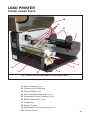
Load Printer .......................................................... pg. 5
Printer Inside Parts ........................................... pg. 5
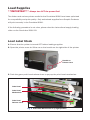
Load Supplies .................................................... pg. 6
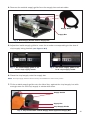
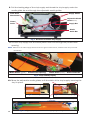
Load Label Stock ............................................... pg. 6 - 8
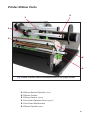
Printer Ribbon Parts .......................................... pg. 9
Load Ribbon....................................................... pg. 10 - 12
Connect Printer .................................................... pg. 13
Insert Installation CD ........................................ pg. 13
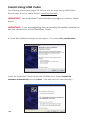
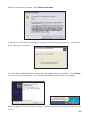
Install Using USB Cable .................................... pg. 14 - 15
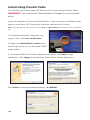
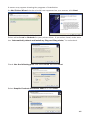
Install Using Parallel Cable ............................... pg. 16 - 19
Configure Driver ................................................... pg. 20 - 25
Configure Windows 2000/XP/Vista ................. pg. 20
Continuous Vinyl Printing Instructions ......... pg. 21
Die-Cut Label Instructions ............................ pg. 21 - 23
Black Mark Label Instructions...................... pg. 24
Cut Labels in Intervals .................................. pg. 25
Adjust Print Speed......................................... pg. 25
Adjust Darkness ............................................ pg. 25
Label Creation ...................................................... pg. 26
Use Templates ................................................... pg. 27
Set Up Microsoft Word Document ................... pg. 28
Select Printer ........................................................ pg. 28
Change Page Setup........................................... pg. 30
Orientation ......................................................... pg. 31
Label Design......................................................... pg. 32
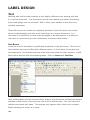
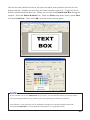
Text ..................................................................... pg. 32 - 33
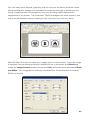
Graphics ............................................................. pg. 34 - 35
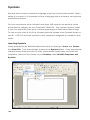
Symbols .............................................................. pg. 36 - 37
Barcodes ............................................................ pg. 38 - 39
Sequencing ........................................................ pg. 40 - 43
Import from Excel .............................................. pg. 44 - 48
Configure Ethernet Card ...................................... pg. 49
Cleaning & General Maintenance....................... pg. 50
Print Head .......................................................... pg. 50 - 51
Cutter.................................................................. pg. 51 - 52
Platen Roller ...................................................... pg. 53
Troubleshooting .................................................... pg. 54 - 56
Specifications ....................................................... pg. 57
-1-