1
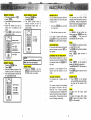
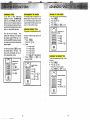
MEMORY STORING
The phone should be
press (
P.TG)
Enter the two digit memory location
(00 .. 20).
Enter the number you wish to
store, up to a maximum of 20
digits.
Press (MEM) to store number and
exit program mode.
m.
QUICK MEMORY DIALING
MAKING CALLS
You can make calls directly from the
handset whether you are at the base
or away from it.
The phone number stored in
memory location 00 will be
automatically dialed after a 2
second delav.
I
.,
1. Press the
(PHONE)
key and wait
1
(m)
for a dial tone.
2. Then dial the number you want.
If you make a mistake when dialing,
1-
FLASH
You can use your VTech VT1900
cordless phone with services such as
Call Waiting. Instead of pressing the
switch-hook (as you would on a regular
phone) press the
key.
REDIAL
To REDIAL the last number you
dialed, ress the ( I E ] key, then
. The phone will
press < m L )
automatically dial the number.
MEMORY STORING
DISCONNECTING
To end a call, either place the handset
back in the base, or press
on
the handset.
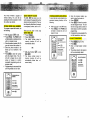
MEMORY DIALING
Enter the memory location of the
number you wish to dial (00..20).
The number stored in memory will
be automatically dialed.
MEMORY DIALING
NOTE:
Youcan press PHONEbeforeQUlCK
MEM, but it is not required.
I
USING REDIAL
Press the (
NE
key, then
)
(REDIALto
) automatically redial out
the last number you dialed.
3
I
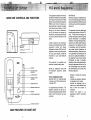
EXTENSION IN USE INDICATOR
When another extension is in use on
the same line, and the VTech VT1900
is in standby mode, the @=@LED
will flash.
Extension in use indication will not
function when the handset is out of
range.
VOLUME CONTROLS
The handset has a digital volume
control.
The volume controls for the handset
are located on the side of the unit.
Press the A or r keys to increase
or decrease the volume. Holding either
key down will continuously change the
volume setting. The ear piece volume
level will change accordingly.
HOLD
Press =on
the handset to place
an active call on hold.
The=
E
)(
LED will flash to indicate
call is on hold.
Press
again to return to
the call.
- .MUTE
Press
on the handset to
disable the handset microphone.
The MUTEILO BAlT LED will stay on
c o n t i n m
Press MUTE again to returnto normal
operation.
I
RINGER MUTE
Press
on the handset
during incoming ringing will disable
the ringer for the duration of the
call.
(m)
PAGE
from the
base,
press
To cancel the page, either press