1
SuperLoader 3
• Preparing for Rack Mounting
Providing Necessary
Tools
Provide the following tools for unpacking and installing the autoloader:
• #2 Phillips screwdriver
• Level
• Antistatic wrist strap
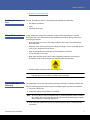
Taking ESD Precautions
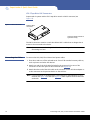
Some components within the autoloader contain static-sensitive parts. To avoid
damaging these parts while performing installation procedures, always observe the
following precautions:
• Ensure that the work area is free from conditions that could cause electrostatic
discharge (ESD).
• Discharge static electricity from your body by touching a known grounded surface,
such as your computer's metal chassis.
• Keep the autoloader turned off during all installation procedures.
• Use an antistatic wrist strap.
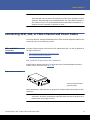
• Keep static-sensitive parts in their original shipping containers until ready for
installation. Look for the ESD sticker to identify static sensitive parts.
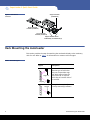
• Avoid touching connectors and other components.
Note: Dry climates and cold-weather heating environments have lower relative
humidity and are more likely to produce static electricity.
Preparing for Rack
Mounting
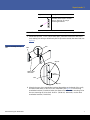
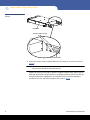
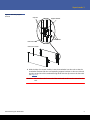
The autoloader can be rack mounted by attaching it directly to stationary cabinet rails.
Take the following general safety steps before beginning the rack-mount installation.
1 Lower the cabinet feet.
2 Extend the cabinet anti-tip device, if available.
Note: An anti-tip device may be extendable legs or similar equipment used to stabilize
the cabinet. This anti-tip equipment is to help avoid over-balancing the cabinet
when installing or removing equipment.
3 Ensure that the cabinet and all rack mounted equipment have a reliable ground
connection.
Preparing for the Installation
3