1
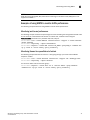
MAPS policies overview
4
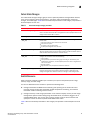
• dflt_conservative_policy
Contains rules with more lenient thresholds that allow a buffer and do not immediately trigger
actions. Use this policy in environments where the elements are resilient and can
accommodate errors.
Although you cannot modify the preconfigured policies, you can create a policy based on these
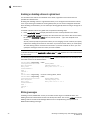
policies. For more information, refer to “Modifying a default policy” on page 25.
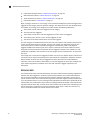
User-defined policies
MAPS allows you to define your own policies. You can create a policy and add rules to it, or you can
clone one of the default policies and modify the cloned policy. Refer to “Working with MAPS
policies” on page 24 for information on working with user-defined policies.
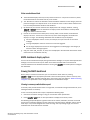
Fabric Watch legacy policies
When you migrate from Fabric Watch to MAPS, three policies are automatically created if you have
run mapsConfig --fwconvert. If you do not run this command, then these policies are not created.
The three policies are:
• fw_custom_policy
This policy contains all of the monitoring rules based on the custom thresholds configured in
Fabric Watch.
• fw_default_policy
This policy contains all of the monitoring rules based on the default thresholds configured in
Fabric Watch.
• fw_active_policy
This policy contains all of the monitoring rules based on the active thresholds in Fabric Watch
at the time of the conversion.
These policies are treated as user-defined policies. You can modify them by adding and deleting
rules, and you can delete them.
The following factors also apply to Fabric Watch conversions:
• Converted active Fabric Watch policies reference either custom or default Fabric Watch rules.
• No custom rules are created if the “custom” thresholds are the same as the default
thresholds. Instead, the default Fabric Watch rule will be referenced in the fw_custom policy.
• Converted rules are prefixed with fw_def_name or fw_cust_name. The value for name is a
string based on the Fabric Watch class, the area, threshold criteria (above high/below low),
and the threshold number. This is the same pattern that MAPS rules use.
Monitoring and Alerting Policy Suite Administrator’s Guide
53-1002933-02
23