1
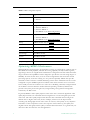
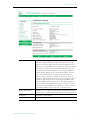
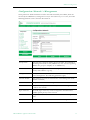
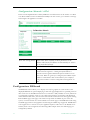
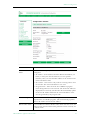
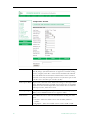
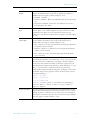
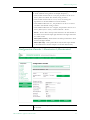
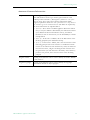
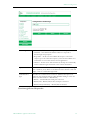
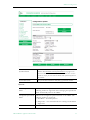
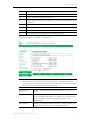
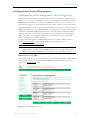
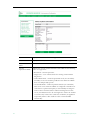
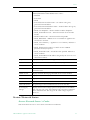
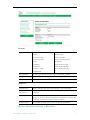
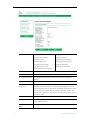
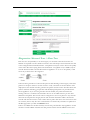
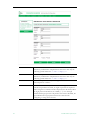
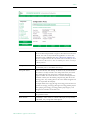
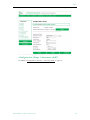
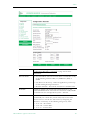
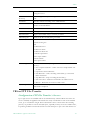
Destination Address
Mode
Allows the user to specify how the destination address will be
configured: IP Address, Host Name, or IPv6.
• IP Address – This is the Destination IP Address of the encoded
video. When this is a multicast address, the transmit mode is also
set to multicast. Similarly, if this is a unicast address, the transmit
mode is also set to unicast.
• Host Name – Sets the source for video to be received using Host
Name of the source. It can be used only for a unicast source.
• IPv6 – Use Internet Protocol Version 6. Note that IPv6 supports
unicast transmissions only.
32
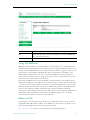
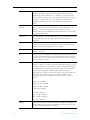
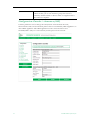
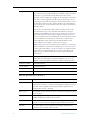
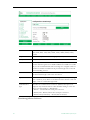
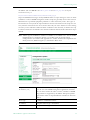
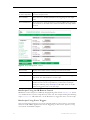
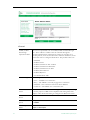
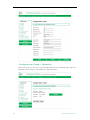
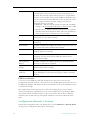
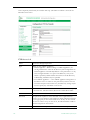
Destination
Host Name
This is the destination Host Name of the network device that will be
receiving the encoded video.
Destination IPv4/
IPv6 Address
This is the destination IPv4 or IPv6 address (depending on what is
selected above) of the network device that will be receiving the
encoded video. (You can enter a source-specific multicast address
(232/8) but it will have no effect unless the network is IGMPv3
capable. See Source-Specific Multicast on page 20 for details.)
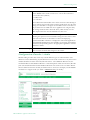
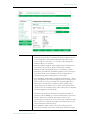
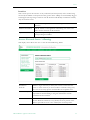
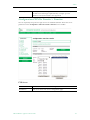
Destination Port
This is the destination IP port of the network device that will be
receiving the encoded video.
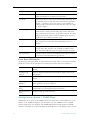
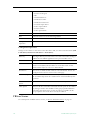
Transmit Mode
This read-only parameter (derived from the Destination IP Address)
tells you whether the encoder is transmitting the video stream in
Unicast or Multicast mode. In Unicast mode, if the network portion
of the IP address is outside the scope of the local area network, the
Unicast address is presumed to be outside the network.
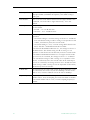
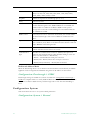
Time to Live
The number of hops (between routers) for which an IP packet is
valid on the network.
Type of Service
The TOS (Type of Service) can be configured in the IP header to
establish packet priority in the network.
© 2009 VBrick Systems, Inc.