1
Express Recording (XPR)
Express Recording (XPR)
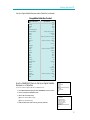
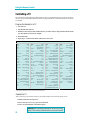
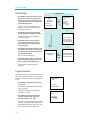
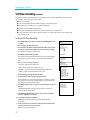
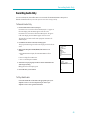
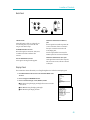
Express recording enables you to record up to four hours of programming without using the timer program feature.
The VCR will turn off automatically at the end of the recording.
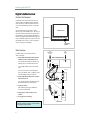
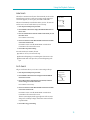
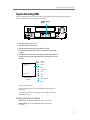
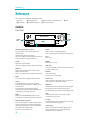
Display showing 30
minutes
PLAY
D
VCR
INPUT PROG. EXPMENU
FW
R EW
P O W ER E JECT T V¥ VCR
SLP
S TOP
RECORD PAUSE
CLEAR CHANNEL
DISPLAYTRACK ING
H
M
VIDEO INMONO L ¥AUDIO IN ¥ R
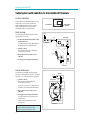
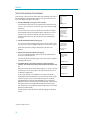
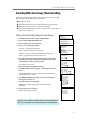
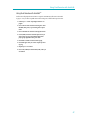
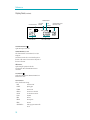
1. Insert a tape with safety tab in place.
2. Select the channel you want to record.
3. Select the desired recording speed using SPEED on the remote.
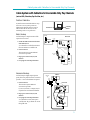
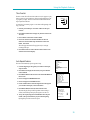
4. Press RECORD twice on the VCR or REC twice on the remote to activate XPR
recording.
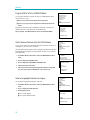
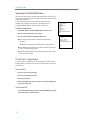
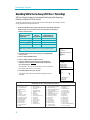
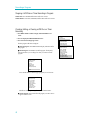
5. Press RECORD on the VCR or REC on the remote repeatedly until the amount of
recording time for the program is displayed in the VCRÕs display panel or on the
TV screen.
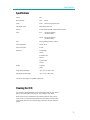
Press
RECORD
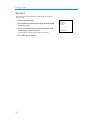
RECORD LENGTH 0:00
CH 04
Press REC to set length
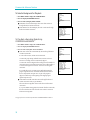
Express Display on
TV Screen
Recording
Time
0:30
(30 Min)
1:00
(1 Hr)
1:30
(1 Hr, 30 Min)
2:00
(2 Hrs)
3:00
(3 Hrs)
4:00
(4 Hrs)
(Normal Recording)
0:00
(Stops)
Each press increases the time.
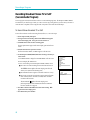
The amount of time the VCR will record and X-REC will appear in the VCRÕs
display panel.
You can increase the amount of recording time by pressing REC on the remote
or RECORD on the VCR.
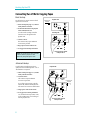
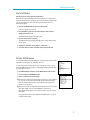
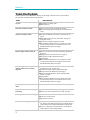
Stopping a Recording in Progress
With the VCR: Press POWER and then STOP within a few seconds.
With the Remote: Press VCR1 (VCR2¥DVD) and then STOP within a
few seconds.
37