1
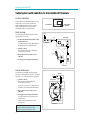
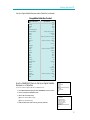
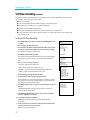
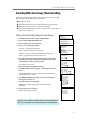
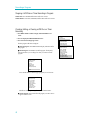
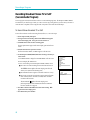
Location of Controls
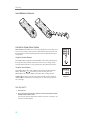
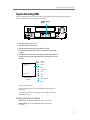
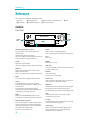
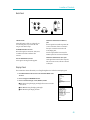
Back Panel
IN
MONO
L
L
R
R
FROM
ANTENNA
VIDEO
IN
IN
OUT
OUT
OUT
AUDIO
CH3 CH4 Switch
Selects the channel to which you will tune the TV
to see the VCR picture if you connect the VCR
using one of the basic hookups.
IN FROM ANTENNA Connector
Receives the signal from an antenna, cable system,
or satellite receiver that is attached to this
connector.
OUT TO TELEVISION Connector
Passes signal to TV using the cable supplied.
TO
TELEVISION
CH
3
4
VIDEO and AUDIO IN (R and MONO L)
Jacks
Receives signals from another component, like
a VCR or camcorder, when it is connected to
these jacks. Use INPUT to select L1 in the
VCRÕs display panel.
Attach a component that is not stereo to the
MONO L jack to hear sound on both channels.
VIDEO and AUDIO OUT (R and L) Jacks
Sends signals from VCR to another component,
like a TV monitor or VCR, when it is connected
to these jacks.
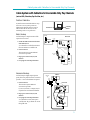
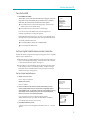
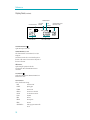
Display Panel
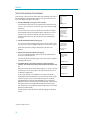
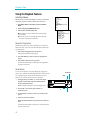
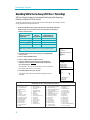
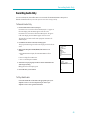
This VCR includes a feature that enables you to change the brightness level of the fluorescent display panel.
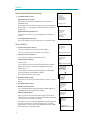
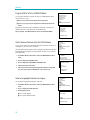
1. Press MENU¥PROG on the remote to see the VCR MAIN MENU on the
TV screen.
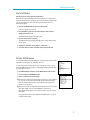
2. Press 6 to display the PREFERENCES menu.
3. Press 4 to select Panel Display: AUTO, BRIGHT, or DIM.
■ Select AUTO to keep the display panel bright when VCR is on and dim
when it is off.
■ Select BRIGHT to keep the display panel bright.
■ Select DIM to keep the display panel dim.
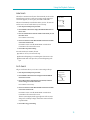
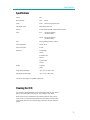
VCR MAIN MENU
1 VCR Plus+
2 Timer Recordings
3 Time
4 Channels
5 Setup
6 Preferences
7 Language/Langue
8 Audio
0 Exit
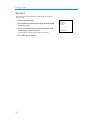
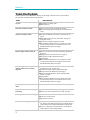
PREFERENCES
1 Remote Control: VCR1
2 Auto Play:
ON
3 Auto TV/VCR: ON
4 Front Panel: AUTO
5 CA Marking: ON
6 CA Playback: AUTO
7 CA Display: BLUE
8 Set Auto Repeat
0 Exit
49