1
Web Interface
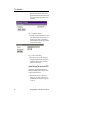
NOTE: This is the IP address NOT the host
name, the ManageUPSNET does NOT support
DNS.
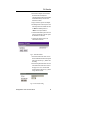
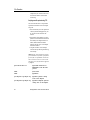
• SMTP Port: The port that the SMTP server
is listening on, this is usually port 25.
• Message From: The from email address that
the UPS unit will use when sending email
messages in response to an event.
• Domain: The name of the domain that the
UPS unit belongs to.
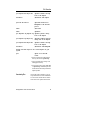
• Email Notification (Enabled/Disabled):
Email notification is disabled by default.
• On Battery Message Delay: The amount of
time, in seconds, to delay email notification
of an On Battery Event.
• On Battery Repeat Delay: The amount of
time, in seconds, to delay repeating an email
notification of an On Battery Event.
• Email Destinations: The names and email
addresses of up to 5 recipients.
You can use the Console, via serial link or
Telnet, or the web interface to configure SMTP
settings as well as email destinations.
Web Interface
Overview
16
The ManageUPSNET allows management of the
UPS and the ManageUPSNET configuration via
a Web interface. The client workstation requires
only a standard web browser, with JavaScript
enabled, to manage the ManageUPSNET.
Microsoft Internet Explorer 3.0 or later or
Netscape 3.0 or later will work.
ManageUPSNET User Instruction Manual