1
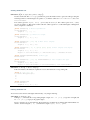
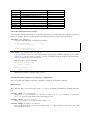
Key:
Return value:
Exporting values of interest
While running a simulation, some basic analysis can be performed and writen to a data file. Further analysis can
be differed by writing the trajectory to a file, and running existing tools on these trajectories.
In Jumos, outputs are subtypes of the Output type, and can be added to a simulation by using the push!
function.
push!(simulation, output)
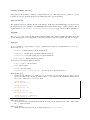
Adds an output (page 17) algorithm to the simulation list. If the algorithm is already present, a warning is
issued. Usage example:
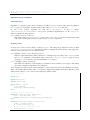
sim = Simulation(:md, 1.0)
# Direct addition
push!(sim, TrajectoryOutput("mytraj.xyz"))
# Binding the output to a variable
out = TrajectoryOutput("mytraj-2.xyz", 5)
push!(sim, out)
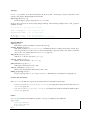
Each output is by default writen to the disk at every simulation step. To speed-up the simulation run and remove
useless information, a write frequency can be used as the last parameter of each output constructor. If this frequency is set to n, the values will be writen only every n simulaton steps. This frequency can also be changed
dynamically:
# Frequency is set to 1 by default
traj_out = TrajectoryOutput("mytraj.xyz")
add_output(sim, traj_out)
propagate!(sim, universe, 300) # 300 steps will be writen
# Set frequency to 50
traj_out.frequency = OutputFrequency(50)
propagate!(sim, universe, 500) # 10 steps will be writen
Existing outputs
Trajectory output The first thing one might want to save in a simulation run is the trajectory of the system.
Such trajectory can be used for visualisation, storage and further analysis. The TrajectoryOutput provide a
way to write this trajectory to a file.
TrajectoryOutput(filename[, frequency = 1 ])
This construct a TrajectoryOutput which can be used to write a trajectory to a file. The trajectory
format is guessed from the filename extension. This format must have write capacities, see the list
(page 22) of supported formats in Jumos.
Energy output The energy output write to a file the values of energy and temperature for the current step of the
simulation. Values writen are the current step, the kinetic energy, the potential energy, the total energy and the
temperature.
EnergyOutput(filename[, frequency = 1 ])
This construct a EnergyOutput which can be used to the energy evolution to a file.