1
Renesas Flash Programmer V2.05
(13)
CHAPTER 2 FUNCTION DETAILS (BASIC MODE)
[Set Project]
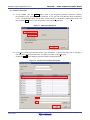
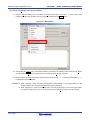
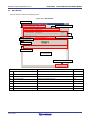
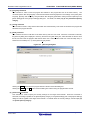
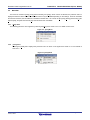
Selecting [Set Project] displays the [Project Settings] dialog box, where you can check and change the project
settings. The dialog box has two tabs: [Basic Settings] and [Other Settings]. Different categories of settings are
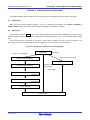
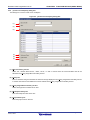
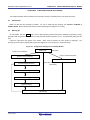
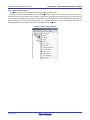
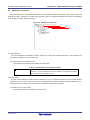
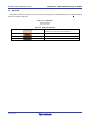
displayed depending on the tab you select. Clicking the [Modify…] button of the [Basic Settings] tab opens the
wizard-type dialog box [Communication Interface] (see Figure 2-27), which guides you through the process of
changing the settings. The [Frequency] and the [Power Supply] dialog boxes are skipped if the settings do not
need to be changed.
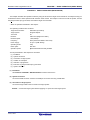
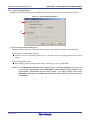
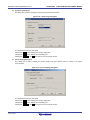
Figure 2-27. Flow of Setting Modification with the [Modify…] Button
[Communication interface]
[Frequency]
[Power supply]
[Project settings]
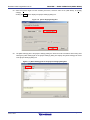
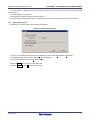
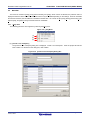
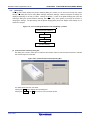
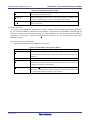
(a) [Communication Interface] dialog box
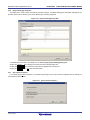
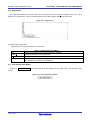
This dialog box is used to select the tool used and the interface used for communication between the selected
tool and the target microcontroller.
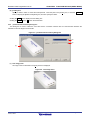
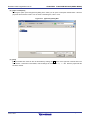
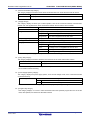
Figure 2-28. [Communication Interface] Dialog Box
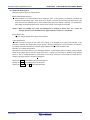
For details about each item, see 2.2.3.
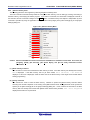
Clicking the Next button displays the next dialog box.
Clicking the Cancel or the X button returns you to the main window.
R20UT2907EJ0202 Rev. 2.02
Jul 01, 2015
Page 34 of 61