1
Chapter 10: The Command-Line Interface
149
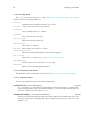
Ddd*consoleButtons: \
Yes\nNo\nrun\nClear\nPrev\nNext\nApply\nbreak^C
See also the ‘dataButtons’, ‘sourceButtons’ and ‘toolButtons’ resources.
dataButtons (class Buttons)
Resource
A newline-separated list of buttons to be added under the data display. Each button issues the
command given by its name. See the ‘consoleButtons’ resource, above, for details on
button syntax.
The default resource value is empty—no source buttons are created.
sourceButtons (class Buttons)
Resource
A newline-separated list of buttons to be added under the debugger console. Each button
issues the command given by its name. See the ‘consoleButtons’ resource, above, for
details on button syntax.
The default resource value is empty—no source buttons are created.
Here are some example to insert into your ‘~/.ddd/init’ file. These are the settings of
ddd 1.x:
Ddd*sourceButtons: \
run\nstep\nnext\nstepi\nnexti\ncont\n\
finish\nkill\nup\ndown\n\
Back\nForward\nEdit\ninterrupt^C
This setting creates some buttons which are not found on the command tool:
Ddd*sourceButtons: \
print *()\ngraph display *()\nprint /x ()\n\
whatis ()\nptype ()\nwatch ()\nuntil\nshell
An even more professional setting uses customized button labels.
Ddd*sourceButtons: \
print *(()) // Print *()\n\
graph display *(()) // Display *()\n\
print /x ()\n\
whatis () // What is ()\n\
ptype ()\n\
watch ()\n\
until\n\
shell
See also the ‘consoleButtons’ and ‘dataButtons’ resources, above, and the
‘toolButtons’ resource, below.
toolButtons (class Buttons)
Resource
A newline-separated list of buttons to be included in the command tool or the command tool
bar (see Section 3.3.1.1 [Disabling the Command Tool], page 55). Each button issues the
command given by its name. See Section 10.4 [Defining Buttons], page 147, for details on
button syntax.
The default resource value is