1
C H A P T E R
2
–
U S I N G
T H E
D A T A C O N N E C T I O N
C O M P O N E N T
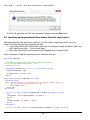
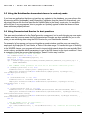
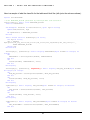
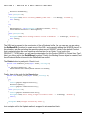
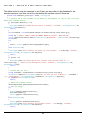
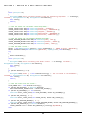
Dim intNewID As Integer
Dim strSQL As String
strSQL = “SELECT MAX(id_employee) FROM EMPLOYEE”
Try
gSQLConn.BeginTransaction()
intMaxID = gSQLConn.GetIntegerSQLResult(strSQL)
If (intMaxID = Integer.MinValue) Then
intNewID = 1
Else
intNewID = intMaxID + 1
End If
…(SQL operation to INSERT the new EMPLOYEE record would go here)
gSQLConn.CommitTransaction()
Catch
gSQLConn.RollbackTransaction()
MsgBox(“Error saving new Employee record: “ & ex.Message)
Exit Sub
End Try
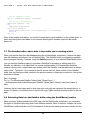
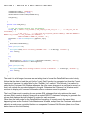
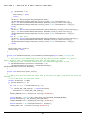
The code in the sample above would prevent any other user from being assigned the same next
available Employee ID Number, thereby preventing any errors that might occur as a result of this.
There is one more function available relating to Transactions. It is the InTrans() routine. This
function will return a True if the connection is in the middle of a open / pending transaction, or a
False if there is no open transaction.
2.9 Summary for the DataConnection component
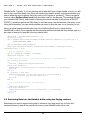
You can see that the DataConnection component is used for global operations such as managing
the database connection, transactions, scalar functions, directly executing SQL, and other
housekeeping chores such as specifying desired handling of NULL values.
In your applications, you will typically only need to use a single DataConnection component.
Exceptions to this are when you have a program that must connect simultaneously to more than
one database. For these, you will need multiple DataConnection objects declared, and all of this is
seamlessly supported by the DataLayer.NET library.
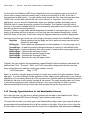
In the next chapter, you will be learning about the DataHandler component. It is used to manage
data retrieval and updates for single entities (tables). You will typically have a descendant
DataHandler class defined for each one of the tables in your system that you are using.
15