1
C H A P T E R
3
–
U S I N G
T H E
D A T A H A N D L E R
C O M P O N E N T
Returns: (nothing)
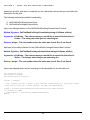
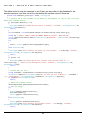
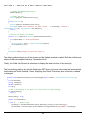
The Update method will throw an exception if there are any errors sending the updates to the
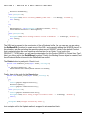
database, so you need to wrap the call to the Update() method in a Try / Catch block, as follows:
Try
mEmployees.Update()
Catch ex As Exception
MsgBox("Error Updating the Employees table: " & ex.Message)
Exit Sub
End Try
3.14 Adding new rows from scratch (without first fetching other rows)
Sometimes you need to insert a new record into a table, but it is not associated with any previous
rows or DataHandler object that already has some rows fetched.
This situation presents an interesting dilemma for the DataHandler class. You see, it needs to have
some kind of result set already retrieved into the DataSet so that the DataSet table is properly
initialized with all of the columns and data types loaded (table “schema” information).
To provide a solution for this issue, we have a routine called InitializeEmptyBuffer().
Here is the calling interface:
Method Signature: InitializeEmptyBuffer()
Arguments: (none)
Returns: (nothing)
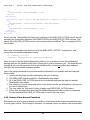
The InitializeEmptyBuffer method takes the SQL statement and temporarily mangles the WHERE
clause to say “WHERE 1 = 0” to force the database to return an empty result set. However, even
though no rows are returned into the DataSet, it does return the schema information for the result
set, which allows you to then subsequently add the new row (or as many rows as needed).
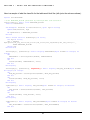
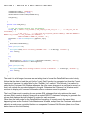
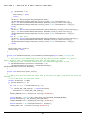
Here is an example:
mEmployees = New EMPLOYEES(gSQLConn, EMPLOYEES.GetBaseSQL)
' Initialize the DataSet buffer...
Try
mEmployees.InitializeEmptyBuffer()
Catch ex As Exception
MsgBox("Error initializeing Employees buffer: " & ex.Message)
Exit Sub
End Try
29