1
ADDING NEW SOUNDS AND INSTRUMENTS
UVI Workstation is just the begining
of your UVI experience...
Stay connected
Now you’re familiar with the UVI Workstation - hoping you did read the full manual
until this page ;-) -, you now have access to all the excellent sounding UVI libraries
and instruments.
Don’t forget to download the complete demo sound pack at www.uvi.net to get a
taste of some of the most crazy sounds on the planet.
> www.uvi.net/UVIWorkstation
Installing the UVI demo sound pack
It’s very easy and straightforward to install new UVI sounds and instruments:
You just have to copy/alias the dedicated ufs file in the UVISoundBanks folder.
On Mac:
Copy the UFS file in this location :
[your startup disk]/Library/Application Support/UVISoundBanks
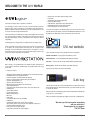
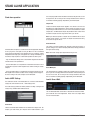
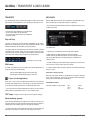
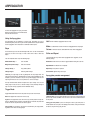
If you’re connected to the internet, the UVI Workstation will receive RSS news
directly from the UVI.net website. This will keep you informed on the latest info
about the new available compatible sound libraries.
If you click on the text area, it will open your web browser and you will be directed
to the current news. If you click on the RSS logo (the orange one) you will see the
list of the latest news, and then be able to choose the one you want to see.
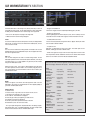
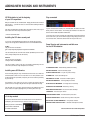
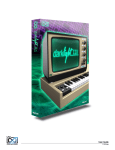
Some libraries and instruments available now
for the UVI Workstation
You can also drop an alias of this file in this location, provided they have the same
name. (not My soundpack.ufs alias for instance)
Windows:
Copy the UFS file in this location :
C:\Program Files\UVISoundBanks.
You can also drop a shortcut to this file in this location, provided they have the
same name (not Shortcut to My soundpack.ufs for instance)
Installing more UVI libraries
There are already plenty of crazy UVI libraries and instruments to use within the
UVI Workstation at www.uvi.net. To install them it’s the same procedure as for
the demo sound pack (see below) except that you have to authorise your library
for your iLok key.
The procedure is very simple, you just have to register your product and give
your iLok.com user ID/Login, and you will receive your authorisation instantly.
Don’t be afraid, this is very simple, and if you encounter any problem, don’t hesitate to contact our support ([email protected]), we will be glad to assist you.
PLUGSOUND PRO - Award-Winning and Massive Library
RETRO ORGANS - Authentic sounding organs
SYNTHS ANTHOLOGY - 30 years of synthesis history
XTREME FX - Instant sound design tool
MAYHEM OF LOOPS - Thousands of modern grooves
RETRO KEYBOARDS - Seven legendary instruments
ELECTRIC TOY MUSEUM - 97 vintage electric musical toys
ACOUSTIC TOY MUSEUM - Musical toys treasury
BEAT BOX ANTHOLOGY- Classic drum sounds and loops
JAZZISTIC - That classic jazz sounds !
PERCUSSION STORE - The ultimate tool in percussions
> iLok key needed
To be able to load sounds from the UVI Soundcards or the UVI Soundsource
soundpacks, you’ll need an iLok key as well as an iLok.com account.
When you purchase a sound library,
your iLok will be credited with
the related authorisations.
22
WORLD TRADITIONS - Sounds from every corner of the planet
IRCAM SOLOS INSTRUMENTS - A truly unique collection
GRAND PIANO COLLECTION - 5 wonderful and unique instruments
Check out www.uvi.net for news and updates.
UVI Workstation™ Manual