1
ProBee-ZE10 User Guide Rev.1.6.2
5
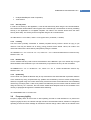
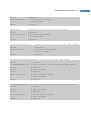
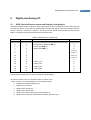
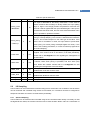
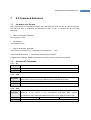
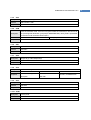
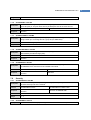
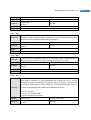
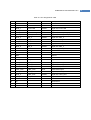
Reserved for pin-specific alternate functionalities (See Table 5-2)
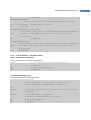
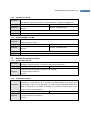
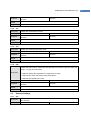
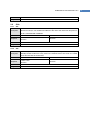
7.10.2 AT+DIO
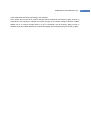
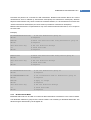
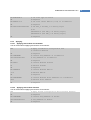
Get/Set the digital IO value individually or all at once. All GPIO pins can be used as
Description
digital IO and it is only possible to set 0 or 1. If there are some pins used analog input,
they are displayed by “*”.
Execute
Response
AT+DIO?<CR> or
AT+DIO=<values><CR> or
AT+DIO<number>?<CR>
AT+DIO<number>=<value><CR>
<value><CR>
OK<CR>
Default
0000000000000
Range
0000000000000 - 1111111111111
OK<CR> or ERROR<CR>
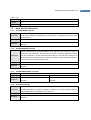
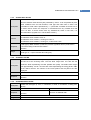
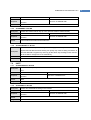
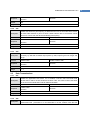
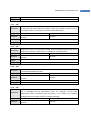
7.10.3 AT+AI
Description
Execute
Response
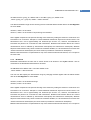
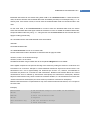
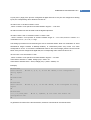
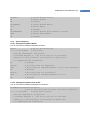
Get the analog input value individually or all at once. GPIO3~6 are possible to set ADC
and it’s read only. If there are some pins used digital IO, they are displayed by “****”.
AT+AI?<CR>
AT+AI<number>?<CR>
<value>,<value>,<value>,<value><CR>
<value><CR>
OK<CR>
OK<CR>
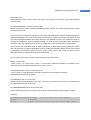
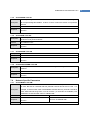
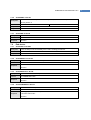
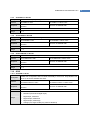
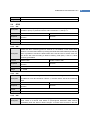
7.10.4 AT+ SOURCELA or AT+SL
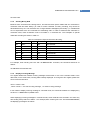
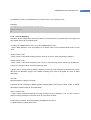
Get/Set the 64-bit source IEEE address for GPIO remote control. It is possible to limit
Description
on the implementation of this functionality by setting specific address. If set to default
value, “FFFFFFFFFFFFFFFF”, the node allows that any node can control the GPIO
status.
Execute
Response
AT+SOURCELA?<CR>
<value><CR>
OK<CR>
AT+SOURCELA=<value><CR>
OK<CR> or ERROR<CR>
Default
FFFFFFFFFFFFFFFF
Range
0000000000000000 – FFFFFFFFFFFFFFFF
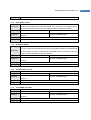
7.11
Firmware Upload and Help
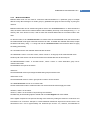
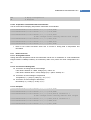
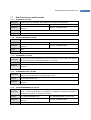
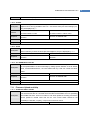
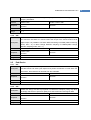
7.11.1 AT+BOOTLOAD or AT+BL
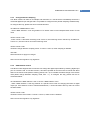
Start bootloader to upload firmware. (blank: local, 1: passthru, 2: clone)
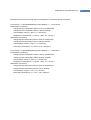
The device leaves the AT command line and enters the bootloader menu for uploading
Description
new ProBee firmware. There’s no restrict to use local upload but a sleepy end-device
cannot upload to remote node over the air. The current UART should be set
115200bps, 8 data bits, no parity, 1 stop bit and none flow control.
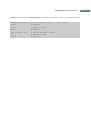
Execute
AT+BOOTLOAD<CR>
AT+BOOTLOAD=<number>,<IEEE><CR>
76