1
CHAPTER 3
EXAMPLE APPLICATIONS
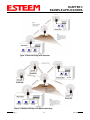
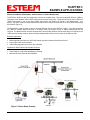
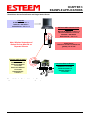
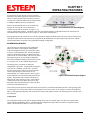
Ethernet Bridge Mode Example 2 (Figure 2)
Point to Point with Repeater Ethernet Bridge
(3) ESTeem Model 195Ea
Serial Numbers:
E-14000 (Main Office)
E-14001 (Remote Office)
E-14002 (Repeater)
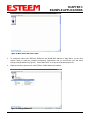
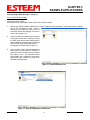
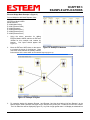
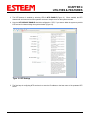
1. Using the above procedure, enter the three
ESTeem 195Ea’s into the ENC Utility. Your
layout should appear like Figure 12.
2.
3.
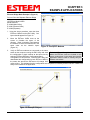
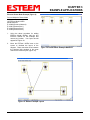
Move the ESTeem 195Ea icons on the
screen to simulate the layout of the
diagram. Draw connection lines between
the modems to make the wireless link in the
same order as the network layout
(Figure 13).
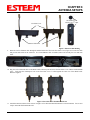
Figure 12: Example 2 Modems
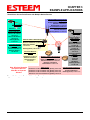
Verify all ESTeem modems are connected to the same
switch as the computer running the ENC Utility and send Technical Tip: Although it does not matter
the configuration to both modems at the same time by where the ESTeem icons are located on the
selecting ESTeem>ESTeem Configuration>Send
screen, putting them in the same layout as the
Configuration to All ESTeems. Once the ENC Utility has application makes it easier to visually verify the
downloaded the configuration for both ESTeem 195Ea’s, network connections.
the status box around the ESTeem‘s will change from
yellow to blue. This indicates that the configuration was completed successfully and the ESTeem 195Ea’s are
ready to be installed in the application.
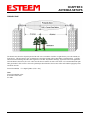
Figure 13: Example 2 Layout
Revised: 6 Sep 11
3-8
EST P/N AA107A