1
Training
Training kits were sent to the field in January.
Included in the kit were a sales training manual, print
sample, data sheet, output design service sales information and data sheets, and HP 2689A "Tie One On"
buttons and stickers.
Sales opportunities
A good point for you about the HP 26139A is that the
target customer is easy to identify. Anyone using an
IBM 43XX, 303X, or 308X mainframe (or compatible)
system is a potential prospect. You can use laser
printing as a way to get in the door. Once in, you can
look for local or remote laser printing applications, as
well as office and DP applications for the HP 3000.
To get started on your prospecting, check the Directory of Computer Executives for names of the MIS
managers in your territory.
Sales support
We understand that there may be tinies when you
need a little extra help in selling a laser printer, so
we've made sure you have the tools you need to be
successful. When you run into a tight spot, try the
following sources for information:
Sales training manual. The manual provides
information about the features and benefits of laser
printers and the HP 2689A; a feature and price
comparison against the competition; technical
information on how the HP 2689A works with the
IBM host; a description of the marketplace; and a
list of IBM buzz words. It will help you position
HP's products against each other and the competition and will help identify qualifyiing customers.
Read the manual carefully before you make the
first call, and you'll be on top of the sale from the
start.
HP 2689A audio cassette. This cassette uses a
sales scenario to highlight importaint points to make
at various parts of the sales cycle. Listen to it in
your car on the way to a sales call to help you
visualize the process.
HP 2685 GIM. This document gives you more
information about the capabilities of the HP 2685.
Customers will ask about local and remote connections, and you will need this to help you cover the
remote applications.
HP 2689A sales presentation. A copy has been
distributed to the FbIMs. A brief script is also
included to make your preparation easy. The print
sample included is probably the best way to demonstrate the capabilities of the HP 2689A in an informal one-on-one session.
Computerized support. "Mailcoach," a special
mailstop (part of the HP Desk network) has been
set up to receive the day-to-day questions on ordering, configurations, pricing, delivery, literature,
cables, technical points, and so on. Send your questions to HP Desk Jurnbojet/HP4600/M2. We will
answer within 24 hours.
We have taken this approach so that your support
person is free to help you with sales consulting, big
deal management, marketing program planning
(seminars, presentations, mailings, telemarketing,
and so on). Please use this service whenever you
can. The more you use it, the better we can help
you.
SMC and Boise Division. If you can't find what
you need in the available documentation, your local
support people are out of the office, or your situation is too complex for Mailcoach, then give the
SMC or Boise Market Development a call. We'll be
glad to help.
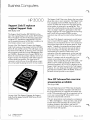
Positioning the HP 2685A and
HP 2689A laser printers
Matt Cuson/BOI
With the introduction of the HP 2689A laser printing
system, you have another good reason for a customer
to go with HP for their printing solutions: direct
channel connect. The HP 2689A complements the
existing HP 2685 procluct offering by providing a
straightforward, high-speed connection for local
printing applications on IBM mainframe systems.
The HP 2689A: The local system printer
replacement
The HP 2689A was designed to replace impact printers as the primary loc,alsystem printer. The HP
2689A uses the comrr~andset of the popular IBM 3211
line printer (2,000 Ipm) and can replace it (or others
in the same class) in most applications.
Typical uses would be for system dumps, program
listings, financial reports, parts explosions, product
listings, order processing, payroll, and personnel reports (:in general preprinted forms replacement).
February 15, 1985
COMPUTER NEWS
For HP Use Only
25