1
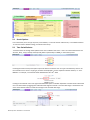
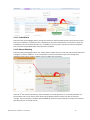
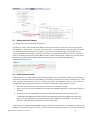
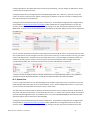
set up. Clicking the name of a specific import will reveal the import settings where tools are available for folder
selection.
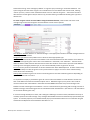
By clicking Refresh Folders, a User jumps across the Internet to his or her email service provider and can download
the folder structure of his or her email account. In the Available Folders box, they will see all the email folders
related to their email account.
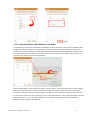
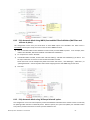
6.4.1 Fully Automatic Mode Using INBOX and Sent (No mail filters or rules in place.)
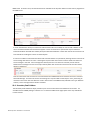
The simplest configuration for MME to work in fully automatic mode is to:
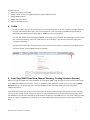
1) Choose “Selected” in the Import Folders dropdown menu.
2) Click the Inbox and Sent folder options in Available Folders window, use the top arrow button to move them
into the Selected folders window.
Please note there can be multiple Sent folders also called “Sent Items”, “Sent Messages”, “Inbox.Sent”, or
“[Gmail]/Sent Mail”. Choose all folders that contain outgoing email so that MME may process them.
3) Click Save.
Match My Email MultiMatch – User Manual
- 21 -