1
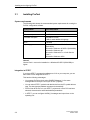
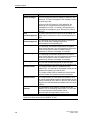
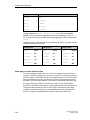
Installing and configuring ProTool 3.1 Installing ProTool System requirements The following table shows the recommended system requirements for running the ProTool configuration software. Configuration Recommendation CPU Pentium 133 MHz Main memory 64 MB Free hard disk space 150 MB for ProTool 5 MB for each additional language Drive CD-ROM Operating system Microsoft Windows 95 with Service Pack 1 (Build 950a) Microsoft Windows 95 OSR 2 (Build 950b) Microsoft Windows 98 Microsoft Windows NT 4.0 with Service Pack 3 Microsoft Windows 2000 Remark Service Pack 1 must not be installed on a Windows 95 OSR 2 (Build 950b) or higher. Integration in STEP 7 If you have STEP 7 programming software as of V4 on your computer, you can also install ProTool integrated in STEP 7. This has the following advantages: 3-2 • You manage ProTool projects using SIMATIC Manager (i.e. the same management tool that you use for your STEP 7 projects). • You can select STEP 7 symbols and data blocks from the S7 symbol table as tags. The data type and address are entered automatically. • ProTool lists all the PLCs in your STEP 7 project and, once a PLC has been selected, determines the associated address parameters. • In STEP 7 you can configure ALARM_S messages and output them to the operating unit. ProTool User’s Guide Release 12/99