1
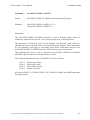
Concrete-Plot – User Manual Command : CLEAR—SELECT Syntax CLEAR—SELECT class nodel (node2 ---- ) : Examples : Command Formats CLEAR-SELECT 1 11 12 13 14 CLEAR-SELECT 2 0 Description : This command allows the selection of nodes on a panel and therefore applies only to concrete substructures modelled using thick and thin shell elements. The GRID command should be used for solid element models. The CLEAR-SELECT command operates in a similar way to the SELECT command, except that all previous selections of nodes and classes over a panel are cleared before the new selection is added. The command is typically used when a new group has been selected. The action will be to clear the selection of nodes for the previous group, and start selection for the new group. The following example data file illustrates this: CLEAR-SELECT 1 1 2 3 SELECT 2 10 11 12 DO-PLOTS (Nodes 1,2,3,10,11,12 processed) CLEAR-SELECT 1 101 102 103 104 SELECT 2 110 111 DO-PLOTS (Nodes 101,102,103,104,110,111 processed) Note that all previous selection of nodes for all classes are cleared by this command, not just the selection for the given class. Node selection is cancelled by the PANEL and GRID commands, which allow alternative methods of selection. Contains proprietary and confidential information of ANSYS, Inc. and its subsidiaries and affiliates. 5-5