1
SETUP
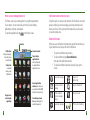
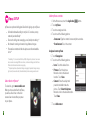
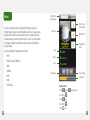
myFaves is an optional calling plan. Benefits of signing up to myFaves:
Unlimited nationwide calling to any five U.S. numbers, on any
network (even landlines)*
One-touch calling, text messaging, e-mail, and photo sharing**
No domestic roaming or domestic long-distance charges
Personalize contacts with favorite pictures and downloadable
icons**
n
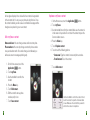
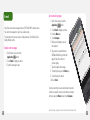
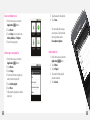
Add myFaves contacts
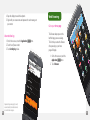
1. On the Home screen, touch the Application
2. Touch myFaves.
3. Touch an unassigned circle.
4. Touch one of the following options:
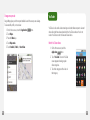
Create new: Type the contact’s name and phone number.
From Contacts: Touch the contact.
n
n
n
n
n
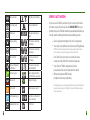
* Excluding 411, voicemail, and toll-free, 900, calling card, customer’s own numbers, numbers accessing 500 or more lines, conference bridges, and chat lines.
Other restrictions and exclusions may apply.
** Separate purchase /download charges may apply. Separate charges may apply to send/receive domestic/international text picture messages and e-mail.
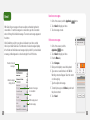
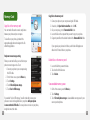
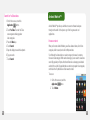
Subscribe to myFaves®
To subscribe, go to www.t-mobile.com.
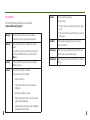
When you have subscribed to myFaves,
you will see five circles on the main
screen a few minutes after you power
on your phone.
24
button.
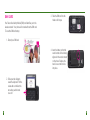
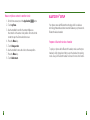
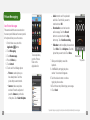
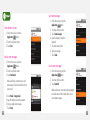
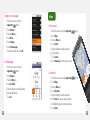
Assign an icon to myFaves
5. Touch Change icon.
6. Touch one of the following options:
Icons: Touch the desired icon.
Pictures: Touch the picture.
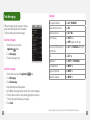
Move the circle to the desired
location. Touch Save.
Camera: Frame the subject and
press the trackball to take the
picture. Touch Select this picture.
Move the circle to the desired location.
Touch Save.
n
n
n
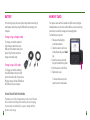
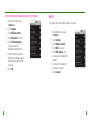
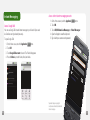
7. Touch Add contact.
25