1
Menus
Users Menu
Exit Users Menu
1. Press Alt+S. Your changes are saved.
Important!
To save your modifications to the current User ID mailbox, you must press
Alt+S before pressing Esc.
2. Press Esc. The Main Menu displays.
Users Menu Options
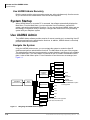
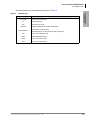
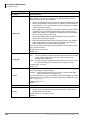
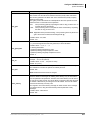
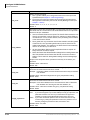
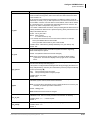
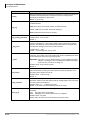
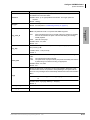
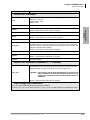
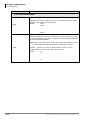
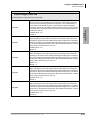
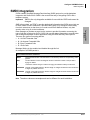
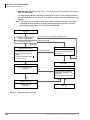
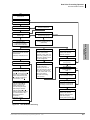
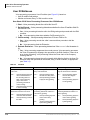
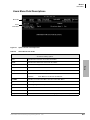
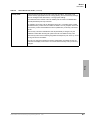
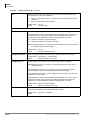
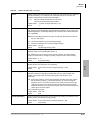
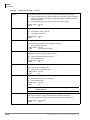
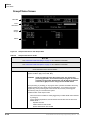
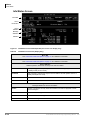
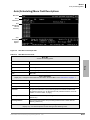
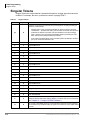
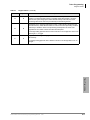
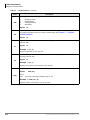
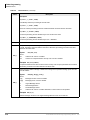
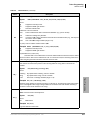
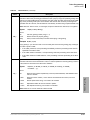
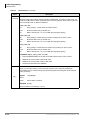
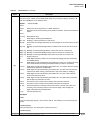
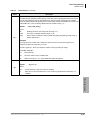
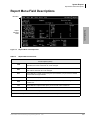
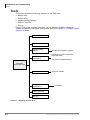
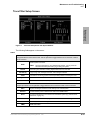
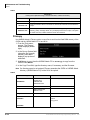
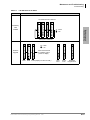
The Users Menu (see Figure 4-1 and Table 4-2 on page 5) consists of three screens:
• Options (see Figure 4-3 and Table 4-4 on page 8) – Basic (RNA, DND, Call Screening and
message information) options for the User ID mailbox.
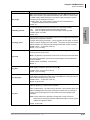
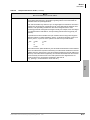
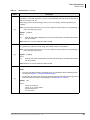
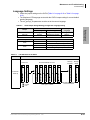
• Group/Chains (see Figure 4-5 and Table 4-6 on page 14) – Chain, group and menu
information for the User ID mailbox.
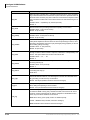
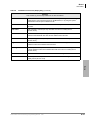
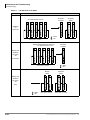
• Info/Status (see Figure 4-7 and Table 4-8 on page 18) – Displays statistics for the User ID
mailbox that can be used to generate reports.
Create User ID Mailbox
Note When you create a User ID mailbox, voice processing uses the Defaults Box User
ID (default 997) as a template for the new User ID mailbox.
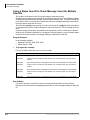
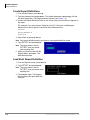
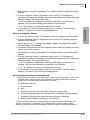
1. From the Users Menu, Options screen, type a unique number in the User ID field and
press Enter. Voice processing initializes the remaining fields with the values specified
in the Defaults Box User ID.
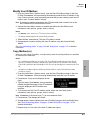
2. To change any field settings, place the solid color edit block that appears on the screen
next to the field name. Type the information in the field and press Enter
...or for some fields, press the spacebar to toggle the value.
Notes
l
l
Use Enter or the arrow keys (↑↓) to move between fields.
To display detailed help for the current field, press F1. See “Online Help Function” on page
1-6.
3. When finished, press Alt+S.
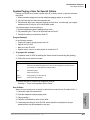
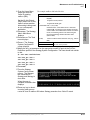
4. If necessary access the Groups/Chains screen and make any required changes to the
field settings. The Groups/Chains screen displays.
5. When finished, press Alt+S. The User ID mailbox is saved and the Box Created and
Box Saved fields of the Info/Status Screen change from NEVER to the current date
and time.
6. As appropriate, continue defining the User ID mailbox using the Auto and Notify
Menus.
See “Auto (Scheduling) Menu” on page 1-20 and “Notify Menu” on page 1-27 for detailed
information.
4-2
Strata CIX40 Voice Processing Programming Manual
7/06