1
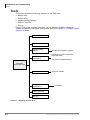
Menus
Users Menu
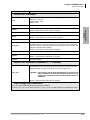
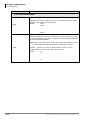
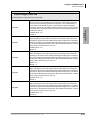
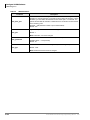
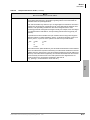
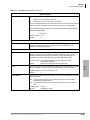
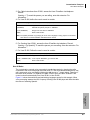
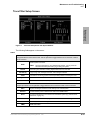
Table 4-6
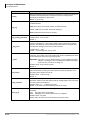
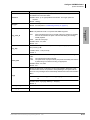
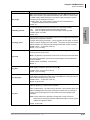
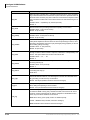
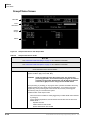
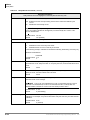
Groups/Chains Screen Fields (continued)
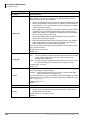
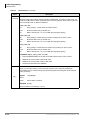
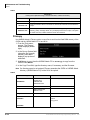
Groups
Group information for the User ID mailbox.
Groups control which User IDs a call can access. Each User ID mailbox user can be a
member of up to four groups. To be able to access another User ID, the caller User ID
must share at least one group number with the currently accessed User ID. If all groups
are set to 0, then no other User ID may be accessed.
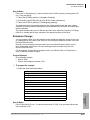
For example, assume the following:
User ID
100
222
303
440
Group 1
1
1
5
7
Group 2
0
5
7
0
Group 3
0
0
0
0
Group 4
0
0
0
0
For the above example, User ID 100 may access User ID 222 only. User ID 222 may
access User IDs 100 and 303. User ID 303 may access User IDs 222 and 440. User ID
440 may access User ID 303 only.
Groups are useful for isolating different departments in the same company or different
companies sharing one system. For example, suppose two companies share the same
President, Vice President, and Controller and you would want them accessible to all
companies; but each company has a different Human Resources department that you
may want to prevent caller access from one to the other.
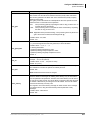
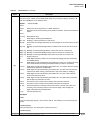
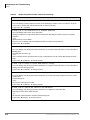
Group 1
First of four groups.
Possible values: 0(not in use), 1~99,999,999
Default:
1 (Group 1. This is voice processing’s default; and may have been
redefined during configuration.)
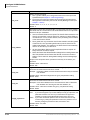
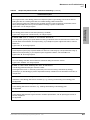
Group 2
Second of four groups.
Possible values: 0 (not in use), 1~99,999,999
Default:
0 (not in use. This is voice processing’s default; and may have been
redefined during configuration.)
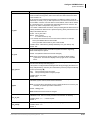
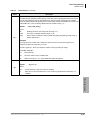
Group 3
Third of four groups.
Possible values: 0 (not in use), 1~99,999,999
Default:
0 (Not in use. This is voice processing’s default; and may have been
redefined during configuration.)
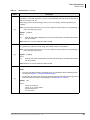
Group 4
Fourth of four groups.
Possible values: 0 (not in use), 1 ~ 99,999,999
Default:
0 (not in use. This is voice processing’s default; and may have been
redefined during configuration.)
4-16
Strata CIX40 Voice Processing Programming Manual
7/06