1
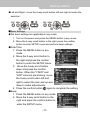
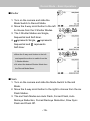
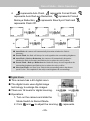
Record Mode – Basic Operations Basic Operations 1. Turn on the camera and slide the Mode Switch to the Record Mode. 2. View the scene on the LCD monitor and press the shutter button. yHold the camera firmly while you are taking pictures, if you do not, the pictures taken will be blurred. Hold the camera as shown in the figure to keep the camera steady while taking pictures. For best results, use both hands and brace your elbows lightly against your body. yKeep your fingers away from the camera lens, flash microphone and speaker. yIf you are taking a landscape photograph at night, a tripod is commended. - 18-