1
Data FLASH Editor
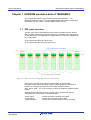
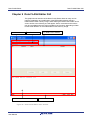
Data FLASH Editor GUI
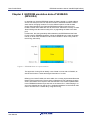
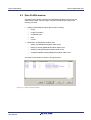
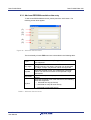
Data FLASH setup for V850E/ES (MF2/UX4):
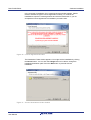
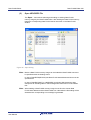
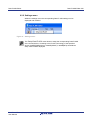
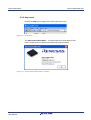
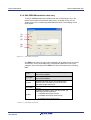
For V850E/ES (MF2/UX4) based devices the Setup Data FLASH menu allows
to setup the start address and the size of the Data FLASH area. By selecting this
menu item the following dialog window appears and offers the possibility to
specify the Data FLASH mapping.
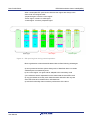
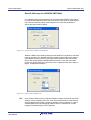
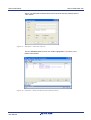
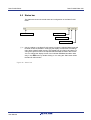
Figure 28 Setup Data FLASH start address
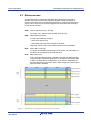
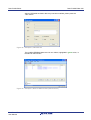
Within the Data FLASH Settings dialog the start address of the Data FLASH area
must be specified. Only hexadecimal input values are permissible. The entered
start address should be equal to the physical start address of the Data FLASH
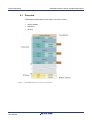
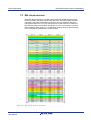
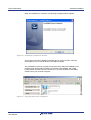
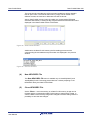
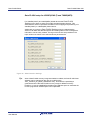
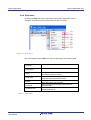
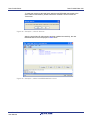
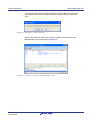
area of the corresponding V850E/ES(MF2/UX4) device. The size of the Data
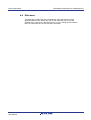
FLASH can be specified by the pull-down menu. Supported sizes are 4 KByte, 8
KByte, 16 KByte and 32 KByte.
Figure 29 Setup Data FLASH size
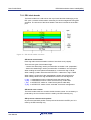
Tip:
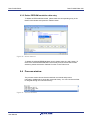
After a Data FLASH memory image was loaded or edited, the Data FLASH Start
Address can be modified by the user. This offers the possibility to generate and
store the Data FLASH memory image for different memory locations. In case of
V850E/ES(MF2/UX4) the debugging address space or otherwise the FLASH
programmer address space can be specified.
R01UT0176ED0000 Rev. 1.00
User Manual
41