1
CHAPTER 4. GRAPHICAL USER INTERFACE
66
specified more precisely. A control variable that contains, for example, an integer is of type
integer. This type might change after specification of new values for this variable to real or
a tuple of integer. But it always remains a control variable. The more refined type is bound
to the value and not to the variable. Similarly, this is the case for iconic variables, which may
contain regions, images, or XLDs. You may assign new values as often as you want to. But you
cannot change them to the state before the first assignment (see above).
Creation of a new variable happens in the operator dialog area during specification of operator
parameters. Here every sequence of characters without single quotation marks is interpreted as
a variable name. If this name did not exist before, the variable is created in the operator dialog
area by pressing OK or Enter. The variable type is specified through the type of the parameter
where it was used for the first time: Variables that correspond to an iconic object parameter
create an iconic variable; variables for a control parameter create a control variable. Every time
an operator is excecuted the results are stored in variables connected to its output parameters.
This is done by first deleting the contents of the variable and then assigning the new value to it.
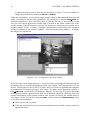
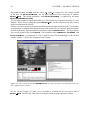
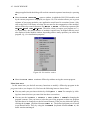
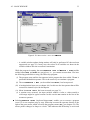
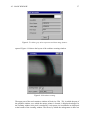
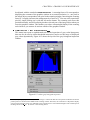
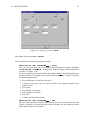
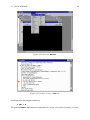
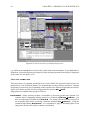
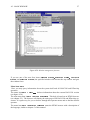
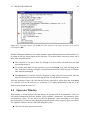
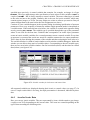
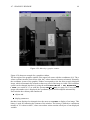
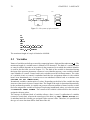
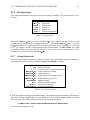
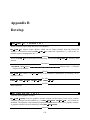
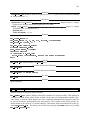
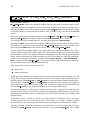
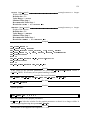
The variable window is a kind of watch window used in window-oriented debuggers. Inside this
window you are able to keep track of variable values. Corresponding to the two variable types,
there are two areas in the variable window. One for iconic data (above) and the other for control
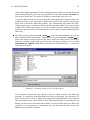
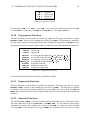
data (below) (see figure 4.36).
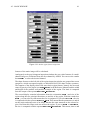
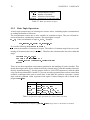
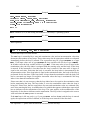
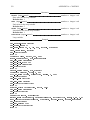
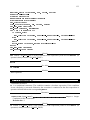
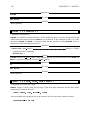
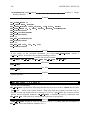
Figure 4.36: Variable window for both iconic and control data.
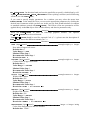
All computed variables are displayed showing their iconic or control values (see page 27). In
case of a tuple result which is too long, the tuple presentation is shortened, indicated by three
dots.
4.6.1 Area for Iconic Data
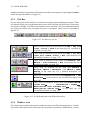
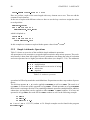
Here you can see iconic variables. They are represented by icons, which contain a gray image,
a region or an XLD, depending on the current value. The icons are created depending on the
type of data according the following rules: