1
Chapter 6
Code Generation
The idea of code generation is as follows: After developing a program according to the given
requirements it has to be transferred to its final environment. Here, you often don’t want to
use HDevelop to save memory or disk space. In addition the program should execute as fast as
possible, especially without the overhead of an interpreter. Therefore the program is transferred
into another language that can be compiled and allows a faster execution. In addition to this
features of the new environment like special libraries or graphical user interface builder can be
used.
The aim of this chapter is to describe the general steps of program development using this
feature. Later on some details of the code generation and optimization aspects are discussed.
6.1 Code Generation for C++
In this section the use of HALCON in C++ is describes.
6.1.1 Basic Steps
Interactive Development
The first step is the well known process of program development in HDevelop as it is described
in the rest of this manual.
Program Export
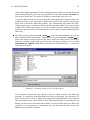
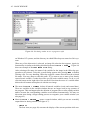
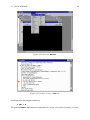
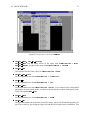
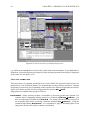
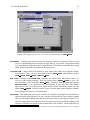
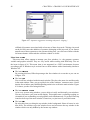
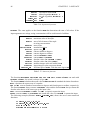
The next step is to export the program using the menu File . Save As. Here you have to
select the language (C++) and save it to file. In UNIX you specify the file by giving it the
corresponding extension, which is “.cpp”. A file will be created that contains the HDevelop
program as C++ source code in a procedure action(). This procedure is called in function
main(). Besides the program code, the file contains all necessary #include instructions. All
variables (iconic as well as control) are declared locally in the procedure action(). Iconic
variables belong to the class Hobject and all other variables belong to HTuple.
Compiling and Linking
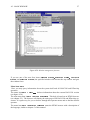
The last step is now to compile and link this new program. In the case of UNIX
this can be done using the predefined makefile which can be found in the directory
91