1
Kinematic "on the fly", contd.
6
Taking measurements
7
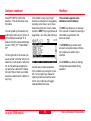
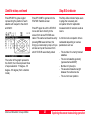
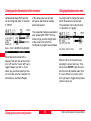
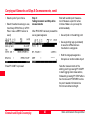
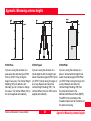
As soon as the main Survey panel is
accessed, data logging commences
according to the configured logging
parameters. You will see the status
icons changing from moving to static
in case you press F1 OCUPY. After
finishing a point occupation by
pressing F1 STOP and F1 STORE
the measurement mode will switch
back to "moving".
8
9
3
3
9
3
4
7
3
5
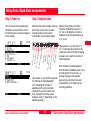
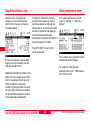
SKI-Pro will process such data and
resolve ambiguities "on the fly". It is
recommended to collect about 2
minutes of cycle slip free data before
you start occupying points. Otherwise
you take the risk that ambiguities
cannot be resolved and the accuracy
of such points will certainly not meet
the specification of 1 - 2 cm + 1 ppm.
Kinematic "on the fly"
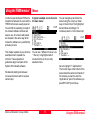
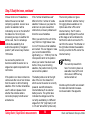
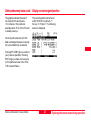
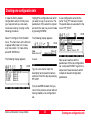
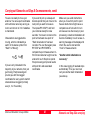
The Stop & Go indicator will provide
useful information for this kind of
operation (while you are moving):
"5 Sat's since mm:ss" tells the
operator the time elapsed since
tracking started or since the last
complete loss of lock. It is
recommended to start occupying
points only once this counter exceeds
2 minutes. In case of a complete loss
of lock (i.e. the number of satellites
tracked on both L1 and L2 falls below
5, the counter is reset to zero.
44
Post-processing of Kinematic-onthe-fly measurements
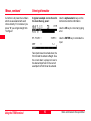
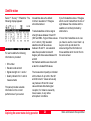
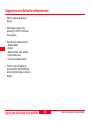
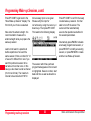
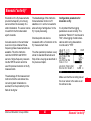
SKI-Pro will treat the data as so
called "Mixed Tracks". Both static
and moving data is contained in one
and the same chain of measurements:
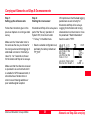
In the example above points 1 to 5 are
static points. Data-processing will
compute and provide a position for
each static point by averaging the
results of each epoch of data which
was taken during the static occupation.
Static and Kinematic Surveys-2.0.0en